
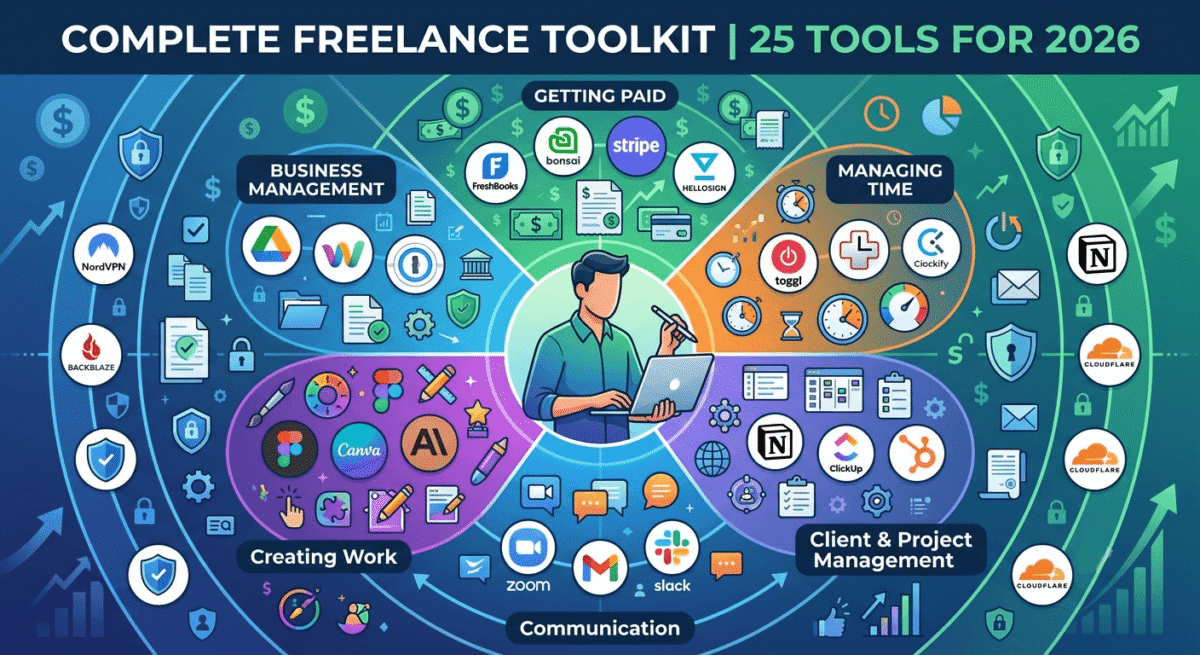
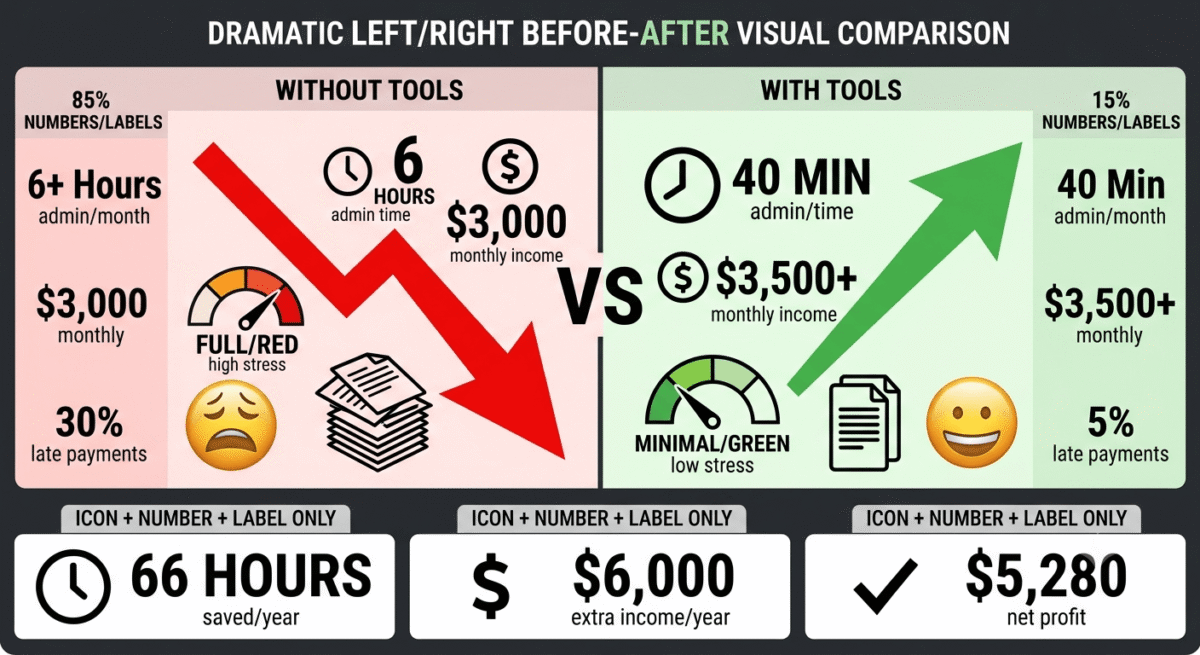
Freelancing in 2026 means running a business, and running a business requires the right tools. The difference between a freelancer earning $3,000/month and one earning $10,000/month is rarely talent. It is almost always systems: better time tracking, faster invoicing, more professional client communication, and smarter use of tools that automate the administrative work so you can spend more time on the work that actually pays.
This guide covers the best 25 tools for freelancers in 2026, tested across real freelance workflows covering writing, development, design, consulting, and digital marketing. Every tool is ranked for its specific job, with honest assessments of free versus paid options and exactly what each tool does for your freelance business.
Table of Contents
How to Use This Guide
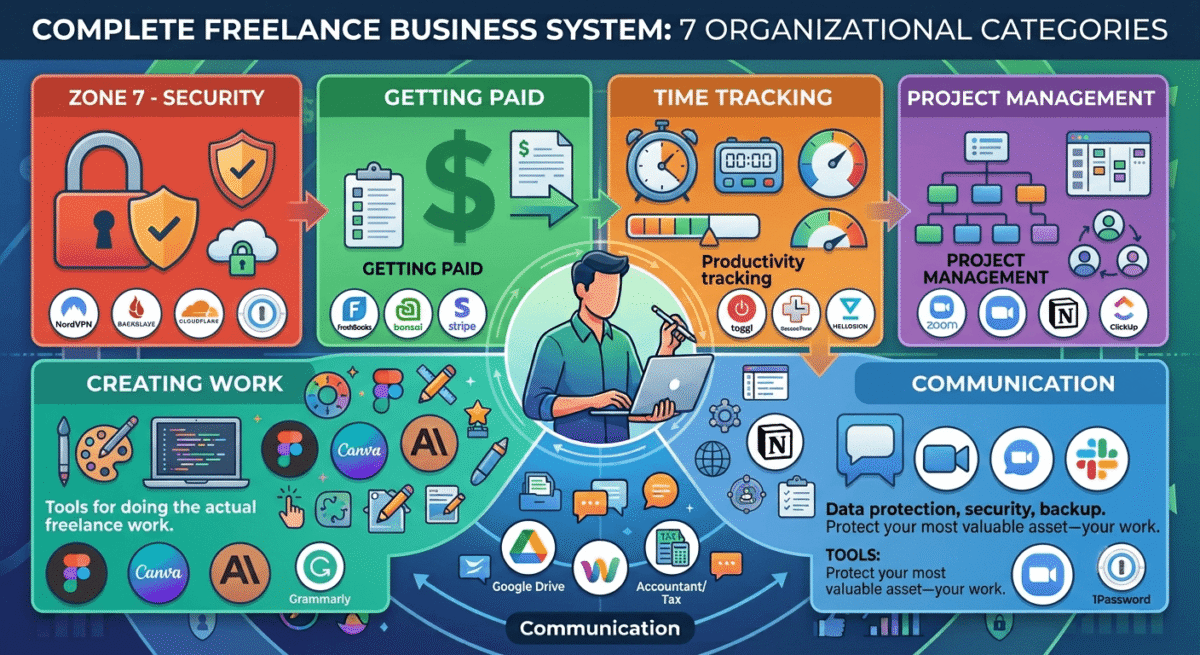
The 25 tools are organised into 7 categories matching the core functions of a freelance business:
- Getting paid, invoicing, contracts, and payment processing
- Managing time, time tracking and productivity
- Managing clients and projects, CRM and project management
- Communication, email, video calls, and messaging
- Creating work, writing, design, and content tools
- Managing your business, accounting, legal, and admin
- Security and infrastructure, VPN, password management, and storage
You do not need all 25. Start with the tools in categories 1 and 2 (getting paid and tracking time), these have the most immediate impact on your freelance income. Add tools from other categories as your business grows.
Category 1: Getting Paid, Invoicing, Contracts, and Payments
1. FreshBooks, Best Invoicing Software for Freelancers
Price: $19/month (Lite) | $33/month (Plus)
Affiliate: Up to $55 per referral
Full review: Best Invoicing Software for Freelancers →
FreshBooks is the best invoicing tool for freelancers who bill by the hour. Time tracking is built directly into FreshBooks, track hours against each client project, then convert those hours into a professional invoice with one click. No manual calculation, no spreadsheet exports.
The automated payment reminders are the feature freelancers use most, set a reminder schedule (3 days before due, on the due date, 7 days after) and FreshBooks sends polished follow-up emails automatically. The late payment chasing that most freelancers dread becomes completely hands-off.
FreshBooks accepts credit card, ACH bank transfer, and PayPal directly through invoices, clients pay in one click, money arrives in your account within 2 business days.
Free alternative: Wave (wave.com), completely free invoicing with bank connections and basic accounting. Sufficient for freelancers who invoice fewer than 5 clients per month.
2. Bonsai, Best All-in-One Freelance Business Platform
Price: $21/month (Starter) | $32/month (Professional)
Affiliate: Up to $100 per referral
Full review: Best Invoicing Software for Freelancers →
Bonsai combines contracts, proposals, invoicing, time tracking, and client management in one platform, the closest thing to a complete freelance business operating system. If you currently use separate tools for contracts (DocuSign), invoicing (FreshBooks), and project management (Notion), Bonsai replaces all three.
The 100+ legally-reviewed contract templates are Bonsai’s most distinctive feature, covering web design, copywriting, photography, consulting, and every other common freelance scenario. Send a contract, collect an e-signature, and convert the accepted contract directly into an invoice, without leaving Bonsai.
Choose FreshBooks if you primarily bill hourly and want the best time-to-invoice workflow.
Choose Bonsai if you work on project-based contracts and want proposals, contracts, and invoicing unified.
3. Stripe, Best Payment Processor for Freelancers
Price: 2.9% + $0.30 per transaction (no monthly fee)
Affiliate: None, but essential to mention
Stripe is the payment processor most freelancers use alongside their invoicing tool. While FreshBooks and Bonsai have built-in payment processing, connecting Stripe directly gives you faster payouts, lower fees in some scenarios, and the most flexible payment link setup.
Stripe’s payment links, shareable URLs that open a checkout page, let you request payment for any amount without an invoice. For quick one-off payments, project deposits, or retainer charges, a Stripe payment link sent in an email is the fastest way to collect money.
Stripe supports 135+ currencies and pays out to 40+ countries via Stripe Atlas (for setting up a US entity) or through Payoneer integration.
4. HelloSign (Dropbox Sign), Best E-Signature Tool for Freelancers
Price: Free (3 documents/month) | $15/month (Essentials)
Affiliate: Dropbox affiliate
For freelancers who need standalone e-signature without a full platform like Bonsai, HelloSign (now Dropbox Sign) provides legally binding e-signatures at the lowest cost of any dedicated tool. The free plan covers 3 signature requests per month, sufficient for freelancers with a small, stable client roster.
Upload any PDF contract, add signature fields, and send to your client for signing. Signed documents are stored permanently and legally binding in most jurisdictions.
When to use Bonsai instead: If you send more than 3 contracts per month or want proposals and invoicing alongside e-signatures, Bonsai’s all-in-one approach is more cost-effective.
Category 2: Managing Time, Tracking and Productivity
5. Toggl Track, Best Time Tracking for Freelancers
Price: Free (up to 5 users) | $9/user/month (Starter)
Affiliate: Toggl affiliate program
Full review: Best Time Tracking Software →
Toggl is the best time tracking tool for freelancers, the one-click timer, idle detection, and browser extensions that work inside 100+ tools (Asana, Trello, Gmail, GitHub) make it the most frictionless daily-use time tracker available.
The free plan covers everything most solo freelancers need, unlimited projects, unlimited clients, and basic reporting. The browser extensions add a “Start Timer” button directly inside your other tools, tracking time against a specific Asana task or Gmail thread without switching apps.
The Toggl insight that changes how freelancers price: Track your time for one month across all clients and projects. Divide your total income by total tracked hours. That is your real hourly rate. Most freelancers are shocked at how much lower it is than they thought, and immediately adjust their pricing accordingly.
6. RescueTime, Best Automatic Time Tracking and Productivity Monitoring
Price: Free (limited) | $12/month (Premium)
Affiliate: RescueTime affiliate program
While Toggl requires manual timer management, RescueTime runs in the background automatically, tracking every application you use and every website you visit, categorising your activity as productive or distracting, and generating weekly reports on how you actually spend your computer time.
For freelancers who find manual time tracking too easy to forget, RescueTime’s automatic tracking provides accurate data without any effort. The FocusTime feature blocks distracting sites during deep work sessions, improving the productivity that manual timers cannot address.
Use RescueTime alongside Toggl: Toggl for billable client hour tracking, RescueTime for personal productivity monitoring and ensuring your 8-hour workday contains more than 4 hours of actual focused work.
7. Notion, Best Productivity and Organisation Tool for Freelancers
Price: Free | $10/month (Plus)
Affiliate: Notion affiliate program
Full review: Best Note-Taking Apps →
Notion is the all-in-one workspace that replaces scattered notes, project documentation, and content planning across multiple tools. For freelancers, Notion works as:
- Client database, all client information, contact details, project history, and contract notes in one searchable database
- Content calendar, plan and track blog posts, social media content, and client deliverables
- Personal knowledge base, capture research, ideas, and reference material that accumulates over your career
- Project workspace, each client gets a Notion page with all relevant documents, tasks, and notes in one place
The free plan covers unlimited pages and blocks, sufficient for most individual freelancers. The Plus plan ($10/month) adds unlimited version history and unlimited guests.
Category 3: Managing Clients and Projects
8. HubSpot CRM, Best Free CRM for Freelancers
Price: Free (unlimited contacts, unlimited users)
Affiliate: Up to $500 per referral
Full review: Best CRM Software →
HubSpot’s free CRM is the most practical client management tool for freelancers who have outgrown tracking client relationships in a spreadsheet. Log every client interaction, emails, calls, proposals, and follow-ups, in a visual pipeline that shows where every potential client stands.
The email tracking feature shows when a prospect opens your proposal email, enabling perfectly timed follow-ups when they are actively reading. The meeting scheduling link eliminates the back-and-forth of booking discovery calls, share your link, client picks a time, it appears in your calendar automatically.
The free plan has no meaningful limitations for solo freelancers, unlimited contacts, unlimited deal pipeline, and email tracking at zero cost.
9. ClickUp, Best Project Management for Freelancers Managing Multiple Clients
Price: Free (unlimited tasks and members) | $7/member/month (Unlimited)
Affiliate: ClickUp affiliate, 20% recurring commission
Full review: Best Project Management Tools →
ClickUp’s free plan is the best free project management tool for freelancers, unlimited tasks, unlimited members, and multiple view types (list, board, calendar, Gantt) at zero cost. Create a separate workspace for each client, track all deliverables with due dates, and see your entire workload across clients in one calendar view.
The ClickUp Docs feature replaces Notion for freelancers who want project management and documentation in one tool, SOPs, client briefings, and reference materials live alongside tasks in the same project space.
10. Calendly – Best Scheduling Tool for Freelancers
Price: Free (1 event type) | $10/month (Standard)
Affiliate: Calendly affiliate program
Calendly eliminates scheduling friction, share your link, clients pick a time from your available slots, and the meeting appears in both calendars automatically. No more “are you free Tuesday at 2pm?” email chains.
For freelancers who book discovery calls, client check-ins, and project reviews, Calendly saves 15–30 minutes per booking on scheduling administration. At even one meeting per day, that is 60–90 hours per year recovered from email back-and-forth.
The free plan covers one event type (e.g., “30-minute discovery call”) with unlimited bookings. The Standard plan ($10/month) adds multiple event types, payment collection through Stripe, and redirect after booking.
Category 4: Communication
11. Zoom, Best Video Calling for Client Meetings
Price: Free (40-minute limit on group calls) | $13.33/month (Pro)
Affiliate: Zoom affiliate program
Full review: Best Video Conferencing Software →
Zoom remains the most reliable video conferencing tool for client meetings, joining is frictionless for clients (one link click, no account required), connection quality is the most stable on variable internet connections, and the professional interface projects credibility in client calls.
The free plan covers 40-minute group meetings and unlimited 1-on-1 calls, sufficient for freelancers whose client calls are primarily 1-on-1. Upgrade to Pro ($13.33/month) when you need longer group calls for team meetings or multi-participant client presentations.
12. Loom, Best Async Communication Tool for Freelancers
Price: Free (25 videos, 5-minute limit) | $12.50/month (Starter)
Affiliate: Loom affiliate program
Full review: Best Screen Recording Software →
Loom records your screen with webcam overlay and shares instantly via link, the fastest way to explain something visual without scheduling a meeting. For freelancers who work across time zones or want to reduce synchronous meetings, Loom replaces a significant percentage of video calls with async recordings.
Use Loom for:
- Delivering design mockups with a walkthrough explanation
- Explaining code changes with a screen recording
- Giving feedback on client-submitted materials without scheduling a call
- Answering complex client questions that would be confusing in text
The free plan (25 videos, 5-minute limit) covers casual use. Starter ($12.50/month) removes limits for freelancers who use Loom regularly.
13. Spark, Best Email Client for Freelancers
Price: Free (individual) | $4.99/month (Premium teams)
Affiliate: Spark affiliate program
Full review: Best Email Clients →
Spark’s Smart Inbox organises incoming email into Personal (clients, people you know), Newsletters, and Notifications automatically, ensuring client emails never get buried under promotional content. The send later and snooze features turn email from a real-time obligation into a managed workflow.
For freelancers managing multiple client email accounts, Spark’s unified inbox brings all accounts into one organised view on Mac and iPhone, the most polished multi-account email experience available.
Category 5: Creating Work
14. Grammarly, Best Writing Tool for Freelancers
Price: Free (basic) | $12/month (Premium)
Affiliate: Up to $20 per Premium signup
Full review: Best Grammar Checkers →
Grammarly’s browser extension checks every piece of writing you produce, client emails, proposals, blog posts, social media, automatically across every web-based tool. For freelancers where professional writing quality directly affects client relationships, Grammarly catches the errors that erode credibility.
The tone detector ensures client communications strike the right register, confident but not arrogant, professional but not cold. The AI rewriting suggestions improve clarity and conciseness in specific sentences, not just grammar corrections.
15. Canva, Best Design Tool for Non-Designer Freelancers
Price: Free | $12.99/month (Pro)
Affiliate: Up to $36 per Pro signup
Full review: Canva vs Adobe Express →
Canva enables freelancers without formal design training to create professional-quality visual assets, client presentations, social media graphics, proposal covers, and portfolio mockups. The template library covers every common freelance design need, and the brand kit (Pro feature) ensures all materials use consistent colours, fonts, and logos.
For freelancers who present work visually, designers sharing concepts, marketers presenting campaign results, consultants delivering reports, Canva’s professional presentation templates elevate the perceived quality of deliverables.
16. Figma, Best Design Tool for UX/UI and WordPress Developers
Price: Free (3 projects) | $12/month (Professional)
Affiliate: Figma affiliate program
Full review: Best Design Tools →
Figma is the industry-standard design tool for web and app interface design, used by 43% of professional designers in 2026. For WordPress developers who design before building, Figma enables client approval of wireframes and visual mockups before development begins, eliminating the expensive revision cycles that kill project profitability.
The free plan covers 3 projects with unlimited collaborators, sufficient for freelancers managing a small client roster. The ability to share a Figma prototype link and let clients click through the design as if using the real product transforms client communication from abstract description to tangible experience.
17. Claude or ChatGPT, Best AI Writing Assistant for Freelancers
Price: Free (limited) | $20/month (Pro/Plus)
Affiliate: None
Full review: ChatGPT vs Claude vs Gemini →
AI writing assistants have become essential tools for freelance writers, content marketers, and copywriters in 2026. Claude produces the most natural prose for long-form content; ChatGPT Plus provides the broadest task coverage including image generation and web browsing.
Use AI for:
- First drafts that you edit and personalise (never publish unedited AI content)
- Generating multiple headline or subject line options
- Summarising research into key points
- Improving specific sentences or paragraphs
- Brainstorming angles, outlines, and content ideas
The honest caveat: AI writing assistance is a tool that accelerates your work, not a replacement for your expertise. Clients hire you for your knowledge, voice, and judgment, AI helps you apply those faster.
Category 6: Managing Your Business
18. Wave, Best Free Accounting Software for Freelancers
Price: Free (accounting and invoicing)
Affiliate: None, recommended because it is the best free option
Full review: Best Accounting Software →
Wave provides completely free double-entry accounting, the same accounting standard used by professional accountants, with bank connections, expense tracking, profit and loss reports, and invoice management. For freelancers who need to track income and expenses for tax purposes, Wave handles everything at zero cost.
The key reports for freelancers: profit and loss statement (total income minus total expenses = taxable profit), expense report (all deductible business expenses organised by category), and income report (income by client for understanding your most valuable relationships).
When to upgrade: Switch to FreshBooks or QuickBooks when your accounting complexity requires more advanced reporting, when you hire employees, or when your accountant specifically requests a different platform.
19. Clockify, Best Free Time Tracking for Teams (Freelancers with Contractors)
Price: Free (unlimited users)
Affiliate: Clockify affiliate program
Full review: Best Time Tracking Software →
For freelancers who collaborate with subcontractors, a writer who works with an editor, a developer who works with a designer, Clockify’s unlimited free plan lets everyone track time without per-seat subscription costs. Project managers see all team members’ time in a single dashboard, making client billing straightforward even across a small distributed team.
20. 1Password, Best Password Manager for Freelancers
Price: $2.99/month (Individual)
Affiliate: Up to $60 per referral
Full review: Best Password Managers →
Freelancers manage passwords for dozens of client accounts, tools, platforms, and services, using the same password across multiple accounts is the single most common security vulnerability. 1Password stores every password securely, generates strong unique passwords for every account, and autofills across all devices.
The Watchtower feature alerts you when any saved account appears in a data breach database, enabling immediate password rotation before compromised credentials are exploited. For freelancers managing client accounts, a security breach due to poor password hygiene is a career-ending event. 1Password at $2.99/month is the most cost-effective risk mitigation available.
Category 7: Security and Infrastructure
21. NordVPN, Best VPN for Freelancers Working Remotely
Price: $3.99/month (2-year plan)
Affiliate: 40% + 30% recurring commission
Full review: Best VPN for Beginners →
Freelancers frequently work from coffee shops, co-working spaces, hotels, and airports, public networks that are trivially easy to intercept. A VPN encrypts all your internet traffic, protecting client data, login credentials, and sensitive communications regardless of the network you use.
NordVPN is the most reliable VPN for freelancers, fast enough for video calls and large file uploads, with servers in 60+ countries that remain consistently unblocked. The Threat Protection feature blocks malicious websites and ads without requiring you to remember to turn it on separately.
Essential for freelancers who: work on public Wi-Fi regularly, need to access geo-restricted content or services, manage client accounts with location-sensitive security settings, or handle sensitive client data that requires network-level protection.
22. Google Drive, Best Cloud Storage for Freelancers
Price: Free (15GB) | $1.99/month (100GB via Google One)
Affiliate: None, recommended because it is free and universal
Full review: Best Cloud Storage →
Google Drive is the universal freelance file storage solution, every client has Google Drive access, sharing files requires only a link, and real-time collaboration on Google Docs eliminates the version confusion of emailed file attachments.
The free 15GB storage covers most freelancers starting out. Upgrade to Google One 100GB ($1.99/month) when client project files fill your free storage.
For WordPress developers: Combine Google Drive (client file delivery and collaboration) with a local NAS or external drive (project archive) and Backblaze cloud backup ($99/year unlimited backup of your computer) for a complete 3-2-1 backup strategy.
23. Backblaze, Best Cloud Backup for Freelancers
Price: $99/year (unlimited computer backup)
Affiliate: Up to $25 per referral
Full review: Best Cloud Backup Software →
Your client work, portfolio, business documents, and years of accumulated assets represent your most valuable business assets. Backblaze continuously backs up your entire computer to the cloud, every file, every folder, unlimited storage, for $99/year.
For freelancers, losing a client project to a hard drive failure without a backup is a professional catastrophe, missed deadlines, damaged relationships, and potentially lost income from rework. Backblaze at $99/year is the most cost-effective insurance available.
24. Bitwarden, Best Free Password Manager for Freelancers on a Budget
Price: Free (personal use, unlimited)
Affiliate: Bitwarden affiliate program
Full review: Best Password Managers →
For freelancers who want password management at zero cost, Bitwarden’s free plan provides unlimited password storage, cross-device sync, and browser autofill, all the core password management functionality at no cost. The open-source codebase provides security transparency that proprietary tools cannot match.
Choose 1Password if you prefer the most polished interface and Travel Mode for international work.
Choose Bitwarden if budget is a primary concern or open-source transparency matters to you.
25. Cloudflare, Best Security and Performance Tool for Freelancers with Websites
Price: Free | $20/month (Pro)
Affiliate: None, free service
For freelancers who have their own website or portfolio, which every serious freelancer should, Cloudflare’s free plan provides DDoS protection, free SSL, global CDN, and basic web application firewall for any domain in under 5 minutes of setup.
Connect your domain to Cloudflare (change your nameservers), enable the free plan, and your site immediately gets: faster loading speeds globally (CDN caches assets near each visitor), protection from most automated attacks, and a free SSL certificate. No monthly cost, no technical expertise required beyond basic DNS management.
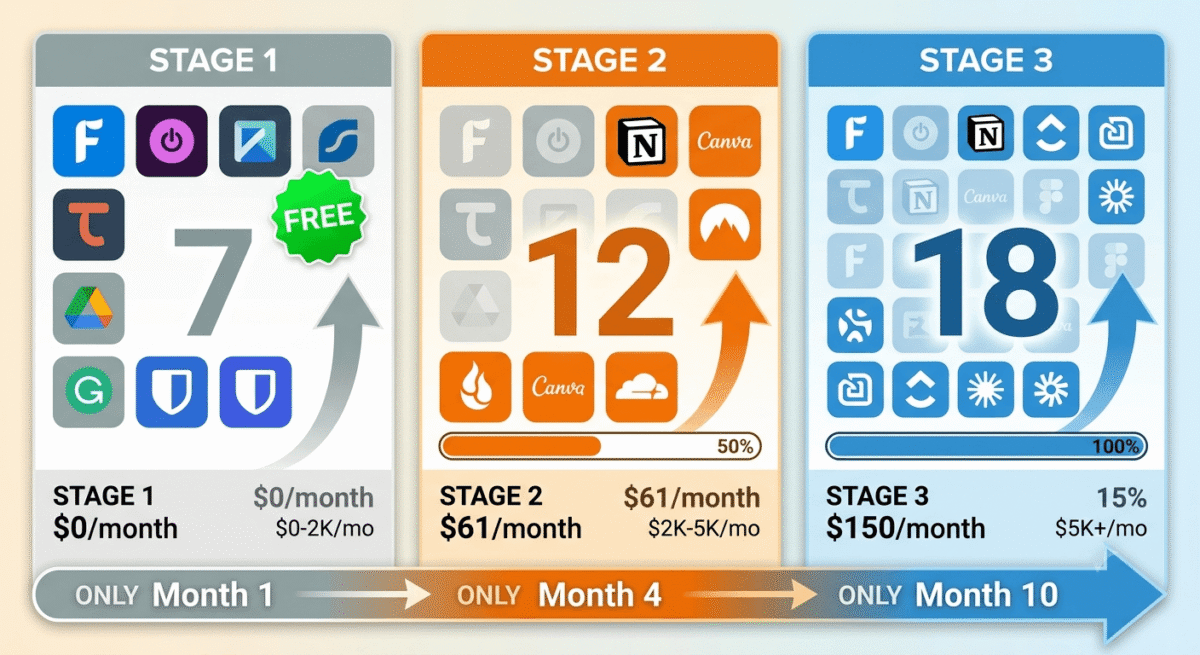
The Recommended Freelance Tool Stack by Stage
Stage 1: First Clients (0–$2,000/month)
Focus on the tools that directly generate and collect income:
Tool | Purpose | Cost |
Wave | Invoicing and accounting | Free |
Toggl Track | Time tracking | Free |
HelloSign | E-signatures | Free (3/month) |
Google Drive | File storage and sharing | Free |
Calendly | Meeting scheduling | Free |
Grammarly | Writing quality | Free |
Bitwarden | Password management | Free |
Total | $0/month |
Stage 2: Growing Practice ($2,000–$5,000/month)
Add tools that improve client experience and business efficiency:
Tool | Purpose | Cost |
FreshBooks | Professional invoicing | $19/month |
Notion | Client and project organisation | Free |
Zoom Pro | Client video calls | $13.33/month |
Canva Pro | Visual assets | $12.99/month |
NordVPN | Security on public Wi-Fi | $3.99/month |
1Password | Password management | $2.99/month |
Backblaze | Computer backup | $8.25/month |
Total | ~$61/month |
Stage 3: Established Practice ($5,000+/month)
Add tools that scale client management and business development:
Tool | Purpose | Cost |
Bonsai | Contracts + invoicing + CRM | $32/month |
HubSpot CRM | Client pipeline management | Free |
ClickUp | Multi-client project management | Free |
Claude Pro | AI writing assistance | $20/month |
Figma Professional | Design and prototyping | $12/month |
Loom Starter | Async client communication | $12.50/month |
Total (added to Stage 2) | ~$140/month |
Frequently Asked Questions
What tools do most successful freelancers use?
The most universally used tools among successful freelancers are: a dedicated invoicing tool (FreshBooks or Wave), time tracking (Toggl), a password manager (1Password or Bitwarden), cloud storage (Google Drive), and video calling (Zoom). Beyond these five essentials, the specific stack depends on the type of freelance work, designers use Figma, writers use Grammarly, developers use various technical tools.
What is the most important tool for freelancers?
An invoicing tool is the most important tool for freelancers, getting paid professionally, on time, and without friction is the foundation of a sustainable freelance business. FreshBooks for hourly freelancers or Bonsai for project-based freelancers are the two best options. Use Wave free if budget is the primary constraint.
Do freelancers need accounting software?
Yes, from the first dollar earned. Freelance income is taxable, and tracking income and expenses throughout the year makes tax filing accurate and often reveals deductions you would otherwise miss. Wave (free) handles everything a solo freelancer needs for basic accounting. FreshBooks covers accounting alongside invoicing for freelancers who want both in one tool.
What project management tool is best for freelancers?
ClickUp’s free plan is the best project management tool for freelancers, unlimited tasks, unlimited clients, and multiple view types at zero cost. Notion is better if you want project management combined with a personal knowledge base and note-taking. Bonsai includes basic project management alongside contracts and invoicing for freelancers who want everything in one platform.
Is a VPN necessary for freelancers?
Yes, if you work from public networks (coffee shops, co-working spaces, airports, hotels). Public Wi-Fi is trivially easy to intercept, a VPN encrypts all your internet traffic and protects client data, login credentials, and sensitive communications regardless of network quality. NordVPN at $3.99/month is the recommended option for freelancers.
How much should freelancers spend on tools?
Starting freelancers can operate entirely on free tools, Wave, Toggl, Bitwarden, Google Drive, Calendly, and Grammarly free cover all essential functions at zero cost. As income grows to $2,000–$3,000/month, investing $50–$80/month in paid upgrades (FreshBooks, Canva Pro, Zoom Pro, NordVPN) is justified by time saved and professionalism gained. At $5,000+/month, a $150–$200/month tool stack is a small investment relative to the business it supports.








