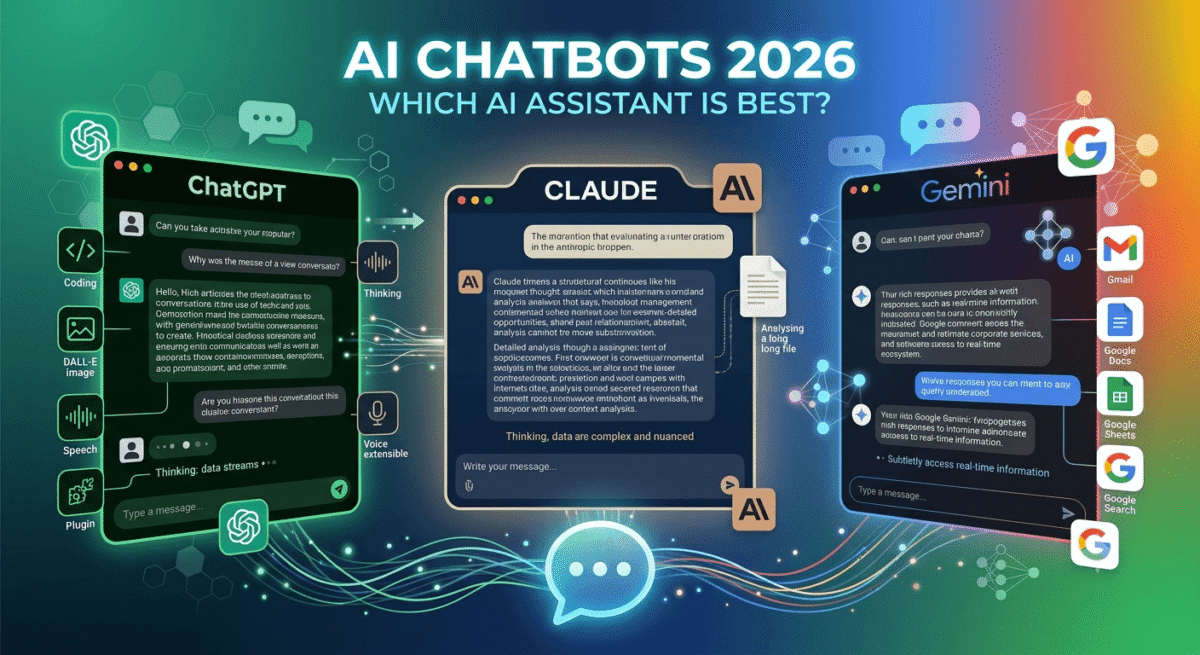
Three AI chatbots now dominate how millions of people work, write, research, and create content. ChatGPT from OpenAI. Claude from Anthropic. Gemini from Google. Each is genuinely impressive. Each has real weaknesses. And each is the right tool for a different type of user.
The problem is that most comparisons either declare an unconditional winner based on a single benchmark, or hedge so carefully that they leave readers no clearer on which tool to actually use. This comparison does neither.
I tested ChatGPT vs Claude vs Gemini for 30 days across real tasks, writing blog posts, doing research, analysing data, coding, answering complex questions, and handling creative projects. Here is the honest, practical verdict.
Table of Contents
How We Evaluated These AI Chatbots
Every tool was tested across five criteria:
- Writing quality, blog posts, emails, marketing copy, and creative content
- Research and reasoning, factual accuracy, source quality, and analytical depth
- Coding assistance, code generation, debugging, and technical explanations
- Context handling, how well each tool maintains and uses long conversation context
- Value, free plan quality and paid plan pricing versus capabilities
The Most Important Thing to Understand First
All three tools are built on large language models, they predict what text should come next based on training data. None of them “knows” things the way a person does. All three can and do make mistakes, present false information confidently, and have knowledge cutoffs beyond which they cannot provide current information without browsing tools.
The differences between them are real and meaningful, but they are differences of emphasis, style, and specific capability areas, not fundamental differences in intelligence. Choosing the right tool for your specific use case matters more than which tool scores highest on a benchmark.
ChatGPT Review: Best AI Chatbot for Breadth and Integrations
Free plan: Yes, GPT-3.5 (older model), limited GPT-4o access
Starting price: $20/month (ChatGPT Plus, GPT-4o, DALL-E 3, browsing, plugins)
Best plan for most users: ChatGPT Plus, $20/month
Developer: OpenAI
Platforms: Web, iOS, Android, API, desktop apps
ChatGPT is the AI chatbot that defined the category, launched in November 2022, it reached 100 million users faster than any application in history and established the conversational AI interface that every subsequent tool has built upon or reacted against. In 2026, it remains the most widely used AI assistant globally and the broadest in terms of third-party integrations and tool ecosystem.
What ChatGPT does best
ChatGPT’s GPT-4o model, the current flagship, is the most versatile of the three tools across the widest range of tasks. It handles coding, creative writing, mathematical reasoning, data analysis, image generation (via DALL-E 3), voice conversation, and web browsing in a single subscription. No competing tool provides this breadth from one interface.
The plugin and integration ecosystem is ChatGPT’s most distinctive advantage. GPT-4o can use tools, browse the web for current information, run Python code and display results, generate and analyse images, create charts and visualisations from data, and interact with connected third-party services. For users who want one AI tool that handles a wide variety of tasks, ChatGPT Plus is the most capable all-in-one option.
The Custom GPTs feature, allowing users to create specialised AI assistants trained on specific instructions, knowledge bases, and workflows, is unique to ChatGPT. For businesses that want a branded AI assistant tuned to their specific processes, or bloggers who want a writing assistant pre-configured to their style and topic area, Custom GPTs provide a level of personalisation that Claude and Gemini do not offer equivalently. If you are new to publishing, learn the fundamentals in our comprehensive guide on how to start a blog.
ChatGPT’s code generation and explanation capabilities are excellent, particularly for Python, JavaScript, and common web technologies. The ability to write code, explain what it does, debug errors, and run it within the same interface using the code interpreter makes it the most capable end-to-end coding assistant of the three general-purpose chatbots.
The voice mode, particularly in the mobile apps, is the most natural conversational AI experience available. The ability to have a flowing spoken conversation with an AI that interrupts naturally, responds without noticeable delay, and adjusts its communication style to a casual conversation has made ChatGPT’s voice mode a genuinely useful tool for hands-free assistance.
Where ChatGPT falls short
ChatGPT’s writing style, while competent, can feel formulaic, particularly for long-form content. Experienced writers often find GPT-4o’s prose has a detectable pattern: a certain structure, a predictable rhythm, and tendencies toward specific transitional phrases that make AI authorship recognisable without careful editing. Claude consistently produces more naturally varied and stylistically sophisticated writing. If your primary goal is building a content business rather than just experimenting with prompts, seeing how these writing flows fit into a broader production stack in our guide to the 15 best AI tools for bloggers will help you construct a more efficient publishing workflow. To polish your drafts and eliminate these patterns, you can use one of the best grammar checkers to refine your text.
Factual accuracy on nuanced questions can be inconsistent, ChatGPT confidently states incorrect information in areas where its training data is sparse or outdated. The browsing tool helps for current events, but reasoning accuracy on complex factual questions benefits from verification.
The free plan has become increasingly limited, GPT-3.5 (the free model) is significantly less capable than GPT-4o, and free users get restricted access to GPT-4o, making the free tier feel more like a trial than a genuine product. For more budget-friendly options, check out our list of the best free software tools available today.
ChatGPT pricing
Plan | Price/month | Model | Key features |
Free | $0 | Limited GPT-4o | Basic conversation, limited tools |
Plus | $20 | GPT-4o | DALL-E 3, browsing, code interpreter, plugins |
Team | $25/user | GPT-4o | + Shared workspace, admin controls |
Enterprise | Custom | GPT-4o | + Security, compliance, custom limits |
ChatGPT: Pros and Cons
Pros:
- Most versatile, coding, images, voice, browsing, data analysis in one tool
- Best plugin and tool integration ecosystem
- Custom GPTs for personalised AI assistants
- Best voice mode for hands-free conversation
- Largest user community, most third-party resources
- Code interpreter for running and testing code
- DALL-E 3 image generation included in Plus
Cons:
- Writing style can feel formulaic on long-form content
- Free plan significantly weaker than paid (GPT-3.5 vs GPT-4o)
- Factual accuracy inconsistent on nuanced questions
- $20/month required for full capability
- Context window smaller than Claude for very long documents
Rating: 4.6 / 5 – Best AI chatbot for breadth of tasks and tool integrations. The go-to choice for users who want one tool that handles everything.
Claude Review: Best AI Chatbot for Writing, Analysis, and Long Documents
Free plan: Yes, Claude.ai free (limited usage of Claude Sonnet)
Starting price: $20/month (Claude Pro, priority access, longer context, more usage)
Best plan for most users: Claude Pro, $20/month
Developer: Anthropic
Platforms: Web, iOS, Android, API
Claude is Anthropic’s AI assistant, developed with a particular emphasis on being helpful, harmless, and honest. In 2026, Claude has emerged as the preferred AI tool among writers, researchers, lawyers, and analysts who work with complex text, for the specific reasons that it produces the most naturally sophisticated prose, handles the longest documents most effectively, and applies the most careful reasoning to nuanced questions.
What Claude does best
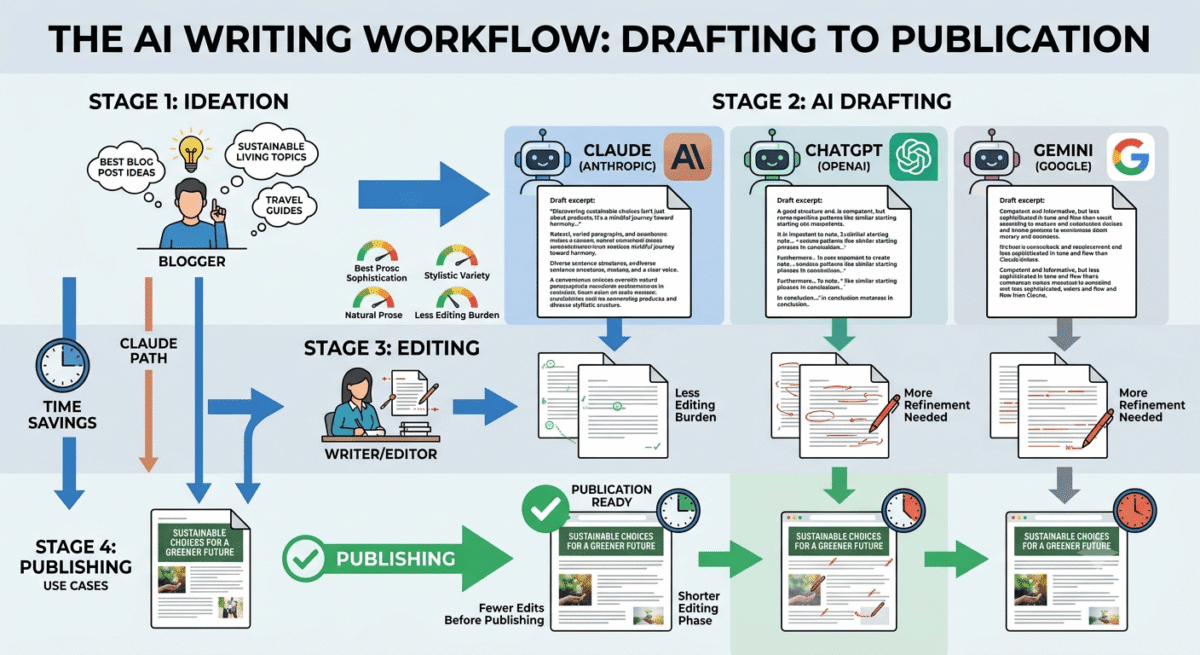
Claude’s writing quality is the strongest of the three tools, this is the most consistent finding across independent evaluations and my own testing. Claude produces prose that is more varied in sentence structure, more nuanced in argument development, more natural in tone, and less detectably AI-generated than GPT-4o’s output at equivalent prompts. For bloggers who use AI as a drafting assistant, Claude’s writing requires less editing to match a human author’s voice.
The context window, the amount of text Claude can process in a single conversation, is the largest of the three tools. Claude can read, analyse, and respond to entire books, lengthy legal documents, complete codebases, or extensive research papers in a single conversation. For researchers, lawyers, and analysts who work with long documents, Claude’s ability to hold and reason about very long context is a practical capability that ChatGPT and Gemini cannot match equivalently.
Claude’s analytical reasoning, particularly on nuanced questions, ethical dilemmas, and situations with multiple valid perspectives, is the most carefully considered of the three tools. Rather than confidently asserting a position on complex questions, Claude tends to explore multiple angles, acknowledge uncertainty where it exists, and qualify claims appropriately. For research assistance, policy analysis, and complex decision support, this careful reasoning is valuable.
The coding capability is strong, Claude Sonnet and Claude Opus are frequently rated among the top coding AI models in independent benchmarks. Complex multi-file code projects, refactoring tasks, and architecture questions receive more thoughtful, contextually aware responses than GPT-4o on many tasks. The ability to share an entire codebase in context and receive holistic suggestions rather than isolated fixes is particularly valuable for WordPress developers.
Claude’s honesty about its limitations is more pronounced than ChatGPT’s or Gemini’s, it is more likely to say “I’m not certain about this” and more reluctant to fabricate information when uncertain. For users who need to trust the information they receive, this epistemic humility is a meaningful differentiator.
Where Claude falls short
Claude does not browse the internet in its standard interface, responses are based on training data with a knowledge cutoff rather than current web information. This means Claude cannot answer questions about very recent events, current prices, or today’s news without you providing that context. ChatGPT and Gemini both offer browsing tools that Claude’s standard interface lacks.
The tool ecosystem is smaller than ChatGPT’s, no image generation, no code execution sandbox, no plugin marketplace. Claude is a text-in, text-out AI assistant with excellent reasoning capabilities but without the multi-modal tool breadth that ChatGPT Plus provides.
The free plan usage limits are more restrictive than ChatGPT’s free tier for many users, Claude Pro at $20/month is required for heavy usage.
Claude does not have a built-in image generation capability, you cannot create images directly through Claude the way you can through ChatGPT (via DALL-E 3).
Claude pricing
Plan | Price/month | Model | Key features |
Free | $0 | Claude Sonnet | Limited daily usage |
Pro | $20 | Claude Sonnet + Opus | Priority access, 5x more usage, longer context |
Team | $25/user | Sonnet + Opus | + Collaboration features, admin controls |
Enterprise | Custom | All models | + Security, compliance, custom context |
Claude: Pros and Cons
Pros:
- Best writing quality, most natural, varied, and sophisticated prose
- Longest context window, handles entire books and large codebases
- Most careful reasoning on nuanced and complex questions
- Best analytical depth for research and document analysis
- Strong coding capability, frequently top-rated in benchmarks
- Most honest about uncertainty, less confident fabrication
- Best for long-form content drafting and editing assistance
Cons:
- No web browsing in standard interface, knowledge cutoff applies
- No image generation capability
- Smaller tool ecosystem than ChatGPT
- Free plan more restricted than ChatGPT free for heavy users
- No code execution sandbox
- Less breadth of task coverage than ChatGPT Plus
Rating: 4.7 / 5 – Best AI chatbot for writing, research, and long document analysis. The preferred tool for writers, researchers, and anyone who works primarily with text.
Gemini Review: Best AI Chatbot for Google Workspace Users
Free plan: Yes, Gemini.google.com free (Gemini 1.5 Flash)
Starting price: $19.99/month (Google One AI Premium, Gemini Advanced + 2TB storage)
Best plan for most users: Google One AI Premium, $19.99/month (if already using Google One)
Developer: Google DeepMind
Platforms: Web, iOS, Android, integrated into Google Workspace (Gmail, Docs, Sheets, Slides)
Affiliate program: Yes, Google Workspace affiliate program
Gemini is Google’s AI assistant, the direct integration of large language model capabilities into the Google ecosystem that billions of people already use daily. For users whose work revolves around Gmail, Google Docs, Google Sheets, and Google Drive, Gemini’s deep integration into these tools provides AI assistance where work actually happens rather than in a separate chat interface.
What Gemini does best
Gemini’s Google Workspace integration is its defining advantage, and the capability that creates genuine productivity gains for Google-ecosystem users. Gemini in Gmail drafts email responses based on the thread context, summarises long email chains, and extracts action items. Gemini in Google Docs assists with writing, suggests improvements, and generates content directly in your document. Gemini in Google Sheets writes formulas, analyses data, and creates charts from natural language descriptions. Gemini in Google Slides generates presentations from outlines and suggests design improvements.
This in-context assistance, where AI helps you within the tools you already use rather than requiring you to switch to a separate chat interface, is a fundamentally different workflow than ChatGPT or Claude. The friction reduction of getting AI help without leaving Gmail or Google Docs is meaningful for users who spend their working day in Google’s ecosystem.
The Google Search integration gives Gemini access to current information in a way that is more deeply integrated than ChatGPT’s browsing tool. Gemini can access real-time information, cite current sources, and provide up-to-date answers on recent events, prices, and developments. For research tasks that require current information, Gemini’s Google Search grounding is the most reliable of the three tools.
Gemini’s multimodal capabilities, understanding and responding to images, audio, and video alongside text, are built on Google DeepMind’s research and are genuinely impressive. Uploading an image and asking complex questions about its content, uploading a document and requesting analysis, or describing a visual scene for interpretation all work smoothly.
The free Gemini tier is the most capable free AI chatbot available for general use, Gemini 1.5 Flash provides genuinely useful responses at zero cost, with fewer restrictions than ChatGPT’s free tier (GPT-3.5) and more consistent availability than Claude’s free plan.
Where Gemini falls short
Gemini’s writing quality, while competent and improving, does not consistently match Claude’s prose sophistication or ChatGPT’s versatility. Long-form writing tasks, blog posts, essays, detailed reports, show more formulaic structure and less stylistic variation than Claude at equivalent prompts.
The coding capability, while functional, is generally considered below both ChatGPT (with code interpreter) and Claude on complex programming tasks. For WordPress developers and software engineers, ChatGPT or Claude are typically preferred for technical work.
Gemini’s performance is most impressive within the Google ecosystem, outside of Gmail, Docs, and Sheets, it competes more directly with ChatGPT and Claude on even terms where its integration advantage disappears. For users who work outside Google’s tools, Gemini’s differentiation is reduced.
Privacy-conscious users may be uncomfortable with Gemini’s deep integration with Google’s data, conversations with Gemini may be reviewed by Google to improve the product, and the integration with Gmail and Drive means Google’s AI has access to your personal communications and documents.
Gemini pricing
Plan | Price/month | Model | Key features |
Free | $0 | Gemini 1.5 Flash | General conversation, Google Search |
Google One AI Premium | $19.99 | Gemini Advanced (1.5 Pro) | + Workspace integration, 2TB Drive storage |
Google Workspace Business | $12+/user | Gemini for Workspace | + Enterprise Workspace integration |
Gemini: Pros and Cons
Pros:
- Best Google Workspace integration, AI inside Gmail, Docs, Sheets, Slides
- Most reliable real-time information via Google Search grounding
- Most capable free tier for general use
- Strong multimodal capabilities, images, audio, video
- Google ecosystem users get AI where they already work
- Competitively priced, $19.99 includes 2TB Google Drive storage
- Most up-to-date information of the three tools
Cons:
- Writing quality below Claude for long-form content
- Coding capability below ChatGPT and Claude for complex tasks
- Integration advantage disappears outside Google ecosystem
- Privacy concerns with Google data integration
- Less distinctive outside Google Workspace context
- Smaller third-party integration ecosystem than ChatGPT
Rating: 4.4 / 5 – Best AI chatbot for Google Workspace users and anyone who needs reliable real-time information. Less compelling outside the Google ecosystem.
Head-to-Head Comparison
ChatGPT Plus | Claude Pro | Gemini AI Premium | |
Price/month | $20 | $20 | $19.99 |
Free plan quality | Moderate (GPT-3.5) | Good (limited Sonnet) | Best (Gemini Flash) |
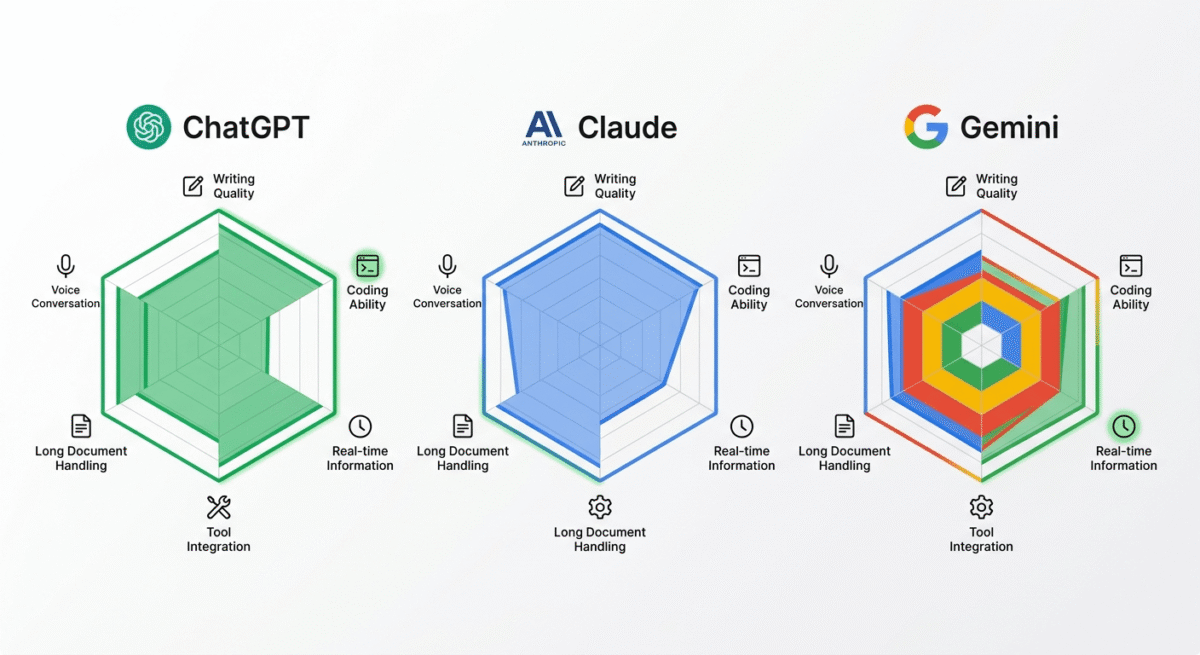
Writing quality | Good | Best | Good |
Coding ability | Excellent | Excellent | Good |
Long document handling | Good | Best | Good |
Real-time information | Yes (browsing) | No (cutoff) | Best (Google Search) |
Image generation | Yes (DALL-E 3) | No | No |
Image understanding | Yes | Yes | Yes |
Voice conversation | Best | No | Yes |
Google Workspace integration | Limited | No | Best |
Context window | Large | Largest | Large |
Plugin/tool ecosystem | Largest | Small | Google tools |
Custom AI assistants | Yes (Custom GPTs) | No | Limited |
Code execution | Yes | No | No |
Factual accuracy | Good | Best | Good |
Best for | Breadth/tools | Writing/research | Google users |
Which AI Chatbot Should You Choose?
Choose ChatGPT Plus if:
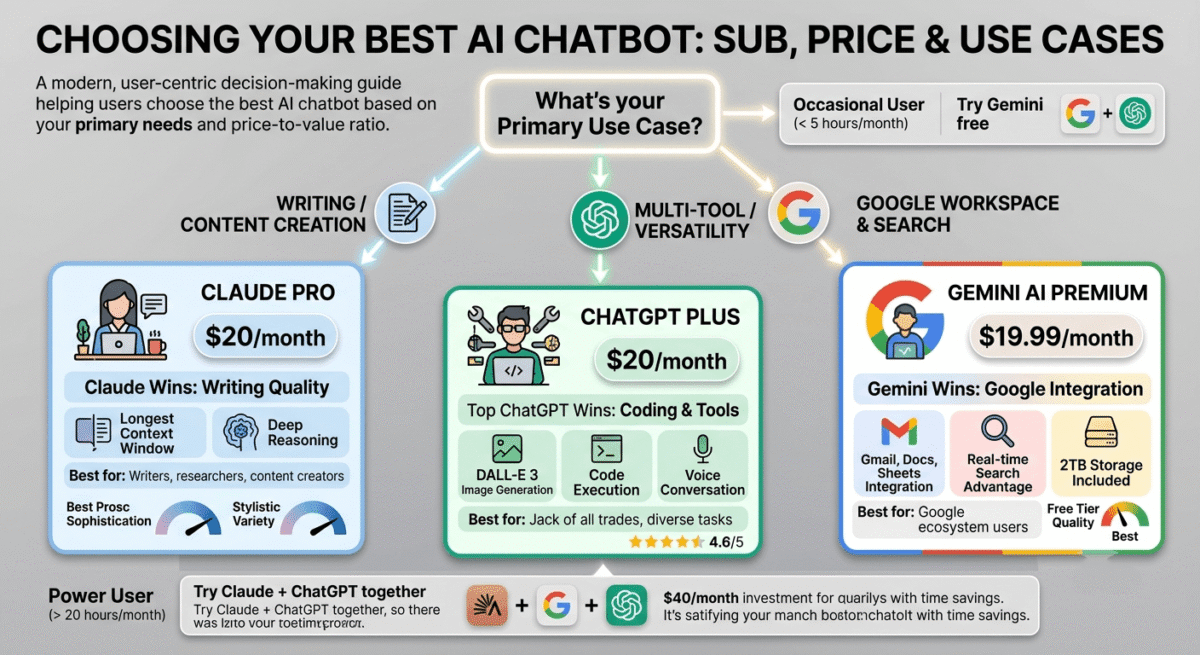
You want the most versatile AI tool that handles the broadest range of tasks, coding with execution, image generation, voice conversation, web browsing, and a large plugin ecosystem, in a single $20/month subscription. Also the best choice if you create Custom GPTs for specific workflows or need code interpreter for data analysis.
Choose Claude Pro if:
You are a writer, researcher, analyst, or developer who works primarily with text, long documents, complex reasoning, nuanced writing, or extensive codebases. Claude’s superior writing quality, longest context window, and careful reasoning make it the best tool for text-intensive intellectual work. For bloggers who use AI to draft and refine written content, Claude is the recommended choice.
Choose Gemini AI Premium if:
You live and work in Google’s ecosystem, Gmail, Google Docs, Google Sheets, Google Slides, and want AI assistance embedded directly in the tools you already use. The $19.99/month plan also includes 2TB of Google Drive storage, which may represent better overall value than ChatGPT Plus or Claude Pro if you were already considering Google One storage.
The Blogger Recommendation
For bloggers building a software review blog like RateTheTool.com, the most practical setup is:
Claude Pro ($20/month) as your primary writing assistant, use it for drafting blog post sections, improving existing content, analysing research, and generating ideas. Claude’s writing quality reduces the editing time required before publishing and produces content that reads more naturally.
ChatGPT Plus ($20/month) as your research and tool assistant, use it for web browsing to check current software pricing, code questions about WordPress and PHP, image generation for blog featured images via DALL-E 3, and data analysis.
Gemini free for quick Google Docs drafting, Gmail assistance, and any task where real-time Google Search integration is specifically valuable.
The total cost ($40/month for both paid tools) is justified for a blogger publishing daily, the time saved on research, drafting, and content improvement across 30 posts per month amounts to significant hours.
If budget allows only one: choose Claude Pro for the best writing assistance, supplemented by Gemini free for real-time information needs.
Final Verdict
There is no universally “best” AI chatbot in 2026 the right choice depends entirely on your primary use case.
Claude is the best AI chatbot for writers and researchers, the most sophisticated writing quality, longest context window, and most careful reasoning make it the top choice for text-intensive intellectual work.
ChatGPT is the best AI chatbot for breadth and tools, the most versatile combination of capabilities (coding, images, voice, browsing, plugins) in one subscription makes it the best all-in-one AI tool.
Gemini is the best AI chatbot for Google Workspace users, the deep integration into Gmail, Docs, Sheets, and Slides provides AI assistance where Google users already work, with the most reliable real-time information access.
Ratings:
- Claude: 4.7 / 5
- ChatGPT: 4.6 / 5
- Gemini: 4.4 / 5
Frequently Asked Questions
Which is better – ChatGPT or Claude?
For writing and long document analysis, Claude is generally better, its prose quality is more sophisticated and its context window is larger. For breadth of tasks, coding with execution, image generation, voice conversation, web browsing, and plugins, ChatGPT Plus is more capable. Both cost $20/month. The right choice depends on whether you prioritise writing quality (Claude) or tool versatility (ChatGPT).u003cbru003e
Is Google Gemini free?
Yes. Gemini offers a free plan at gemini.google.com with access to Gemini 1.5 Flash, a capable model for general questions, writing assistance, and tasks that benefit from Google Search integration. The Google One AI Premium plan at $19.99/month provides access to Gemini Advanced (1.5 Pro), deeper Workspace integration, and 2TB Google Drive storage.u003cbru003e
Can AI chatbots replace human writers?
No, not for professional quality content that requires genuine expertise, original research, or personal authority. AI chatbots are best used as drafting and editing assistants that accelerate the writing process rather than replace human judgment. For bloggers, the most effective workflow is using AI to produce a first draft that you then edit, fact-check, and enrich with personal experience before publishing.u003cbru003e
Which AI chatbot is most accurate?
All three make factual errors, none should be trusted without verification for important claims. Claude is generally considered the most honest about its uncertainty and least likely to confabulate with false confidence. Gemini has the most reliable access to current information via Google Search. ChatGPT with browsing is more current than its training data alone but requires the browsing tool to be active.u003cbru003e
Is ChatGPT Plus worth $20 per month?
Yes, for users who use AI tools daily and benefit from the combination of GPT-4o (text), DALL-E 3 (images), code interpreter (data analysis), browsing (current information), and voice conversation in one subscription. For occasional users, the free tier or Claude free may cover basic needs. The $20/month cost is justified when it replaces multiple other tool subscriptions or saves more than a few hours of work per month.u003cbru003e
What is the difference between Claude and ChatGPT?
ChatGPT (OpenAI) and Claude (Anthropic) are both large language model AI assistants with similar core capabilities. The key differences: Claude produces higher quality writing and handles longer documents; ChatGPT has more tool integrations (image generation, code execution, plugins, voice) and broader task coverage. Both cost $20/month for their paid plans. Choose Claude for writing-focused work; choose ChatGPT for multi-modal and tool-heavy work.u003cbru003e
Which AI chatbot is best for coding?
ChatGPT Plus (with code interpreter for running Python) and Claude Pro (with the largest context window for reviewing entire codebases) are both excellent for coding tasks. For WordPress developers specifically, Claude’s ability to hold an entire plugin or theme in context while discussing modifications is particularly practical. Gemini lags behind both for complex programming tasks.u003cbru003e
Will AI chatbots replace Google Search?
Not completely, but AI-powered search (Google’s AI Overviews, Bing AI powered by ChatGPT, and Perplexity) is changing how people find information. Simple factual queries increasingly get answered directly by AI rather than through links. This is why this blog optimises for GEO (Generative Engine Optimisation) alongside traditional SEO, ensuring content is cited by AI search engines, not just ranked in traditional search results.u003cbru003e