Content creation has become one of the most viable career paths and side income streams in 2026. Over 50 million people worldwide identify as content creators, and the gap between creators who build sustainable audiences and income and those who produce consistently without results is almost always the same: strategy, systems, and tools.
The right content creator toolkit reduces production time, improves content quality, helps your content get discovered, and turns your audience into sustainable income. The wrong toolkit wastes money on tools that overlap, underdelivers on quality, and creates more complexity than it solves.
This guide covers the 28 Best Tools for Content Creators in 2026, tested across real creator workflows for YouTube, TikTok, Instagram, and multi-platform publishing. Every recommendation is honest about free versus paid options, and the complete professional creator toolkit costs less than $60/month.
Table of Contents
The Content Creator Workflow
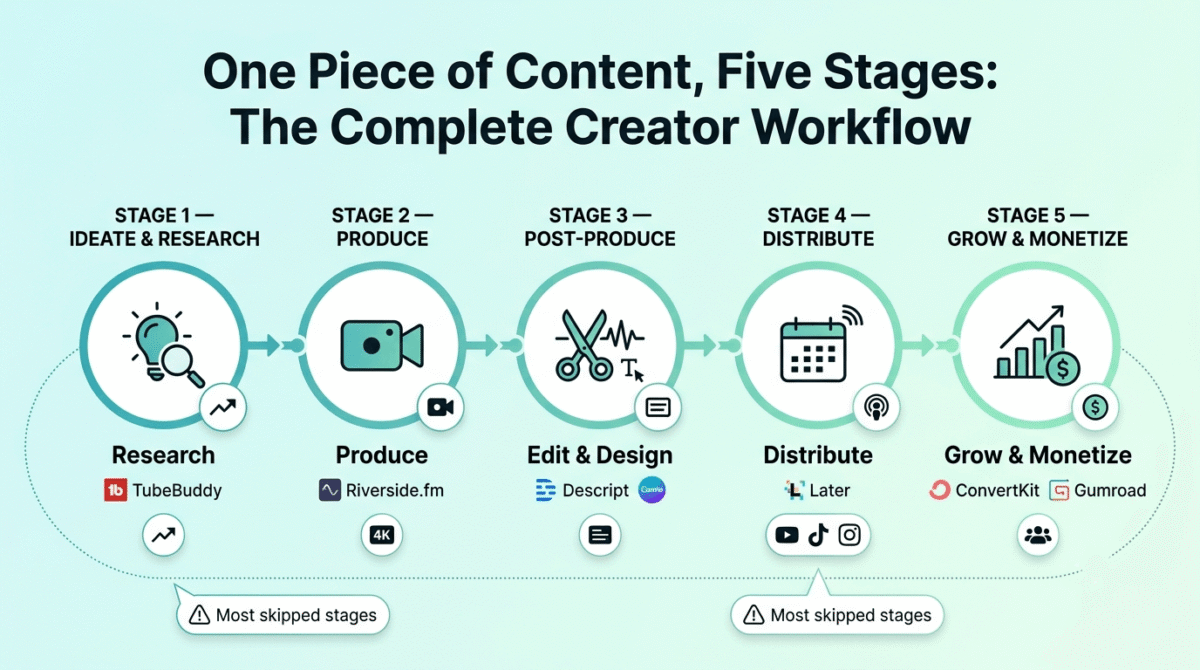
Content creation has five distinct stages, and each requires different tools:
Stage 1, Ideation and research: Finding topics your audience wants before you create them
Stage 2, Production: Recording, filming, and creating the raw content
Stage 3, Post-production: Editing video, designing graphics, and adding captions
Stage 4, Distribution: Scheduling, publishing, and optimising for each platform
Stage 5, Growth and monetization: Analytics, audience building, and income generation
Most creators who struggle do so because they focus all their energy on production (Stage 2) while neglecting research (Stage 1) and distribution (Stage 4), creating content nobody finds rather than content optimised for discovery.
Section 1: Ideation and Research Tools
1. TubeBuddy, Best YouTube Keyword Research Tool
Price: Free (limited) | $4.49/month (Pro) | $9.49/month (Legend)
Affiliate: TubeBuddy affiliate, 30–50% recurring commission
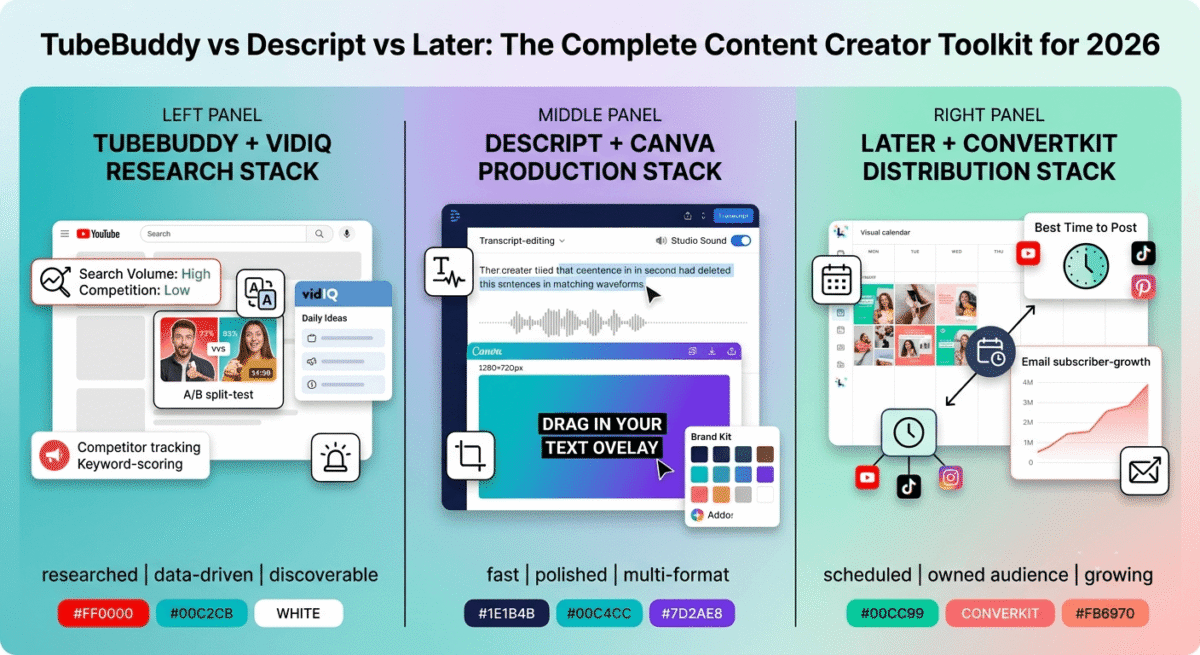
TubeBuddy is the most widely used YouTube SEO tool, a browser extension that adds keyword research, competitor analysis, and SEO scoring directly inside YouTube’s interface. When you type a search term into YouTube, TubeBuddy shows you the search volume, competition level, and optimisation score, helping you find keywords your channel can realistically rank for.
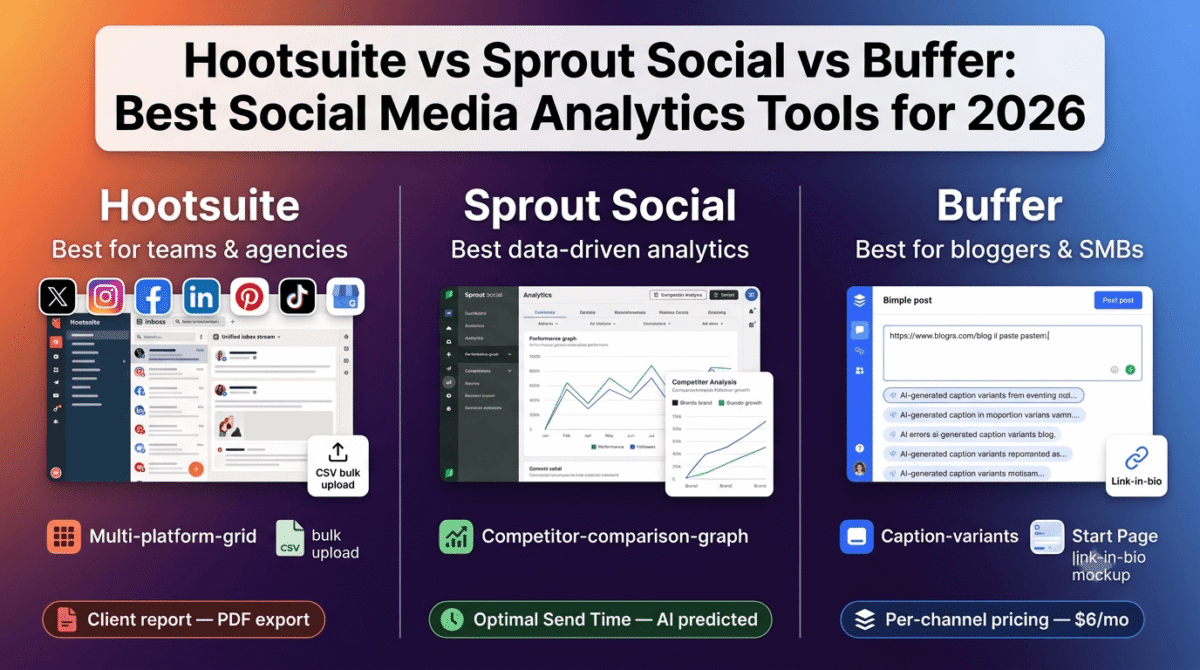
The A/B testing feature, testing two different thumbnails or titles against each other to see which drives higher click-through rates, is TubeBuddy’s most impactful growth feature. Improving your CTR from 4% to 6% increases your views by 50% from the same number of impressions, without creating any additional content.
For new YouTube creators: The free plan provides basic keyword scores and tag suggestions, sufficient for channels under 10,000 subscribers. Upgrade to Pro ($4.49/month) when you want A/B testing and deeper competitor analysis.
2. VidIQ, Best YouTube Analytics and Growth Tool
Price: Free | $7.50/month (Pro) | $39/month (Boost)
Affiliate: VidIQ affiliate, 15% recurring
VidIQ’s Daily Ideas feature uses AI to generate personalised video ideas based on your channel’s topic and audience, suggesting topics that are currently trending and likely to perform well given your specific niche. For creators who struggle with consistent topic ideation, VidIQ’s AI-powered suggestions reduce the blank page problem significantly.
The competitor tracking, monitoring the most successful videos from channels in your niche and receiving alerts when they publish, keeps you aware of proven content formats and trending topics before they peak.
TubeBuddy vs VidIQ: Both tools are used by professional YouTubers simultaneously, TubeBuddy for keyword research and A/B testing, VidIQ for competitor tracking and AI topic ideas. If budget allows only one, TubeBuddy’s A/B testing has the higher direct impact on growth.
3. AnswerThePublic, Best Content Idea Research Tool
Price: Free (3 searches/day) | $9/month (Individual)
No affiliate
AnswerThePublic visualises every question people ask about your topic, “how to,” “what is,” “why does,” “which,” “where”, surfacing content ideas that directly match real audience questions. For creators across all platforms, finding content angles that answer specific audience questions produces more consistent engagement than creating content based on personal interest alone.
4. Google Trends, Best Free Trend Research Tool
Price: Free
No affiliate
Google Trends shows whether search interest in your topic is rising or falling, invaluable for timing content around trending topics before they peak. Uploading a TikTok about a topic that is rising on Google Trends captures early audience interest before every creator in your niche covers the same topic simultaneously.
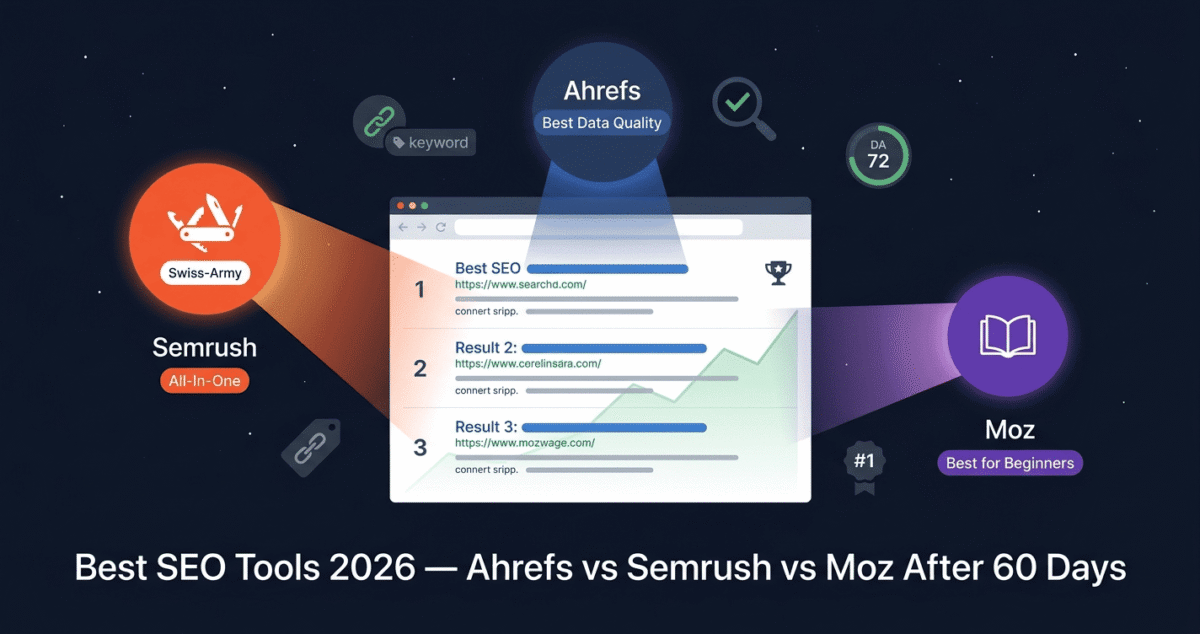
5. Semrush, Best Multi-Platform SEO and Content Research
Price: $117.33/month (Pro, billed annually)
Affiliate: 40% recurring lifetime commission
Full review: Best SEO Tools →
For content creators who also run a blog or website alongside their social channels, a common and effective strategy for building a sustainable content business, Semrush provides the keyword research, competitor analysis, and content optimisation tools that maximise blog traffic alongside social media reach.
The Topic Research tool surfaces content angles that are driving traffic for competitors in your niche, giving you data-backed content ideas that combine social media formats with blog SEO potential, multiplying the distribution of each content investment.
Section 2: Production Tools
6. Riverside.fm, Best Remote Recording for Content Creators
Price: Free (limited) | $15/month (Standard) | $24/month (Pro)
Affiliate: Riverside.fm affiliate, 20% recurring
Full review: Best Tools for Podcasters →
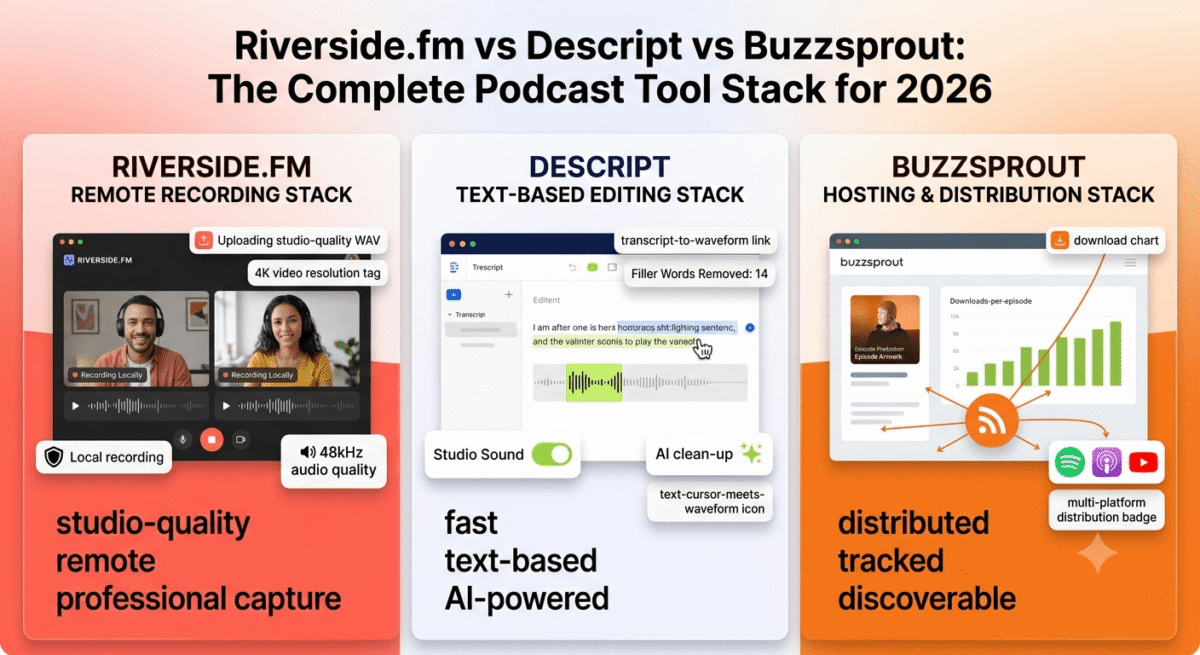
For content creators who interview guests, on YouTube, podcasts, or social media, Riverside records studio-quality audio and 4K video from each participant locally, eliminating the quality degradation of Zoom recordings. The separate track recording means you can edit host and guest audio independently, removing interruptions, fixing audio issues, and producing polished interview content.
The AI-powered clip generation automatically creates short-form clips from longer recordings, turning a 45-minute YouTube interview into 6–8 TikTok and Instagram Reel clips without additional editing time.
7. OBS Studio, Best Free Screen Recording and Live Streaming Tool
Price: Free and open source
Download: obsproject.com
Full review: Best Screen Recording Software →
OBS Studio is the industry standard for screen recording and live streaming, used by professional streamers, tutorial creators, and software reviewers worldwide. For content creators whose content involves screen capture (software tutorials, gaming, coding, design walkthroughs), OBS records in studio quality at zero cost with no watermarks and no time limits.
The live streaming capability, streaming simultaneously to YouTube, Twitch, and TikTok Live from one OBS setup, enables multi-platform live content without additional tools or subscriptions.
8. Loom, Best Quick Video Recording for Content Creators
Price: Free (25 videos, 5-minute limit) | $12.50/month (Starter)
Full review: Best Screen Recording Software →
Loom’s combination of screen recording and webcam overlay, with instant shareable links after recording, is the fastest tool for creating quick explainer videos, tutorial snippets, and behind-the-scenes content. For creators who want to add video to their email newsletters, Discord communities, or patron updates without complex production, Loom records and shares in under two minutes.
9. Descript, Best AI-Powered Video Editing for Content Creators
Price: Free (1 hour transcription) | $12/month (Creator) | $24/month (Pro)
Affiliate: Descript affiliate, 15% recurring
Full review: Best Tools for Podcasters →
Descript’s text-based video editing, editing video by editing its transcript, is the most significant time-saving innovation in content creation for 2026. Remove filler words, cut sections, and rearrange content by editing text rather than manipulating timelines. For creators who spend hours editing talking-head video content, Descript reduces editing time by 60–80%.
The AI Green Screen feature removes backgrounds without physical green screen equipment. The Studio Sound feature makes home recordings sound professional. The social clips feature automatically generates short-form content from longer videos. All available in the Creator plan at $12/month.
10. CapCut, Best Free Mobile Video Editor for TikTok and Reels
Price: Free | $7.99/month (Pro)
No affiliate
CapCut is the most feature-rich free mobile video editor in 2026, and the primary editing tool used by the majority of TikTok and Instagram Reels creators. Auto-captions, trending templates, AI background removal, speed effects, and thousands of transitions and effects are all available in the free version.
The direct TikTok integration, publishing directly from CapCut to TikTok with metadata, makes CapCut the most frictionless mobile creation to publication workflow available.
For serious creators: CapCut for quick mobile edits and social content; Descript or DaVinci Resolve for longer, more complex video content on desktop.
11. DaVinci Resolve, Best Free Professional Video Editor
Price: Free | $295 one-time (Studio)
No affiliate, recommended because it is genuinely the best free option
Full review: Best Video Editing Software →
DaVinci Resolve’s free version provides professional-grade colour grading, audio editing (Fairlight), and visual effects (Fusion), the tool used by Hollywood productions. For YouTube creators who want cinematic-quality video without an Adobe Premiere subscription, DaVinci Resolve free is the best option available at any price.
12. Adobe Premiere Pro, Best Professional Video Editor for Adobe Users
Price: $22.99/month | $54.99/month (Creative Cloud All Apps)
Affiliate: Adobe affiliate, up to 85% first month
Full review: Best Video Editing Software →
Adobe Premiere Pro’s Auto Reframe automatically converts horizontal YouTube videos to vertical TikTok and Instagram format with AI-powered reframing, the single most time-saving feature for multi-platform creators. The Speech to Text automatic captioning in 17 languages eliminates hours of manual caption work per episode. For creators already in the Adobe ecosystem, Premiere Pro’s integrations with After Effects, Audition, and Photoshop justify the subscription.
Section 3: Design and Graphics Tools
13. Canva, Best Thumbnail and Graphics Tool for Content Creators
Price: Free | $12.99/month (Pro)
Affiliate: Up to $36 per Pro signup
Full review: Canva vs Adobe Express →
Canva is the most important design tool for content creators, used for YouTube thumbnails, Instagram post graphics, TikTok text overlays, Pinterest pins, email headers, and every other visual asset a creator needs. The YouTube thumbnail templates, sized correctly at 1280�, 720px with proven design patterns, are the starting point for most creators new to thumbnail design.
The Brand Kit (Pro feature) stores your channel’s colours, fonts, and logos, ensuring visual consistency across every piece of content without recreating brand elements from scratch.
The thumbnail design principle that drives YouTube growth: Thumbnails are the primary factor in whether someone clicks your video from search results and recommendations. A compelling thumbnail with a clear visual hook and legible text at small sizes consistently outperforms high-production video content with a poor thumbnail. Spend as much time on thumbnail design as on any other production element.
14. Adobe Photoshop, Best Professional Thumbnail Creation Tool
Price: $22.99/month | Included in Creative Cloud
Affiliate: Adobe affiliate
For creators whose thumbnail quality is a competitive differentiator, professional YouTubers with millions of subscribers, creators in competitive niches where thumbnail quality determines click-through, Photoshop’s advanced compositing, layer effects, and precise text control produce thumbnails that consumer tools cannot match.
The majority of creators do not need Photoshop, Canva Pro produces excellent thumbnails at a fraction of the cost and time investment. Consider Photoshop only when your thumbnail quality has become a specific competitive concern.
15. Midjourney, Best AI Image Generator for Unique Thumbnails
Price: $10/month (Basic) | $30/month (Standard)
No affiliate
Full review: Best AI Image Generators →
For creators who want truly distinctive, visually striking thumbnails that do not look like stock photos or standard Canva templates, Midjourney generates unique, high-quality images that can be combined with text overlays in Canva. AI-generated background images for thumbnails create visual distinctiveness that stands out in YouTube search results.
Section 4: Distribution and Scheduling Tools
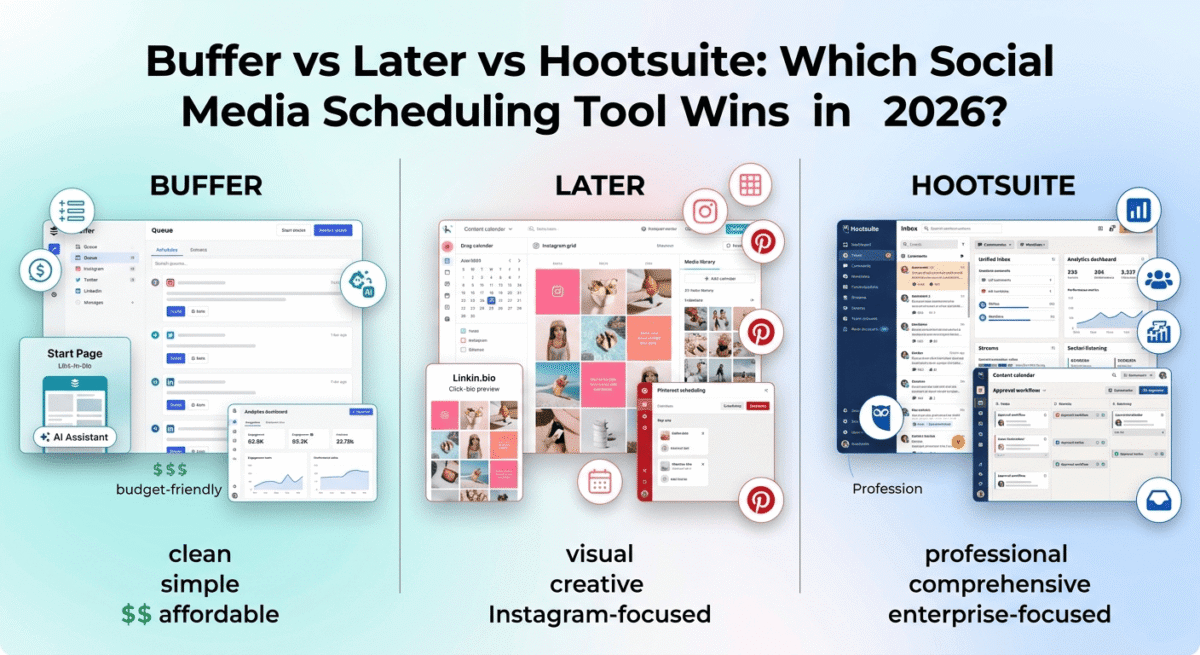
16. Later, Best Social Media Scheduling for Content Creators
Price: Free (limited) | $16.67/month (Starter) | $33.33/month (Growth)
Affiliate: 30% recurring commission
Full review: Best Social Media Scheduling →
Later’s visual content calendar, drag-and-drop scheduling with a preview of how your Instagram grid will look, is the most creator-friendly scheduling interface available. The Best Time to Post AI recommendation, based on your specific audience’s engagement patterns, schedules posts automatically at the moments most likely to reach your followers.
The link-in-bio tool (linkin.bio) creates a mini landing page from your Instagram bio link, showing your latest posts as clickable links that direct followers to your content, products, and affiliate links.
For creators managing Instagram, TikTok, Pinterest, YouTube, Twitter/X, and Facebook simultaneously, Later’s unified scheduling interface reduces platform-hopping to a single weekly scheduling session.
17. Buffer, Best Free Social Media Scheduling Tool
Price: Free (3 channels, 10 posts per channel) | $6/channel/month (Essentials)
No affiliate
Full review: Best Social Media Scheduling →
Buffer’s free plan covers basic scheduling needs for creators starting out, 3 channels and 10 scheduled posts per channel. The analytics show which posts performed best and the optimal posting times based on your audience’s engagement history. For creators who do not need the advanced features of Later’s paid plans, Buffer free is entirely sufficient.
18. YouTube Studio, Best Free YouTube Management Tool
Price: Free, built into YouTube
No affiliate
YouTube Studio is the creator dashboard that every YouTube creator uses, video upload, metadata management, comment moderation, analytics, and monetization settings all live here. The Analytics section shows watch time, click-through rate, audience retention graphs (showing exactly where viewers stop watching), revenue, and traffic sources, the data that drives every informed YouTube content decision.
The A/B Testing for thumbnails (rolling out in 2026), formerly only available through TubeBuddy, enables thumbnail testing natively without third-party tools.
19. TikTok Creator Studio, Best Free TikTok Management Tool
Price: Free, built into TikTok
No affiliate
TikTok’s Creator Studio provides analytics beyond what the standard app shows, follower demographics, video performance trends, LIVE analytics, and the sounds and hashtags driving discovery for your content. The Creator Marketplace, available to creators with 10,000+ followers, connects creators with brand partnership opportunities directly through TikTok.
20. Metricool, Best Multi-Platform Analytics for Content Creators
Price: Free (1 brand) | $18/month (Starter)
Affiliate: Metricool affiliate
Metricool aggregates analytics from YouTube, TikTok, Instagram, Twitter/X, Pinterest, LinkedIn, and your website into one dashboard, replacing the need to check each platform’s native analytics separately. The competitive analysis compares your performance against competitor accounts across platforms, identifying content strategies driving growth for channels in your niche.
Section 5: Monetization and Audience Building Tools
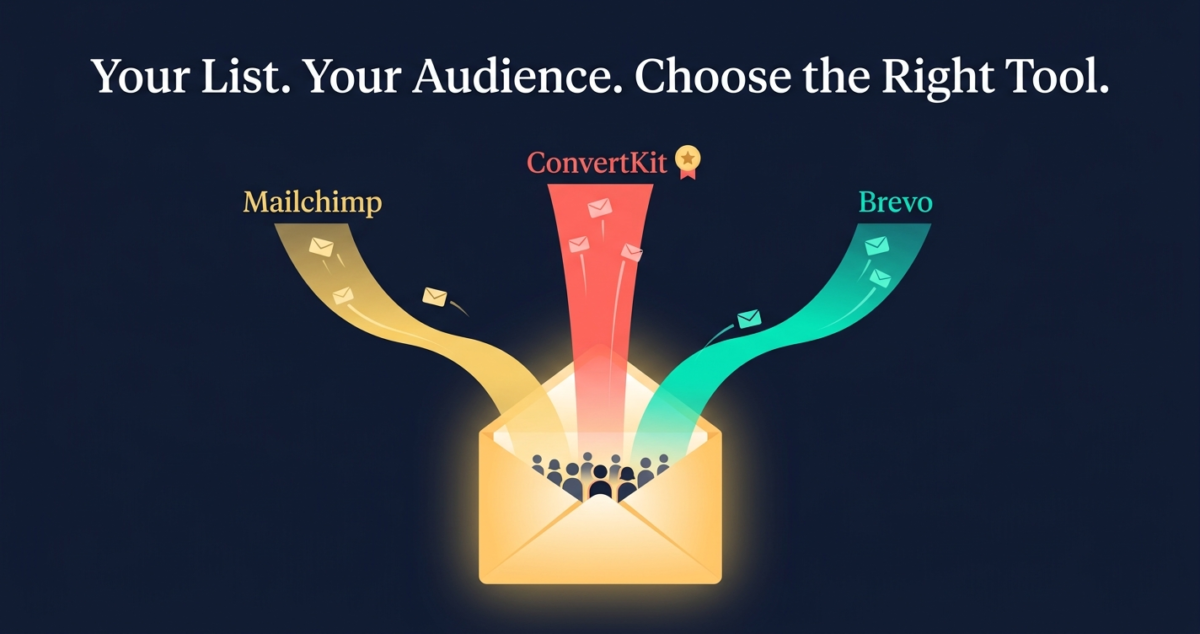
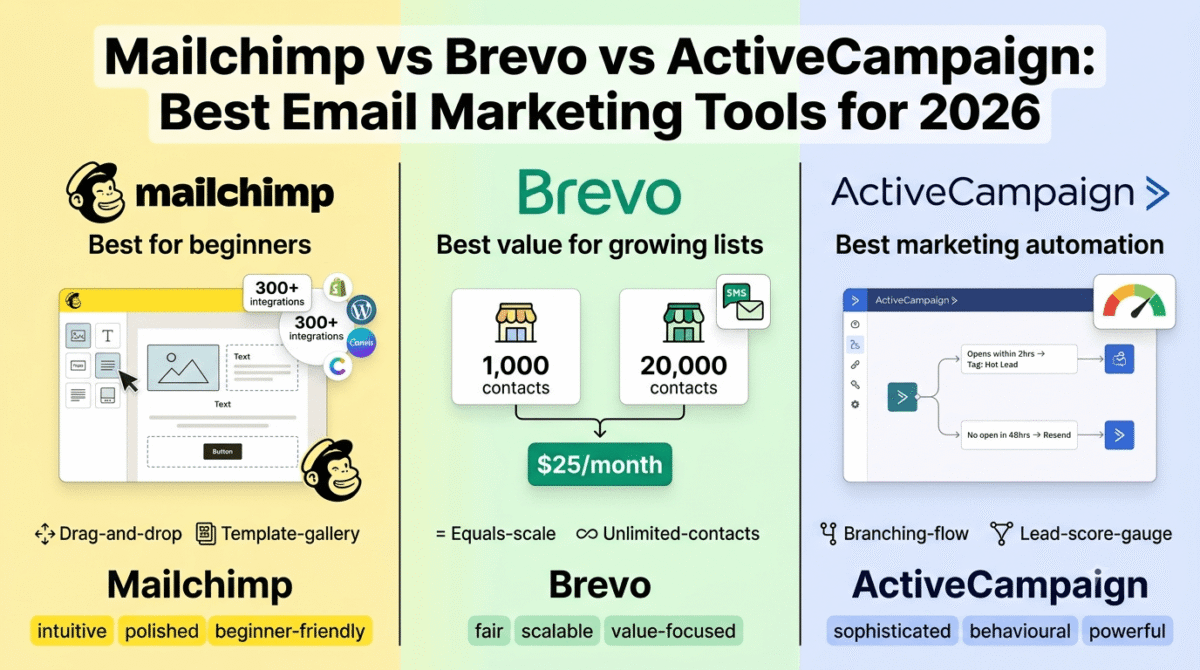
21. ConvertKit, Best Email Marketing for Content Creators
Price: Free (up to 10,000 subscribers) | $25/month (Creator)
Affiliate: 30% recurring for 24 months
Full review: Best Email Marketing Software →
Your email list is the only audience you truly own, YouTube can demonetize your channel, TikTok can ban your account, Instagram can change its algorithm, but your email subscribers are yours regardless of what any platform decides. Building an email list from your first piece of content is the most important long-term investment any creator makes.
ConvertKit’s free plan (up to 10,000 subscribers) is the most generous email marketing free tier, unlimited email sends, landing pages, and forms at zero cost. The Creator Profile feature enables creators to share their ConvertKit subscriber form directly on social media as a standalone landing page.
22. Gumroad, Best Digital Product Platform for Content Creators
Price: Free (10% transaction fee) | $10/month (Pro, reduced to 3% fee)
No affiliate
Gumroad enables content creators to sell digital products, ebooks, presets, templates, courses, exclusive content, and digital downloads, directly to their audience without a complex e-commerce setup. The frictionless setup (create a product page in minutes, share the link) makes Gumroad the lowest-barrier path from audience to revenue.
For creators with even small but engaged audiences, a single digital product priced at $15–$47 can generate meaningful monthly income. A creator with 5,000 YouTube subscribers and 0.5% conversion to a $27 Lightroom preset pack earns $675 from a single product without ongoing effort.
23. Patreon, Best Membership Platform for Content Creators
Price: Free to start (5–12% platform fee on earnings)
No affiliate
Patreon enables creators to offer exclusive content, behind-the-scenes footage, early access, bonus content, community access, to paying members at $3–$50/month. The predictable recurring revenue from Patreon memberships is financially superior to volatile ad revenue, a creator with 200 patrons at an average of $8/month earns $1,600/month in predictable income regardless of algorithm changes.
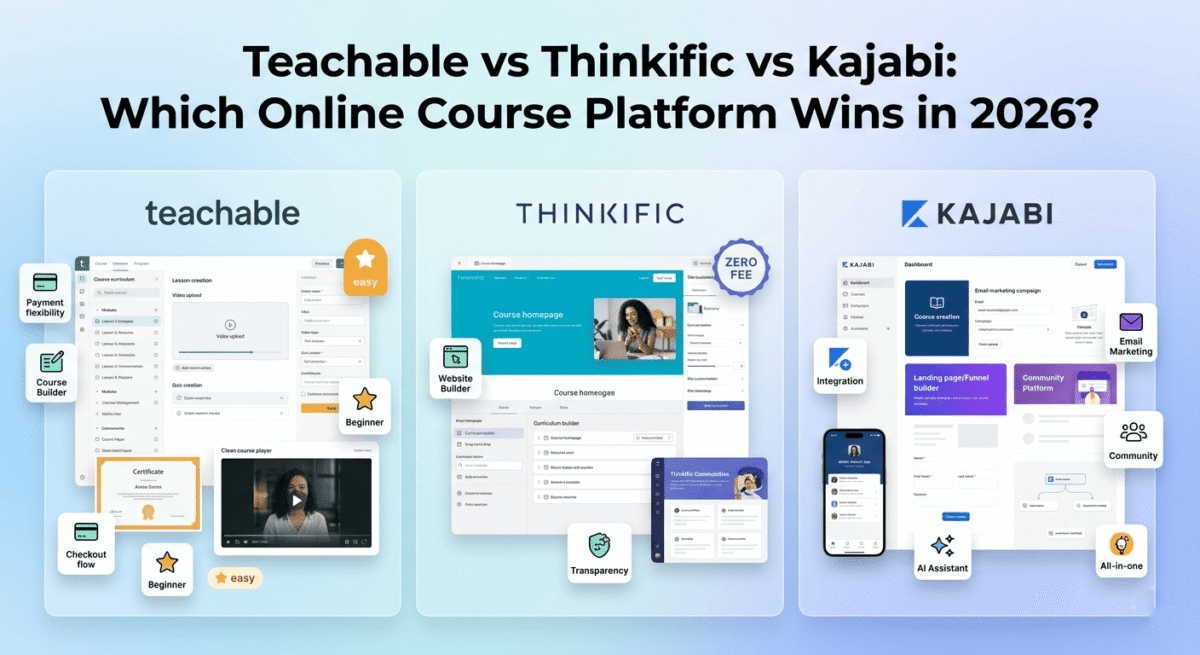
24. Kajabi, Best All-in-One Creator Business Platform
Price: $55/month (Kickstarter) | $119/month (Basic)
Affiliate: 30% recurring commission
Full review: Best Online Course Platforms →
For established content creators ready to build a comprehensive digital business, online courses, email marketing, community, podcast, and website in one platform, Kajabi eliminates the tool fragmentation that characterises most creator businesses. The $119/month Basic plan replaces ConvertKit ($25), Teachable ($39), Circle ($49), and a podcast host ($12), saving money while providing better integration between tools.
25. Teachable, Best Online Course Platform for Creator-Educators
Price: Free (limited) | $39/month (Basic)
Affiliate: 30% recurring commission
Full review: Best Online Course Platforms →
Content creators who teach a skill, photography, design, writing, coding, cooking, fitness, can monetize that expertise through structured online courses. Teachable’s course builder, payment processing, and student management handle the technical side of course delivery, allowing creators to focus on content quality rather than platform management.
Section 6: Essential Creator Utilities
26. 1Password, Best Password Manager for Content Creators
Price: $2.99/month
Affiliate: Up to $60 per referral
Full review: Best Password Managers →
Content creators manage accounts across dozens of platforms, YouTube, TikTok, Instagram, Twitter/X, Pinterest, Patreon, Gumroad, ConvertKit, Canva, and more. Reusing passwords across these accounts means one breach compromises everything. 1Password stores every password securely and generates strong unique passwords for every account automatically.
27. NordVPN, Best VPN for Content Creators
Price: $3.99/month (2-year plan)
Affiliate: 40% + 30% recurring commission
Full review: Best VPN for Beginners →
Content creators who research competitor content, access geo-restricted platforms, and work from public networks benefit from VPN protection. NordVPN’s global server network also enables accessing platform features and content available in specific regions, useful for creators researching trending content in different markets.
28. Notion, Best Content Calendar and Planning Tool for Creators
Price: Free | $10/month (Plus)
Affiliate: Notion affiliate
Full review: Best Note-Taking Apps →
Notion’s database feature creates the most flexible content calendar for multi-platform creators, a single content calendar database showing every piece of content across YouTube, TikTok, Instagram, and your blog in one view, with status tracking (Idea → Scripting → Recording → Editing → Scheduled → Published), platform tags, and performance notes.
The content ideas database, capturing every idea with a priority score, target keyword, and estimated production time, ensures you never run out of content without losing good ideas that came at the wrong time.
The Complete Content Creator Stack by Platform
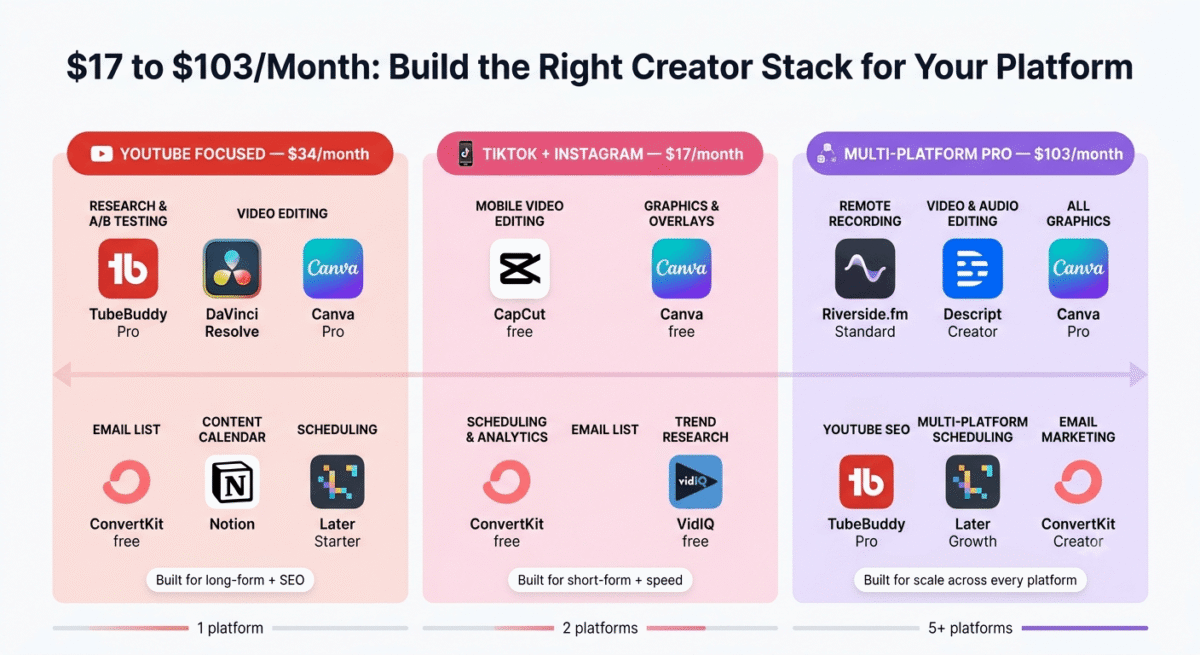
YouTube-Focused Creator Stack (~$35/month)
Tool | Purpose | Cost |
TubeBuddy Pro | Keyword research + A/B testing | $4.49 |
DaVinci Resolve | Video editing | Free |
Canva Pro | Thumbnails + graphics | $12.99 |
ConvertKit free | Email list building | Free |
Notion | Content calendar | Free |
Later Starter | Social scheduling | $16.67 |
Total | ~$34/month |
TikTok + Instagram Creator Stack (~$25/month)
Tool | Purpose | Cost |
CapCut free | Mobile video editing | Free |
Canva free | Graphics + overlays | Free |
Later Starter | Scheduling + analytics | $16.67 |
ConvertKit free | Email list | Free |
VidIQ free | Trend research | Free |
Notion free | Content calendar | Free |
Total | ~$17/month |
Multi-Platform Professional Creator Stack (~$75/month)
Tool | Purpose | Cost |
Riverside.fm Standard | Remote recording | $15 |
Descript Creator | Video + audio editing | $12 |
Canva Pro | All graphics | $12.99 |
TubeBuddy Pro | YouTube SEO | $4.49 |
Later Growth | Multi-platform scheduling | $33.33 |
ConvertKit Creator | Email marketing | $25 |
Total | ~$103/month |
The Content Creator Growth Framework
Tools accelerate growth but do not replace strategy. These three principles determine whether any creator toolkit produces results:
Principle 1: Research before you record. Every piece of content should target a specific keyword (YouTube/Pinterest SEO) or proven format (TikTok/Instagram trending audio or format). Creating content based purely on personal interest without researching whether an audience is searching for it consistently underperforms researched content, regardless of production quality.
Principle 2: Volume with quality threshold. Consistent publishing frequency matters more than occasional high-production content. Three good videos per week outperforms one perfect video per week for channel growth on every major platform. Identify your minimum quality threshold, below which you will not publish, then optimise for volume above that threshold rather than perfection.
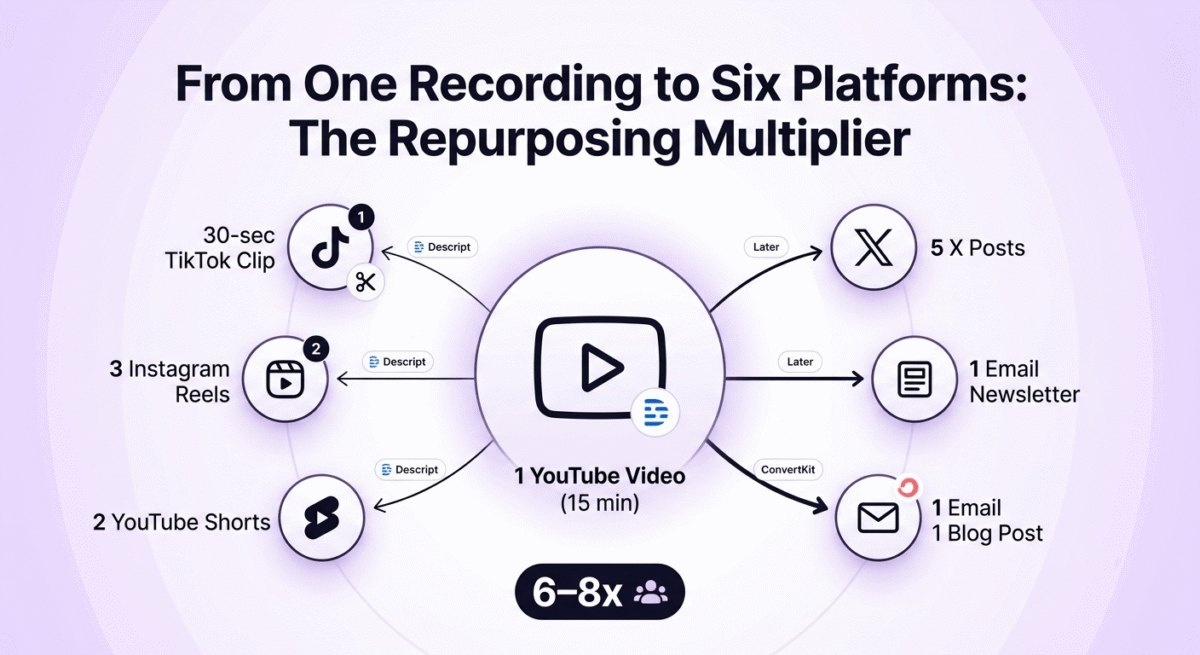
Principle 3: Repurpose everything. A 15-minute YouTube video contains a 30-second TikTok clip, three Instagram Reels, five Twitter/X posts, one email newsletter, and one blog post. Creators who repurpose systematically across platforms get 6–8x the reach from each piece of content without proportionally more production work. Descript’s clip generation and Later’s multi-platform scheduling make this systematic repurposing achievable in under 30 minutes per video.
Frequently Asked Questions
What tools do successful content creators use?
The most universally used creator tools are Canva (graphics and thumbnails), a video editor (DaVinci Resolve free or Premiere Pro), a social media scheduler (Later or Buffer), an email marketing platform (ConvertKit), and analytics tools (YouTube Studio, TikTok Creator Studio, and TubeBuddy or VidIQ for YouTube). Successful creators invest most heavily in tools that improve content quality and distribution reach, not tools that add complexity to their production workflow.
What is the best free video editing software for content creators?
DaVinci Resolve is the best free desktop video editor, professional-grade quality used by Hollywood productions. CapCut is the best free mobile video editor for short-form content (TikTok, Instagram Reels, YouTube Shorts). For beginners who find DaVinci Resolve’s interface overwhelming, iMovie (Mac) or the free version of Filmora provide simpler editing with adequate quality for most creator needs.
How do content creators make money?
Content creators monetize through: platform ad revenue (YouTube Partner Programme, TikTok Creator Fund), brand sponsorships and partnerships, affiliate marketing (recommending products with commission links in description), digital product sales (courses, presets, templates, ebooks via Gumroad or Teachable), membership communities (Patreon), merchandise, and direct audience support (Super Thanks, Super Chats). Most successful creators combine 3–5 of these income streams rather than depending on any single source.
How many subscribers do you need to make money on YouTube?
The YouTube Partner Programme requires 1,000 subscribers and 4,000 watch hours (or 10 million Shorts views) in the past 12 months for ad revenue access. However, creators can make money through affiliate links, sponsorships, and digital products from the first subscriber, these income streams are not gated by subscriber count. Many creators earn more from affiliate marketing and digital products than from YouTube ad revenue at every subscriber level.
What is the best thumbnail design tool?
Canva Pro is the best thumbnail design tool for most content creators, the YouTube thumbnail templates (1280�, 720px), drag-and-drop editing, and brand kit ensure consistent, professional-looking thumbnails without design skills. Professional YouTubers with highly competitive niches sometimes use Photoshop for more advanced compositing. TubeBuddy’s A/B testing (Pro plan) is the tool that most directly improves thumbnail performance, testing which design drives higher click-through rates with real audience data.
What social media scheduling tool is best for content creators?
Later is the best social media scheduling tool for content creators, the visual Instagram grid preview, Best Time to Post AI, and multi-platform scheduling (Instagram, TikTok, YouTube, Pinterest, Twitter/X, Facebook) in one interface make it the most complete creator scheduling solution. The Starter plan at $16.67/month is the recommended entry point for creators publishing across 3+ platforms regularly.
How do I grow my YouTube channel in 2026?
The most consistent YouTube growth strategies in 2026 are: keyword research before every video (TubeBuddy), thumbnail optimisation and A/B testing (TubeBuddy Pro), consistent publishing schedule (minimum 1–2 videos per week), strong retention hooks in the first 30 seconds (audience retention data in YouTube Analytics shows where viewers drop off), end screen CTAs driving subscribers and related video views, and building an email list from day one (ConvertKit free) to notify subscribers of new content through a channel you control.