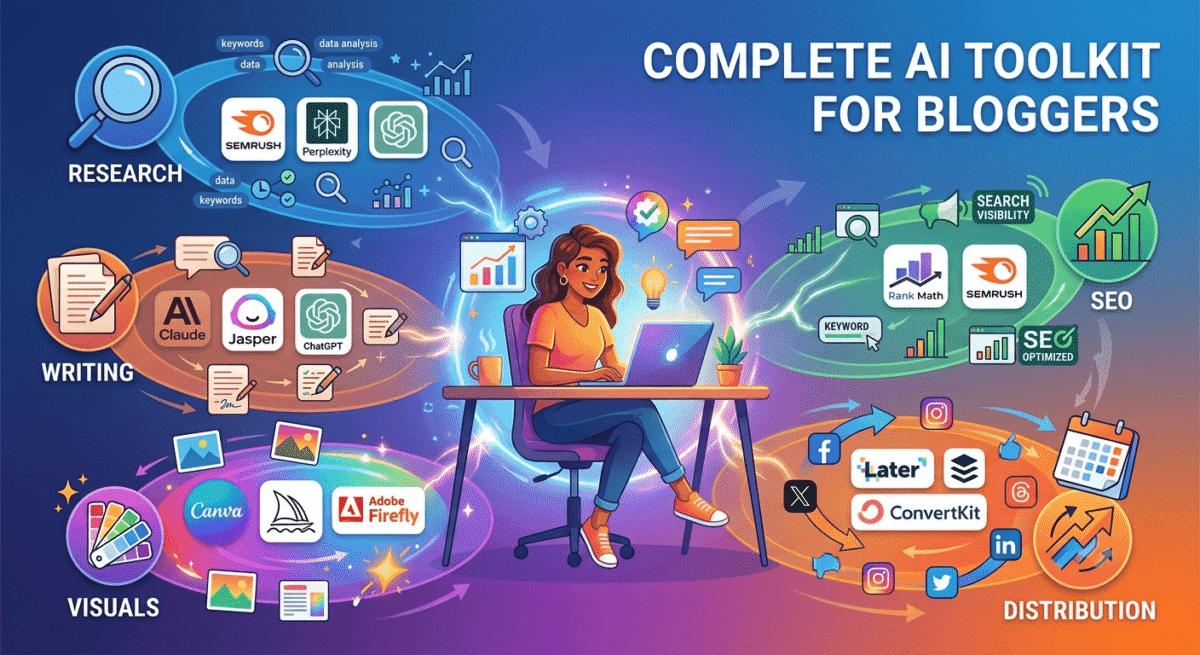
Bloggers who use AI tools strategically are publishing more content, ranking faster, and earning more from their blogs than those who do not. This is not a prediction, it is the observable reality of blogging in 2026.
But “use AI for your blog” is not useful advice. There are hundreds of AI tools competing for bloggers’ attention and budgets. Most of them overlap. Many of them promise more than they deliver. And adding the wrong tools creates complexity without results.
This guide covers the Best 15 AI Tools for Bloggers that actually move the needle for bloggers, tested across real blogging workflows, organised by the specific job each tool does best, and honest about which free options are genuinely good enough versus which paid upgrades are worth it.
One important framing before we start: AI tools are force multipliers, not replacements. The bloggers who use AI most effectively use it to accelerate their own thinking, not to remove themselves from the creative process. Every piece of AI-assisted content on your blog should be reviewed, fact-checked, and personalised with your own experience before publishing.
Table of Contents
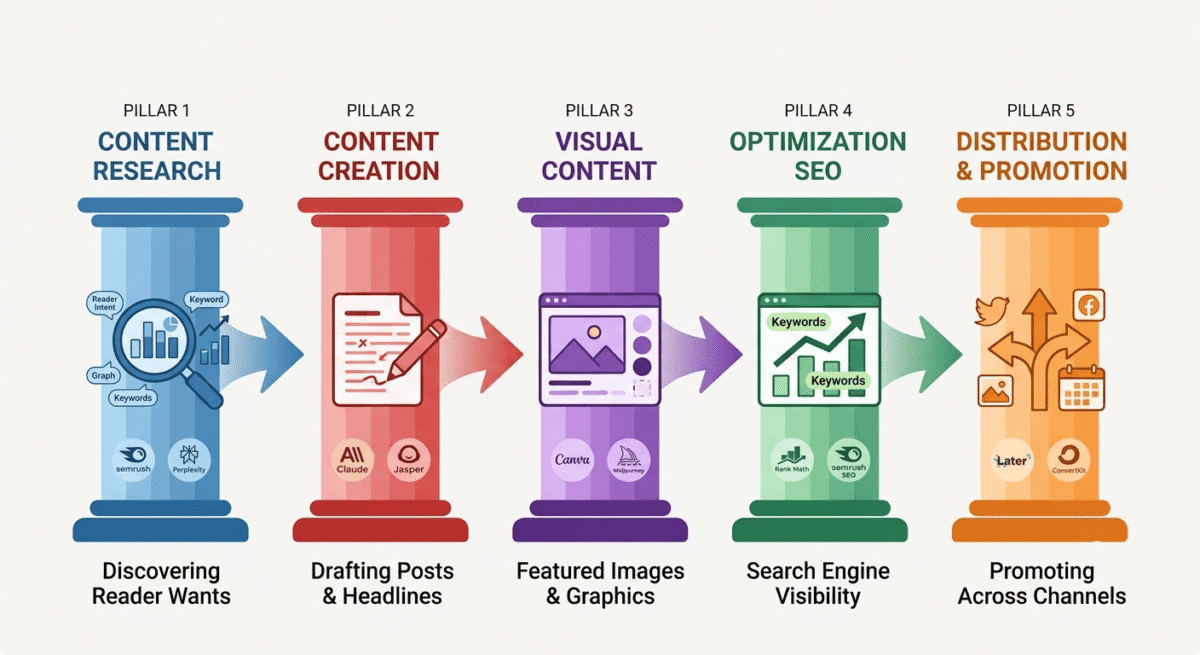
The 5 Jobs AI Does for Bloggers
Before listing individual tools, understanding which specific jobs AI handles for bloggers makes choosing the right tools clearer:
1. Content research, finding keyword opportunities, analysing competitor content, identifying what readers are searching for
2. Content creation, drafting posts, generating headlines, writing social media captions, creating email newsletters
3. Visual content, featured images, social media graphics, infographics, and illustrations
4. SEO optimisation, on-page SEO analysis, content optimisation against target keywords, technical SEO audits
5. Distribution and promotion, scheduling social posts, repurposing content across platforms, managing email campaigns
Below, the best AI tools for each job, with honest assessments of free versus paid options.
Job 1: Content Research AI Tools
1. Semrush AI Features, Best for Keyword Research and Competitor Analysis
Price: Free trial | Plans from $117.33/month (billed annually)
Affiliate: 40% recurring lifetime commission
Semrush’s AI-powered features have transformed keyword research from a manual data-gathering exercise into a strategic workflow. The AI-driven keyword clustering groups related keywords into topic clusters automatically, showing you not just individual keywords but the interconnected web of topics that establish authority in your niche.
The ContentShake AI tool, Semrush’s content brief and draft generator, analyses the top 10 ranking pages for your target keyword, identifies the topics, statistics, and questions they cover, and generates a structured content brief that your post should address to compete effectively. For bloggers who previously spent hours manually analysing competitor content, ContentShake compresses this research into minutes.
The Topic Research tool surfaces trending questions, related topics, and content angles that your audience is actively searching, identifying content gaps between what readers want and what currently exists. For a software review blogger, this reveals which software comparisons have high search demand and low competition.
Free alternative: Google Trends + AnswerThePublic (free tier) for basic keyword and topic research. Sufficient for starting bloggers, upgrade to Semrush when consistent publishing justifies the investment.
2. Perplexity AI, Best for Research with Cited Sources
Price: Free (Perplexity.ai) | $20/month (Pro)
Affiliate: No
Perplexity is an AI search engine that answers questions with cited, up-to-date sources rather than generating text from training data alone. For bloggers who need to research current software pricing, recent study statistics, or up-to-date product features, Perplexity provides more trustworthy research than ChatGPT or Claude because every claim is linked to a verifiable source.
The research workflow: ask Perplexity a research question → review the cited sources → verify the claims you want to use → incorporate with proper context into your post. This is faster and more reliable than Google searching for each individual claim.
Perplexity Pro adds access to more powerful models (GPT-4, Claude, Gemini) for complex research questions and unlimited file upload for researching your own documents.
For bloggers: Use Perplexity free for every research question that requires current, cited information. It is the most reliable free research tool available in 2026.
3. ChatGPT with Browsing, Best for Exploratory Research and Ideation
Price: $20/month (ChatGPT Plus)
Affiliate: No
ChatGPT Plus with web browsing combines the conversational exploration of an AI assistant with access to current web information. Use it to brainstorm content angles (“what are the most common questions people have when choosing VPN software?”), explore topic connections (“how does VPN choice affect remote work productivity?”), and generate long lists of potential content ideas from which you select the best.
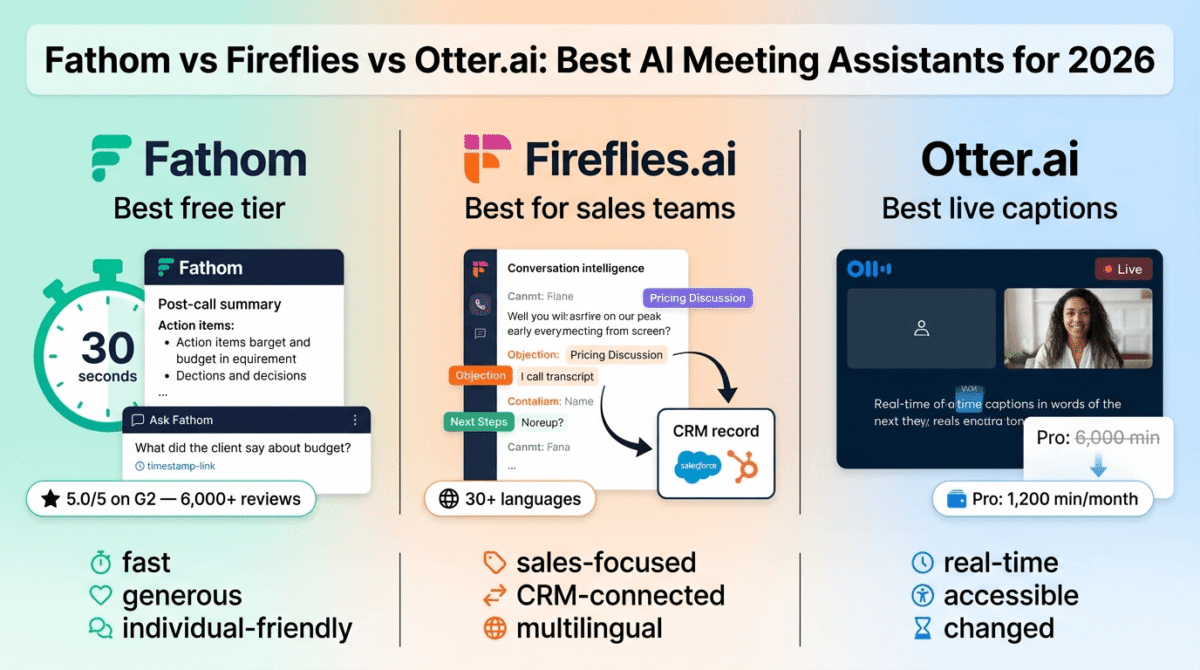
The conversational interface, asking follow-up questions, narrowing focus, and exploring tangents, produces research that static keyword tools cannot replicate. For developing the angle and structure of a new post, ChatGPT’s exploratory conversation is the most flexible tool available. If your research process includes recorded expert interviews, our comparison of AI meeting assistants (Fathom vs Fireflies vs Otter.ai) covers tools for turning those conversations into searchable notes and quotes.
Job 2: Content Creation AI Tools
4. Claude Pro, Best AI Writing Assistant for Bloggers
Price: $20/month (Claude Pro)
Affiliate: No, but it is the tool we use for this blog
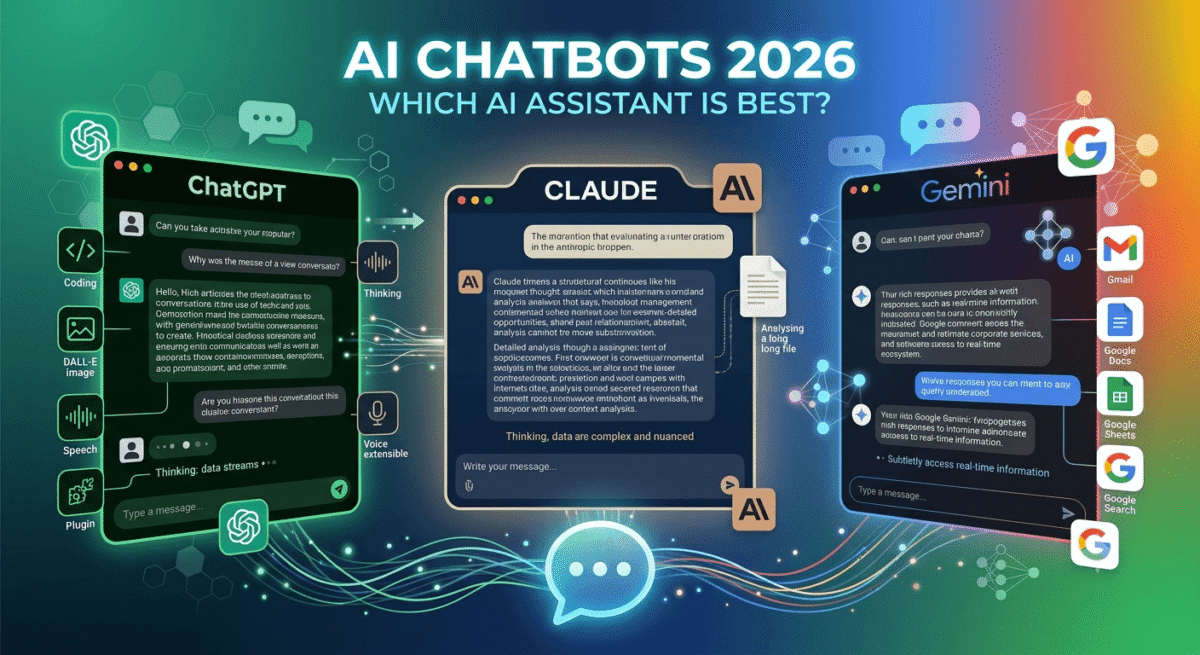
Claude produces the most sophisticated, naturally varied prose of any AI writing tool tested, making it the best choice for bloggers who use AI to draft content that requires minimal editing to sound authentically human. To see exactly how Anthropic’s model compares against OpenAI and Google across non-writing tasks like coding and factual reasoning, check out our comprehensive chatbot face-off for a complete breakdown.
The optimal Claude workflow for blog posts:
- Provide Claude with your target keyword, the 5 key points you want to make, your tone of voice, and 2–3 examples of your existing writing
- Ask Claude to draft a specific section, introduction, one tool review, the FAQ section, rather than the entire post at once
- Edit each section immediately while context is fresh, adding personal experience and specific details
- Use Claude to improve specific sentences: “make this paragraph more direct” or “this section feels too formal, rewrite it conversationally”
This section-by-section workflow produces better results than requesting a complete post in one prompt and produces content that requires significantly less editing than bulk AI generation.
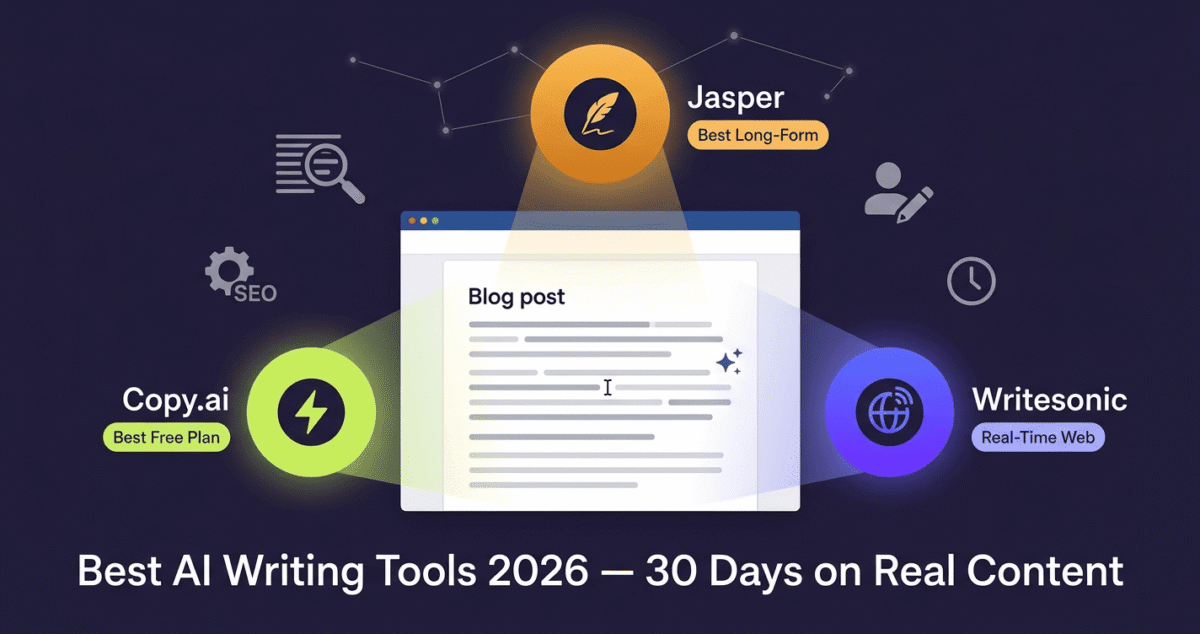
5. Jasper AI – Best for Teams and Brand Voice Consistency
Price: $39/month (Creator) | $59/month (Pro)
Affiliate: 25% recurring lifetime commission
Jasper is the best AI writing tool for bloggers who have established a distinctive writing style and want AI assistance that replicates it. The Brand Voice feature, trained on your existing content, produces drafts that match your established tone more consistently than generic AI tools.
For solo bloggers, Claude produces comparable writing quality at the same price point. Jasper’s advantages become clearer for teams, the shared brand voice, content templates, and collaborative workspace make it the better choice when multiple writers contribute to a blog that needs stylistic consistency. See our full Jasper vs other AI writers comparison (Jasper vs Copy.ai vs Writesonic) if you want a deeper look at how Jasper stacks up beyond this quick summary.
The Surfer SEO integration, generating content that is simultaneously AI-written and keyword-optimised, is Jasper’s most distinctive SEO advantage for bloggers who use Surfer alongside their writing workflow.
6. Grammarly AI – Best for Editing and Tone Refinement
Price: Free (basic) | $12/month (Premium)
Affiliate: Up to $20 per Premium signup
Grammarly’s AI features go beyond grammar checking in 2026. The AI rewriting suggestions improve clarity, conciseness, and engagement of existing text, not just correcting errors. The tone detector ensures your post maintains a consistent voice, and the AI suggestions for alternative phrasing are genuinely useful for varying repetitive sentence structures.
For AI-assisted blog posts specifically: Run every AI-generated draft through Grammarly before publishing. Grammarly catches AI writing patterns, passive voice overuse, repetitive sentence starts, unnecessarily complex phrasing, that make AI authorship detectable. The suggestions typically improve AI-generated content meaningfully.
The browser extension works inside WordPress’s Gutenberg editor, no copy-pasting required. This seamless integration makes Grammarly the most practical editing tool for bloggers who write directly in WordPress.
Job 3: Visual Content AI Tools
7. Canva AI, Best All-in-One Design and Image Tool for Bloggers
Price: Free | $12.99/month (Pro)
Affiliate: Up to $36 per Pro signup
Canva’s AI features, Magic Design, Magic Write, text-to-image generation, and background removal, make it the most practical visual content tool for bloggers who are not designers. The combination of AI assistance with Canva’s template library, brand kit, and export tools covers every visual content need a blogger has.
Key AI features in Canva:
- Magic Design, generate complete graphic designs from a text prompt or uploaded image
- Text to Image, generate AI images directly within Canva, sized correctly for your project
- Background Remover, remove image backgrounds with one click (Pro feature)
- Magic Resize, resize any design to different platform dimensions automatically
- Magic Write, generate copy for graphics, social posts, and presentation slides
For creating featured images (1200×630px), Pinterest pins (1000×1500px), Instagram posts, and Twitter/LinkedIn graphics from a single design workflow, Canva covers everything without switching tools.
8. Midjourney, Best for High-Quality AI Featured Images
Price: $30/month (Standard)
Affiliate: No
For bloggers who want genuinely impressive featured images, the kind that stand out in Google Discover, social media feeds, and email previews, Midjourney produces the highest quality AI images available. The investment pays back through improved click-through rates from search and social.
The featured image workflow:
- Generate 4 variations in Midjourney using a consistent prompt style
- Select the best variation → upscale to maximum resolution
- Download and open in Canva
- Resize to 1200×630px
- Add blog post title text in your brand font
- Export and upload to WordPress
This workflow takes approximately 10 minutes per featured image and produces results that significantly outperform stock photos for visual distinctiveness.
Free alternative: Bing Image Creator (DALL-E 3, free) produces good results for featured images without Midjourney’s quality ceiling. Sufficient for most bloggers starting out.
9. Adobe Firefly, Best for Editing Existing Photos with AI
Price: Free (25 credits/month) | Included in Creative Cloud
Affiliate: Adobe affiliate, up to 85% first month commission
Adobe Firefly’s Generative Fill in Photoshop is the most practically useful AI image editing tool for bloggers who work with product screenshots and software interface images. Use it to:
- Extend a screenshot’s canvas to fit your featured image dimensions
- Remove unwanted UI elements from software screenshots
- Add consistent background elements to product images
- Match lighting between multiple screenshots for comparison graphics
For software review bloggers specifically, the ability to edit and enhance screenshots, rather than only generating new images, makes Firefly more practically useful than pure generation tools like Midjourney for day-to-day content production. See our full AI image generation comparison of Midjourney vs DALL-E vs Adobe Firefly for the complete picture beyond these two summaries.
Job 4: SEO Optimisation AI Tools
10. Rank Math AI, Best Free On-Page SEO AI for WordPress
Price: Free | $59/year (Pro)
Affiliate: Rank Math affiliate program
Rank Math’s AI features, integrated directly into the WordPress editor, provide real-time SEO optimisation feedback as you write. The Content AI tool (Pro) generates SEO-optimised content briefs, suggests related keywords to include, and analyses your content against the top 10 ranking pages for your target keyword.
The AI-powered title and meta description generator suggests multiple SEO-optimised options based on your target keyword and content, saving the mental effort of crafting these from scratch for every post.
For WordPress bloggers, Rank Math provides more AI-powered SEO assistance within the editorial workflow than any competing plugin. The integration with the Gutenberg editor means SEO optimisation happens during writing, not as a separate revision step.
11. Surfer SEO, Best for Content Optimisation Against Competitors
Price: $89/month (Essential)
Affiliate: Surfer SEO affiliate program
Surfer SEO analyses the top 25 ranking pages for your target keyword and provides a detailed content score showing how well your post covers the topic compared to competitors, including optimal word count, heading structure, keyword usage, and semantic terms to include.
The Surfer AI writer generates content that is simultaneously written and optimised, producing drafts that start with a competitive content score rather than requiring post-writing SEO revision. See our comparison of SEO-focused AI writing tools (Jasper vs Surfer SEO vs MarketMuse) if content-and-SEO-in-one is specifically what you’re after.
For bloggers who want to maximise the probability that a specific post ranks competitively, Surfer’s data-driven approach provides the most actionable guidance available. The Content Editor integrates with Google Docs and WordPress for real-time optimisation feedback during writing.
For RateTheTool.com: Surfer SEO is most valuable when you have established traffic and want to systematically improve rankings for specific high-value posts. Less critical in the first six months when content volume matters more than individual post optimisation depth.
Job 5: Distribution and Promotion AI Tools
12. Later AI, Best for AI-Powered Social Media Scheduling
Price: Free (limited) | $16.67/month (Starter)
Affiliate: 30% recurring commission
Later’s AI caption writer generates platform-appropriate social media captions from your blog post content, producing Instagram captions with relevant hashtags, LinkedIn posts with a professional framing, and Twitter/X posts within character limits, all from a single input.
The Best Time to Post analysis, AI-powered by your specific audience’s activity data, schedules posts at the moments when your followers are most active. Combined with Later’s visual content calendar, this creates a semi-automated social promotion workflow where you provide the content and AI handles timing and caption generation.
For bloggers: Create one week of social media content from your weekly blog posts in 30 minutes. Select the 3–5 most shareable insights from each post → paste into Later’s caption generator → review and schedule. The AI does the reformatting; you provide the substance.
13. ConvertKit AI Features – Best for Email Newsletter AI
Price: Free (up to 10,000 subscribers) | $25/month (Creator)
Affiliate: 30% recurring for 24 months
ConvertKit’s AI subject line generator and email content suggestions help bloggers who struggle with email marketing to produce newsletters consistently. The AI suggests subject lines optimised for open rates based on your audience’s past engagement patterns, reducing the guesswork in email marketing optimisation.
The Recommendations feature, where ConvertKit AI suggests other ConvertKit creators your subscribers might enjoy, builds your list through creator network effects alongside your own content.
For bloggers who have built an email list but struggle to write newsletters consistently, ConvertKit’s AI removes the blank page problem, providing structure, subject line options, and content suggestions that make weekly newsletters more achievable.
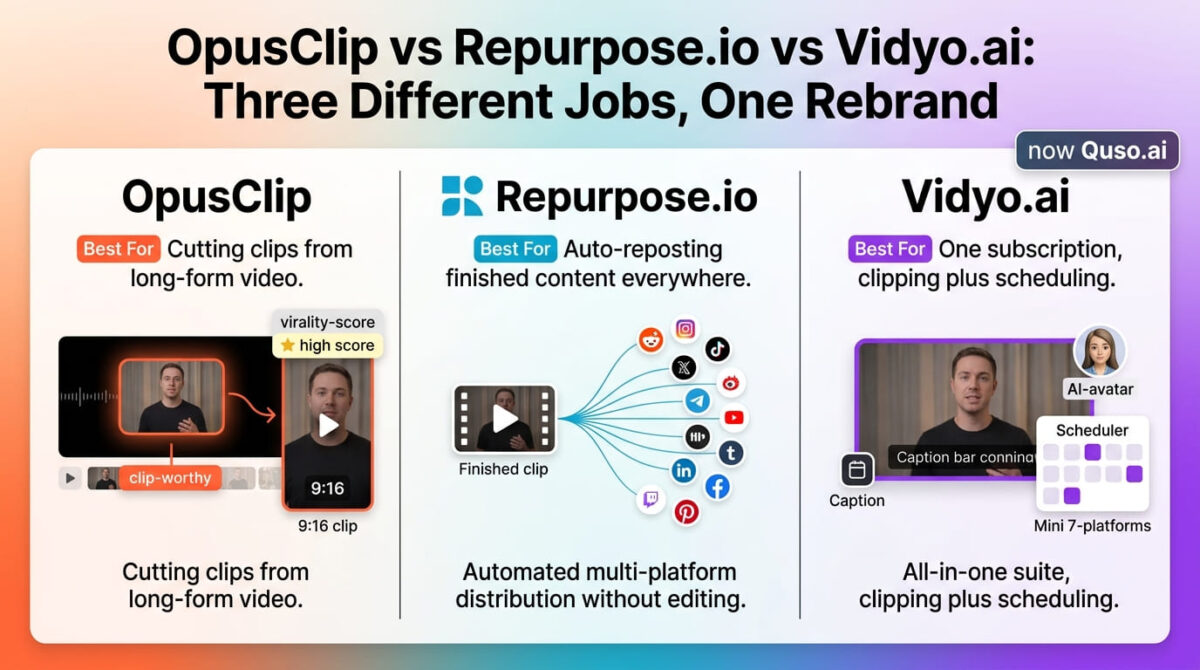
14. Repurpose.io – Best for Automatic Content Repurposing
Price: $25/month (Marketer)
Affiliate: Repurpose.io affiliate program
Repurpose.io automatically converts your blog posts, YouTube videos, and podcast episodes into social media content across multiple platforms, creating TikTok clips, Instagram Reels, YouTube Shorts, and Twitter clips from longer content automatically.
For bloggers who also create video content alongside written posts, Repurpose.io’s automation turns one piece of content into six or seven platform-specific versions without manual editing. The AI handles clipping, formatting, caption generation, and platform-specific sizing automatically.
15. Tidio Lyro, Best AI Chatbot for Blog Reader Engagement
Price: Free (50 conversations/month) | $59/month (Growth)
Affiliate: 30% recurring commission
Tidio’s Lyro AI chatbot answers reader questions about your blog content automatically, trained on your FAQ sections, blog posts, and specified information. Readers who have a quick question about a reviewed tool get an immediate answer without emailing you, and questions that Lyro cannot answer are escalated to your inbox.
For software review bloggers, Lyro can answer common pre-purchase questions about reviewed tools, “which email marketing tool is best for under 1,000 subscribers?”, converting engaged readers into affiliate link clicks more effectively than a static blog post alone.
The Recommended AI Stack for Bloggers, By Budget
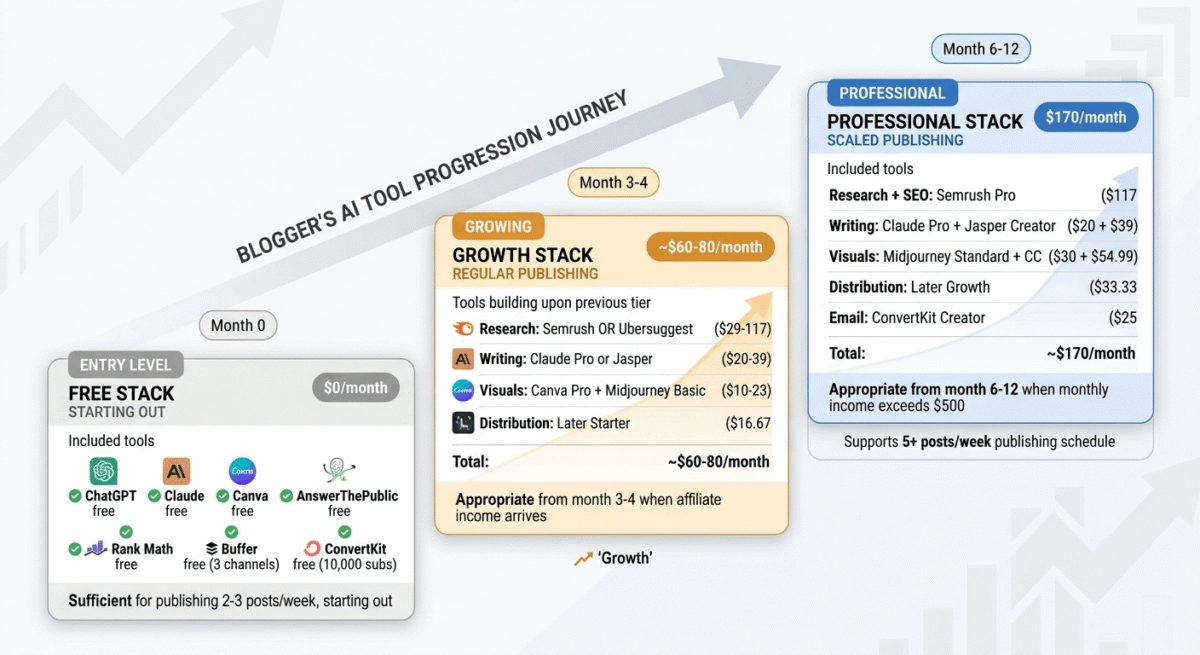
Starter Stack, $0/month (Free tools only)
- Research: Perplexity free + Google Trends
- Writing: Claude free (limited) + Grammarly free
- Images: Bing Image Creator free + Canva free
- SEO: Rank Math free + Google Search Console
- Social: Buffer free (3 channels)
- Email: ConvertKit free (up to 10,000 subscribers)
Total: $0/month, sufficient for a blogger publishing 2–3 posts per week starting out
Growth Stack, ~$60/month
- Research + SEO: Semrush Pro ($117/month, worth it at 50+ posts) OR Ubersuggest ($29/month for earlier stage
- Writing: Claude Pro ($20/month)
- Images: Canva Pro ($12.99/month) + Midjourney Basic ($10/month)
- Social: Later Starter ($16.67/month)
- Email: ConvertKit free (until list exceeds 10,000)
Total: ~$60–$80/month, appropriate from month 3–4 when first affiliate income arrives
Professional Stack, ~$150/month
- Research + SEO: Semrush Pro ($117/month)
- Writing: Claude Pro ($20/month) + Jasper Creator ($39/month)
- Images: Midjourney Standard ($30/month) + Adobe Creative Cloud ($54.99/month)
- Social: Later Growth ($33.33/month)
- Email: ConvertKit Creator ($25/month)
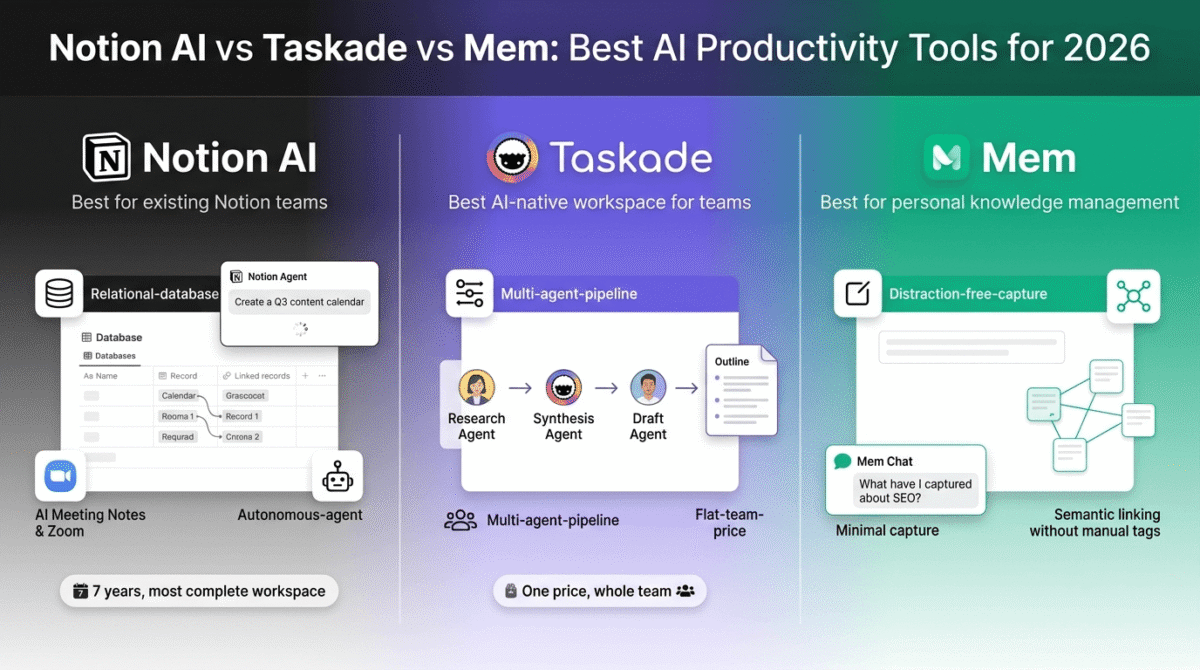
Total: ~$170/month, appropriate from month 6–12 when monthly income exceeds $500. Beyond these five core jobs, our roundup of AI productivity tools (Notion AI vs Taskade vs Mem) covers options for organising the growing volume of ideas, drafts, and research that come with a larger content operation.
The 3 AI Workflows Every Blogger Should Implement First
Before adding any AI tools beyond the free stack, implement these three workflows that generate the highest return:
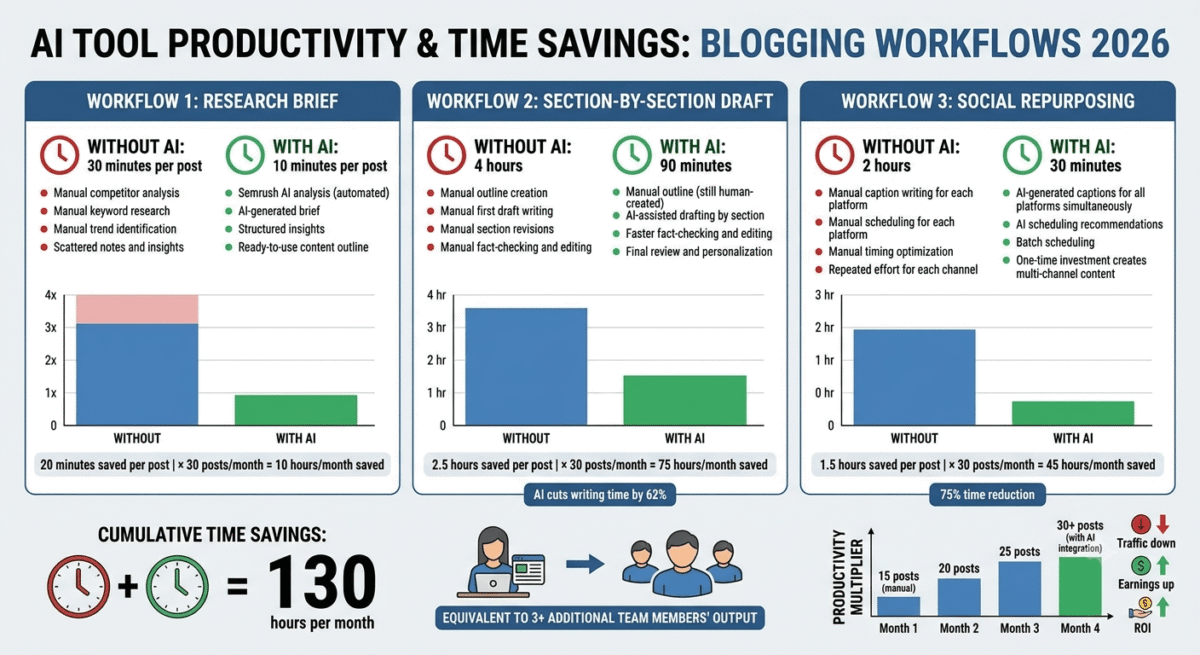
Workflow 1: The AI Research Brief (30 minutes per post → 10 minutes)
- Enter target keyword into Semrush Topic Research (or AnswerThePublic free)
- Identify the top 5 questions readers ask about this topic
- Check the top 3 ranking posts to understand their structure
- Ask Claude or ChatGPT: “I am writing about [keyword]. The main questions readers have are [list]. The top posts cover [topics]. What angle would make my post more valuable than existing content?”
- Use the AI’s suggestion to define your unique angle before writing
Workflow 2: The Section-by-Section Draft (4 hours per post → 90 minutes)
- Write your outline manually (never let AI determine your structure)
- Draft each section in Claude: “Write the [section name] for a post about [keyword]. Key points: [your notes]. Tone: direct, honest, no hype. Length: approximately [X] words.”
- Edit each section immediately, add personal experience, fix any inaccuracies, adjust voice
- Never publish AI draft without adding at least 2–3 sentences of personal testing experience per section
Workflow 3: The Social Repurposing System (2 hours → 30 minutes)
- After publishing each post, paste the 5 most shareable insights into Later’s caption generator
- Generate captions for LinkedIn, Twitter/X, and Pinterest simultaneously
- Review and personalise each caption with one genuine personal observation
- Schedule for the coming week at AI-recommended posting times
AI Tools to Avoid (And Why)
Not every AI tool marketed to bloggers is worth using. These common tools are either overhyped or counterproductive:
Article spinners and bulk content generators, tools that generate 10 articles per day at $0.01 each. Google’s helpful content system specifically targets this type of content. Publishing AI-generated content at scale without substantive editing is the fastest path to manual search penalty.
AI SEO “autopilot” tools, tools that claim to automatically optimise and publish content with minimal human input. These violate Google’s spam policies and most affiliate program terms. The automation that sounds efficient in the pitch destroys the editorial integrity that makes a blog worth reading.
AI social media comment bots, tools that automatically comment on social media posts using AI-generated responses. Universally against platform terms of service and damaging to reputation when discovered.
Duplicate AI tools that overlap, having both Jasper and Claude and Copy.ai and Writesonic is not 4x better than one tool. Choose one primary writing assistant and use it consistently. Adding redundant tools wastes budget and creates decision paralysis.
Final Verdict
The bloggers winning in 2026 are not the ones using the most AI tools, they are the ones who have integrated the right 4–5 AI tools so deeply into their workflow that AI assistance has become invisible, automatic, and genuinely labour-saving rather than an additional task to manage.
Start with the free stack. Use it for 60 days. Identify where you personally spend the most time and feel the most friction. Then add the paid tool that specifically reduces that friction. Build the stack gradually, one tool at a time, based on what your specific workflow actually needs.
The non-negotiables for every blogger:
- Claude or ChatGPT, one AI writing assistant
- Rank Math, SEO optimisation in WordPress
- Canva, visual content creation
- ConvertKit, email list building
- Later or Buffer, social media scheduling
Everything else is an upgrade you add when your blog has grown enough to justify the additional cost.
Frequently Asked Questions
What AI tools do bloggers actually use?
The most widely used AI tools among bloggers in 2026 are: ChatGPT or Claude for writing assistance, Canva for visual content, Grammarly for editing, Semrush for keyword research, and Buffer or Later for social media scheduling. Most successful bloggers use 4–6 AI tools consistently rather than trying every new tool that launches.
Can I use AI to write my entire blog?
Technically yes, but it carries significant risks. Google’s helpful content system targets pages written primarily for search engines rather than humans, and mass-produced AI content without human editing and personal expertise is a primary target. The sustainable approach is using AI to draft and accelerate your writing while ensuring every published post includes original insights, personal testing experience, and genuine editorial judgment.
How much time does AI save bloggers?
Well-implemented AI tools typically reduce blog post production time by 40–60%, from 4–6 hours per post to 90 minutes to 2.5 hours. The time savings compound across a consistent publishing schedule: 30 posts per month with AI assistance takes approximately the same time as 15 posts without it, effectively doubling output at the same personal time investment.
Is AI content good for SEO?
AI-assisted content that provides genuine value, includes personal expertise, and is properly edited performs well in SEO, many top-ranking posts in 2026 are AI-assisted. Purely AI-generated content published without human editing, fact-checking, or original insights is increasingly penalised by Google’s quality systems. The distinction Google makes is between helpful content (which may be AI-assisted) and scaled content produced primarily to manipulate search rankings.
Which AI writing tool is best for bloggers?
Claude Pro is the best AI writing tool for bloggers who prioritise writing quality, its prose is the most natural and requires the least editing. Jasper is better for teams and brand voice consistency. ChatGPT Plus provides more task breadth (coding, images, browsing) alongside writing. Start with Claude’s free plan before paying for any writing tool.
How do I use AI without my blog sounding robotic?
Three practices make AI-assisted content sound human: (1) Write your outline manually before prompting AI, AI-generated structure is more formulaic than human-developed structure. (2) Add personal experience and specific details that only you have, the phrase “in my testing of NordVPN over 30 days” cannot be AI-generated and grounds the entire post in authentic experience. (3) Edit aggressively, cut every AI sentence that sounds like a corporate press release and replace it with how you would actually say it in conversation.