The average student in 2026 juggles lectures, assignments, part-time work, extracurriculars, and a social life, all simultaneously. The students who manage this successfully are not necessarily more talented than those who struggle. They are more organised, more efficient, and better equipped with the right tools.
This guide covers the best 25 tools for students in 2026, tested across real academic workflows from note-taking and research to writing and time management. Most are free or discounted for students. None of them are the kind of tools that sound useful in a productivity article but collect dust after the first week.
One important framing: tools amplify your effort, they do not replace it. The best note-taking app in the world does not help if you do not attend lectures. These tools work when you show up and use them consistently.
Table of Contents
Section 1: Note-Taking and Knowledge Management
1. Notion, Best Note-Taking App for Students
Price: Free (Notion Education plan, all Plus features free with .edu email)
Affiliate: Notion affiliate
Full review: Best Note-Taking Apps →
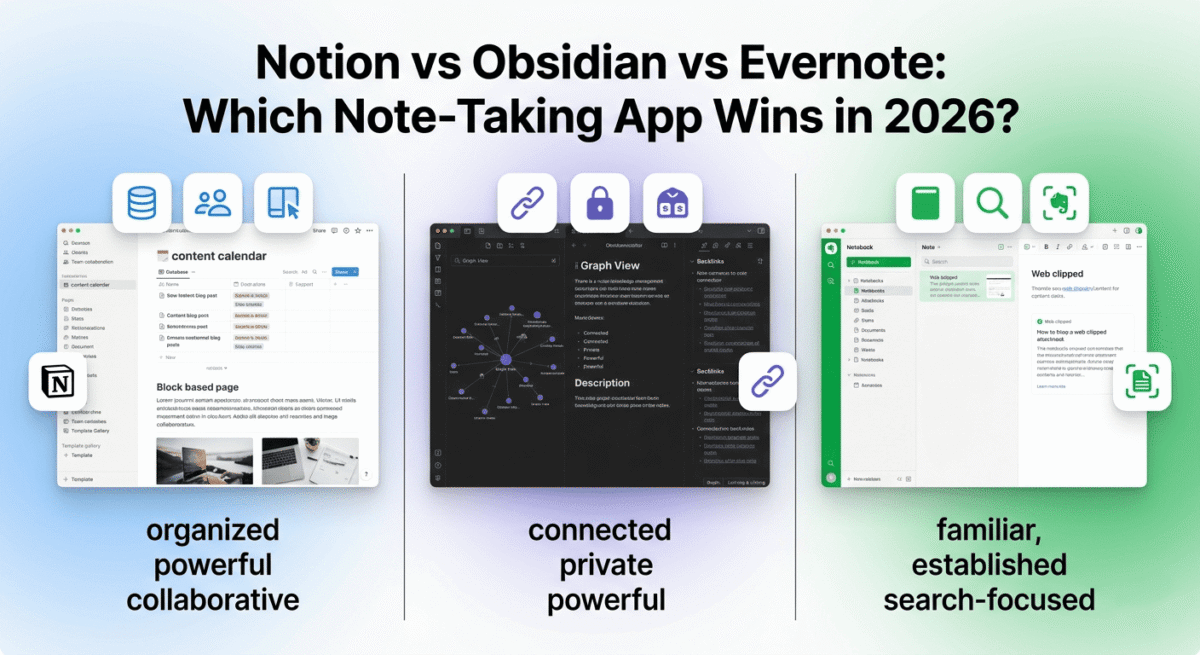
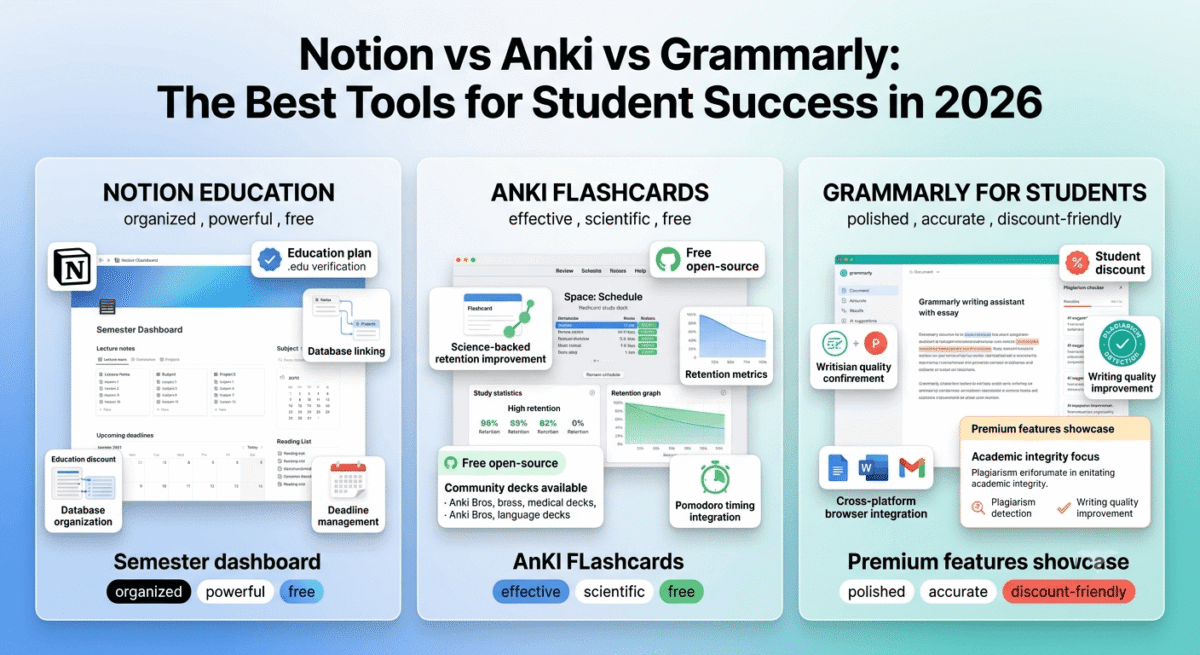
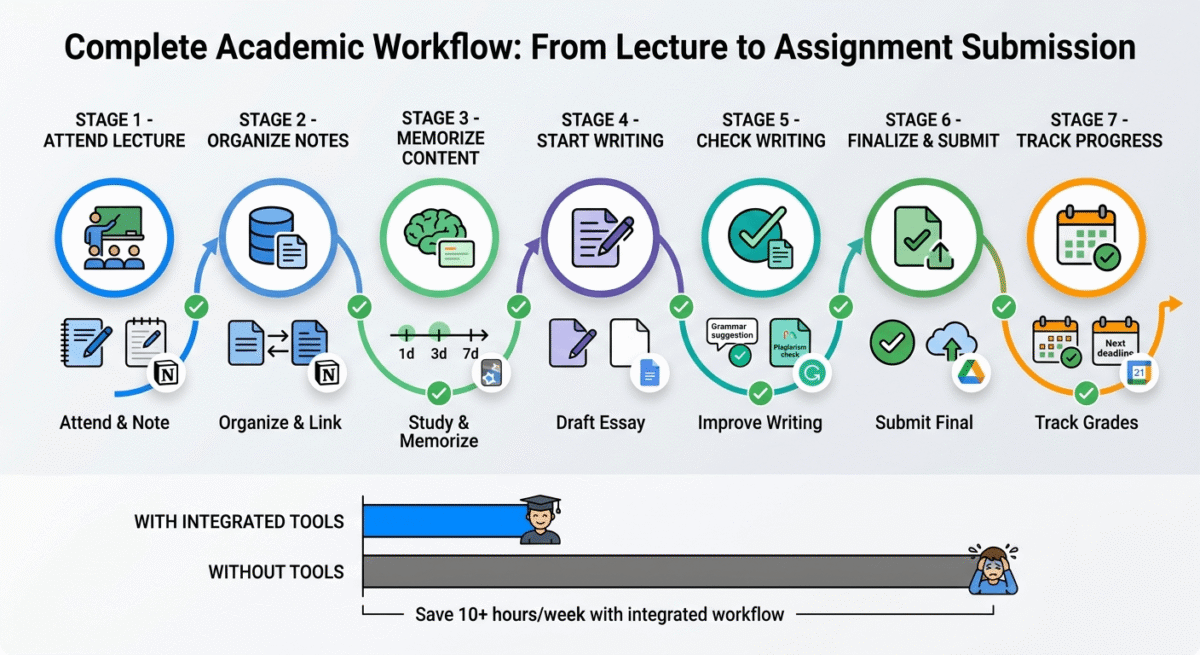
Notion is the best note-taking app for students who want more than a digital notebook. The database feature transforms lecture notes from scattered documents into a structured knowledge system, link your chemistry notes to your lab reports, connect your research to your essay drafts, and see your entire semester’s worth of learning as a connected knowledge base.
The Notion Education plan, completely free for students with a verified .edu email address, provides all Plus plan features: unlimited version history, unlimited guests, and the complete feature set that normally costs $10/month.
Practical Notion setup for students:
- One database per subject, each lecture becomes a database entry with date, topic, and tags
- A semester dashboard, all subjects, upcoming deadlines, and weekly schedule in one view
- A reading list database, papers, textbooks, and articles linked to the subjects they relate to
- A project workspace, group project tasks, timelines, and shared documents
2. Obsidian, Best for Deep Knowledge Management and Research Students
Price: Free (personal use, all features)
Full review: Best Note-Taking Apps →
For graduate students, researchers, and undergraduates who write thesis-level work, Obsidian’s bidirectional linking creates a personal knowledge graph that surfaces connections between ideas you would otherwise miss. Writing a paper on climate policy? Every note tagged “climate” and “policy” is automatically connected, showing you the full web of your accumulated research.
Obsidian stores all notes as plain Markdown files on your device, no cloud dependency, complete privacy, and future-proof file format. Files you create in Obsidian today will be readable in any text editor 50 years from now.
The Zotero integration, connecting Obsidian to your citation manager, enables academic note-taking workflows where paper annotations appear as linked notes in your knowledge base automatically.
3. Microsoft OneNote, Best Free Note-Taking for Windows and Microsoft 365 Students
Price: Free (with Microsoft account) | Free with Microsoft 365 Education
No affiliate, genuinely free
OneNote’s free-form canvas, where you can type, draw, clip web content, and add images anywhere on an infinite page, is uniquely flexible for students who think visually. Lecture diagrams, mathematical equations, and concept maps all coexist naturally on OneNote’s canvas in a way that structured note-taking apps cannot replicate.
Most universities provide Microsoft 365 Education free to enrolled students, including OneNote, Word, Excel, PowerPoint, and Teams. Check your university’s IT portal before paying for any Microsoft product.
4. Anki, Best Flashcard and Spaced Repetition Tool for Students
Price: Free (desktop and Android) | $24.99 (iOS one-time purchase)
No affiliate, open source
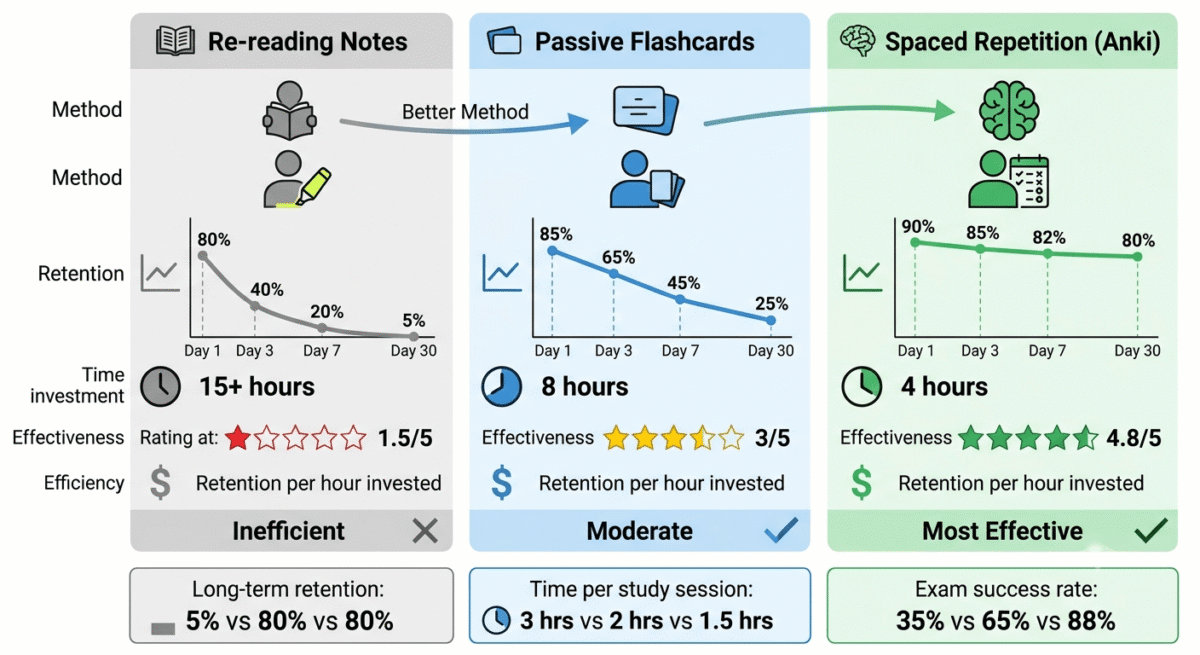
Anki is the most effective free study tool available for knowledge retention, its spaced repetition algorithm schedules card reviews at the optimal interval for long-term memory formation. Medical students worldwide credit Anki as the primary reason they pass licensing exams. Language learners use it to maintain vocabulary across years of study.
The science behind spaced repetition is well-established: reviewing information at increasing intervals (1 day, 3 days, 7 days, 14 days) produces dramatically better retention than re-reading notes repeatedly. Anki implements this automatically.
Pre-made Anki decks for common subjects: AnkiWeb has thousands of community-created decks for medical school (Anki Bros), language learning (all major languages), bar exam preparation, CPA exam, and most undergraduate science subjects.
5. Evernote Free, Note-Taking for Students Who Need OCR Search
Price: Free (50 notes, 60MB upload limit) | $10.83/month (Personal)
Full review: Best Note-Taking Apps →
Evernote’s OCR search, making text inside photos of handwritten notes and scanned documents searchable, is genuinely useful for students who take handwritten notes and want to search them digitally. Photograph your handwritten lecture notes, upload to Evernote, and find any word in any note by typing in the search bar.
The free plan’s 50-note limit is restrictive for heavy use, Notion or OneNote are better primary note-taking apps. Evernote works best as a supplementary tool specifically for searchable handwritten note capture.
Section 2: Writing and Research Tools
6. Grammarly, Best Writing Tool for Students
Price: Free (basic) | $12/month (Premium) | Discounted student plans available
Affiliate: Up to $20 per Premium signup
Full review: Best Grammar Checkers →
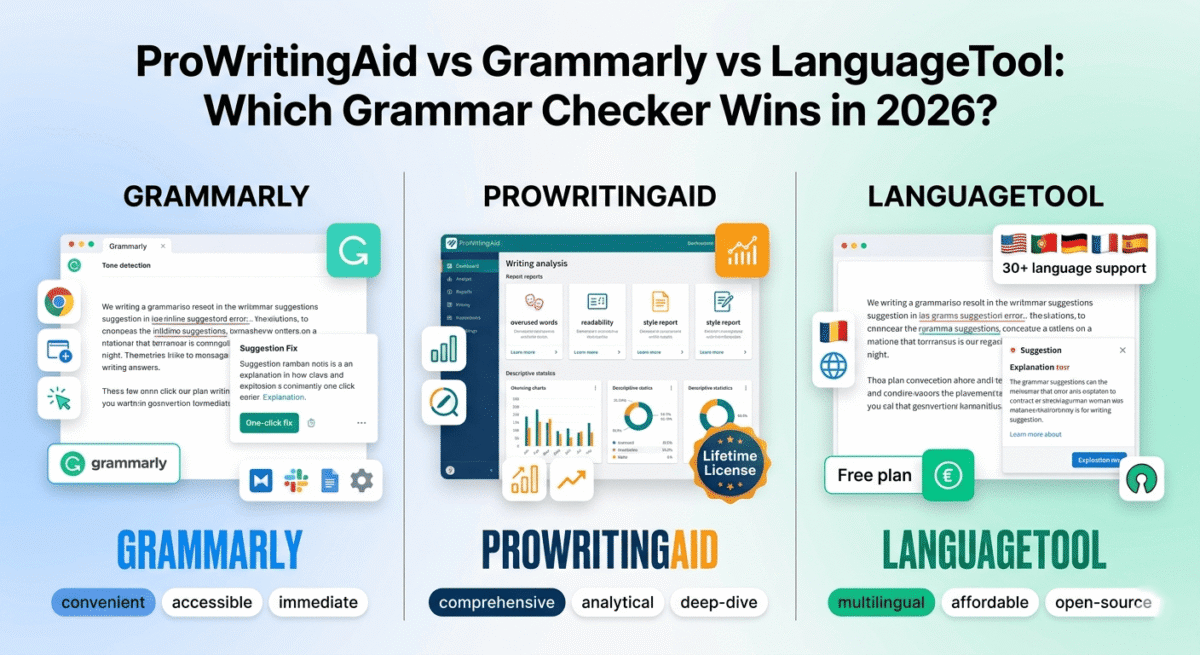
Grammarly’s browser extension checks every piece of writing you produce, essays, emails to professors, online discussion posts, and scholarship applications, automatically across every web-based writing environment. For students whose grades depend on writing quality, Grammarly catches the errors that erode credibility.
The plagiarism checker (Premium) scans your writing against billions of web pages and academic papers, essential before submitting any assignment where academic integrity policies apply. Finding accidental plagiarism before your professor does is far better than discovering it after.
Student discount: Grammarly offers discounted education plans, check grammarly.com/edu for current student pricing, often 20, 40% below standard rates.
7. Hemingway Editor, Best Free Writing Clarity Tool
Price: Free (web version at hemingwayapp.com)
No affiliate, free tool
Full review: Grammarly vs Hemingway →
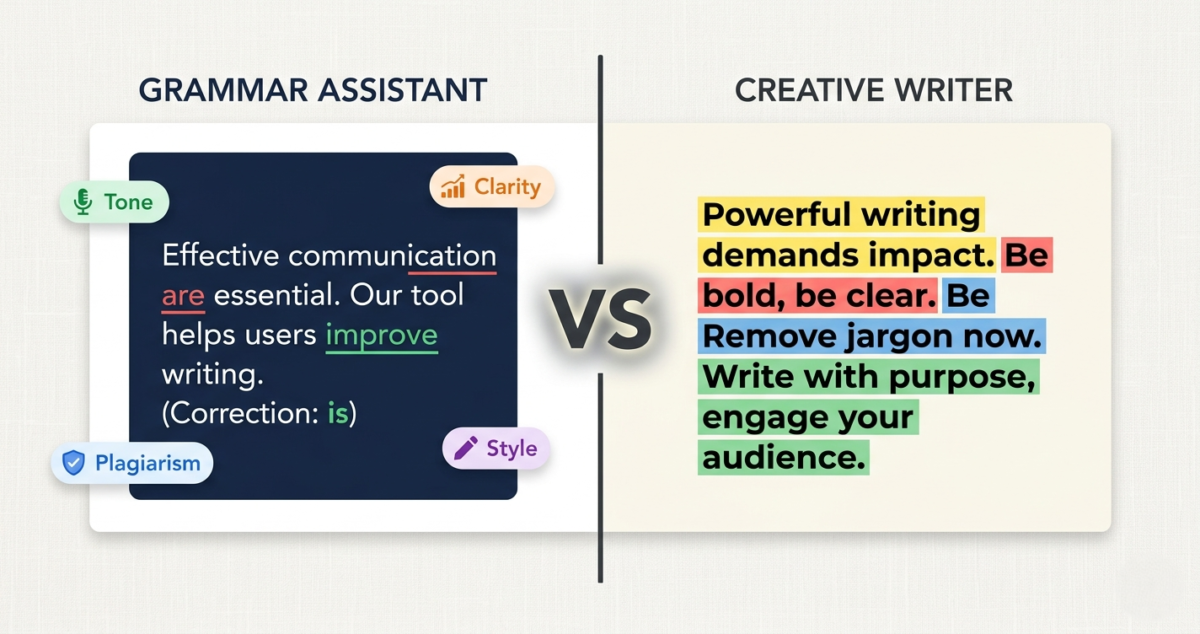
Paste any essay draft into Hemingway Editor and receive instant feedback on readability, sentences that are too complex are highlighted in red, passive voice in green, adverbs in blue. The reading grade level score tells you exactly how accessible your writing is.
For students who over-write, using complex vocabulary and convoluted sentence structures that obscure rather than demonstrate understanding, Hemingway’s simplicity-focused feedback produces genuinely clearer academic writing.
8. Zotero, Best Free Citation Manager for Students
Price: Free (300MB storage) | $20/year (2GB) | $60/year (6GB)
No affiliate, academic tool
Zotero is the most important free tool most students have never heard of. It automatically captures citation information from any webpage, academic database, or library catalogue with one browser click, saving the source, PDF (where available), and complete citation metadata in your personal library.
When writing an essay, insert citations from Zotero directly into Microsoft Word or Google Docs via plugin, Zotero formats every citation and bibliography entry in APA, MLA, Chicago, Harvard, or any of 10,000+ other citation styles automatically. Manually formatting citations is a time-consuming error-prone task Zotero eliminates entirely.
9. Perplexity AI, Best AI Research Tool for Students
Price: Free | $20/month (Pro)
No affiliate
Perplexity answers academic research questions with cited, up-to-date sources, making it the most useful AI tool for students doing research. Unlike ChatGPT (which may confidently state incorrect information), Perplexity cites every claim with a verifiable source you can check and include in your bibliography.
The responsible student workflow:
- Ask Perplexity for an overview of your research topic
- Review the cited sources, click each one to verify the claims
- Read the primary sources directly rather than relying on Perplexity’s summary
- Use the sources you have verified in your own writing
Perplexity accelerates finding sources, it is not a replacement for reading and understanding them.
10. Google Scholar, Best Free Academic Database
Price: Free
No affiliate, Google tool
Google Scholar searches academic papers, theses, books, and court opinions, providing the most comprehensive free academic search available. The “Cited by” feature shows how many papers cite a given source, a quick indicator of its importance in the field. The “Related articles” feature surfaces papers addressing similar questions.
Connect Google Scholar to your university library in settings, many journals paywalled on the open web are available for free through your institution’s subscriptions when accessed via Google Scholar.
11. LibGen and Sci-Hub, Free Access to Academic Papers
Note: The legality of these services varies by jurisdiction. Check your local laws and your institution’s policies before using them.
Many important academic papers and textbooks are locked behind paywalls that students cannot afford. Library Genesis (LibGen) and Sci-Hub provide free access to millions of academic papers and books. Many academics support these tools philosophically as democratising access to knowledge.
Legal free alternatives first: Check your university library (most provide extensive digital journal access), Unpaywall browser extension (finds legal free versions of paywalled papers automatically), PubMed Central (free access to biomedical research), JSTOR’s free access programme, and authors’ personal websites where many self-archive their papers.
Section 3: Time Management and Productivity
12. Todoist, Best Task Manager for Students
Price: Free (5 active projects) | $4/month (Pro, with student discount)
No affiliate
Todoist is the best task management app for students, clean, fast, and available on every platform including browser, iOS, Android, and desktop. The natural language input (“Submit essay next Friday at 11pm”) creates tasks with due dates and times from plain text without navigating menus.
The priority levels, flagging assignments by importance, and the Karma productivity score, tracking streaks of completed tasks, make Todoist the most motivating task manager for students who respond to gamification and visible progress.
13. Google Calendar, Best Free Schedule Management for Students
Price: Free
No affiliate, essential free tool
Google Calendar is the foundational scheduling tool for students, every assignment deadline, every exam date, every club meeting, and every social commitment in one place visible across all devices. The colour-coding by subject or category makes semester planning visually clear, seeing three exams in the same week triggers earlier preparation than discovering the same fact the week before.
Import your university’s academic calendar (most export in .ical format) and your class timetable, all fixed dates appear automatically without manual entry.
14. Forest, Best Focus and Pomodoro App for Students
Price: Free (limited) | $1.99 (iOS) | Free with ads (Android)
No affiliate
Forest uses a clever gamification mechanic to prevent phone distraction during study sessions, plant a virtual tree when you start studying, and if you leave the app to check social media, the tree dies. After enough virtual trees, you can exchange points for real trees planted through a partnership with Trees for the Future.
The Pomodoro technique, 25 minutes of focused work followed by a 5-minute break, is one of the most research-supported productivity methods available. Forest implements this with enough psychological friction to make following through feel rewarding rather than forced.
15. Toggl Track, Best Free Time Tracker for Students
Price: Free (unlimited projects)
Full review: Best Time Tracking Software →
Tracking how you actually spend your study time reveals patterns that are consistently surprising, most students who feel they “studied all weekend” discover they tracked 6, 8 hours of actual study time across 16 hours of sitting at their desk. The gap between time spent and time effectively working is where Toggl creates awareness.
Create projects for each subject, track every study session, and review the weekly report. Students who track study time consistently either improve their focus or adjust their self-assessment of study effectiveness, both outcomes are valuable.
16. RescueTime, Best Automatic Productivity Monitor for Students
Price: Free (limited) | $12/month (Premium)
No affiliate
RescueTime runs in the background automatically, tracking every application and website you use on your computer, categorising activities as productive or distracting, and generating weekly reports on how your screen time is actually distributed. For students who spend significant time on computers but struggle to account for their hours, RescueTime provides the honest data that self-reporting cannot.
Section 4: Collaboration and Communication
17. Google Docs, Best Free Collaborative Writing Tool for Students
Price: Free
No affiliate, universal tool
Google Docs is the universal standard for collaborative student work, real-time co-editing, comment threads, suggestion mode for peer review, and complete version history that shows every change ever made to a document. For group assignments, Google Docs eliminates the version confusion of emailed file attachments entirely.
The Explore feature (bottom right button) searches the web and your Google Drive for sources related to the text you are writing, surfacing relevant research without leaving the document.
18. Notion for Teams, Best Group Project Management for Students
Price: Free (Education plan)
Affiliate: Notion affiliate
For complex group projects that extend beyond a single document, research projects with multiple phases, presentations with shared slide decks, and multi-week assignments with coordinated tasks, Notion’s shared workspace provides a centralised home for everything the group produces.
Create a project database with tasks assigned to each team member, due dates, and status columns. Each task links to the relevant document, slide, or research note. The entire project is visible to all members without any files attached to emails.
19. Slack, Best Team Communication for Student Groups and Clubs
Price: Free (90-day message history)
No affiliate
For student organisations, clubs, research groups, and extracurricular teams that communicate regularly, Slack provides channel-based organisation that WhatsApp and group texts cannot match. Dedicated channels for different topics, #announcements, #general, #event-planning, #fundraising, keep conversations contextualised and searchable.
The free plan’s 90-day message history is the primary limitation for long-term use, important decisions from earlier in the semester are not searchable. For most student groups, this is an acceptable trade-off for free communication infrastructure.
20. Zoom, Best Video Calling for Student Study Groups and Remote Learning
Price: Free (40-minute group meeting limit)
Full review: Best Video Conferencing Software →
Zoom’s free plan covers the most common student use case, group study sessions, online tutorials, and club meetings, with the 40-minute limit being the only meaningful constraint. For sessions under 40 minutes (which covers most study sessions and many tutorials), Zoom free is entirely sufficient.
Schedule recurring study group meetings with a permanent meeting ID, the same link works every week without creating a new meeting.
Section 5: Design and Creative Tools
21. Canva, Best Design Tool for Student Presentations and Projects
Price: Free | Free Pro with Canva for Education (.edu email)
Affiliate: Up to $36 per Pro signup
Full review: Canva vs Adobe Express →
Canva makes professional-quality presentations, posters, infographics, and social media graphics accessible to students without design skills. The presentation templates are significantly more visually interesting than PowerPoint’s built-in options, and the animation features add engagement to academic presentations without requiring motion design expertise.
Canva for Education: Students and teachers can access Canva Pro features completely free through canva.com/education, verify with your .edu email address for full access.
Key student use cases:
- Thesis defence presentations with professional visual design
- Research poster designs for academic conferences
- Infographic summaries of complex data for essays
- Society and club promotional materials
22. Adobe Creative Cloud for Students, Best Professional Creative Suite
Price: $19.99/month (60% student discount from standard $54.99/month)
Affiliate: Adobe affiliate, up to 85% first month commission
For students studying design, photography, film, architecture, or any creative discipline, Adobe Creative Cloud’s student discount makes the industry-standard creative tools accessible during university. The same Photoshop, Illustrator, Premiere Pro, and InDesign used by professionals worldwide, at a price specifically designed for student budgets.
The student pricing ($19.99/month for the full All Apps plan) is available for the duration of your studies. After graduation, standard pricing applies, but the skills developed during university transfer directly to professional workflows.
Section 6: Security and Infrastructure
23. NordVPN Student Discount, Best VPN for Students
Price: ~$3.99/month (2-year plan, student discounts often available)
Affiliate: 40% + 30% recurring commission
Full review: Best VPN for Beginners →
University students frequently use campus Wi-Fi, coffee shop networks, and library connections, all public networks that are easily intercepted. A VPN encrypts all internet traffic regardless of network quality.
Practical student VPN use cases:
- Safe use of public Wi-Fi in campus cafes and libraries
- Accessing home country streaming services while studying abroad
- Privacy when using university networks that may be monitored
- Accessing geo-restricted academic resources
NordVPN’s student discount is frequently available through student discount platforms (UNiDAYS, Student Beans), check both before purchasing at standard price.
24. Bitwarden, Best Free Password Manager for Students
Price: Free (unlimited passwords, unlimited devices)
Full review: Best Password Managers →
Students manage passwords for university portals, learning management systems, email accounts, streaming services, and dozens of other services. Reusing the same password across accounts is the most common student security mistake, one compromised account means all accounts are compromised.
Bitwarden’s free plan provides unlimited password storage, sync across all devices, and browser autofill at zero cost. The open-source codebase provides security transparency that proprietary tools cannot match.
25. Google Drive, Best Free Cloud Storage for Students
Price: Free (15GB) | Unlimited storage via university Google Workspace
No affiliate, essential free tool
Full review: Best Cloud Storage →
Every student assignment, research document, and project file should live in Google Drive, not only on a local device. Hard drives fail at inopportune times; a dissertation draft lost the day before submission is a preventable catastrophe that Google Drive prevents.
Most universities provide Google Workspace for Education with unlimited Drive storage, check your university’s IT resources page before paying for additional storage from any service.
The Essential Student Starter Pack (All Free)
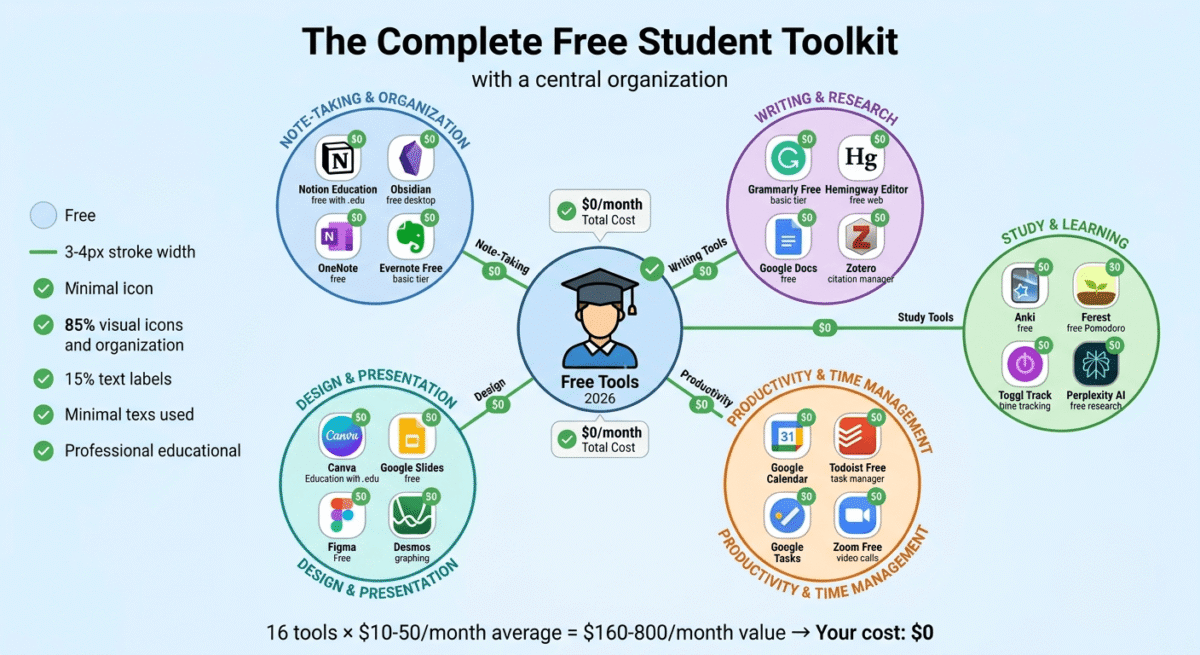
For students starting university or looking to upgrade their toolkit without spending money:
Tool | Purpose | Cost |
Notion Education | Note-taking and organisation | Free |
Zotero | Citation management | Free |
Google Docs | Writing and collaboration | Free |
Grammarly Free | Grammar checking | Free |
Hemingway Editor | Writing clarity | Free |
Anki | Flashcards and memorisation | Free |
Google Scholar | Academic research | Free |
Perplexity AI | AI-powered research | Free |
Google Calendar | Schedule management | Free |
Todoist Free | Task management | Free |
Forest | Focus and Pomodoro | Free |
Toggl Track | Study time tracking | Free |
Zoom Free | Video study sessions | Free |
Canva Education | Design and presentations | Free |
Bitwarden | Password management | Free |
Google Drive | Cloud storage | Free |
Total | $0/month |
Subject-Specific Tool Recommendations
For Science and Engineering Students
- Wolfram Alpha (free/Pro), solve equations, understand calculus, and check mathematical work
- Overleaf (free), LaTeX editor for technical papers and dissertations
- MATLAB Online (free through many universities), numerical computing for engineering
- Desmos (free), graphing calculator in the browser, no download required
For Humanities and Social Science Students
- Zotero, citation management (listed above, absolutely essential for essay-heavy courses)
- JSTOR, free access to academic articles through the free reading programme
- LexisNexis, available free through university library for legal and news research
- Atlas.ti or NVivo, qualitative data analysis (often available via university licence)
For Business and Economics Students
- Statista, statistical data for research papers (check university licence access)
- Bloomberg Terminal, available in most university business school libraries
- Excel, still the most important business data tool, available free via Microsoft 365 Education
- Tableau Public (free), data visualisation for business and economics presentations
For Design Students
- Adobe Creative Cloud Student ($19.99/month), industry standard, essential
- Figma Free, UI/UX design, increasingly required in professional contexts
- Behance (free), portfolio hosting and professional community
- Dribbble (free basic), design community and inspiration
How to Actually Use These Tools Effectively
Collecting productivity tools is easy. Using them consistently is harder. Here are three principles that determine whether any tool actually improves your academic performance:
Principle 1: One system, not many. Choose one primary note-taking app (Notion or Obsidian), one task manager (Todoist or Google Tasks), one calendar (Google Calendar), and one writing tool (Google Docs or Word). Students who fragment their system across five note-taking apps have five disorganised systems instead of one organised one.
Principle 2: Spend more time using than configuring. The most common productivity tool failure mode is spending more time setting up a perfect Notion template than actually using it for notes. A simple system used consistently beats a complex system used occasionally.
Principle 3: Review weekly. Set aside 15 minutes every Sunday to review the coming week, check Google Calendar for deadlines and commitments, review your Todoist task list, update your Notion study schedule. This weekly review transforms your tool stack from passive storage into an active planning system.
Frequently Asked Questions
What apps do students actually use most?
The most widely used student tools are Google Docs (collaborative writing), Google Calendar (schedule management), Notion (note-taking and organisation), Grammarly (writing assistance), and Zoom (remote study sessions and tutorials). These five tools cover the foundational academic workflow for most students at zero or minimal cost.
Is Notion good for students?
Yes, Notion’s Education plan provides all Plus features completely free for students with .edu email addresses. The database and linking features make it the most powerful note-taking and organisation tool available at any price, and the flexibility to adapt to any study workflow makes it suitable across all subjects and levels.
What is the best free note-taking app for students?
Notion Education (free with .edu email) is the best free note-taking app for students who want an organised, database-powered knowledge system. Microsoft OneNote (free with Microsoft 365 Education) is the best free option for visual, freeform notes. Obsidian (free for personal use) is the best for research students who need bidirectional linking and a personal knowledge graph.
Do students need to pay for Grammarly?
The free version catches basic grammar and spelling errors, sufficient for students whose primary need is error correction. Grammarly Premium adds advanced suggestions, plagiarism checking, and tone analysis that meaningfully improve writing quality. For students writing lengthy academic papers where every mark matters, the Premium upgrade is worth considering, check for student discounts before purchasing at full price.
What is the best study tool for university students?
Anki (free) produces the highest academic performance improvement of any study tool, the spaced repetition algorithm is one of the most research-supported learning methods available. Combined with Pomodoro timing (Forest app) for focused study sessions and Notion for organised notes, this three-tool combination systematically improves both retention and study efficiency.
How do students get software for free?
University-provided licences: Microsoft 365 Education (Word, Excel, PowerPoint, Teams, OneNote), Adobe Creative Cloud through university IT departments, statistical software (SPSS, SAS, Stata), and various subject-specific tools are often available free through university portals. Student discount platforms: UNiDAYS and Student Beans provide significant discounts on commercial software. GitHub Student Developer Pack provides $200,000+ worth of free developer tools for verified students.
What is the best laptop for students in 2026?
This varies by subject and budget. For most students: a mid-range laptop with 16GB RAM, an SSD, and 8-hour battery life covers all study needs. MacBook Air M-series for students in creative disciplines (design, film, music), Apple Silicon provides exceptional performance-per-watt for creative applications. Windows laptops (Dell XPS, Lenovo ThinkPad) for engineering, business, and science students where Windows-specific software is required. Chromebook for students whose entire workflow is browser-based, lightest, cheapest, and most secure for standard academic tasks.