If you are using the same password on more than one website, you are one data breach away from losing access to your email, bank account, and everything connected to them.
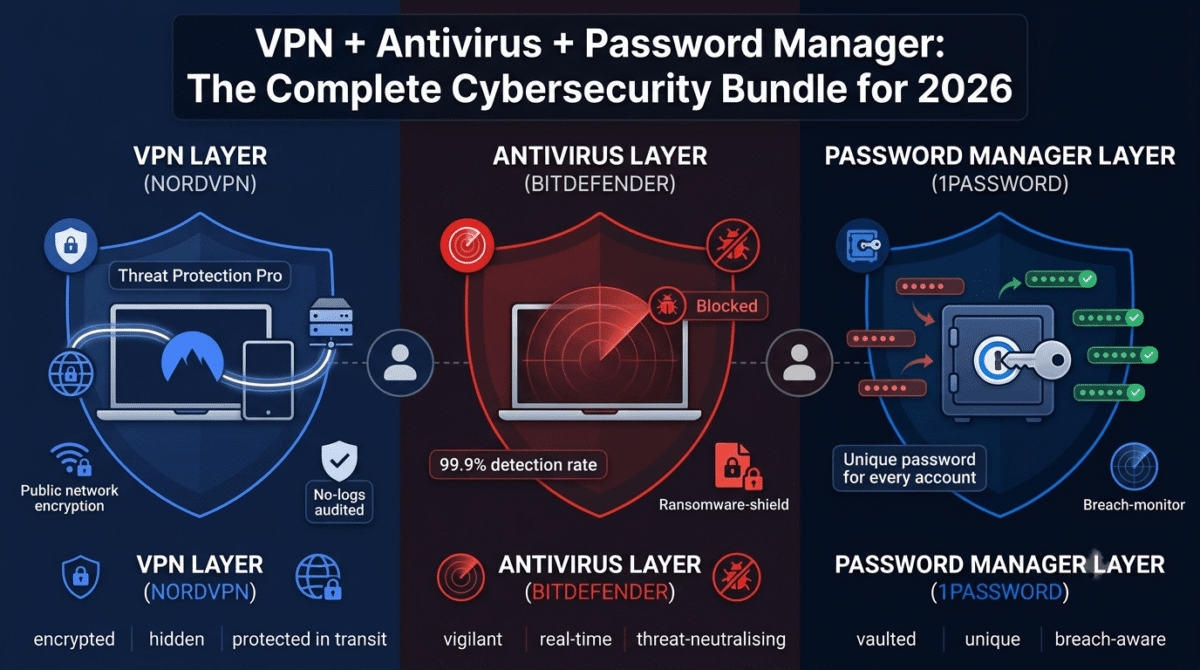
Password managers solve this completely. Instead of remembering dozens of passwords, you remember one, your master password, and the manager handles everything else. Password security is the foundation of online safety, but it is only one piece of the puzzle. A password manager secures your accounts, a VPN protects your internet traffic, and antivirus software protects your devices from malware. Together, they create a much stronger security setup than any single tool alone. See our full security stack guide for how these three pieces fit together into one complete setup. It generates strong, unique passwords, stores them securely, and fills them in automatically.
The problem is choosing the right one. There are dozens of options, the pricing varies wildly, and one of the most popular tools (LastPass) had a catastrophic breach in 2022 that changed everything.
I tested seven password managers over 30 days (I personally use 1Password) across Windows, Mac, iOS, and Android. Here is the honest ranking.
Table of Contents
How We Tested These Password Managers
Every tool was evaluated across five criteria:
– Security: encryption standards, breach history, and independent audits
– Ease of use: setup time, browser extension quality, and autofill reliability
– Features: password generator, secure sharing, two-factor authentication support, dark web monitoring
– Cross-platform support: how well it works across Windows, Mac, iPhone, Android, and browsers
– Value: does the free plan hold up, and is the paid plan worth it?
1. 1Password: Best Overall Password Manager
Price: $2.99/month individual | $4.99/month families (up to 5 users)
Free plan: No (14-day free trial only)
Platforms: Windows, Mac, Linux, iOS, Android, all major browsers
1Password has been the gold standard of password managers for over a decade, and in 2026 it still earns that reputation.
What makes 1Password the best
1Password uses AES-256 encryption with a unique Secret Key system. Unlike most password managers, your account requires both your master password AND a 34-character Secret Key to decrypt. This means even if 1Password’s servers were breached, attackers could not access your vault without the Secret Key stored only on your devices.
The apps are the most polished in the industry. Setup takes under five minutes, the browser extension autofills passwords reliably on virtually every site, and the interface is clean enough that non-technical users feel comfortable from day one.
Standout features include Watchtower, a built-in security dashboard that flags weak passwords, reused passwords, compromised accounts, and sites that support two-factor authentication. Travel Mode lets you temporarily hide selected vaults when crossing borders, so sensitive accounts are not accessible if your device is searched. SSH key management and developer tools make it the favourite among technical users as well.
1Password has never been breached. It undergoes regular third-party security audits and publishes the results.
Where 1Password falls short
There is no free plan. The 14-day trial is enough to evaluate it, but you must pay from day one of actual use. At $2.99/month billed annually ($35.88/year), it is not expensive, but Bitwarden offers nearly comparable security for free.
1Password: Pros and Cons
Pros:
– Secret Key + master password = strongest encryption model of any tool tested
– Never breached the strongest security track record in the industry
– Polished apps on every platform with reliable autofill
– Watchtower security dashboard is genuinely useful
– Travel Mode for border crossing privacy
– Excellent family plan at $4.99/month for up to 5 users
– Regular independent security audits
Cons:
– No free plan, paid only after a 14-day trial
– Slightly more expensive than Bitwarden
– Business plans can get expensive for larger teams
Rating: 4.8 / 5 Best overall pick for anyone who wants the most secure and polished experience.
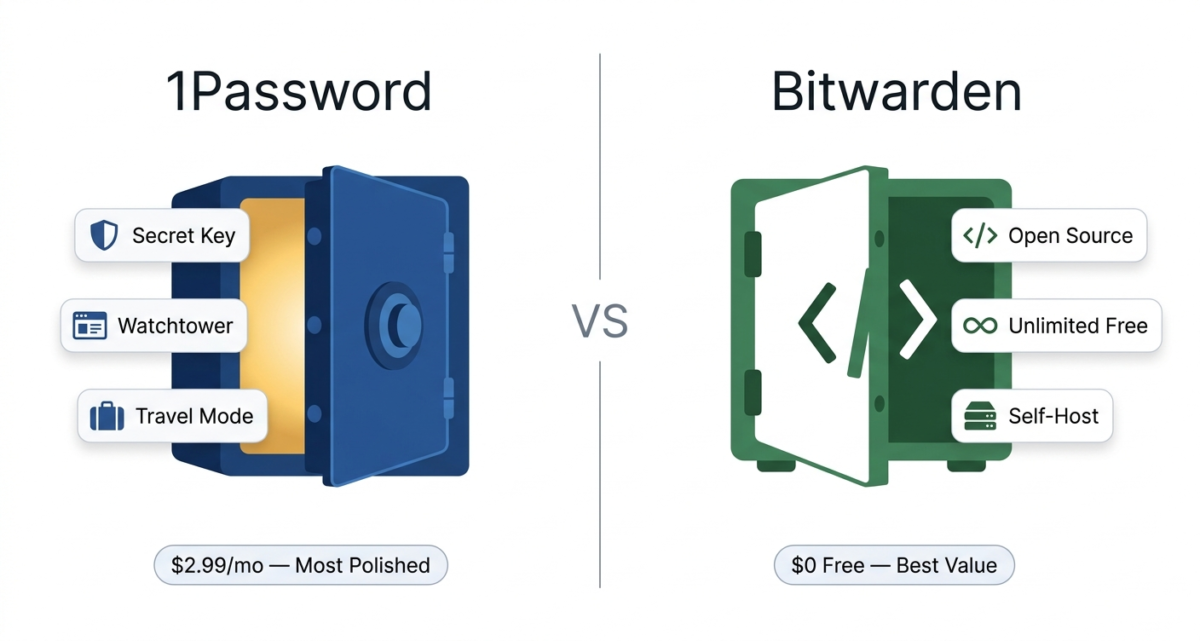
2. Bitwarden: Best Free Password Manager
Price: Free | $10/year premium | $40/year families
Free plan: Yes, genuinely unlimited
Platforms: Windows, Mac, Linux, iOS, Android, all major browsers, self-hosted option
Bitwarden is the only password manager on this list that is fully open source. Its code is publicly available for anyone to audit, which provides a level of transparency that closed-source tools simply cannot match.
What makes Bitwarden exceptional
Bitwarden’s free plan is the most generous in the industry. It gives you unlimited passwords, unlimited devices, and access across all platforms with no artificial restrictions. Most competitors limit free users to one device or a small number of stored items. Bitwarden puts no such ceiling on free users.
The security is excellent. AES-256 encryption, zero-knowledge architecture, and regular third-party audits (most recently by Cure53) give Bitwarden a strong security record. Being open source means security researchers around the world can and do review the code for vulnerabilities.
For $10/year (less than $1/month), Bitwarden Premium adds dark web monitoring, advanced two-factor authentication options (hardware keys like YubiKey), encrypted file storage, and Bitwarden Authenticator for two-factor codes.
Self-hosting is available for advanced users who want to store their vault on their own server rather than Bitwarden’s cloud, a level of control no other tool on this list offers.
Where Bitwarden falls short
The apps are functional but noticeably less polished than 1Password or Dashlane. The interface feels utilitarian rather than elegant. Autofill works well on most sites but occasionally requires manual intervention where 1Password handles things seamlessly.
Bitwarden: Pros and Cons
Pros:
– Fully open source, independently verifiable security
– Best free plan in the industry, unlimited passwords and devices at no cost
– Premium plan at $10/year is the best value paid option
– Self-hosting option for maximum control
– Strong independent security audits
– Available on every platform including Linux
Cons:
– Less polished UI than 1Password or Dashlane
– Autofill occasionally misses on complex websites
– No built-in password health dashboard on free plan
– Self-hosting requires technical knowledge
Rating: 4.6 / 5 Best free password manager. Also, the best value paid option at $10/year.
3. Dashlane: Best for Dark Web Monitoring
Price: Free (limited) | $4.99/month premium | $7.49/month friends & family
Free plan: Yes limited to 25 passwords, 1 device
Platforms: Windows, Mac, iOS, Android, all major browsers
Dashlane is the most feature-rich password manager on this list. Beyond standard password management, it includes a built-in VPN (powered by Hotspot Shield), live dark web monitoring with human analysts, and one of the best password health dashboards available.
What makes Dashlane stand out
Dashlane’s dark web monitoring is the most comprehensive of any tool tested. It continuously scans dark web forums, breach databases, and hacker marketplaces for your email addresses and alerts you immediately if your credentials appear. Unlike automated scanners that check static databases, Dashlane employs human security researchers who actively monitor threats.
The Password Health score gives you a clear percentage rating of your overall password security, broken down by weak, reused, and compromised passwords. Seeing a specific score, “Your password health is 61%” motivates users to improve their security in a way that abstract warnings do not.
The autofill is excellent, and the browser extension handles complex login forms (multi-step logins, two-page password fields) better than most competitors.
Where Dashlane falls short
The free plan limits you to 25 passwords on one device barely useful for anyone with a full digital life. Premium at $4.99/month ($59.88/year) is more expensive than 1Password and significantly more expensive than Bitwarden. The built-in VPN is a nice bonus but not a replacement for a dedicated VPN service.
Dashlane: Pros and Cons
Pros:
– Best dark web monitoring human analysts, not just automated scanning
– Clear password health score motivates security improvements
– Built-in VPN included with premium
– Excellent autofill on complex login forms
– Intuitive and attractive interface
– Phishing alerts and security breach notifications
Cons:
– Free plan limited to 25 passwords and 1 device not practical
– Most expensive individual plan of the seven tools tested
– Built-in VPN is basic compared to dedicated VPN services
– No desktop app browser extension and web app only on some platforms
Rating: 4.3/5 Best for users who want maximum security monitoring and do not mind paying for it.
4. LastPass: Once the Best, Now Hard to Recommend
Price: Free (limited) | $3/month premium | $4/month families
Free plan: Yes, limited to one device type (mobile OR desktop, not both)
Platforms: Windows, Mac, iOS, Android, all major browsers
LastPass was the most popular password manager in the world for years. Then came 2022.
The 2022 breach: what actually happened
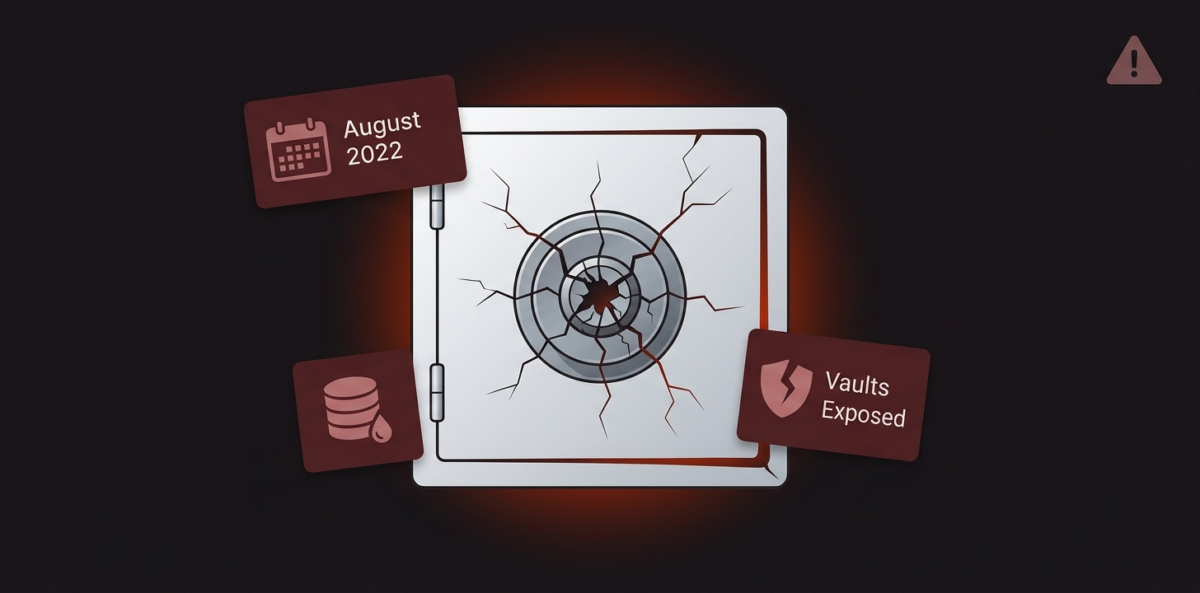
In August 2022, LastPass disclosed that attackers had stolen source code from its development environment. In November 2022, they disclosed that the same attackers had used that access to steal encrypted customer vaults.
In January 2023, LastPass confirmed the full scope: attackers had copies of customer password vaults. The vaults were encrypted, but the encryption was only as strong as each user’s master password. Users with weak master passwords were at immediate risk of having their vaults cracked. Users with strong master passwords remained protected, but only for as long as it takes future computing power to crack AES-256 encryption.
LastPass’s handling of the breach was widely criticised. They were slow to disclose the full impact, initially downplayed the severity, and provided confusing guidance to affected users.
Can you still use LastPass?
If you used LastPass before the breach and had a strong, unique master password, your vault data is likely still protected. But the trust damage is significant, and there is little reason to choose LastPass today when 1Password and Bitwarden offer comparable or better security without the breach history.
LastPass: Pros and Cons
Pros:
– Recognisable brand with a large user base
– Decent free plan (though limited to one device type)
– Broad platform support
– Emergency access feature
Cons:
– 2022 breach: customer vaults were stolen
– Handling of breach was heavily criticised for lack of transparency
– Free plan no longer supports both mobile and desktop simultaneously
– No longer the market leader in security or features
– Better alternatives exist at the same price point
Rating: 3.2 / 5 We cannot recommend LastPass in 2026. Use Bitwarden free or 1Password instead.
5. Keeper: Best for Families and Businesses
Price: $2.92/month individual | $6.25/month families (5 users)
Free plan: Limited trial only
Platforms: Windows, Mac, Linux, iOS, Android, all major browsers
Keeper is the most security-focused password manager on this list. It is the only one to have achieved FedRAMP authorization, meaning it meets the security standards required for US federal government use. It is also SOC 2 Type 2 certified and undergoes regular penetration testing.
Keeper’s family plan is particularly strong. Up to five users each get their own private vault, plus a shared family vault for shared logins (streaming services, home Wi-Fi, etc.). The family manager can see who in the family has weak or reused passwords without seeing the actual passwords themselves.
BreachWatch Keeper’s dark web monitoring feature continuously scans for compromised credentials and is available as an add-on.
The apps are clean and reliable. Autofill works consistently. The encrypted messaging feature (KeeperChat) is a unique bonus for families or small teams who want to share sensitive information securely.
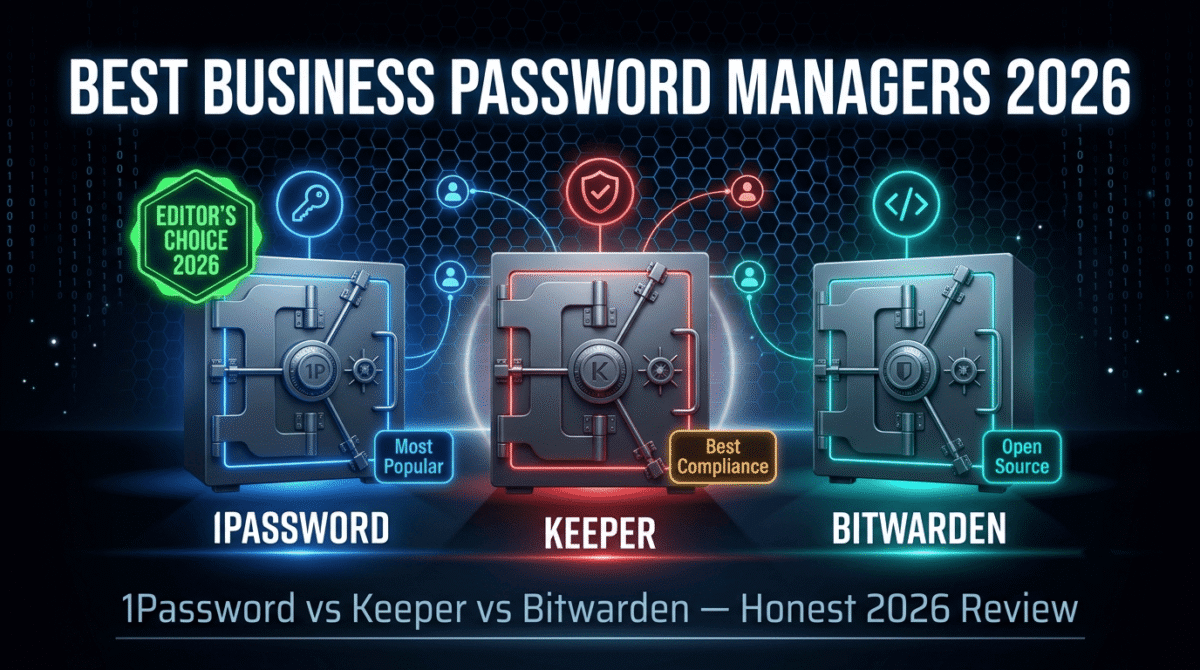
At $2.92/month for individuals, Keeper is competitively priced alongside 1Password. If you’re choosing specifically for a team or business rather than personal use, see our business-focused password manager comparison of 1Password vs Keeper vs Bitwarden.
Rating: 4.4 / 5 Best for families who want strong security controls and the best shared vault experience.
6. NordPass: Best for NordVPN Users
Price: Free | $1.99/month premium | $3.99/month families
Free plan: Yes, unlimited passwords, 1 active device at a time
Platforms: Windows, Mac, Linux, iOS, Android, all major browsers
NordPass is built by Nord Security, the same company behind NordVPN. It uses XChaCha20 encryption, a modern algorithm that is faster than AES-256 on devices without hardware acceleration, though both are considered unbreakable with current technology.
NordPass is the most affordable premium password manager at $1.99/month, making it an attractive option for budget-conscious users. The free plan is reasonably unlimited passwords, but you can only be logged in on one device at a time, which becomes annoying quickly.
If you already subscribe to NordVPN, NordPass Premium is occasionally bundled at a significant discount, making it excellent value.
The apps are clean and modern. Autofill is reliable. Data breach scanning is included with premium. The feature set is solid but not exceptional. NordPass does the fundamentals well without the advanced features of 1Password or Dashlane.
Rating: 4.1 / 5 Best budget premium option, especially for existing NordVPN subscribers.
7. RoboForm: Best for Form Filling
Price: Free | $1.99/month premium | $3.98/month families
Free plan: Yes, unlimited passwords, 1 device
Platforms: Windows, Mac, iOS, Android, all major browsers
RoboForm is the oldest tool on this list, dating back to 1999. Its defining feature has always been form filling, automatically completing online forms with your saved personal information, addresses, payment details, and custom fields. No other password manager matches RoboForm’s form-filling capabilities.
Beyond form filling, RoboForm is a solid, reliable password manager with AES-256 encryption, secure sharing, emergency access, and a password health report. The premium plan at $1.99/month is competitive.
The interface feels dated compared to 1Password or Dashlane, and the free plan is limited to one device. But for users who frequently fill out online forms, insurance quotes, checkout pages, and government forms, RoboForm’s form-filling engine alone can justify the subscription.
Rating: 4.0 / 5 Niche pick for power form fillers. Everyone else is better served by 1Password or Bitwarden.
Feature and Pricing Comparison Table
1Password | Bitwarden | Dashlane | LastPass | Keeper | NordPass | RoboForm | |
Free plan | No | Yes (unlimited) | Yes (25 passwords) | Yes (1 device type) | No | Yes (1 device) | Yes (1 device) |
Price/month | $2.99 | $0.83 | $4.99 | $3.00 | $2.92 | $1.99 | $1.99 |
Open source | No | Yes | No | No | No | No | No |
Dark web monitoring | Yes | Premium | Yes | Yes | Add-on | Yes | Yes |
Built-in VPN | No | No | Yes | No | No | No | No |
Self-hosting | No | Yes | No | No | No | No | No |
Breach history | None | None | None | Yes (2022) | None | None | None |
Family plan | Yes | Yes | Yes | Yes | Yes | Yes | Yes |
Travel Mode | Yes | No | No | No | No | No | No |
Which Password Manager Should You Choose?
Choose 1Password if you want the most polished, most secure, and most feature-complete password manager available and do not mind paying $2.99/month for it. The Secret Key system and Travel Mode are unique features that justify the price for security-conscious users.
Choose Bitwarden if: You want excellent security for free or for $10/year. Bitwarden’s open-source model and unlimited free plan make it the obvious choice for budget-conscious users who do not want to compromise on security.
Choose Dashlane if: You want maximum dark web monitoring and security alerts and are willing to pay a premium for it. Also consider it if you want a basic VPN bundled with your password manager.
Avoid LastPass: The 2022 breach and its handling removed LastPass from consideration. Switch to Bitwarden or 1Password.
Choose Keeper if: You need a family password manager with strong shared vault controls, or you need a tool that meets enterprise or government security certifications.
Choose NordPass if: You are already a NordVPN subscriber or you want the cheapest reliable premium password manager.
Choose RoboForm if: You fill out a lot of online forms and want the best form-auto-completion engine available.
Final Verdict
Best overall: 1Password has the strongest security model, the best apps, and the best track record.
Best free: Bitwarden unlimited passwords, unlimited devices, open-source security, zero cost.
Best value paid: Bitwarden Premium at $10/year, nothing else comes close at this price.
Best for families: Keeper and 1Password Families both offer excellent shared vault features.
Avoid in 2026: LastPass’s breach damage and lack of transparent communication make it impossible to recommend when better alternatives exist at the same price.
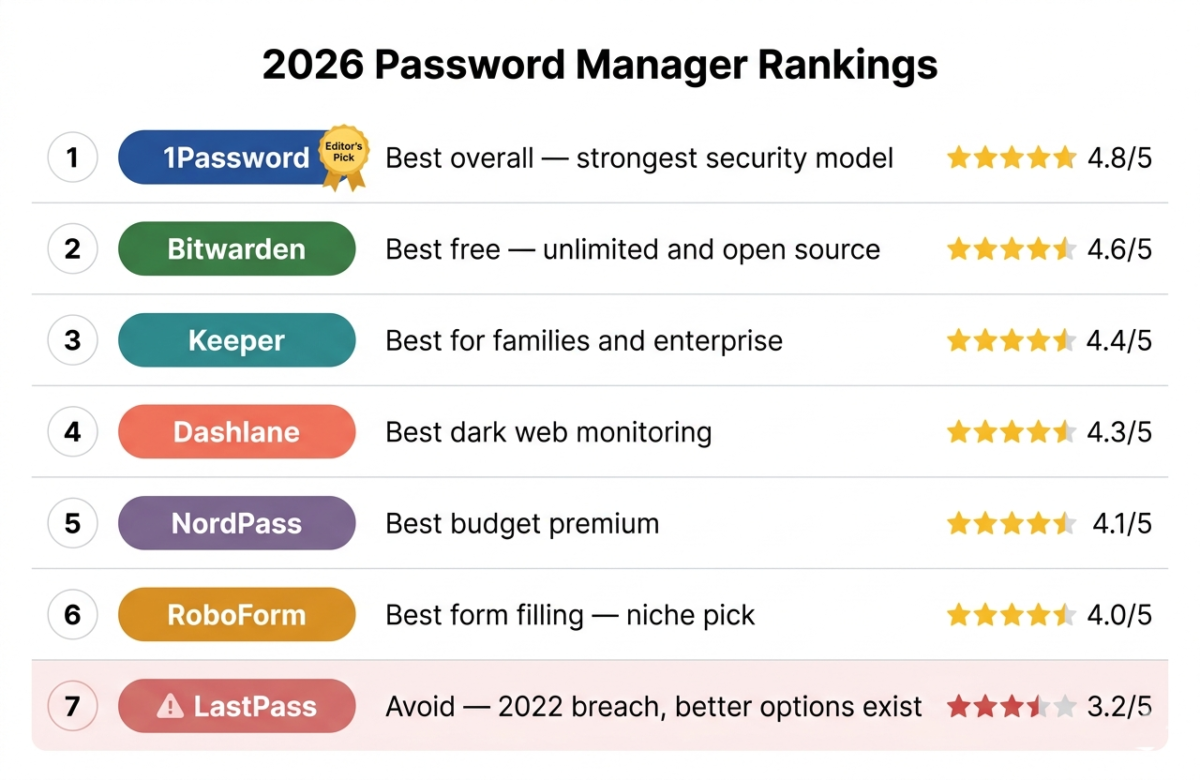
If you are starting from scratch, download Bitwarden free today. Spend one hour importing your existing passwords and setting up the browser extension. If you find yourself wanting more polish or advanced features after a month, upgrade to 1Password.
Frequently Asked Questions
Are password managers safe to use?
Yes, reputable password managers are far safer than the alternative of reusing passwords or storing them in a notes app. Your vault is encrypted locally before it ever reaches the provider’s servers, meaning even the company itself cannot read your passwords. Choose a tool with a verified no-logs and zero-knowledge architecture, like 1Password or Bitwarden.
What happened to LastPass?
In 2022, LastPass suffered a breach in which attackers stole encrypted customer password vaults. The vaults remain encrypted, but the breach exposed metadata (website URLs, usernames) and put users with weak master passwords at immediate risk. LastPass’s slow and inconsistent disclosure of the full scope of the breach damaged trust significantly. We recommend switching to 1Password or Bitwarden.
Is Bitwarden really free?
Yes. Bitwarden’s free plan includes unlimited password storage across unlimited devices with no restrictions on the number of items. There is no credit card required and no time limit. The $10/year Premium plan adds dark web monitoring, advanced two-factor authentication, and encrypted file storage.
What is the safest password manager in 2026?
1Password has the strongest security architecture of any consumer password manager, combining, AES-256 encryption with a unique Secret Key which means your vault cannot be decrypted without a device you have previously authorized. It has never been breached and publishes regular third-party security audits.
Should I use the password manager built into my browser?
Browser-based password managers (Chrome, Safari, Firefox) have improved significantly, but they still fall short of dedicated tools. They do not work across different browsers, offer limited security auditing, lack secure sharing, have no dark web monitoring, and provide no emergency access features. A dedicated password manager is worth the small cost.
What if I forget my master password?
This depends on the tool. Most password managers use zero-knowledge encryption, meaning they cannot reset your master password if you forget it; you lose access to your vault. 1Password provides an Emergency Kit at setup (a printable document with your Secret Key) to prevent this. Always store your master password somewhere physically safe, written down and locked away.
How do I switch from LastPass to a new password manager?
Export your LastPass vault as a CSV file (Settings → Advanced → Export), then import it into your new tool (Bitwarden and 1Password both have direct LastPass import). After importing, change your most important passwords (email, banking, social media) immediately, and enable two-factor authentication on those accounts.
Do password managers work on iPhone and Android?
Yes. All seven tools tested have iOS and Android apps with autofill support that works across apps and browsers on mobile. Enable the password manager in your phone’s autofill settings (Settings → Passwords on iPhone, Settings → Autofill on Android), and it will offer to fill passwords in any app.