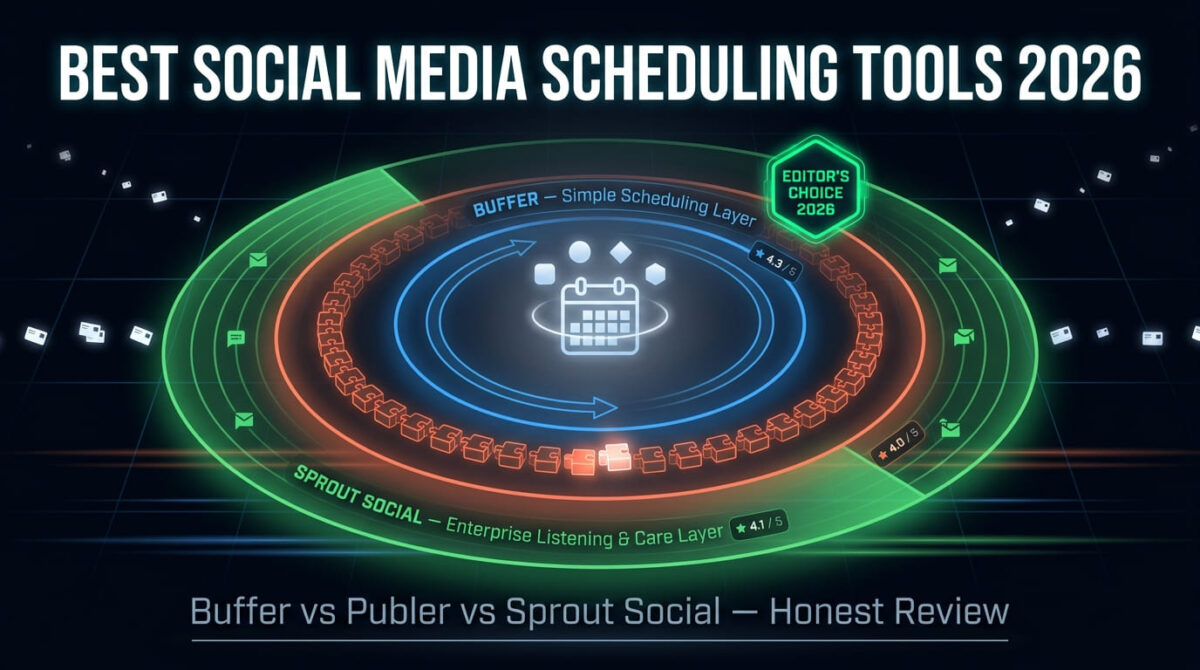
A social media scheduler earns its subscription the moment it saves someone from logging into five different apps every morning to post the same content. Buffer vs Publer vs Sprout Social is a common shortlist for that exact job, but the three tools aren’t priced or built for the same size of operation.
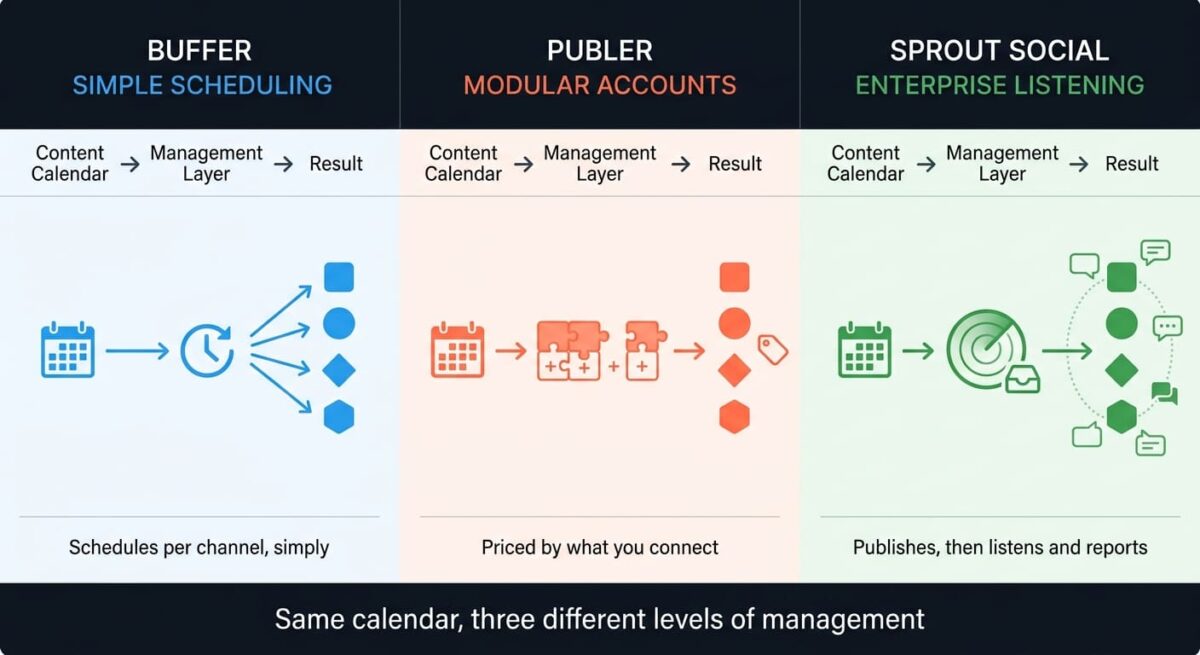
Buffer and Publer both compete for the same solo creator and small business budget, charging per channel or per account with a functional free tier to start on. Sprout Social sits in a different market entirely, priced per seat with social listening and customer care tools built for agencies and brands managing dozens of profiles at once.
I tested Buffer vs Publer vs Sprout Social for 30 days, scheduling and publishing the same content calendar across Instagram, Facebook, LinkedIn, and X in each tool and tracking where the advertised price stopped matching the bill. Here is the honest comparison, including a Publer pricing detail that makes its $5 headline misleading for anyone managing more than one account.
Table of Contents
How We Tested
Five criteria shaped the testing:
- Scheduling and publishing reliability: whether posts went out on time and formatted correctly across platforms
- Pricing at realistic account counts: cost once a normal small-business channel count is factored in, not the single-account headline price
- Team and approval workflows: how cleanly more than one person can review and publish content
- Analytics depth: how much reporting comes standard versus locked behind a higher tier or add-on
- Category fit: whether the tool is built for scheduling alone or for broader social media management
Buffer Review: The Simplest Option, Priced Fairly by the Channel
Free plan: Yes, 3 channels, 10 scheduled posts per channel
Starting price: $6/channel/month (Essentials), $5/channel billed annually
Best plan for most users: Essentials, $6/channel/month, unlimited scheduled posts
Platforms: Web, iOS, Android
Affiliate program: Yes, Buffer affiliate program
Buffer built its reputation on doing one thing cleanly: scheduling posts across channels without a cluttered interface standing in the way.
What Buffer does best
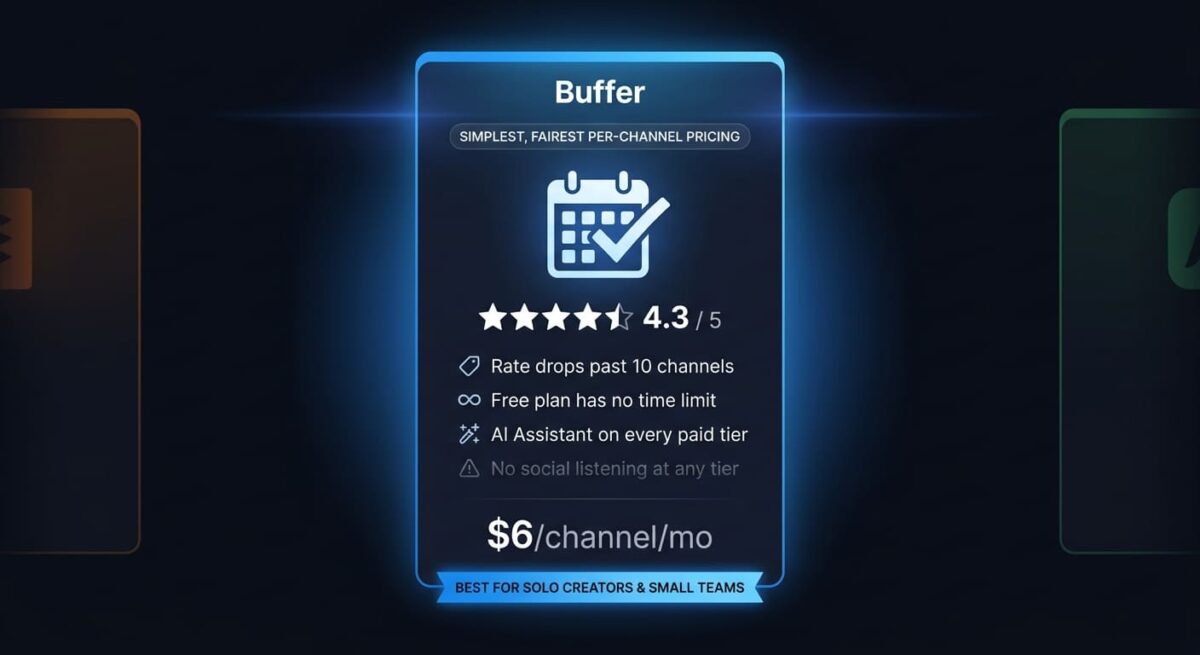
The interface stays out of the way, which matters more than it sounds once a workflow involves scheduling dozens of posts a week. Buffer’s per-channel pricing also scales down at volume: channels 11 through 25 drop to roughly $4 each, and above 50 channels the rate falls further, which rewards larger accounts rather than punishing them the way flat per-seat pricing can.
The free plan holds up for testing the platform, covering 3 channels with 10 scheduled posts each and no time limit, not a countdown trial.
Where Buffer falls short
Analytics stay basic through Essentials, with deeper reporting and features like custom permissions arriving only on Team. Social listening isn’t part of Buffer’s toolset at any tier, so a brand that needs to track mentions or sentiment beyond its own scheduled posts will need a separate tool regardless of which Buffer plan is chosen.
Team collaboration, while present on the Team tier, is lighter than Sprout Social’s approval workflows: Buffer covers the basics of shared access well, but doesn’t offer the layered permission structures larger organizations sometimes need.
Buffer pricing
| Plan | Price | Channels | Notable Feature |
|---|---|---|---|
| Free | $0 | 3 | 10 scheduled posts per channel |
| Essentials | $6/channel/month ($5 annual) | Unlimited | Unlimited scheduled posts, advanced analytics |
| Team | $12/channel/month ($10 annual) | Unlimited | Unlimited team members, approval workflows |
Buffer: Pros and Cons
Pros:
- Cleanest, simplest interface of the three tools tested
- Per-channel pricing scales down at higher volume rather than staying flat
- Free plan has no time limit and covers a small starting setup
- AI Assistant included at every paid tier
Cons:
- No social listening at any tier
- Analytics depth trails Sprout Social noticeably
- Team permissions are basic compared to enterprise-focused competitors
- Per-channel pricing can still add up quickly for accounts managing many platforms
Rating: 4.3 / 5, the strongest balance of simplicity and fair pricing for a solo creator or small team’s scheduling needs.
Publer Review: The Cheapest Entry Point, With Pricing That Needs Calculating First
Free plan: Yes, 3 accounts (excludes X/Twitter), 10 scheduled posts per account
Starting price: $5/month (Professional), covers 1 account only
Best plan for most users: Professional, roughly $12–13/month once 3 accounts are connected
Platforms: Web, iOS, Android
Affiliate program: Yes, Publer affiliate program
Publer advertises the lowest headline price in this comparison, but that number covers a single connected account with no team members, which changes the math for anyone managing a typical small-business social presence.
What Publer does best
The modular pricing rewards a lean setup: a single Instagram account managed solo costs $5/month, less than either competitor’s entry point for the same scope. Autoshare and content recycling features, which automatically reschedule evergreen posts, are a Publer strength neither Buffer nor Sprout Social matches as directly at this price range.
Publer’s free plan also covers 3 accounts, matching Buffer’s free tier scope, and the 7-day trial on Professional gives a fair window to test paid features before committing.

Where Publer falls short
The $5/month headline only applies to one account with no teammates. Add two more accounts and a single team member, a realistic setup for even a small business, and the bill lands closer to $18–20/month, well past what the advertised price suggests at first glance. X/Twitter is also excluded from the free plan specifically, a limitation neither Buffer’s nor Sprout Social’s free or trial tiers share.
Analytics and AI features are locked to the Business tier, which itself scales the same modular way, so a small team wanting both extra accounts and analytics access will find the realistic monthly cost climbing faster than the Professional-tier comparison suggests.
Publer pricing
| Plan | Price | Base Coverage | Notable Feature |
|---|---|---|---|
| Free | $0 | 3 accounts (no X/Twitter) | 10 scheduled posts per account |
| Professional | $5/month ($4 annual) | 1 account | +$4/extra account, +$2/teammate |
| Business | $10/month ($8 annual) | 1 account | AI prompts, analytics, +$7/extra account |
| Enterprise | Custom | Custom | Volume discounts, dedicated onboarding |
Publer: Pros and Cons
Pros:
- Lowest true entry price for a single-account, solo setup
- Autoshare and content recycling stand out among budget schedulers
- Free plan matches Buffer’s 3-account scope
- Modular pricing means paying only for what’s connected
Cons:
- Advertised $5/month price is misleading for anyone with more than one account
- X/Twitter excluded from the free plan
- Analytics and AI features gated behind Business, which scales the same modular way
- Realistic small-team cost lands well above the headline price
Rating: 4.0 / 5, the cheapest true entry point in this comparison, provided the full account and team math is calculated before comparing it to flat-rate competitors.
Sprout Social Review: A Different Category Entirely, Priced Accordingly
Free plan: No, 30-day free trial only
Starting price: $79/seat/month (Essentials), 5 social profiles
Best plan for most users: Professional, $299/seat/month, unlimited profiles
Platforms: Web, iOS, Android
Affiliate program: Yes, Sprout Social partner program
Sprout Social isn’t really competing with Buffer or Publer on the same job. It’s built for agencies and brand teams that need social listening, customer care automation, and cross-platform reporting alongside scheduling, not scheduling alone.
What Sprout Social does best
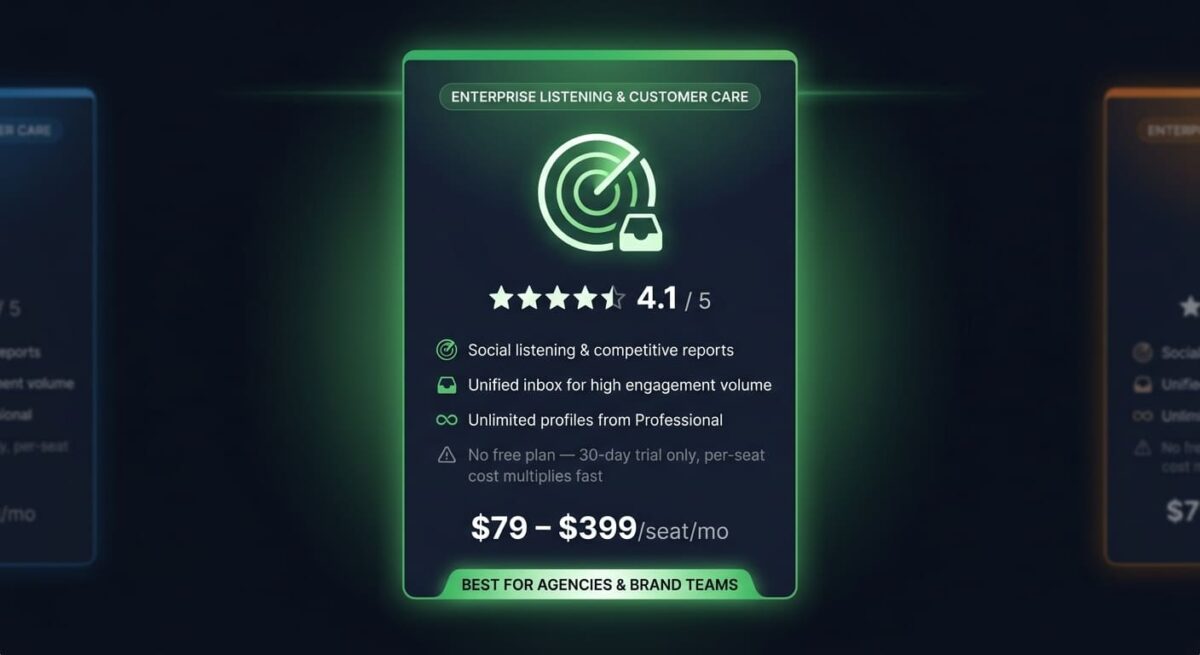
Social listening and competitive reporting, available from Professional upward, track mentions, sentiment, and competitor activity in a way neither Buffer nor Publer attempts at any price. For a brand managing reputation across many channels, that visibility is the entire reason to pay enterprise-level pricing rather than a scheduling tool’s rate.
The unified inbox and customer care tools also handle high-volume engagement more capably than either budget competitor, with message tagging, saved replies, and spike alerts built for teams fielding meaningful customer service volume through social channels.
Where Sprout Social falls short
There’s no permanent free plan, only a 30-day trial, and every tier is billed per seat rather than per channel or account. A three-person team on the Standard tier lists at roughly $597/month, a cost structure that multiplies fast in a way Buffer’s and Publer’s channel-based pricing doesn’t.
The two cheapest tiers, Essentials and Standard, also cap out at 5 social profiles, the same ceiling Buffer’s and Publer’s free plans offer, despite Sprout Social’s per-seat price being many multiples higher. Unlimited profiles don’t unlock until Professional at $299/seat/month.
Sprout Social pricing
| Plan | Price | Social Profiles | Notable Feature |
|---|---|---|---|
| Essentials | $79/seat/month | 5 | Basic publishing, limited inbox |
| Standard | $199/seat/month | 5 | Consolidated inbox, standard reports |
| Professional | $299/seat/month | Unlimited | Social listening, competitive reports |
| Advanced | $399/seat/month | Unlimited | API access, AI reply enhancement |
Sprout Social: Pros and Cons
Pros:
- Social listening and competitive reporting neither competitor offers
- Strong customer care and unified inbox tools for high engagement volume
- Deep cross-platform analytics built for agency and brand reporting needs
- Handles high-profile-count accounts without the per-channel cost scaling of Buffer or Publer
Cons:
- No permanent free plan, only a time-limited trial
- Per-seat pricing multiplies quickly for any team larger than one person
- 5-profile cap persists through Standard despite the much higher price than budget competitors
- Meaningful overkill and cost for a solo creator or small business just needing to schedule posts
Rating: 4.1 / 5, the strongest tool for agencies and brands needing listening and reporting, a poor fit and an expensive one for anyone who just needs to schedule posts.
Head-to-Head Comparison
| Feature | Buffer | Publer | Sprout Social |
|---|---|---|---|
| Starting price | $6/channel/month | $5/month (1 account) | $79/seat/month |
| Permanent free plan | Yes (3 channels) | Yes (3 accounts, no X) | No (30-day trial only) |
| Pricing model | Per channel | Per account + per teammate | Per seat |
| Social listening | No | No | Yes (Professional+) |
| Team approval workflows | Basic (Team tier) | Basic (Business tier) | Advanced (all paid tiers) |
| Best suited for | Solo creators, small teams | Budget-conscious solo accounts | Agencies, brand teams |
| 3-person team realistic cost | ~$36–60/month | ~$40–60/month | ~$237–1,197/month |
Which Should You Choose?
Choose Buffer if a clean, straightforward scheduler at a predictable per-channel price covers the need, without social listening or heavy team permissions.
Choose Publer if the setup is lean (one or two accounts managed solo) and the lowest possible entry cost matters more than a flat, easy-to-predict price.
Choose Sprout Social if social listening, customer care automation, or agency-level reporting are firm requirements rather than nice-to-haves, and the per-seat budget supports it.
Our Recommendations
Based on 30 days of testing across scheduling, team review, and reporting workflows, here is the recommended setup by situation:
Solo creator managing 2–3 personal or business accounts: Publer Professional, calculating the full per-account cost upfront rather than budgeting off the $5 headline.
Small business team of 2–5 people needing simple approval before posts go live: Buffer Team, for straightforward permissions without paying per-seat enterprise pricing.
Agency managing multiple client brands with reputation and mention tracking needs: Sprout Social Professional, where social listening and unlimited profiles justify the per-seat cost.
Nonprofit or budget-constrained organization: Buffer, which offers a 50% nonprofit discount on paid plans, unmatched by either competitor in this comparison.
Brand fielding high customer service volume through social channels: Sprout Social Standard or above, for the unified inbox and message tagging that neither Buffer nor Publer is built to handle at scale.
Final Verdict
Buffer, Publer, and Sprout Social solve different versions of the same broader problem, split more by team size and budget than by any single feature gap.
- Buffer (4.3 / 5): the fairest, most predictable pricing for solo creators and small teams
- Sprout Social (4.1 / 5): the strongest tool for agencies needing listening and reporting, priced well outside a small budget
- Publer (4.0 / 5): the cheapest true entry point, with pricing that needs calculating carefully before comparing to flat-rate alternatives
For most solo creators and small businesses, Buffer or Publer will cover the job at a fraction of Sprout Social’s cost. Sprout Social earns its price only once social listening or agency-scale reporting becomes a firm requirement rather than a feature that would just be nice to have.
Frequently Asked Questions
Is Publer’s $5/month price accurate for most users?
Only for a single connected account with no team members. Adding accounts costs roughly $4 each on Professional, and teammates add $2 each, so a realistic 3-account small-business setup runs closer to $18–20/month rather than the advertised $5.
Does Buffer have social listening?
No. Buffer covers scheduling, basic analytics, and a shared inbox, but doesn’t offer mention tracking or sentiment analysis at any tier. A brand needing that capability specifically will need Sprout Social or a dedicated listening tool alongside Buffer.
Why is Sprout Social so much more expensive than Buffer or Publer?
Sprout Social is priced for agencies and brand teams needing social listening, customer care automation, and cross-platform competitive reporting, capabilities neither Buffer nor Publer offers at any price. The per-seat model also multiplies cost with every team member added.
Does Sprout Social have a free plan?
No. Sprout Social offers only a 30-day free trial with no permanent free tier, unlike Buffer and Publer, which both offer ongoing free plans for a small number of connected accounts.
Which tool is cheapest for a 3-person team?
Buffer or Publer, both landing in the $36–60/month range for a small team managing a handful of channels. Sprout Social’s per-seat pricing puts the same team size at $237–1,197/month depending on tier, a category difference rather than a small gap.
Can Publer schedule posts to X/Twitter on the free plan?
No. Publer’s free plan explicitly excludes X/Twitter, supporting only 3 other connected accounts. X integration is available starting on the Professional paid tier.
Does Sprout Social make sense for a solo creator?
Rarely. The per-seat pricing starts at $79/month for a single user, well above Buffer’s or Publer’s entry cost, and most of Sprout Social’s differentiating features, listening and competitive reporting, matter more to teams managing reputation across many profiles than to an individual scheduling their own content.
Which of these three has the best team approval workflow?
Sprout Social, across every paid tier, with message tagging and structured permissions built for larger teams. Buffer’s Team tier and Publer’s Business tier both offer basic approval features, adequate for a small team but less layered than Sprout Social’s enterprise-focused workflow.