A voiceover used to mean hiring someone, booking a session, and waiting for a finished file. AI voice generators collapsed that timeline to minutes, turning a script into a spoken track that sounds close enough to human that most listeners never question it.
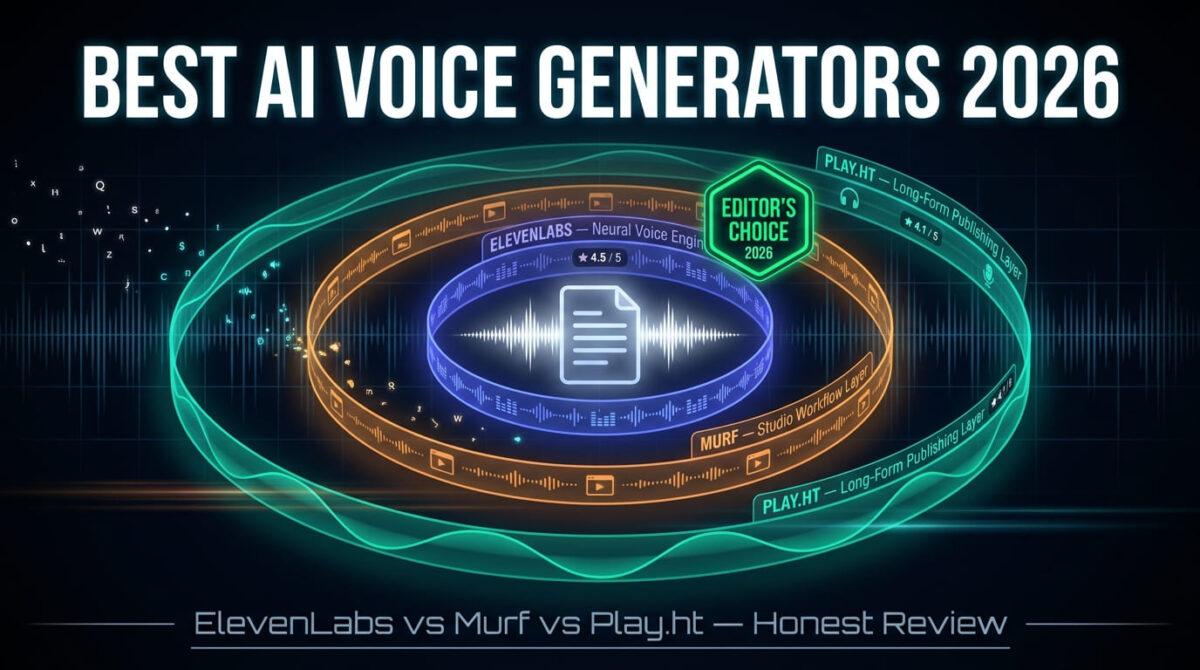
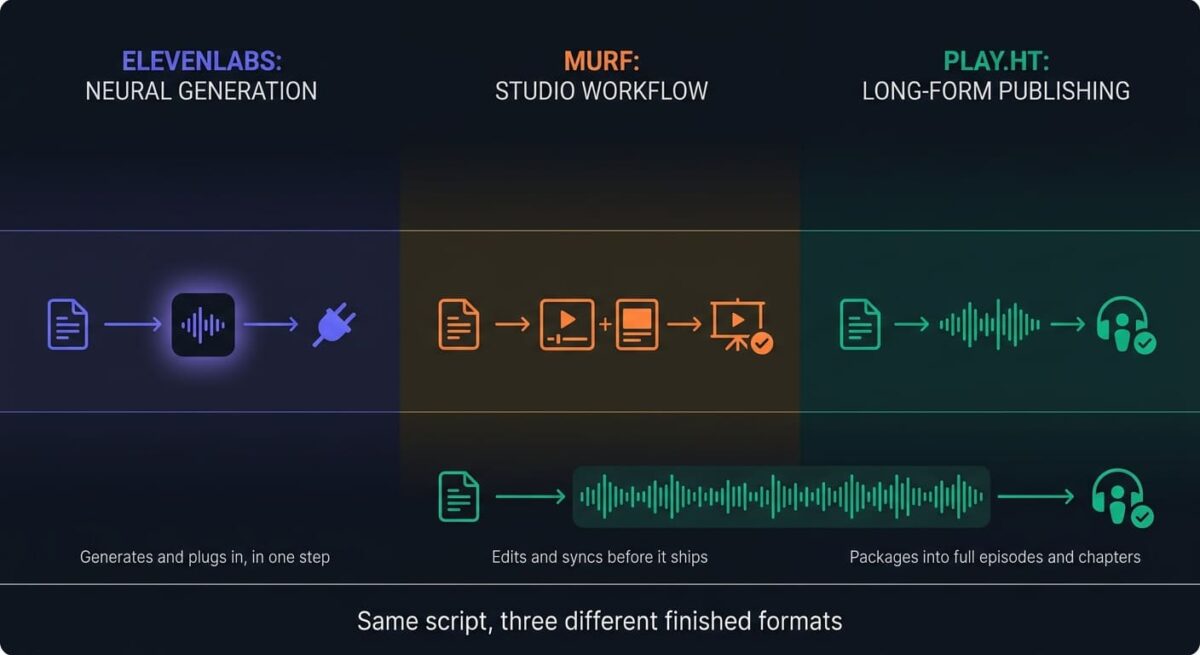
The category splits into different priorities depending on who’s building with it. Some tools are built for developers piping speech into an app through an API. Some are built as a studio workflow for marketing and training videos. Some are built specifically for long-form narration like podcasts and audiobooks. ElevenLabs vs Murf vs Play.ht is the shortlist most people land on, and each one leans toward a different one of those three uses.
I tested ElevenLabs vs Murf vs Play.ht for 30 days, generating voiceovers for the same set of video, podcast, and e-learning scripts and comparing pronunciation, emotional range, and how far each platform’s free plan gets you before hitting a paywall. Here is the honest comparison, including a restriction on Murf’s free plan that keeps it from producing anything you can publish anywhere.
Table of Contents
How We Tested
Five criteria shaped the testing:
- Voice naturalness: How close the output sounds to a human recording across pacing, emotion, and breath
- Language and accent range: How many languages sound native rather than translated
- Commercial licensing: What tier clears the output for use outside personal testing
- Workflow fit: How well the tool integrates with existing video, podcast, or presentation software
- Pricing at realistic volume: Cost once typical monthly usage is factored in, not just the entry price
Why AI Voice Generators Are Different From Basic Text-to-Speech
Older text-to-speech tools, the kind built into phones and screen readers, produce speech that is understandable but clearly synthetic, with flat pacing, no emotional range, and pronunciation that stumbles on names or foreign words. AI voice generators use neural models trained on human speech patterns, which is why modern output carries pauses, emphasis, and tone shifts that older systems never managed.
This distinction matters for licensing as much as for sound quality. A basic text-to-speech engine rarely raises rights questions because the voice is synthetic and generic. AI voice generators that clone or closely model a specific human voice introduce commercial licensing terms that vary significantly between free and paid tiers, a nuance worth clarifying with online legal services if you plan on commercial distribution. The gap between “you can preview this” and “you can publish this” is where most of the pricing confusion in this category comes from.
ElevenLabs Review: Best Voice Quality and Developer Access
Free plan: Yes, 10,000 credits/month (about 10 minutes), no commercial rights
Starting price: $5/month (Starter), promotional Creator rate $11/month renews at $22/month
Best plan for most users: Creator, $22/month (100,000+ credits, professional voice cloning)
Platforms: Web, API, iOS, Android
Affiliate program: Affiliate program: Yes, ElevenLabs affiliate program (best tracked using affiliate link management plugins)
ElevenLabs built its reputation on realism, and that reputation shows up in independent listening comparisons more consistently than with either competitor here. It also treats developers as a primary audience rather than an afterthought, making it simple to integrate into any custom WordPress developer toolkit, with API access available from the entry paid tier.
What ElevenLabs does best
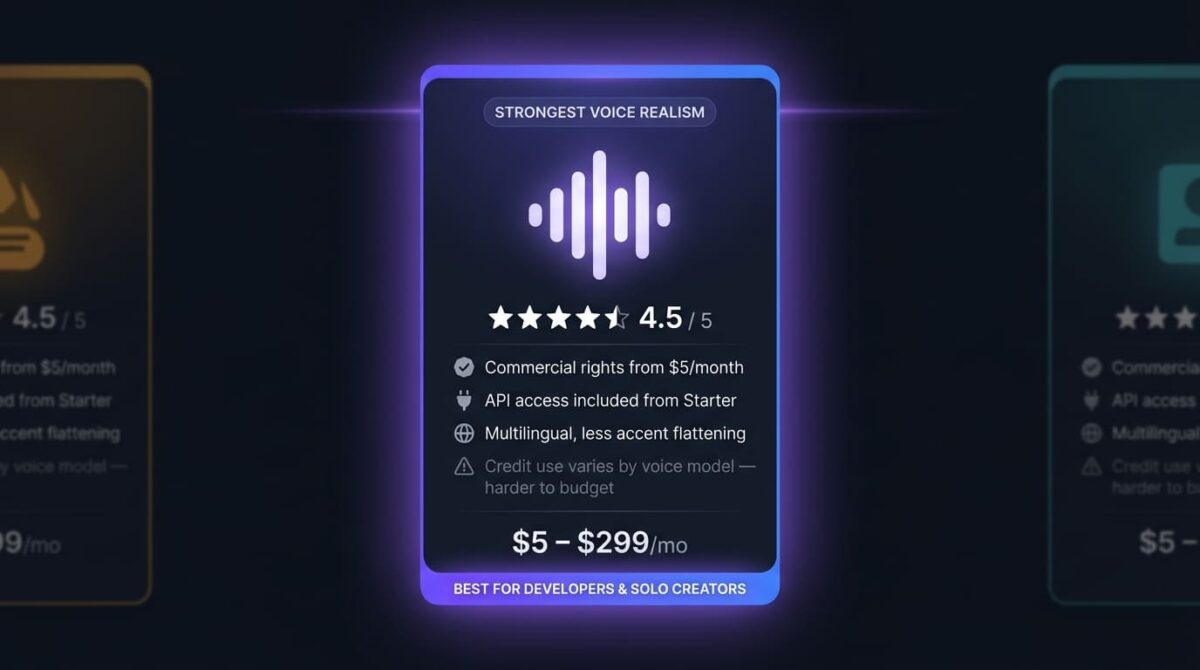
Voice realism is where ElevenLabs separates itself from the other two. Pacing, breath, and emotional inflection come through in a way that holds up even on longer scripts, where synthetic-sounding tools tend to reveal themselves through repetitive rhythm. The multilingual model handles accented and non-English speech with noticeably less of the flattening effect common in this category.
Commercial rights start at the $5/month Starter tier, the lowest paid entry point of the three tools compared here. For a solo creator who just needs a legal, publishable voiceover without enterprise budget, that low commercial-use threshold is a meaningful advantage. API access is also available starting at Starter, making ElevenLabs the more natural pick for anyone building voice into a product rather than producing standalone video or audio files.
Where ElevenLabs falls short
The credit system is harder to predict than a flat per-minute or per-project limit. Different voice models consume credits at different rates, so the same script can cost more or less depending on which model generates it, which makes budgeting for consistent monthly output less straightforward than Murf’s or Play.ht’s simpler minute- or character-based plans.
Voice cloning depth is tiered in a way that catches new users off guard: instant cloning is available from Starter, but professional-grade cloning quality is gated to Creator and above. A user expecting Starter-level cloning to match a professional voice clone will find the difference in fidelity noticeable, particularly on longer or more expressive scripts.
ElevenLabs pricing
| Plan | Price | Monthly Credits | Notable Feature |
|---|---|---|---|
| Free | $0 | 10,000 | Preview only, no commercial rights |
| Starter | $5/month | 30,000 | Commercial license, instant voice cloning |
| Creator | $22/month ($11 first month) | 100,000+ | Professional voice cloning, 192kbps audio |
| Pro | $99/month | 500,000+ | Studio-grade audio output via API |
| Scale | $299/month | 1,800,000+ | 3 seats, shared workspace |
ElevenLabs: Pros and Cons
Pros:
- Strongest voice realism across pacing, breath, and emotional range
- Commercial rights available from the lowest-priced paid tier
- API access included from Starter, not gated to a higher plan
- Multilingual model handles accents with less flattening than competitors
Cons:
- Credit consumption varies by model, making usage harder to predict than flat-rate competitors
- Professional-grade voice cloning gated to Creator and above
- Free plan has no commercial rights, same restriction as the other two tools
- Higher tiers scale in price quickly for teams needing more than one seat
Rating: 4.5 / 5, best voice quality and the lowest-cost path to a legal commercial voiceover in this comparison.
Murf Review: Best Studio Workflow for Presentations and Training Videos
Free plan: Yes, 10 minutes total (lifetime, not monthly), no downloads, no commercial use
Starting price: $19/month (Creator, billed annually), renews at $29/month if billed monthly
Best plan for most users: Creator, $19/month annual (commercial rights, 200+ voices)
Platforms: Web, PowerPoint, Google Slides, Canva integrations
Affiliate program: Yes, Murf affiliate program
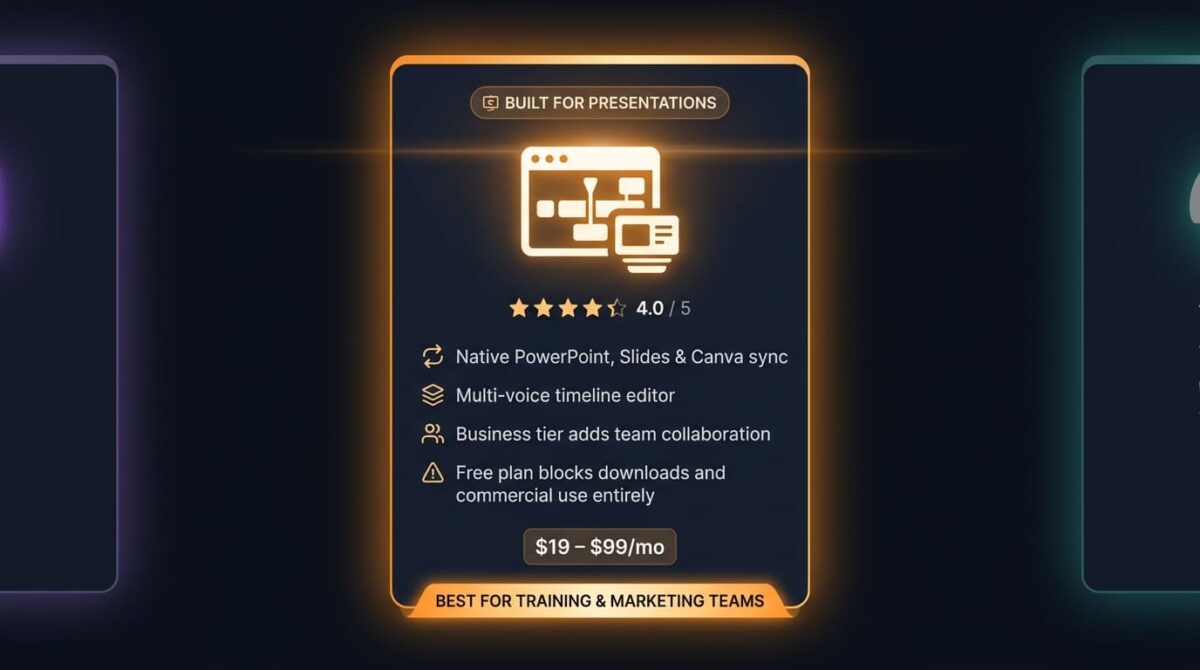
Murf positions itself around a studio workflow rather than raw voice generation alone, with a timeline-based editor and native integrations into the presentation software many marketing and training teams already use.
What Murf does best
The PowerPoint, Google Slides, and Canva integrations are a clear structural advantage for anyone producing training or marketing content directly inside those tools, since voiceover generation happens without exporting a script elsewhere and re-importing finished audio. No competitor in this comparison offers the same depth of integration into presentation software specifically.
The studio editor supports multi-voice projects, background music, and a timeline view suited to longer-form corporate content, which fits Murf’s stated positioning toward L&D teams and marketers monitoring performance with website analytics tools when producing polished training videos.
Where Murf falls short
The free plan is the most restrictive of the three tools tested. Ten minutes total, not per month, with no downloads and no commercial use, means the free tier functions purely as a voice-quality preview rather than a usable starting point for any project meant to go further than testing. A user expecting to produce even a short publishable clip on the free plan will hit this wall immediately.
Voice cloning is locked behind the Enterprise tier entirely, a meaningful gap compared to ElevenLabs and Play.ht, both of which include cloning at lower tiers. For anyone whose use case depends on a custom or cloned voice rather than Murf’s stock library, this pushes the realistic entry cost well above the advertised Creator price.
Murf pricing
| Plan | Price | Generation Limit | Notable Feature |
|---|---|---|---|
| Free | $0 | 10 minutes total | No downloads, no commercial use |
| Creator | $19/month (annual), $29/month (monthly) | ~24 hours/year | Commercial rights, 200+ voices |
| Business | $66/month (annual), $99/month (monthly) | ~96 hours/year | Team collaboration, PowerPoint/Slides sync |
| Enterprise | Custom | Unlimited | Voice cloning, API access |
Murf: Pros and Cons
Pros:
- Strongest presentation-software integration of the three tools
- Timeline editor suited to longer, multi-voice corporate content
- Clear positioning toward training and marketing video workflows
- Business tier adds team collaboration Play.ht and ElevenLabs don’t match at a similar price
Cons:
- Free plan blocks downloads and commercial use entirely, unusable for any output beyond testing
- Voice cloning gated to Enterprise only, the strictest limit in this comparison
- Monthly billing costs noticeably more than the advertised annual rate
- Smaller voice library than Play.ht’s at comparable tiers
Rating: 4.0 / 5, the strongest workflow fit for presentation-heavy teams, provided the free-plan limits and Enterprise-only cloning match what the project needs.
Play.ht Review: Best for Podcasts and Long-Form Narration
Free plan: Yes, 12,500 characters/month, 1 instant voice clone, no commercial use
Starting price: $39/month (Creator), effective $31.20/month billed annually
Best plan for most users: Creator, $39/month (250,000 characters/month, 10 instant clones)
Platforms: Web, API
Affiliate program: Yes, Play.ht affiliate program
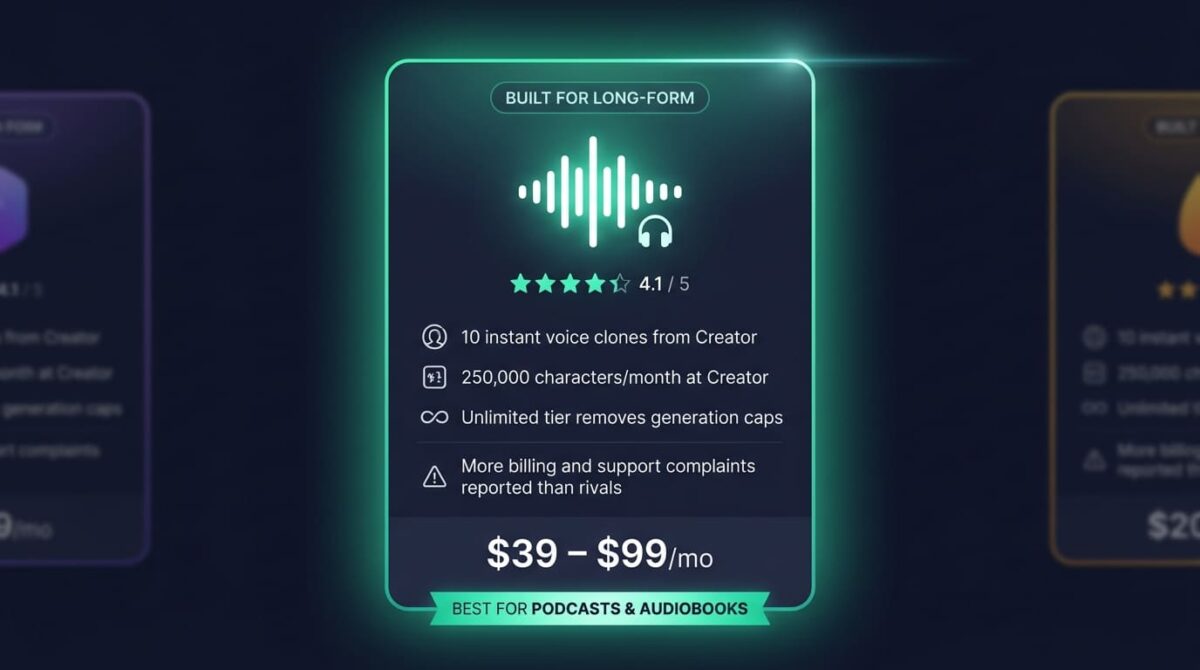
Play.ht leans toward long-form narration, with character allowances and voice cloning access built around podcast and audiobook production rather than short clips.
What Play.ht does best
Voice cloning is available starting at Creator, with 10 instant clones included at that tier, well ahead of Murf’s Enterprise-only cloning and comparable to ElevenLabs’ entry-level access. For a podcaster who wants a consistent cloned intro voice or an audiobook producer narrating in a specific tone, that access at a mid-range price point is a clear advantage.
The character allowance at Creator, 250,000 characters per month, comfortably covers a full-length audiobook chapter or several podcast episodes without hitting a ceiling mid-project, and the Unlimited tier removes the cap entirely for high-volume producers generating audio daily.
Where Play.ht falls short
Independent review platforms note recurring billing and support complaints, more than either competitor in this comparison, which matters for anyone planning to rely on the platform for ongoing production rather than a single project. Pricing pages across resellers also show inconsistent numbers for the Creator tier, some listing $39/month and others the annual-discounted $31.20/month as if it were the standard rate, which makes a quick price comparison less reliable than it should be.
Voice realism, while solid, doesn’t match ElevenLabs’ pacing and emotional range in side-by-side listening tests, particularly on scripts with dialogue or emotional shifts rather than straightforward narration.
Play.ht pricing
| Plan | Price | Characters/Month | Notable Feature |
|---|---|---|---|
| Free | $0 | 12,500 | 1 instant voice clone, no commercial use |
| Creator | $39/month ($31.20 billed annually) | 250,000 | 10 instant clones, commercial license |
| Unlimited | $99/month | Unlimited | Unlimited clones, 1 high-fidelity clone |
| Enterprise | Custom | Custom | SLA, dedicated support |
Play.ht: Pros and Cons
Pros:
- Voice cloning included from Creator, not gated to a top tier
- Character allowance suited to full podcast episodes and audiobook chapters
- Unlimited tier removes generation caps for high-volume producers
- Strong fit for long-form narration specifically
Cons:
- More billing and support complaints reported than either competitor
- Reseller pricing pages inconsistently list monthly versus annual rates
- Voice realism trails ElevenLabs on emotionally varied or dialogue-heavy scripts
- No presentation-software integrations comparable to Murf’s
Rating: 4.1 / 5, the strongest fit for podcast and audiobook production, with support responsiveness to check before committing to a paid plan.
Head-to-Head Comparison
| Feature | ElevenLabs | Murf | Play.ht |
|---|---|---|---|
| Starting commercial price | $5/month | $19/month | $39/month |
| Free plan usable for output | No (preview only) | No (no downloads) | No (no commercial use) |
| Voice cloning starting tier | Starter | Enterprise only | Creator |
| API access | From Starter | Enterprise only | All paid tiers |
| Presentation software integration | No | Yes (PowerPoint, Slides, Canva) | No |
| Best suited for | Developers, solo creators | Training and marketing videos | Podcasts, audiobooks |
| Voice realism (testing) | Strongest | Good | Good |
| Reported support issues | Low | Low | Higher than competitors |
Which Should You Choose?
Choose ElevenLabs if voice realism matters most, or if voice generation needs to plug into an app or product through an API rather than stand alone as a finished file.
Choose Murf if the output lives inside PowerPoint, Google Slides, or Canva presentations, and a studio-style editor for training or marketing video matters more than raw voice cloning depth.
Choose Play.ht if the project is long-form (such as a podcast, an audiobook, or serialized narration), where character allowance and included voice cloning at a mid-range price matter more than presentation integrations.
Our Recommendations
Based on 30 days of testing across video, podcast, and e-learning scripts, here is the recommended setup by situation:
Solo creator or YouTuber on a tight budget: ElevenLabs Starter at $5/month, the lowest-cost path to a legally publishable voiceover with instant cloning included.
Corporate training or marketing team building video inside PowerPoint or Slides: Murf Creator, since the presentation-software integration removes an entire export-and-reimport step from the workflow.
Podcaster or audiobook narrator producing long-form audio regularly: Play.ht Creator, for the character allowance and included voice cloning suited to episode- or chapter-length output.
Developer building voice generation into an app or product: ElevenLabs, for API access from the entry paid tier and the most predictable integration path of the three tools.
Agency producing multilingual voiceovers across several markets: ElevenLabs Pro or Scale, since the multilingual model’s accent handling tested ahead of both competitors on non-English scripts.
Final Verdict
ElevenLabs, Murf, and Play.ht solve overlapping but distinct problems (raw voice quality, presentation workflow, and long-form narration), which is why the right pick depends heavily on where the finished audio ends up.
- ElevenLabs (4.5 / 5): The strongest voice quality and the lowest-cost route to a commercially usable voiceover
- Play.ht (4.1 / 5): The strongest fit for podcasts and audiobooks, with support responsiveness to check first
- Murf (4.0 / 5): The strongest workflow for presentation-heavy teams, held back by the strictest free-plan limits and Enterprise-only cloning
If the output needs to sound as close to human as possible or plug into an API, ElevenLabs earns the recommendation. If it needs to live inside a training deck, Murf’s integrations are hard to replicate elsewhere. If it’s long-form narration, Play.ht’s character allowance and included cloning fit that specific job best.
Frequently Asked Questions
Is ElevenLabs’ free plan usable for a finished project?
Not for anything published. The free plan includes 10,000 monthly credits, about 10 minutes of audio, but carries no commercial rights. It works for testing voice quality and interface before committing to Starter at $5/month, which unlocks commercial use.
Can Murf’s free plan be downloaded and used commercially?
No. Murf’s free plan allows 10 minutes of generation total, not per month, with no downloads and no commercial rights. It exists purely to preview voice quality. Any project meant for publication needs at least the Creator plan.
Does Play.ht include voice cloning on its cheapest paid plan?
Yes. Play.ht’s Creator plan includes 10 instant voice clones starting at $39/month ($31.20 billed annually), ahead of Murf, which locks cloning to its Enterprise tier entirely. ElevenLabs also includes instant cloning starting at its $5/month Starter plan.
Which AI voice generator sounds the most human?
ElevenLabs consistently led in side-by-side listening comparisons during testing, particularly on scripts with emotional range or dialogue. Murf and Play.ht both produce solid, usable output, but neither matched ElevenLabs’ pacing and inflection on more expressive scripts.
Is Murf good for PowerPoint presentations?
Yes, this is Murf’s clearest advantage. Native integrations with PowerPoint, Google Slides, and Canva let a voiceover generate directly inside the presentation file, without exporting a script elsewhere and reimporting finished audio, a workflow neither ElevenLabs nor Play.ht currently matches.
Why does Play.ht’s price show differently on different sites?
Play.ht’s Creator plan lists at $39/month billed monthly, or an effective $31.20/month when billed annually. Some reseller and comparison sites list the discounted annual rate as if it were the standard monthly price, which can make a quick comparison misleading. Confirm the billing cycle before comparing numbers across sources.
Which tool is best for a podcast?
Play.ht, for the character allowance suited to full episodes and included voice cloning at Creator. ElevenLabs is a close alternative if voice realism matters more than character volume, and its per-credit cost can work out cheaper for shorter episodes specifically.
Do any of these tools offer proper API access for developers?
ElevenLabs offers API access starting at its $5/month Starter plan, the most accessible entry point of the three. Play.ht includes API access on all paid tiers. Murf restricts API access to its custom-priced Enterprise tier, making it the least developer-friendly option here.