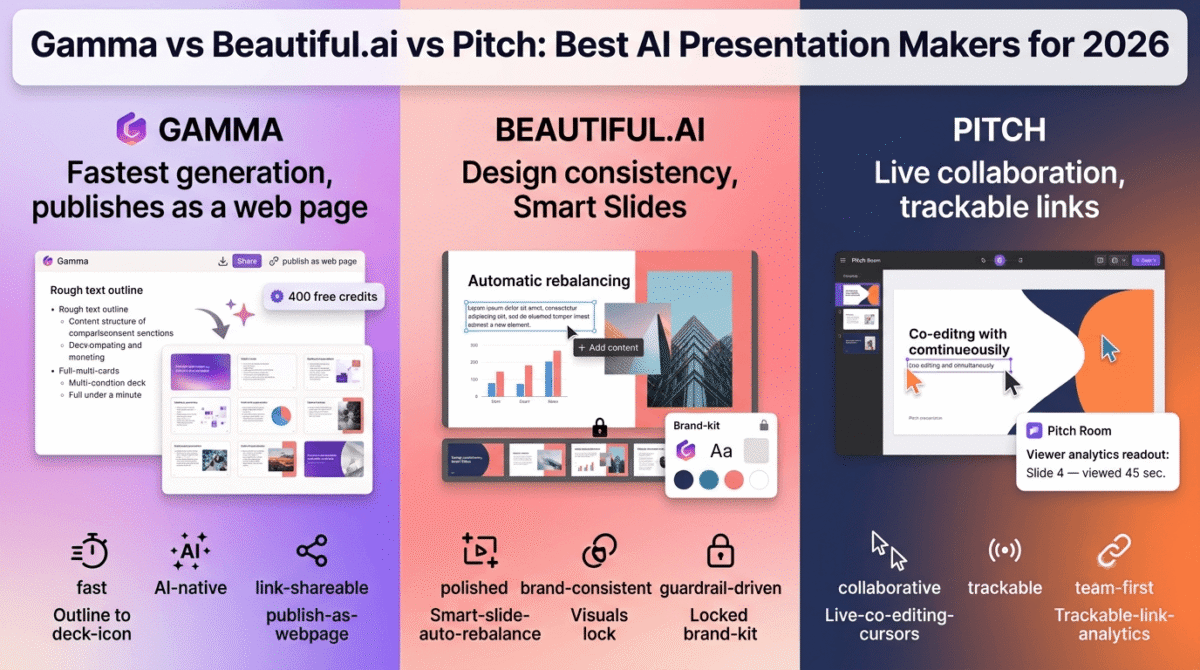
Gamma vs Beautiful.ai vs Pitch is the shortlist most people land on once Google Slides and PowerPoint stop feeling fast enough. Each tool turns a prompt or outline into a finished deck, but the finished deck looks and behaves differently depending on which one built it.
Gamma leans into speed and AI depth. Beautiful.ai leans into design consistency. Pitch leans into collaboration and sharing. We built the same pitch deck, the same internal update deck, and the same client proposal in all three, then compared what came out. A presentation tool is one piece of a broader publishing workflow, see our full content creator toolkit roundup for the rest of the stack it typically pairs with.
Table of Contents
How We Tested
Five criteria guided the testing:
- AI generation quality, how close a first draft gets to usable with a single prompt
- Design control, how much a layout breaks or holds together as content changes
- Export fidelity, how a deck looks after exporting to PowerPoint or PDF
- Collaboration, how easily more than one person can work on a deck together
- Pricing over time, cost at the tier a working professional would need, not the free tier
Each deck went through the same content brief, so differences below come from the tool, not the input.
Gamma Review
Gamma is an AI content platform built around “cards”, a modular unit that becomes a slide, a section of a document, or a block on a published site. Presentations are one output among several the tool generates.
What it does well: Speed. A rough outline turns into a full deck in under a minute, and the free plan’s 400 one-time credits are enough to test the workflow properly before paying anything. Gamma’s AI Agent can pull content from an uploaded document and restructure an entire deck without step-by-step prompting, which cuts a meaningful chunk of manual editing out of the process. If you’re drafting the outline itself before importing it, an AI chatbot like ChatGPT, Claude, or Gemini is often the faster first step, see our comparison of the three. It also publishes decks as shareable web pages, not just slide files, which suits a fast turnaround pitch sent as a link.
Where it struggles: Design output leans templated. Several decks came out visually similar despite different content, and getting a distinct brand look takes more manual styling than Beautiful.ai requires. PowerPoint export also introduced layout shifts on a few slides with dense content, so a deck meant for reuse in PowerPoint needs a review pass after export rather than a direct handoff.
Gamma Pricing & Plans
| Plan | Price | AI Credits | Notable Feature |
|---|---|---|---|
| Free | $0 | 400 one-time | Up to 10 cards per prompt, PDF/PPTX export |
| Plus | $8 / month (billed annually) | 1,000 / month | Removes branding, up to 20 cards per prompt |
| Pro | $18 / month (billed annually) | 4,000 / month | Custom fonts, analytics, API access, up to 60 cards |
| Ultra | $100 / month | 20,000 / month | Most advanced AI models, 100 custom domains |
Pros:
- Fastest first-draft generation of the three
- Free tier is functional enough to test before buying
- AI Agent restructures a full deck from uploaded content
- Publishes as a shareable web page, not just a slide file
Cons:
- Design output can look templated across different decks
- PowerPoint export sometimes shifts dense-content layouts
- Credit system means heavy AI use burns through a plan faster than expected
- Free credits are one-time, not monthly, and don’t refresh
Rating: 4.2/5
Beautiful.ai Review
Beautiful.ai builds every slide on a design engine it calls Smart Slides, templates that automatically resize and rebalance elements as content is added or removed, so a slide holds its layout instead of breaking.
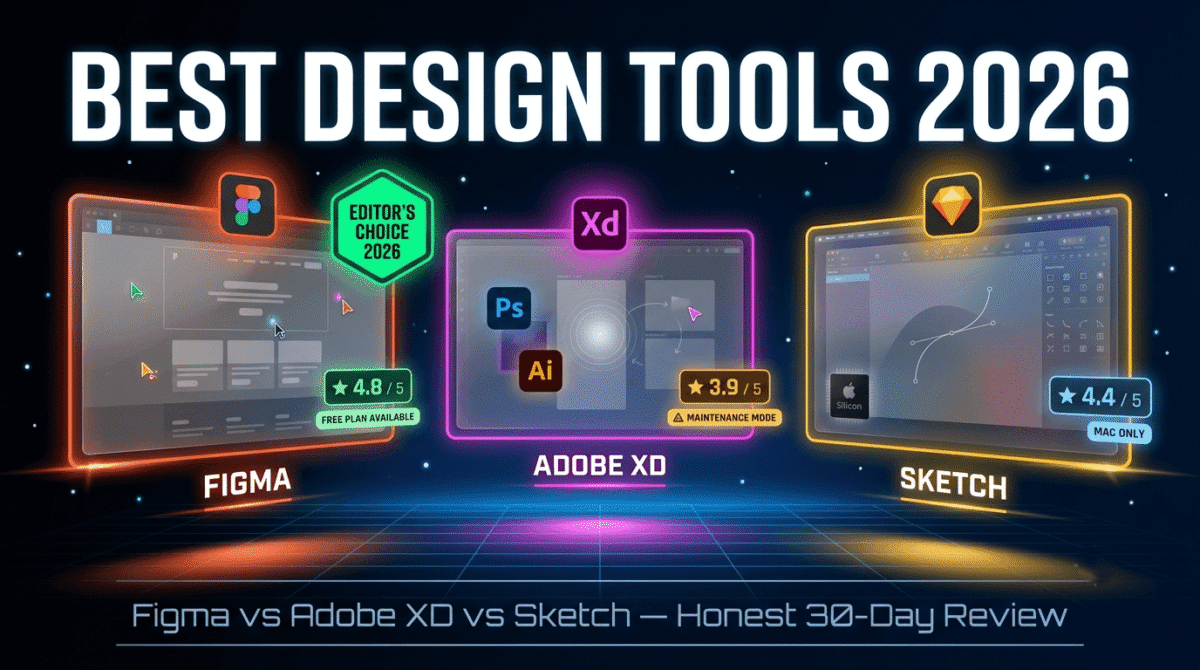
What it does well: Design consistency without a designer. Text boxes, charts, and images adjust their spacing automatically, which keeps a full deck looking uniform even when different sections were written at different times. The brand kit locks fonts, colors, and logo placement across every new slide, which matters for teams that present the same brand across many different decks. If brand consistency matters this much for slides, it’s worth applying the same discipline to your broader design system, see our Figma vs Adobe XD vs Sketch design tool comparison for where that brand kit originates. Viewer analytics on the Pro plan show which slides get attention, useful for tightening a recurring pitch.
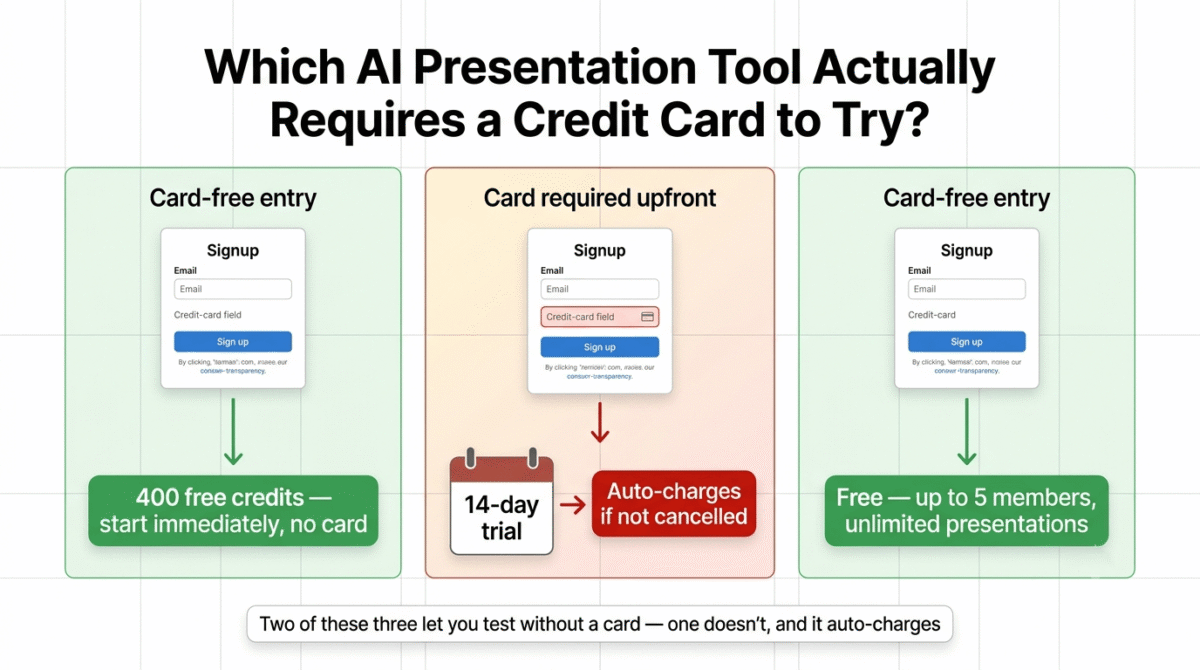
Where it struggles: There’s no permanent free plan, only a 14-day trial that requires a card and auto-charges once it ends, which has caught more than a few reviewers off guard. The design guardrails that keep slides consistent also limit creative layout choices; a deck that needs an unusual visual structure fights the template system rather than working with it. The jump from the $12/month Pro plan to the $40/seat/month Team plan is the steepest tier gap of the three tools compared here.
Beautiful.ai Pricing & Plans
| Plan | Price | Notes | Notable Feature |
|---|---|---|---|
| Pro | $12 / month (billed annually) | 1 user, no free tier | Smart Slides, custom brand kit, PPTX/PDF export |
| Single Presentation | $45 one-time | 1 user, no subscription | Full Pro features for one project |
| Team | $40 / seat / month (billed annually) | 2–20 seats | Live collaboration, centralized template library |
| Enterprise | Custom | 20+ seats | SSO, SOC 2 Type II, dedicated onboarding |
Pros:
- Slides hold their layout automatically as content changes
- Strongest brand consistency tools of the three
- Viewer analytics included on Pro
- One-off $45 option for a single project without a subscription
Cons:
- No permanent free plan, trial requires a card and auto-charges
- Template system limits unusual or highly custom layouts
- Steep price jump from Pro to Team
- No AI content generation depth to match Gamma’s
Rating: 4.0/5
Pitch Review
Pitch is built around live, simultaneous collaboration first, with AI generation as a feature layered on top rather than the core of the product.
What it does well: Multiple people can edit the same deck simultaneously without the version conflicts common in shared PowerPoint files. Pitch Rooms turn a finished deck into a trackable link, showing which slides a recipient viewed and for how long, a clear advantage for a sales deck or investor pitch sent outside the team. The free plan supports up to five members with unlimited presentations, which covers a small team’s full workflow before any payment is needed.
Where it struggles: AI generation is lighter than Gamma’s, it produces a usable starting structure but needs more manual editing to reach a finished state. Pricing displays in euros by default depending on account region, which means the dollar figure quoted by some resellers may not match the price shown at checkout. Design flexibility sits between Gamma and Beautiful.ai, more structure than Gamma, less automatic polish than Beautiful.ai.
Pitch Pricing & Plans
| Plan | Price | Members | Notable Feature |
|---|---|---|---|
| Free | $0 | Up to 5 | Unlimited presentations, 100 AI credits one-time |
| Plus | $10 / seat / month (billed annually) | 1 | 3,000 AI credits/year, removes branding |
| Team | $15 / seat / month (billed annually) | Up to 25 | Advanced link tracking, shared Pitch Rooms |
| Business | $20 / seat / month (billed annually) | Up to 200 | Unlimited Pitch Rooms, batch presentation creation |
Pros:
- Live co-editing without version conflicts
- Pitch Rooms provide detailed viewer-level analytics on shared decks
- Free tier covers a small team’s full workflow
- Pricing scales cleanly by seat as a team grows
Cons:
- AI generation needs more manual follow-up than Gamma’s
- Default euro pricing can create confusion for dollar-based budgeting
- Design polish sits behind Beautiful.ai’s automatic layout system
- Best AI features are locked behind paid tiers rather than the free plan
Rating: 4.1/5
A Pricing Detail to Check Before You Buy
Gamma’s pricing has shifted more than once this year, and third-party comparison sites often carry outdated numbers as a result, some still list the Plus plan anywhere from $8 to $12 depending on when the page was last updated. Confirm the current rate on Gamma’s own pricing page rather than a comparison article.
Beautiful.ai’s biggest catch isn’t the price, it’s the trial. The 14-day free trial requires a card upfront and converts to a paid subscription automatically unless canceled, which is a different model from Gamma’s and Pitch’s card-free free tiers.
Embedding and Sharing These on a Website
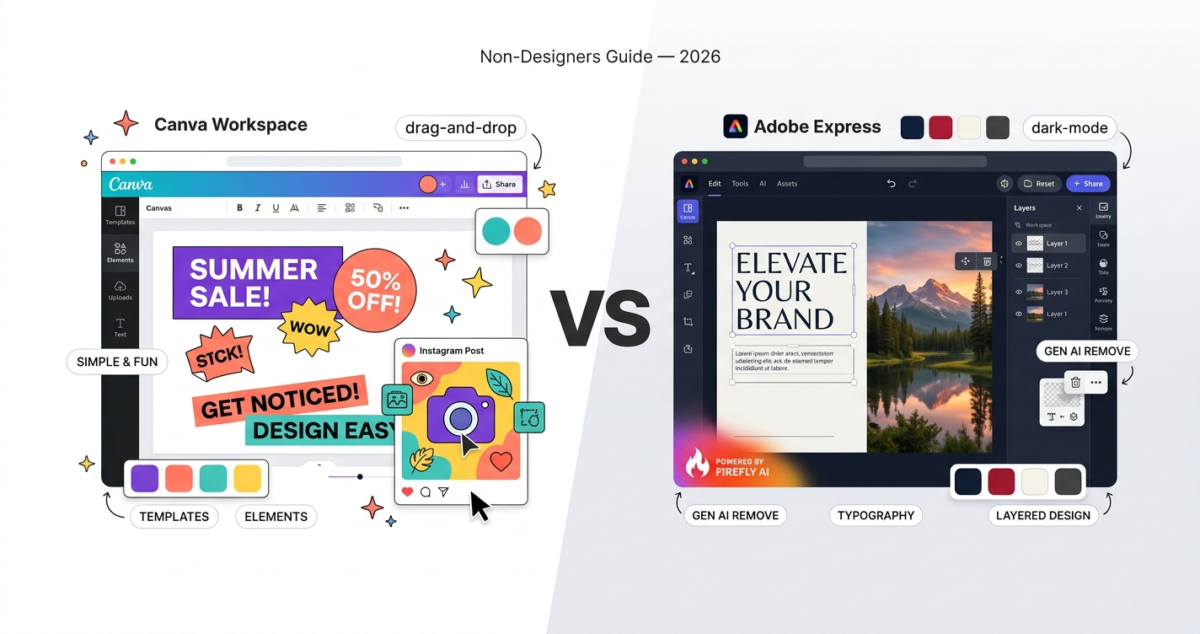
For anyone publishing decks alongside written content, a portfolio page, a client proposal embedded in a project page, or a resource shared through a WordPress site, export behavior matters as much as design. If the deck also needs standalone graphics, thumbnails, or social assets, a general-purpose design tool like Canva or Adobe Express covers that adjacent need, see our comparison of the two.
Gamma’s option to publish a deck as a standalone web page means it can sit behind a simple link without ever touching a WordPress embed. Pitch’s Pitch Rooms work the same way, generating a trackable link rather than a downloadable file, which suits sharing a proposal without hosting it. Beautiful.ai leans the other direction, PPTX and PDF export are the primary sharing paths, better suited to a deck that needs to live inside an existing document workflow rather than as a standalone shared link.
One detail that matters for client-facing work specifically: Pitch Rooms let a recipient leave comments directly on a slide, so feedback on a proposal comes back inside the same link rather than through a separate email thread. Gamma’s published pages don’t currently support that kind of inline commenting, and Beautiful.ai’s export-first model means feedback typically happens outside the tool entirely, in whatever document viewer the recipient uses.
Technical Notes on Export and Data Ownership
A few points matter more once a deck is part of a recurring workflow rather than a one-off:
File portability. None of the three lock content into a proprietary format that can’t leave the platform, PPTX and PDF export exist on all three, though fidelity varies as noted above. Still, a deck built heavily around Gamma’s card-based AI structure or Beautiful.ai’s Smart Slides won’t look identical once it’s outside its native editor.
Team offboarding. Pitch and Beautiful.ai’s Team tiers both tie content ownership to the workspace rather than the individual member, so a departing team member doesn’t take decks with them. Gamma’s per-seat model on Team and Business plans works the same way, with shared folders owned by the workspace.
API access. Gamma is the only one of the three offering API access at a sub-Enterprise price point (included on the Pro plan), which matters if decks need to be generated programmatically rather than through the standard editor, confirm current API terms directly with each vendor if that’s part of the intended workflow, since those terms change independently of the listed consumer pricing.
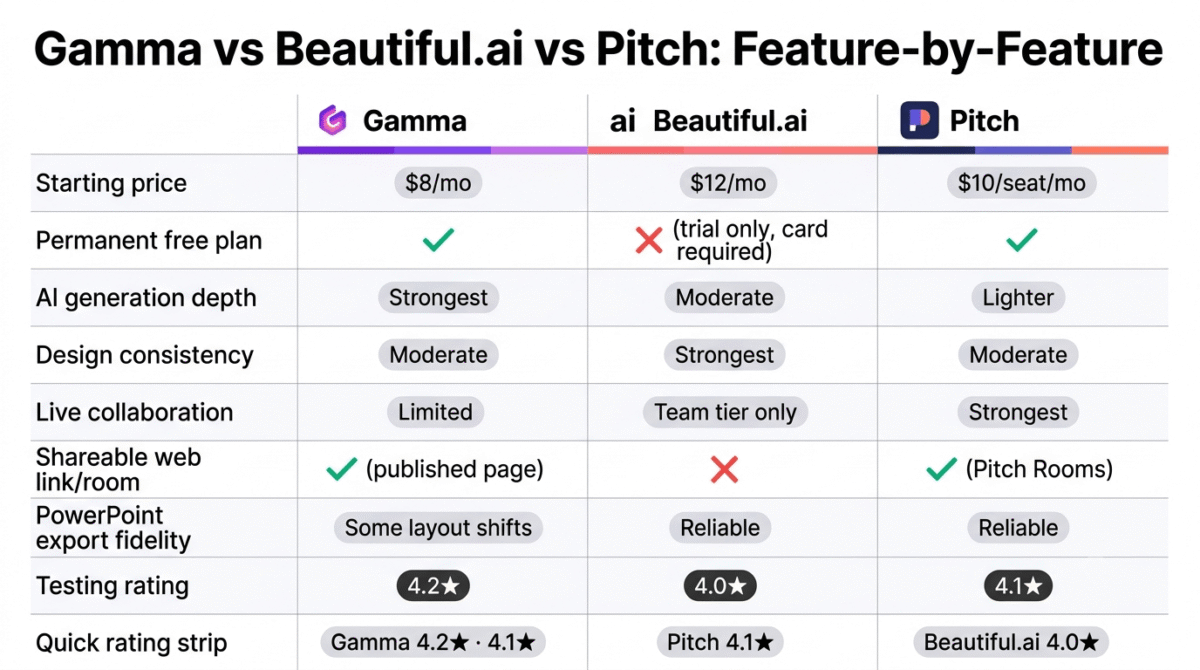
Head-to-Head Comparison
| Feature | Gamma | Beautiful.ai | Pitch |
|---|---|---|---|
| Starting price | $8 / month | $12 / month | $10 / seat / month |
| Permanent free plan | Yes | No (trial only) | Yes |
| AI generation depth | Strongest | Moderate | Lighter |
| Design consistency | Moderate | Strongest | Moderate |
| Live collaboration | Limited | Team tier only | Strongest |
| Shareable link/web publish | Yes | No | Yes (Pitch Rooms) |
| Viewer analytics | Pro tier | Pro tier | Team tier |
| PowerPoint export fidelity | Some layout shifts | Reliable | Reliable |
Which Should You Choose?
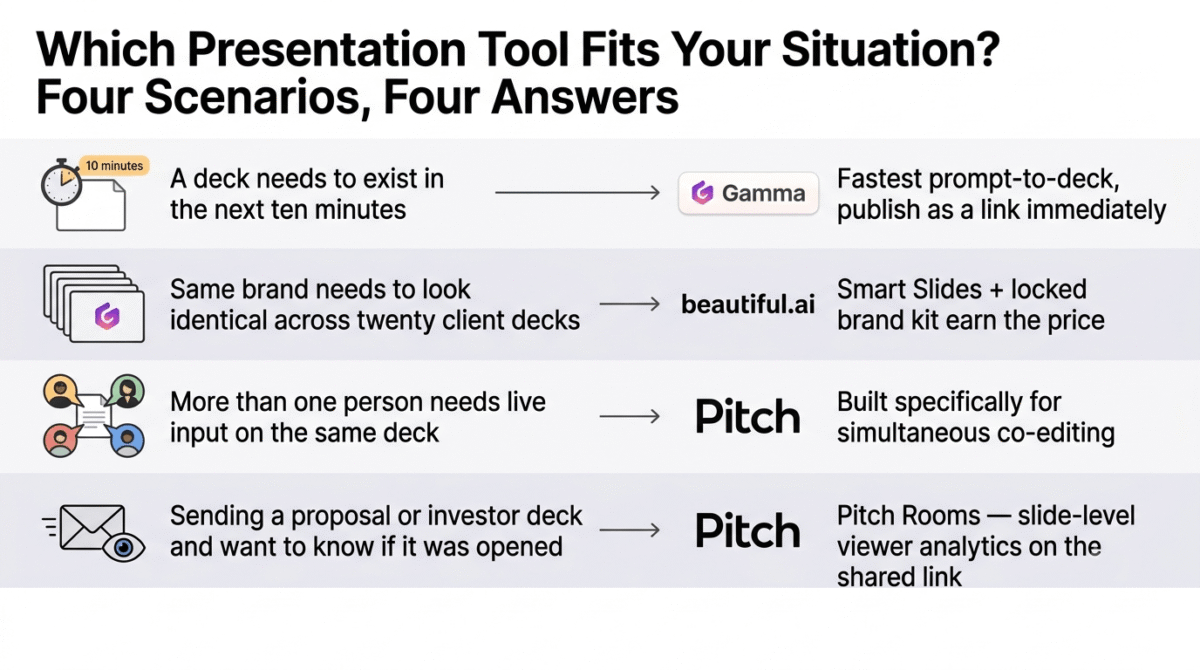
Pick Gamma if speed matters more than brand polish and a first draft needs to go from prompt to shareable link in minutes.
Pick Beautiful.ai if the same brand needs to look consistent across many decks built by different people, where design guardrails are a fair trade for some layout freedom.
Pick Pitch if more than one person regularly works on the same deck, or if tracking whether a shared proposal gets opened matters to how the team follows up.
Final Verdict
All three solve the “I need a deck fast” problem, but they solve it from different directions, generation speed, design consistency, or collaboration.
- Gamma, 4.2/5, the strongest AI generation and the most usable free tier of the three
- Pitch, 4.1/5, the strongest choice once more than one person needs to work on the same deck
- Beautiful.ai, 4.0/5, the strongest design consistency, at the cost of a card-required trial instead of a free plan
If a deck needs to exist in the next ten minutes, Gamma gets there fastest. If it needs to look the same across twenty client presentations built by different team members, Beautiful.ai earns its price. If it needs live input from more than one person, Pitch is built for exactly that.
Frequently Asked Questions
Does Gamma have a free plan with no card required?
Yes. The free plan includes 400 one-time AI credits with no card required, enough for roughly 8–10 generated decks. Credits don’t refresh once used, and Gamma branding stays on exported files until a paid plan removes it.
Is Beautiful.ai’s free trial free?
It requires a card upfront and converts to a paid subscription automatically after 14 days unless canceled before then. This differs from Gamma and Pitch, both of which offer permanent free tiers with no card required to start.
Can multiple people edit a Pitch deck at the same time?
Yes, this is Pitch’s core strength. Multiple team members can work inside the same deck simultaneously without the version-conflict issues common in shared PowerPoint files, even on the free plan with up to five members.
Which tool exports to PowerPoint most reliably?
Beautiful.ai and Pitch both produce reliable PPTX exports in testing. Gamma’s export introduced layout shifts on a few slides with dense content, so a Gamma deck bound for PowerPoint benefits from a review pass after export.
Is Gamma good for investor pitch decks?
It works well for a fast first draft, especially when time is limited. For an investor-facing deck specifically, Pitch’s shareable Pitch Rooms with viewer analytics or Beautiful.ai’s brand-consistent design may serve the final, polished version better than Gamma’s more templated output.
Do any of these tools have a permanent free plan for teams?
Pitch’s free plan supports up to five team members with unlimited presentations, the most team-friendly free tier of the three. Gamma’s free plan works for one user at a time. Beautiful.ai has no permanent free plan for individuals or teams.
Why isn’t Tome included in this comparison?
Tome discontinued its presentation product in April 2025 and shifted the company toward AI-powered sales tools. It no longer competes in the AI presentation category, which is why it’s left out of a current comparison.
Which tool is cheapest for a small team of five?
Pitch’s free plan covers a team of five at no cost with unlimited presentations, though AI credits are limited. Gamma and Beautiful.ai both charge per seat starting around $8–$12/month, with no free option that supports multiple named users the way Pitch’s does.