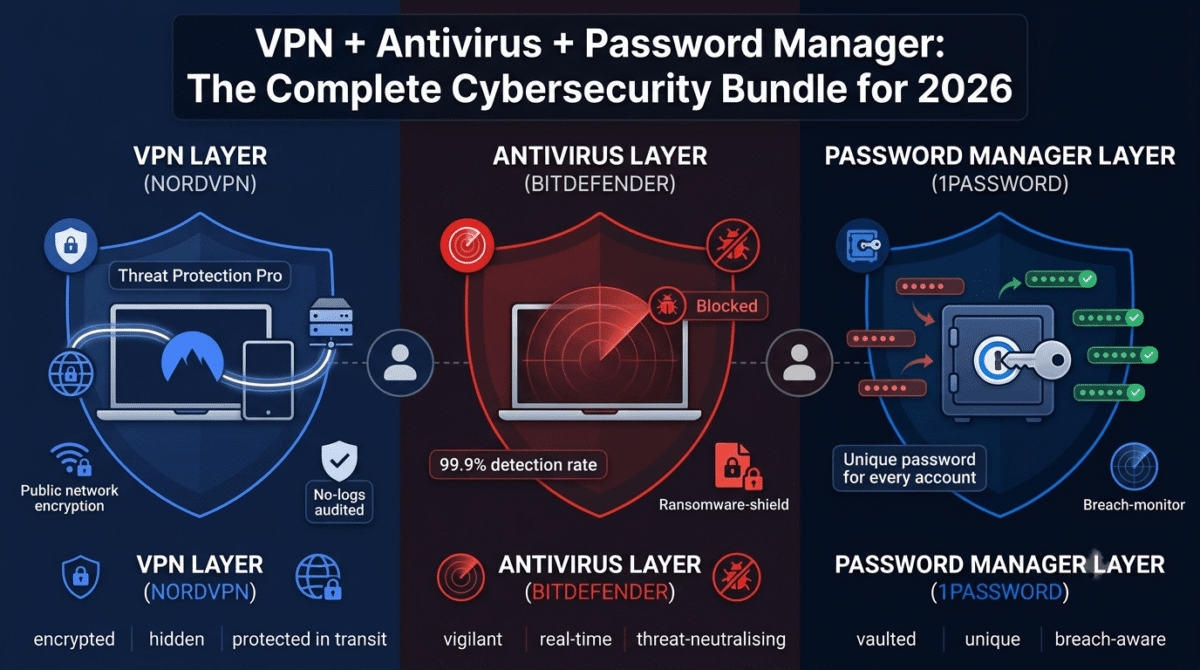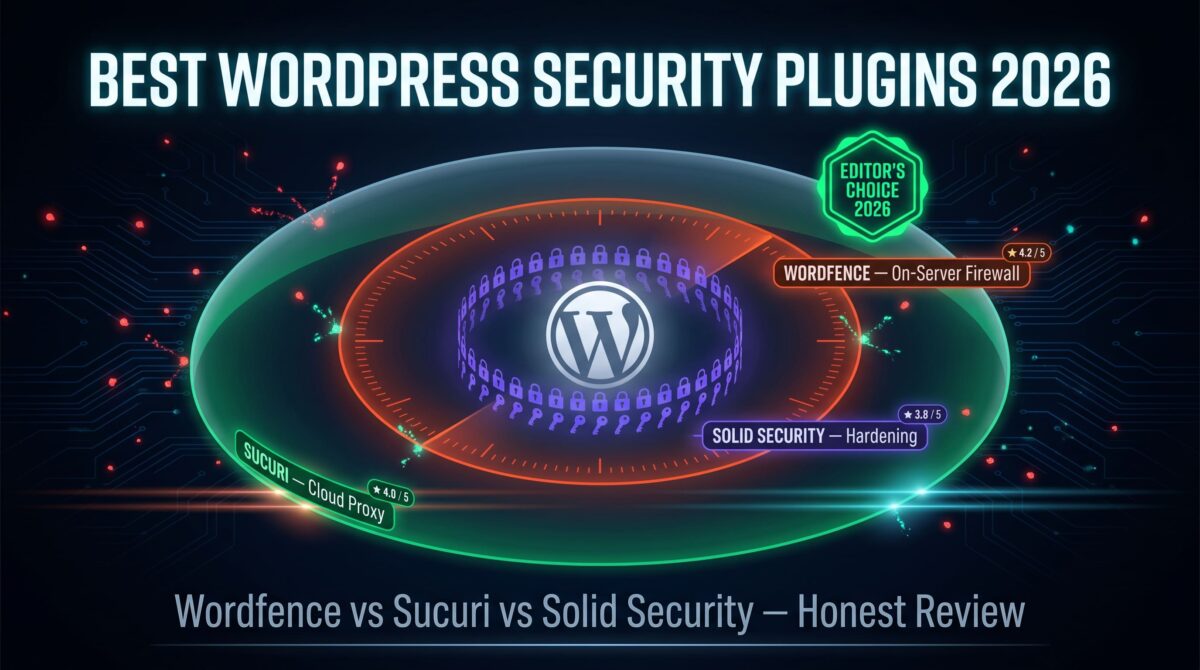
While enterprise teams might focus on security awareness training to stop phishing, Wordfence vs Sucuri vs iThemes Security comes up in almost every conversation about locking down a WordPress site. That’s protection for the site itself, if you also want to lock down the devices and accounts used to manage it, see our personal security bundle guide covering VPN, password manager, and antivirus together. All three sit under the “security plugin” label, but they protect a site in three different ways.
Wordfence runs on your server and watches traffic as it happens. Sucuri routes your traffic through its own network before it reaches your server. iThemes Security (rebranded to Solid Security in 2024 under the SolidWP family) focuses on hardening the site itself rather than filtering what reaches it. Picking between them means picking a protection model, not just a plugin.
We ran all three on a staging copy of this site for several weeks, alongside our usual Wordfence setup on the live server, to see how each one behaves under live traffic and normal update cycles.
Table of Contents
How We Tested
Five criteria shaped this review:
- Protection type: on-server firewall, cloud proxy, or hardening-only
- Setup difficulty: what it takes to get meaningful protection running
- Malware handling: detection, removal, and who does the cleanup if a site gets hacked
- Performance impact: any measurable slowdown from the plugin or the proxy
- Pricing over time: cost at the tier most small sites need, not the cheapest tier listed
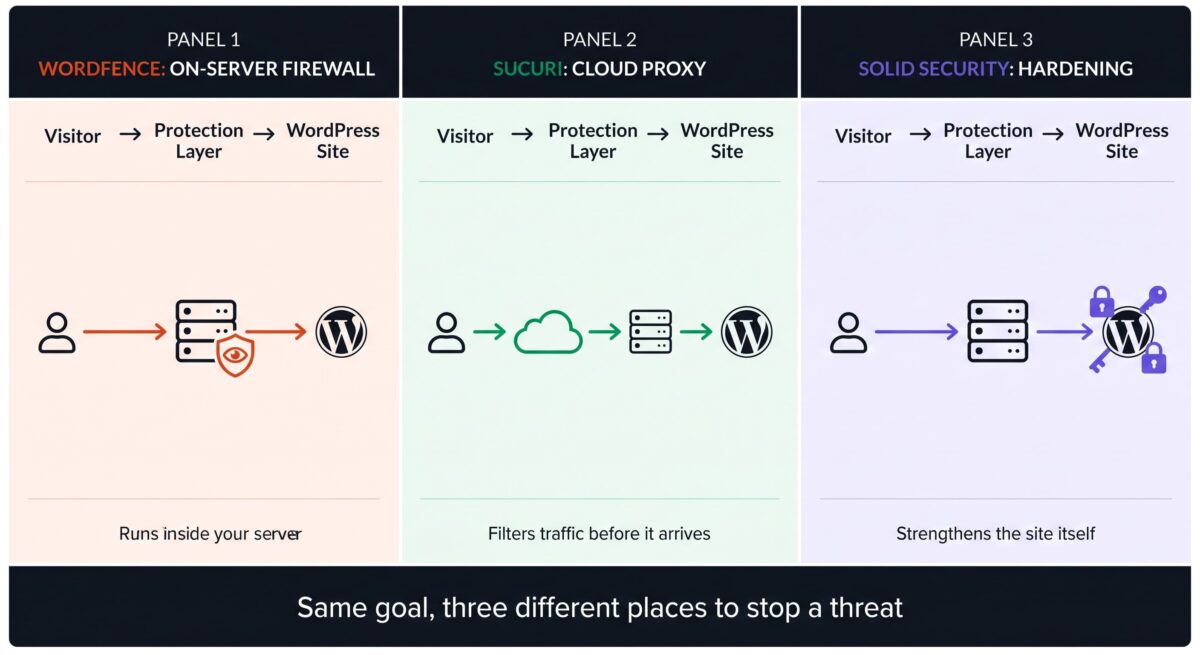
Every test ran against the same LiteSpeed-hosted WordPress installation, with Wordfence already active as a baseline on the live version of this site.
Wordfence Review
Wordfence is a WordPress plugin that installs directly on your server. It combines a web application firewall, a malware scanner, and login protection, all managed from inside the WordPress dashboard.
What it does well
Wordfence’s free tier is functional on its own: a firewall, a malware scanner, and two-factor authentication all come at no cost. Premium removes the 30-day delay on new firewall rules and malware signatures, which matters the moment a new vulnerability surfaces in a plugin you’re running. Everything happens inside WordPress, with no DNS changes or external routing required.
Where it struggles
The free tier’s 30-day delay on new threat signatures leaves a meaningful gap during that window, since attackers move on newly disclosed vulnerabilities faster than a month. Wordfence’s malware scanner also misses some threats that live inside premium themes or plugins rather than core files, something we confirmed while testing against known malware samples. That’s a site-level gap specifically, it doesn’t cover malware on the admin’s own computer, which is what antivirus software protects against. See our Norton vs Bitdefender vs Malwarebytes comparison for that separate layer. And because it runs on your server, a Wordfence-only setup won’t stop a DDoS attack the way a cloud proxy can.
Wordfence Pricing & Plans
| Plan | Price | Sites | Notable Feature |
|---|---|---|---|
| Free | $0 | Unlimited | Firewall, scanner, and 2FA (rules delayed 30 days) |
| Premium | $149/year | 1 | Immediate firewall rules, no signature delay |
| Care | ~$590/year | 1 | Premium features plus ongoing monitoring and cleanup |
| Response | ~$1,250 per incident | 1 | One-time emergency cleanup for an already-hacked site |
Pros:
- Runs entirely inside WordPress, no DNS or proxy setup
- Free tier is functional without a paid plan
- Immediate protection on Premium closes the signature-delay gap
- Care and Response tiers offer a path to expert cleanup if something goes wrong
Cons:
- Free tier’s 30-day delay is a meaningful exposure window
- Malware scanner has gaps with threats hidden in premium plugins or themes
- On-server firewall doesn’t absorb DDoS traffic the way a cloud proxy does
- Care and Response pricing sits well above a typical small-site budget
Rating: 4.2/5
Sucuri Review
Sucuri is a cloud-based security platform. Instead of running on your server, it routes your site’s traffic through its own network first, filtering threats before they arrive.
What it does well
The cloud proxy setup means a web application firewall and CDN work together, often improving load times alongside security. Malware cleanup on Platform plans is unlimited and handled by Sucuri’s own analysts rather than left to you, which matters if a hack happens and you don’t have the time or the skill to fix it yourself. It also supports Drupal and Joomla, not just WordPress, useful if you manage sites beyond WordPress.
Where it struggles
Setup requires changing your DNS at your domain registrar to route through Sucuri, a bigger step than installing a plugin and one that needs care to avoid downtime. Pricing sits well above Wordfence’s entry point, and several reviewers note the jump from free to paid feels steep for a solo site or small blog. Sucuri’s free plugin exists but only covers basic scanning and hardening; the CDN, cloud firewall, and cleanup service all require a paid Platform plan.
Sucuri Pricing & Plans
| Plan | Price | Coverage | Notable Feature |
|---|---|---|---|
| Free plugin | $0 | 1 site | Basic malware scanning and hardening only |
| Basic Platform | $199.99/year | 1 site | Cloud WAF, CDN, unlimited malware cleanup |
| Pro Platform | $299.99/year | 1 site | Faster SLAs, priority support |
| Business Platform | $499.99/year | 1 site | Fastest cleanup response, advanced monitoring |
Pros:
- Cloud firewall blocks threats before they reach your server
- Unlimited malware cleanup handled by Sucuri’s team on paid plans
- CDN often improves load times as a side benefit
- Works across WordPress, Drupal, and Joomla
Cons:
- Requires a DNS change to activate, more setup than a plugin install
- Entry-level paid tier costs more than Wordfence Premium
- Free plugin covers only a fraction of the platform’s protection
- Some reviewers report inconsistent support response times
Rating: 4.0/5
iThemes Security (Solid Security) Review
iThemes Security was rebranded to Solid Security in 2024 after joining the SolidWP family under StellarWP and Liquid Web. The plugin itself carried forward: same codebase, same update history, new name.
What it does well
Solid Security is a hardening plugin first. Two-factor authentication, password enforcement, file change detection, and passwordless login through passkeys are all built in and configured directly inside WordPress. The Pro tier added a Patchstack-powered firewall that applies virtual patches for known plugin and theme vulnerabilities before an official fix ships, providing a meaningful layer of protection for sites running a lot of third-party plugins.
Where it struggles
Neither the free nor Pro tier includes a traditional malware scanner or a full web application firewall the way Wordfence or Sucuri do. The Patchstack firewall covers known vulnerabilities in specific plugins and themes, not general traffic filtering. Sites that want scanning and cleanup alongside hardening will need to pair Solid Security with another tool rather than treat it as a complete standalone solution.
iThemes Security (Solid Security) Pricing & Plans
| Plan | Price | Sites | Notable Feature |
|---|---|---|---|
| Free | $0 | Unlimited | Basic hardening, no Patchstack firewall |
| Solid Security Pro | $99/year | 1 | Patchstack virtual patching, 2FA, passkeys, file change detection |
Pros:
- Strong hardening feature set: 2FA, passkeys, password rules, file monitoring
- Patchstack integration patches known vulnerabilities before official fixes ship
- Lowest paid-tier price of the three plugins compared here
- No DNS changes or external routing needed
Cons:
- No built-in malware scanner
- No general-purpose web application firewall (protection is vulnerability-specific)
- Best used alongside another tool rather than as a complete solution
- Recent rebrand has caused some confusion among long-time users searching for “iThemes”
Rating: 3.8/5
A Pricing Detail to Check Before You Buy
iThemes Security no longer exists as a brand name: it’s Solid Security now, same plugin, same install, different name on the box. If an older tutorial or plugin repository listing still says “iThemes Security,” confirm you’re looking at the current SolidWP product page before comparing prices, since older screenshots and pricing pages may not reflect the current $99/year Pro rate.
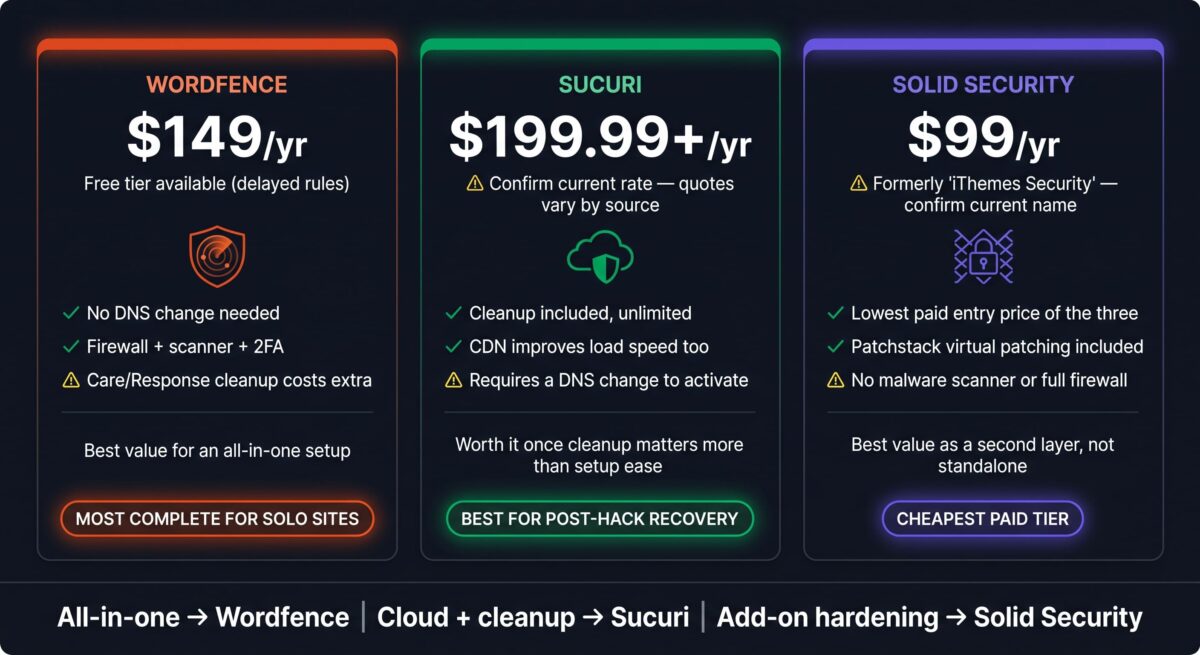
Sucuri’s advertised entry price also depends heavily on which comparison source you’re reading; some list a $199.99/year Basic Platform, while others quote monthly-equivalent breakdowns that land closer to $229/year for the same tier. Confirm the current annual rate directly on Sucuri’s pricing page before committing, since third-party listings don’t always stay current.
Technical Notes for WordPress Developers
A few points matter more once you’re the one maintaining the setup:
Running more than one at once. Wordfence and Solid Security can run together without conflict, since one handles firewall and scanning while the other handles hardening and virtual patching. Running two full firewalls (Wordfence plus Sucuri, for example) is unnecessary and can create redundant rule conflicts, so pick one as primary.
Database impact. Wordfence’s live traffic logging can add noticeable rows to your database on high-traffic sites if log retention isn’t configured. Checking this setting after installation takes about two minutes and avoids unnecessary database bloat.
DNS ownership. Sucuri’s proxy setup means your DNS now points through their infrastructure. If you ever migrate hosts or need to troubleshoot a DNS issue, that extra layer is one more thing to account for.
Multisite and staging. None of the three price per-site licenses generously for agencies running multiple client installs, so factor per-site costs into any quote you give a client rather than assuming one license covers a portfolio.
Head-to-Head Comparison
| Feature | Wordfence | Sucuri | iThemes (Solid Security) |
|---|---|---|---|
| Protection type | On-server firewall + scanner | Cloud proxy (WAF + CDN) | Hardening + virtual patching |
| Entry paid price | $149/year | $199.99/year | $99/year |
| Requires DNS change | No | Yes | No |
| Includes malware scanner | Yes | Yes | No |
| Includes malware cleanup | Paid add-on (Care/Response) | Included on paid plans | Not offered |
| CDN included | No | Yes | No |
| Free tier usefulness | Functional | Basic only | Functional for hardening |
| Best fit | Solo sites wanting an all-in-one plugin | Sites wanting cloud-level filtering and cleanup | Sites layering hardening onto an existing firewall |
Which Should You Choose?
Pick Wordfence if you want firewall, scanning, and login protection running inside WordPress with no DNS changes and a functional free tier to start on.
Pick Sucuri if a hack has already happened once, or if unlimited professional cleanup and a cloud-level firewall matter more to you than keeping everything inside the WordPress dashboard.
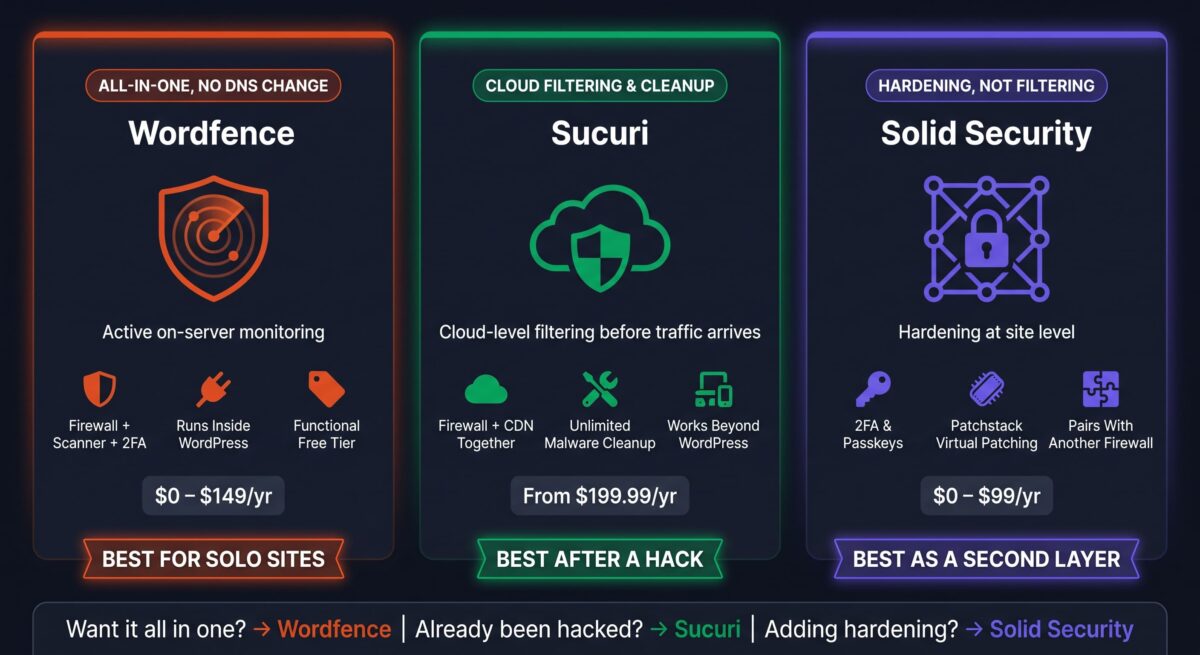
Pick Solid Security if you already run a firewall elsewhere and want to add hardening (2FA, passkeys, file monitoring, and Patchstack virtual patching) without paying for a second full firewall.
Running one primary firewall (Wordfence or Sucuri) alongside Solid Security for hardening is a combination that avoids overlap while covering more ground than any single plugin on its own.
Final Verdict
Each of these plugins protects a different layer of a WordPress site, which is why picking a single “winner” misses how they’re used in practice.
- Wordfence (4.2/5): the strongest all-in-one option for sites that want firewall and scanning without leaving WordPress
- Sucuri (4.0/5): the strongest choice once cloud-level filtering or professional cleanup becomes the priority
- Solid Security (3.8/5): the strongest hardening layer, best paired with a firewall rather than used alone
If your site has never been hacked and traffic volume is modest, Wordfence Premium covers the most ground for the price. If a hack has already happened, Sucuri’s cleanup guarantee changes the calculation.
Frequently Asked Questions
Is Wordfence’s free version enough for a small site?
For a low-traffic site with no e-commerce or sensitive user data, yes. The firewall and scanner work out of the box. The main tradeoff is a 30-day delay on new threat signatures, which matters more the moment a popular plugin you use gets a disclosed vulnerability.
Does Sucuri require changing my DNS settings?
Yes. Sucuri routes your traffic through its network before it reaches your server, which means pointing your domain’s DNS at Sucuri’s infrastructure. This takes more setup than installing a plugin but enables the cloud firewall and CDN.
Is iThemes Security still called that?
No. It was rebranded to Solid Security in 2024 as part of joining the SolidWP family under StellarWP and Liquid Web. The plugin, its update history, and its plugin-repository slug carried over unchanged; only the name and branding changed.
Can I run more than one security plugin at the same time?
Wordfence and Solid Security pair well since they cover different layers: firewall/scanning versus hardening. Running two full firewalls together, like Wordfence and Sucuri at once, tends to create redundant rule conflicts without adding meaningful protection.
Which one handles malware removal if my site gets hacked?
Sucuri includes unlimited cleanup on its paid Platform plans. Wordfence offers cleanup through its separate Care and Response tiers, priced well above Premium. Solid Security doesn’t offer cleanup at all; it’s built for hardening and prevention, not recovery.
Do I need Sucuri if I’m already running Wordfence?
Not usually. Both provide firewall protection, so running them together duplicates coverage rather than adding to it. Sucuri makes more sense as a replacement for Wordfence, particularly for sites that want cloud-level filtering or have already been compromised once.
Does Solid Security Pro’s Patchstack firewall justify the price?
For sites running many third-party plugins, yes: virtual patching closes known vulnerabilities before an official fix ships, which reduces exposure during that gap. Sites running very few plugins get less value from this specific feature, though the hardening tools still apply.
Which is best for a WooCommerce store?
Wordfence or Sucuri, since a store handling transactions benefits more from active firewall and scanning than from hardening alone. Sucuri’s cloud filtering and CDN also help with page load speed on product pages, which matters directly for store conversion rates.