Getting paid should be the easiest part of freelancing. In reality, for most freelancers, it is a source of constant friction, chasing overdue invoices, manually calculating hours worked, copying client details into spreadsheets, and hoping the payment arrives before rent is due.
The right invoicing software eliminates every part of that friction. It generates professional invoices in seconds, sends automatic payment reminders, accepts online payments instantly, and tracks which clients have paid and which have not, all without manual effort.
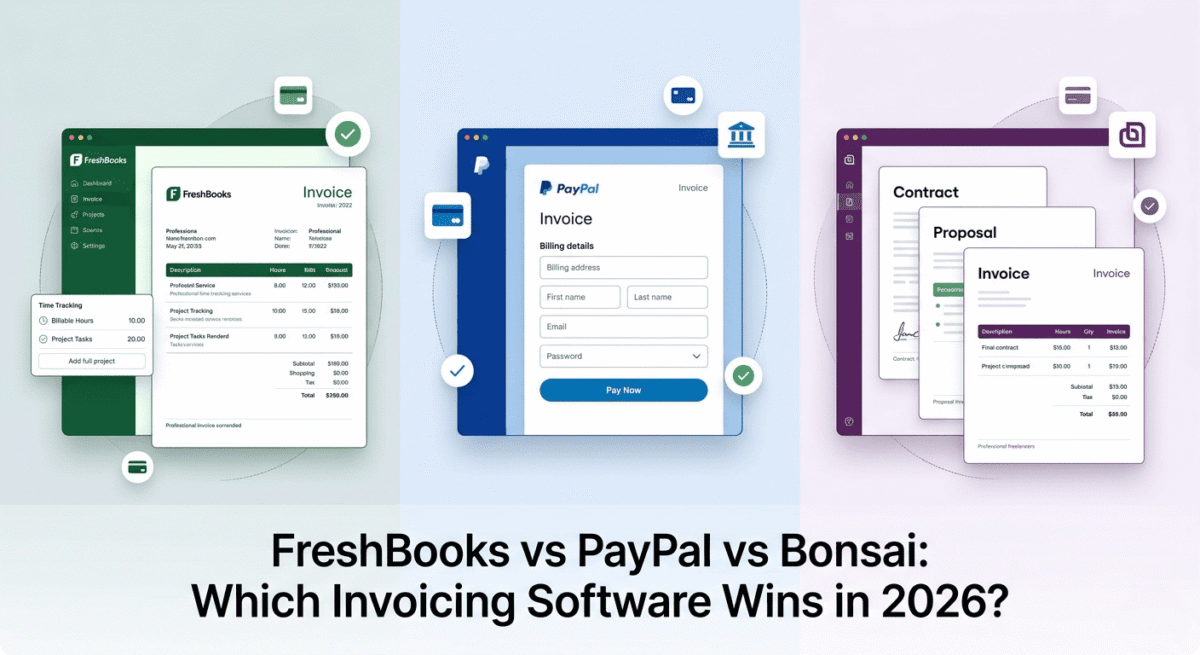
I tested FreshBooks vs PayPal vs Bonsai for 30 days across real freelance billing scenarios, hourly projects, fixed-fee contracts, retainer clients, and international payments. Here is the honest comparison.
Table of Contents
How We Evaluated These Tools
Every platform was tested across five criteria:
– Invoice quality: how professional do the invoices look and how easy are they to create?
– Payment collection: which payment methods are accepted and how fast does money arrive?
– Automation: recurring invoices, payment reminders, and late fee handling
– Additional features: contracts, time tracking, expense tracking, proposals
– Value: free plan quality and paid plan pricing versus features offered
Why Invoicing Software Matters More Than You Think
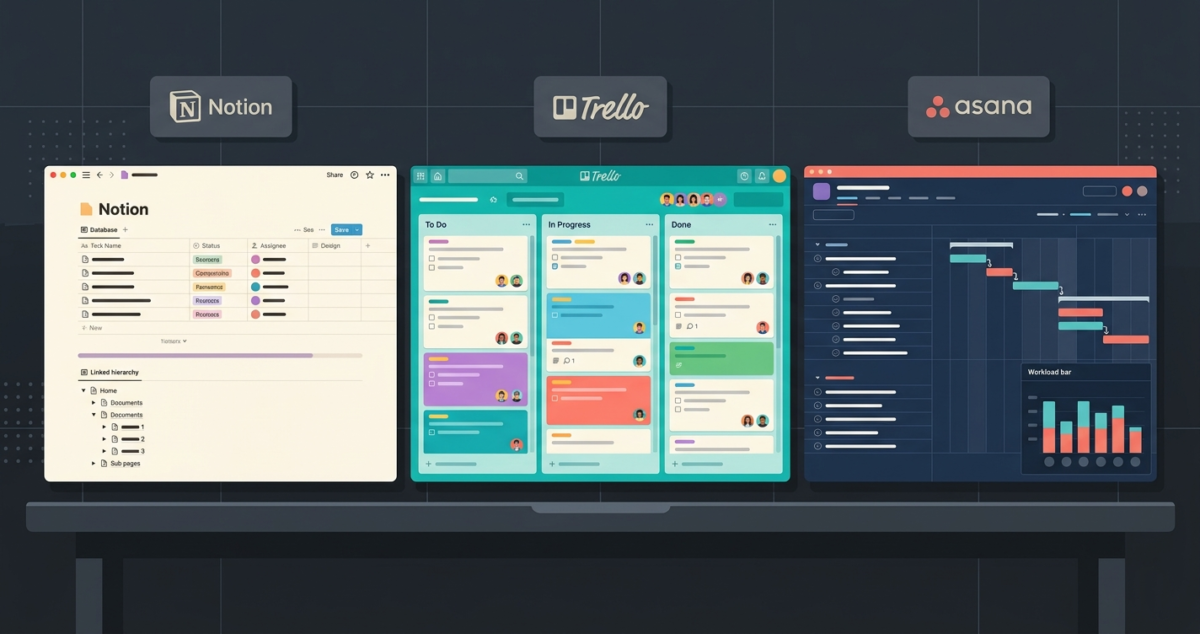
Most new freelancers start by creating invoices in Microsoft Word or Google Docs, emailing them as PDFs, and chasing payment via WhatsApp. Instead of disjointed files, you can manage client relationships holistically by coupling billing with a structured workspace from our Notion vs Trello vs Asana comparison. This works for one or two clients. It breaks down completely at five or ten.
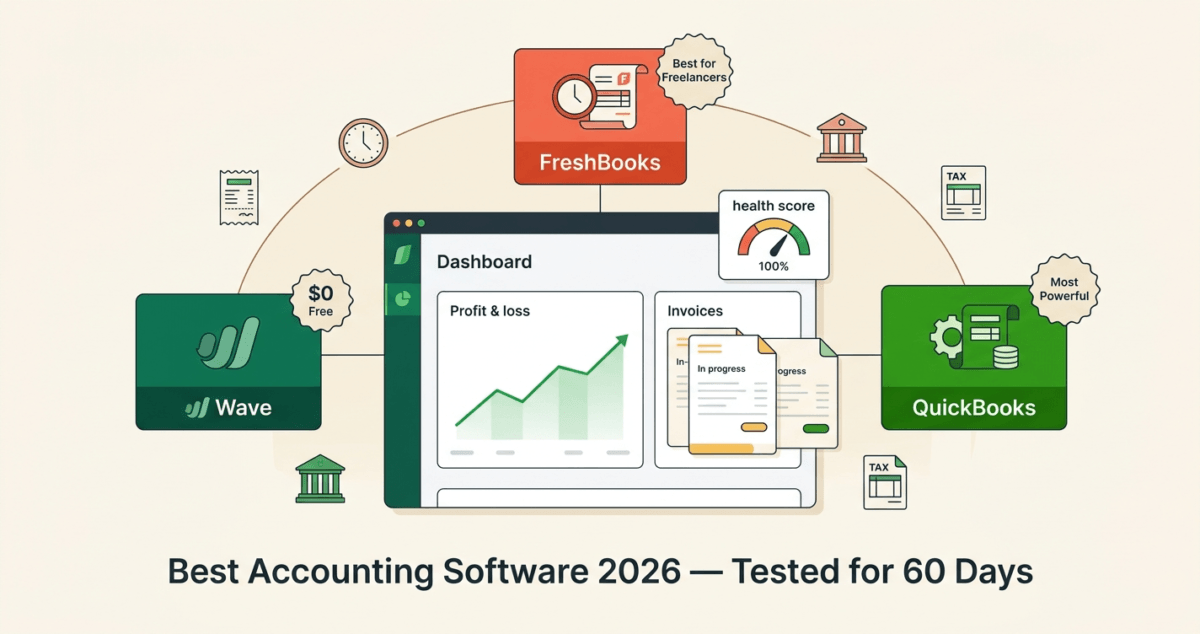
Without proper invoicing software you lose track of which invoices are outstanding, forget to follow up on overdue payments, have no automatic record of income for tax purposes, and look less professional to clients who are used to working with established businesses. Keep in mind that growing businesses with heavy inventory or payroll will eventually need to upgrade to full accounting software small business 2026.
Invoicing software solves all of this, and for bloggers who do any freelance work alongside their content business, it is one of the first tools worth setting up properly.
FreshBooks Review: Best Invoicing Software for Freelancers Who Bill Hourly
Free plan: No (30-day free trial)
Starting price: $7.60/month (Lite, promotional), renews at $19/month
Best plan for most freelancers: Plus, $13.20/month promotional, renews at $33/month
Platforms: Web, iOS, Android
Affiliate program: Yes, up to $55 per referral plus $10 per trial signup
FreshBooks was built specifically for freelancers and service-based businesses. Its invoicing is the most polished of the three tools tested, with professional templates, seamless payment collection, and an end-to-end workflow from time tracking to paid invoice that no competing tool matches for hourly freelancers. If you prefer an independent tracker that offers deeper cross-platform reporting analytics, browse our guide on the best time tracking software 2026.
What FreshBooks does best
FreshBooks produces the most beautiful client-facing invoices of the three tools. Every invoice is clean, branded with your logo and colours, and presented through a professional online portal where clients can view, download, and pay with a single click. Clients regularly comment on how professional FreshBooks invoices look, which matters for freelancers building long-term client relationships.
Creating an invoice in FreshBooks takes under two minutes. Select a client, add line items (services, hours, expenses), apply your rate, and send. If you have been tracking time in FreshBooks against this client’s project, you can convert those tracked hours into invoice line items with one click, no manual calculation, no spreadsheet exports.
Automatic payment reminders are one of FreshBooks’ most practically valuable features. You set the schedule, remind clients three days before due, on the due date, and three days after, and FreshBooks sends polished, professional reminder emails automatically. The late payment follow-up that most freelancers dread becomes completely hands-off.
FreshBooks accepts payment via credit card, ACH bank transfer, PayPal, and Stripe, directly through the invoice. Clients click “Pay Now,” enter their card details, and payment processes immediately. FreshBooks deposits the money to your bank account within 2 business days (credit card) or 2–5 business days (ACH). The online payment acceptance alone, eliminating bank transfer delays and check waiting times, typically recovers its monthly subscription cost in the first invoice.
Recurring invoices are fully automated. For retainer clients who pay the same amount each month, set up a recurring invoice once and FreshBooks sends and processes it automatically every billing cycle. The client does not even need to take action if they have a card saved, payment happens automatically.
The client portal gives clients access to all their invoices, estimates, and payment history in one place. Professional, organised, and removes the friction of clients asking “can you resend that invoice?” for the fifth time.
FreshBooks also tracks expenses, generates profit and loss reports, and connects to your bank account for automatic transaction import, making it a lightweight accounting tool alongside a full invoicing platform.
Where FreshBooks falls short
FreshBooks’ Lite plan limits you to 5 billable clients, genuinely inadequate for freelancers with more than a handful of active clients. The Plus plan at $33/month (regular pricing) removes this restriction but is more expensive than Bonsai for equivalent features.
FreshBooks does not include contract management, you cannot create, send, or e-sign contracts through the platform. Freelancers who need contracts alongside invoices either use Bonsai (which includes both) or a separate contract tool like DocuSign.
The promotional pricing, $7.60/month for Lite, $13.20/month for Plus, doubles at renewal. Always calculate the regular renewal price before signing up, not the introductory rate.
FreshBooks pricing
Plan | Promotional price | Regular price | Billable clients | Key features |
Lite | $7.60/mo | $19/mo | 5 | Invoicing, expenses, time tracking, payments |
Plus | $13.20/mo | $33/mo | 50 | + Recurring invoices, proposals, reports |
Premium | $24/mo | $60/mo | Unlimited | + Team members, project profitability |
Select | Custom | Custom | Unlimited | + Dedicated account manager |
FreshBooks: Pros and Cons
Pros:
– Most professional and beautiful invoices of the three tools
– Built-in time tracking converts hours to invoice line items automatically
– Automatic payment reminders, fully hands-off late payment follow-up
– Accepts credit card, ACH, PayPal, and Stripe directly through invoices
– Recurring invoices with automatic payment for retainer clients
– Professional client portal for all invoice and payment history
– Expense tracking and basic accounting built in
– Up to $55 per referral on affiliate program
Cons:
– No free plan, 30-day trial only
– Lite plan limited to 5 billable clients
– Promotional pricing doubles at renewal, read the fine print
– No contract management, requires a separate tool for e-signatures
– More expensive than Bonsai at regular pricing for equivalent features
– Overkill for freelancers who rarely invoice clients
Rating: 4.6 / 5 Best invoicing software for freelancers who bill hourly and want the most professional client experience.
PayPal Invoicing Review: Best Free Invoicing for Occasional Use
Free plan: Yes, completely free to create and send invoices
Cost: 3.49% + $0.49 per transaction (when client pays online)
Best for: Freelancers who invoice occasionally and already use PayPal
Platforms: Web, iOS, Android
Affiliate program: None
PayPal Invoicing is the most widely used free invoicing tool among freelancers globally, not because it is the best invoicing software, but because almost every freelancer and client already has a PayPal account. It requires no new software, no monthly subscription, and no learning curve. For freelancers who invoice occasionally and primarily deal with clients who use PayPal, it covers the basics at zero monthly cost. If you want to explore other zero-cost options, check out our list of the best 50 free software tools.
What PayPal Invoicing does best
PayPal Invoicing’s primary advantage is ubiquity. Virtually every client has a PayPal account and knows how to make a PayPal payment, there is no friction around payment method, no new checkout portal to navigate, and no bank transfer delays. Send a PayPal invoice, client clicks pay, money appears in your PayPal balance within minutes.
Creating a PayPal invoice is straightforward. Log into PayPal, click “Create Invoice,” add your client’s email address, add line items with descriptions and amounts, and send. The process takes under three minutes for a basic invoice. The invoice arrives in the client’s email with a “Pay Now” button that processes payment instantly.
PayPal invoices include basic customisation, you can add your logo, a personal message, and custom line item descriptions. The result is professional enough for most client relationships, though noticeably less polished than FreshBooks or Bonsai.
Payment reminders can be sent manually from within the invoice. Click “Send Reminder,” and PayPal sends a follow-up email to the client. There is no automation, but for occasional invoicers, the manual reminder is sufficient.
PayPal’s international payment capabilities are its strongest feature relative to competitors. Sending an invoice in any currency, receiving payment from clients in any country, and accessing funds in multiple currencies are all straightforward in PayPal, making it the most practical tool for freelancers with international clients who prefer PayPal over bank transfers.
Where PayPal Invoicing falls short
PayPal’s transaction fees are the most important limitation to understand. When a client pays a PayPal invoice with a credit card, PayPal charges a 3.49% fee plus $0.49 per transaction. On a $1,000 invoice, that is $35.39 in fees, compared to FreshBooks’ Stripe processing at 2.9% + $0.30 ($29.30) or ACH at 1% ($10). For high-value invoices, PayPal’s fees are meaningfully higher than alternatives.
PayPal’s invoicing interface has not evolved significantly in recent years. There are no time tracking features, no recurring invoices, no automatic payment reminders, no expense tracking, no proposals, and no contracts. It is a basic invoice generator, nothing more.
PayPal accounts can be frozen or limited with little warning, particularly for new users or accounts with sudden increases in transaction volume. For freelancers who depend on PayPal as their primary payment processor, an account limitation at the wrong time can delay payment for weeks.
The invoices themselves are visually dated, recognisably PayPal, rather than your own branded business. For freelancers building a premium brand, the PayPal aesthetic works against the professional image they want to project.
PayPal Invoicing cost breakdown
Invoice amount | PayPal fee (card) | FreshBooks/Stripe fee | ACH bank transfer fee |
$500 | $17.94 | $14.80 | $5.00 |
$1,000 | $35.39 | $29.30 | $10.00 |
$2,500 | $87.74 | $72.80 | $25.00 |
$5,000 | $175.49 | $145.30 | $50.00 |
At volume, the fee difference between PayPal and ACH bank transfer via FreshBooks is significant. A freelancer billing $5,000/month pays $175.49 in PayPal fees versus $50 in ACH fees, a $125.49/month difference that exceeds FreshBooks’ Plus plan cost.
PayPal Invoicing: Pros and Cons
Pros:
– Completely free, no monthly subscription cost
– Instant payment, funds available in PayPal balance within minutes
– Universal recognition, virtually every client knows how to use PayPal
– Best for international clients who prefer PayPal over bank transfers
– No learning curve, usable by anyone with a PayPal account
– Mobile app for invoicing on the go
Cons:
– Highest transaction fees, 3.49% + $0.49 per card payment
– No time tracking, recurring invoices, or automatic reminders
– Invoice design visually dated and unbranded
– No contract management, proposals, or expense tracking
– Account freezes can delay payment unexpectedly
– Not suitable for freelancers billing $3,000+/month regularly
Rating: 3.9 / 5 Best free invoicing tool for occasional use. Transaction fees make it expensive at volume, worth replacing with FreshBooks or Bonsai when billing consistently.
Bonsai Review: Best All-in-One Freelance Business Tool
Free plan: No (14-day free trial)
Starting price: $21/month (Starter, billed annually)
Best plan for most freelancers: Professional, $32/month (billed annually)
Platforms: Web, iOS, Android
Affiliate program: Yes, Bonsai affiliate program, up to $100 per referral
Bonsai is the most comprehensive freelance business platform on this list. Rather than focusing on invoicing alone, Bonsai combines contracts, proposals, invoicing, time tracking, expense tracking, project management, and client CRM in a single tool, making it the closest thing to a complete business operating system for independent freelancers.
What Bonsai does best
Bonsai’s contract and proposal system is its most distinctive feature, and the capability that most clearly differentiates it from FreshBooks and PayPal. You can create, send, and collect e-signatures on professional contracts directly within Bonsai, without needing DocuSign or a separate legal tool. Bonsai includes over 100 legally reviewed contract templates for common freelance scenarios, web design, copywriting, photography, consulting, and social media management that you customise with your terms and send to clients for digital signature.
The proposal workflow is equally polished. Create a project proposal with scope of work, timeline, and pricing, send it to the client for review and acceptance, and convert the accepted proposal directly into a contract and initial invoice, all without leaving Bonsai. This end-to-end workflow from proposal to signed contract to first payment is smoother than any competing tool.
Bonsai’s invoicing is professional and flexible. Invoices are beautifully designed, fully branded, and include options for deposits, milestone payments, and automatic payment schedules. Like FreshBooks, Bonsai accepts credit card, ACH, and PayPal payments directly through invoices and sends automatic payment reminders.
The project management features, task lists, client communication logs, file sharing, and project notes are built into every project alongside the financial tools. A single Bonsai project contains the contract, all invoices, tracked time, expenses, and client communications in one organised workspace. This centralisation is genuinely useful for freelancers managing multiple concurrent projects.
Bonsai’s tax and accounting tools on higher plans include quarterly tax estimates, a valuable feature for freelancers who struggle with self-employment tax planning. Based on your income and expenses tracked in Bonsai, it estimates your quarterly tax liability and reminds you of payment deadlines.
Where Bonsai falls short
Bonsai’s Starter plan at $21/month is more expensive than FreshBooks’ promotional Lite price, though comparable to FreshBooks’ regular pricing. At regular prices, both tools are similarly priced for what they offer.
Bonsai is designed exclusively for freelancers and independent contractors, it does not scale well to small businesses with multiple employees. The team collaboration features are limited compared to FreshBooks’ team management capabilities.
The time tracking interface, while functional, is less polished than dedicated time tracking tools like Toggl. Freelancers who track significant hours may find Bonsai’s tracker less smooth than using Toggl alongside a separate invoicing tool.
Bonsai’s payment processing fees are comparable to FreshBooks: 2.9% + $0.25 for card payments, 0.8% (capped at $5) for ACH, making them a reasonable but not exceptional deal compared to alternatives.
Bonsai pricing
Plan | Price/month (annual) | Key features |
Starter | $21 | Invoices, contracts, proposals, time tracking, 1 user |
Professional | $32 | + Unlimited clients, subcontractors, client portal |
Business | $66 | + Team seats, accounting, tax tools, priority support |
Bonsai: Pros and Cons
Pros:
– Most complete freelance business platform, contracts, proposals, invoicing, CRM in one tool
– 100+ legally-reviewed contract templates with e-signature built in
– Proposal-to-contract-to-invoice workflow with no tool switching
– Professional invoice design with milestone and deposit payment options
– Automatic payment reminders and recurring invoices
– Quarterly tax estimates on Business plan
– Project workspace keeps all client communications and files organised
– Up to $100 per referral on affiliate program
Cons:
– No free plan, 14-day trial only
– More expensive than PayPal (which is free)
– Designed for solo freelancers, limited team features
– Time tracking less polished than dedicated tools like Toggl
– Overkill for freelancers who only need basic invoicing
– Tax tools limited to US freelancers
Rating: 4.5 / 5 Best all-in-one platform for freelancers who want contracts, proposals, and invoicing in a single tool. Particularly valuable for freelancers working on project-based contracts.
Head-to-Head Comparison
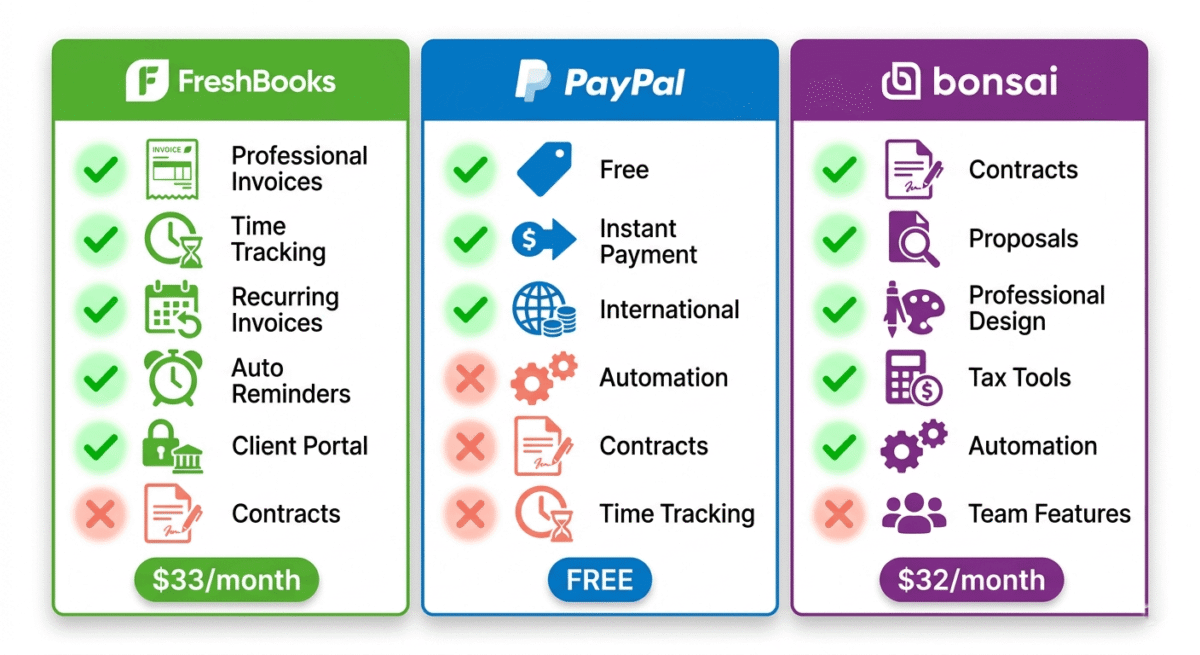
FreshBooks Plus | PayPal Invoicing | Bonsai Professional | |
Monthly cost | $33 (regular) | Free | $32 (annual) |
Transaction fees (card) | 2.9% + $0.30 | 3.49% + $0.49 | 2.9% + $0.25 |
ACH bank transfer fee | 1% | N/A | 0.8% (capped $5) |
Invoice design | Excellent | Basic | Excellent |
Time tracking | Yes | No | Yes |
Recurring invoices | Yes | No | Yes |
Automatic reminders | Yes | Manual only | Yes |
Contract management | No | No | Yes (100+ templates) |
Proposals | Basic | No | Excellent |
Client portal | Yes | No | Yes |
Expense tracking | Yes | No | Yes |
Tax tools | No | No | Yes (Business plan) |
International payments | Good | Excellent | Good |
Best for | Hourly freelancers | Occasional invoicing | Project-based freelancers |
Which Invoicing Software Should You Choose?
Choose FreshBooks if:
You bill clients by the hour and want seamless time tracking to invoice conversion. FreshBooks’ polished invoices, automatic reminders, and professional client portal make it the best invoicing experience for service-based freelancers who prioritise client impression and billing efficiency. Also the best choice if you want lightweight accounting features alongside invoicing.
Choose PayPal Invoicing if:
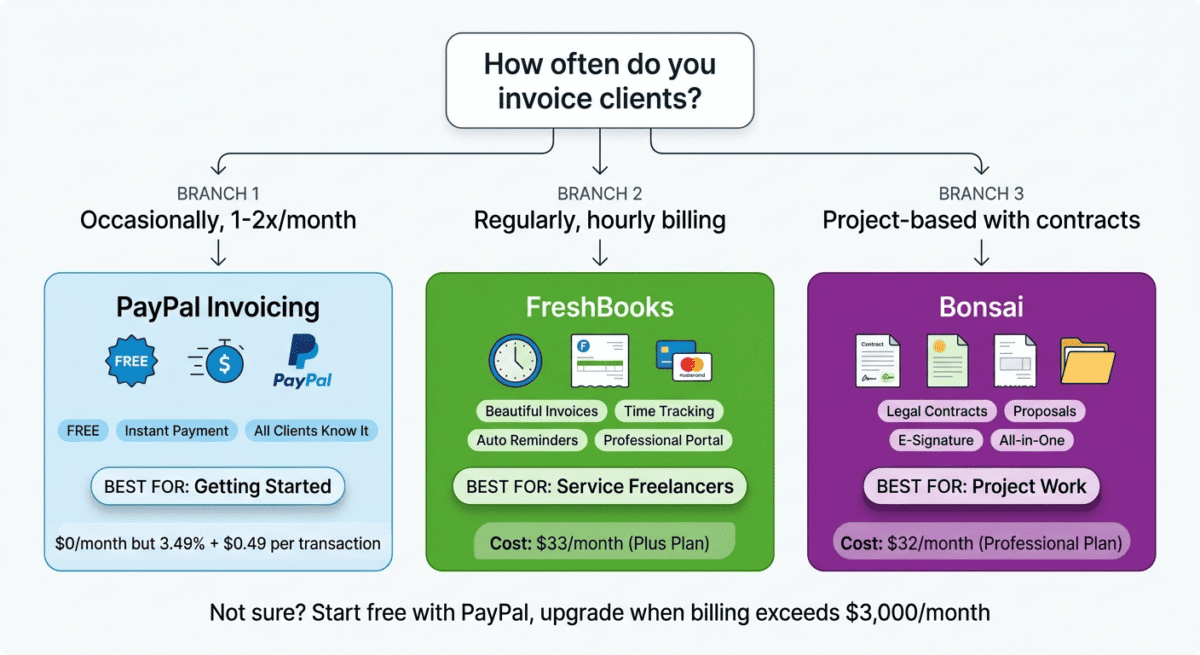
You invoice clients occasionally, once or twice a month, and your clients are already PayPal users. The zero monthly cost makes it practical for low-volume invoicing, and the instant payment capability is genuinely useful. Switch to FreshBooks or Bonsai when you are billing more than $3,000/month, at which point the transaction fee savings pay for a paid invoicing tool.
Choose Bonsai if:
You work on project-based contracts where you need to send proposals, collect contract signatures, and invoice for milestones, not just hourly billing. Bonsai’s end-to-end workflow from proposal to signed contract to paid invoice is unmatched, and the legal contract templates are genuinely valuable for freelancers who currently send informal agreements or no contracts at all.
The Freelance Blogger Invoicing Setup
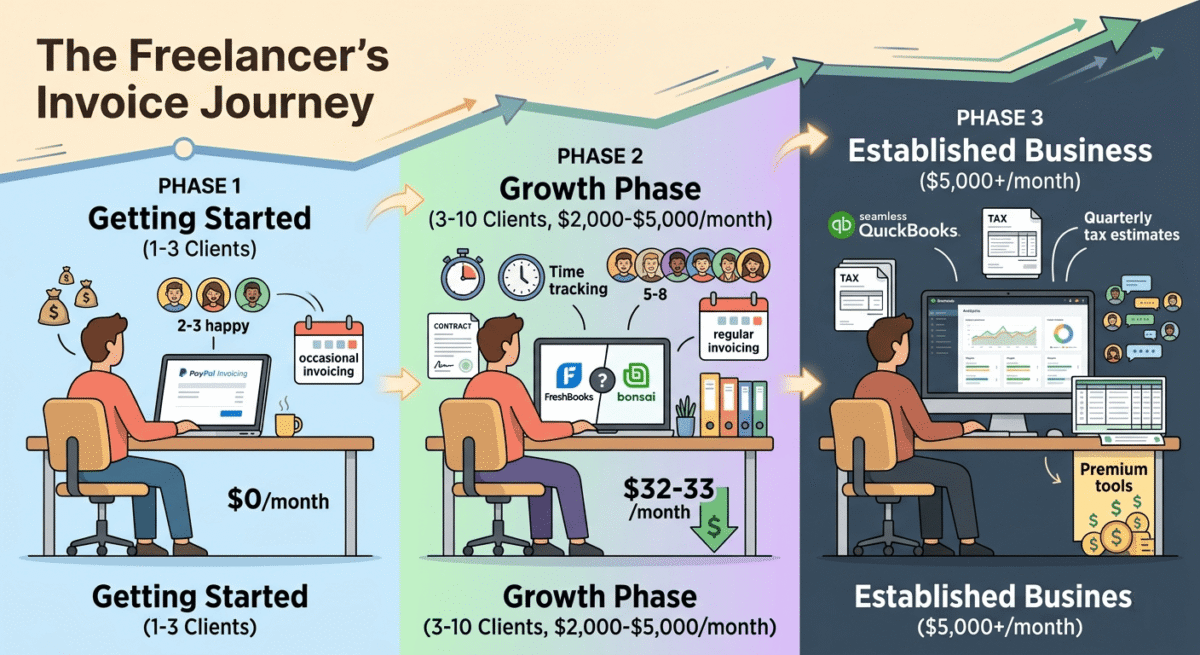
For bloggers who take on freelance writing, content creation, or consulting work alongside their blog, here is the recommended invoicing approach by stage:
Stage 1 | First 1–3 freelance clients: PayPal Invoicing free. Simple, fast, and your clients already know how to use it. Focus on delivering good work, not on software.
Stage 2 | 3–10 regular clients, billing $2,000–$5,000/month: FreshBooks Plus ($33/month) or Bonsai Professional ($32/month). At this billing volume, professional invoicing, automatic reminders, and ACH payment acceptance pay for themselves immediately.
Choose FreshBooks if you primarily bill hourly and want time tracking built in.
Choose Bonsai if you work on project contracts and want proposals and e-signatures alongside invoicing.
Stage 3 | Established freelance business ($5,000+/month): Stay on FreshBooks Premium or Bonsai Business, or integrate your invoicing with a full accounting tool like QuickBooks. At this stage, tax planning and proper bookkeeping matter as much as invoicing efficiency.
Final Verdict
FreshBooks is the best invoicing software for most freelancers. The polished invoice design, automatic payment reminders, time tracking integration, and professional client portal make it the most complete hourly billing solution available. Worth every dollar once you are billing consistently.
Bonsai is the best all-in-one platform for project-based freelancers. The contract templates, proposal workflow, and end-to-end project management make it uniquely valuable for freelancers who need more than just an invoice generator. If you currently send contracts via email and invoices via PayPal separately, Bonsai unifies the entire client workflow at a comparable price.
PayPal Invoicing is the best free option for occasional use. It is practical, instant, and requires no setup for freelancers already using PayPal. Transaction fees make it expensive at volume, so treat it as a starting point rather than a permanent solution.
Ratings:
– FreshBooks: 4.6 / 5
– Bonsai: 4.5 / 5
– PayPal Invoicing: 3.9 / 5
Frequently Asked Questions
What is the best free invoicing software for freelancers?
PayPal Invoicing is the best free invoicing option, with no monthly fee, instant payment, and universal client recognition. Wave (reviewed in our accounting software comparison) is also completely free and includes more professional invoicing features than PayPal, including recurring invoices and automatic reminders. For freelancers who want professional invoicing at zero cost, Wave is worth considering alongside PayPal.
Is FreshBooks worth it for freelancers?
Yes, for freelancers billing more than $2,000/month regularly. The time savings from automatic payment reminders, one-click time-to-invoice conversion, and a professional client portal are worth the $33/month Plus plan cost within the first billing cycle. For freelancers billing less than $1,000/month, start with PayPal or Wave free and upgrade when consistent billing volume justifies the subscription.
What is Bonsai and is it good for freelancers?
Bonsai is an all-in-one freelance business platform covering contracts, proposals, invoicing, time tracking, and project management in a single tool. It is particularly good for freelancers who work on project-based contracts; the legally reviewed contract templates, e-signature collection, and proposal-to-invoice workflow eliminate the need for separate tools like DocuSign, HoneyBook, or Dubsado. At $32/month for the Professional plan, it is competitively priced for the breadth of features included.
How do I get paid faster as a freelancer?
Three changes that consistently reduce payment time: first, accept online payments directly through your invoice (credit card or ACH) rather than requesting bank transfers; clients pay faster when it requires one click rather than logging into their bank. Second, send automatic payment reminders before and after the due date; most late payments are due to oversight rather than unwillingness to pay. Third, collecting a 25–50% deposit upfront before starting work reduces the total outstanding balance and filters out clients unlikely to pay.
What invoicing software do most freelancers use?
PayPal Invoicing is the most widely used due to its zero cost and universal recognition. Among freelancers using paid invoicing tools, FreshBooks is the most popular for service-based freelancers, followed by QuickBooks Self-Employed and Wave. Bonsai has grown rapidly among freelancers who work on project contracts and want an all-in-one business platform.
Can I invoice in multiple currencies?
PayPal supports invoicing in multiple currencies natively, useful for international clients. FreshBooks supports multi-currency invoicing on Plus plans and above. Bonsai supports multi-currency invoicing on Professional plans. All three allow you to set invoice currency differently from your base account currency, though currency conversion fees apply when funds are converted to your home currency.
Do I need a contract alongside my invoice?
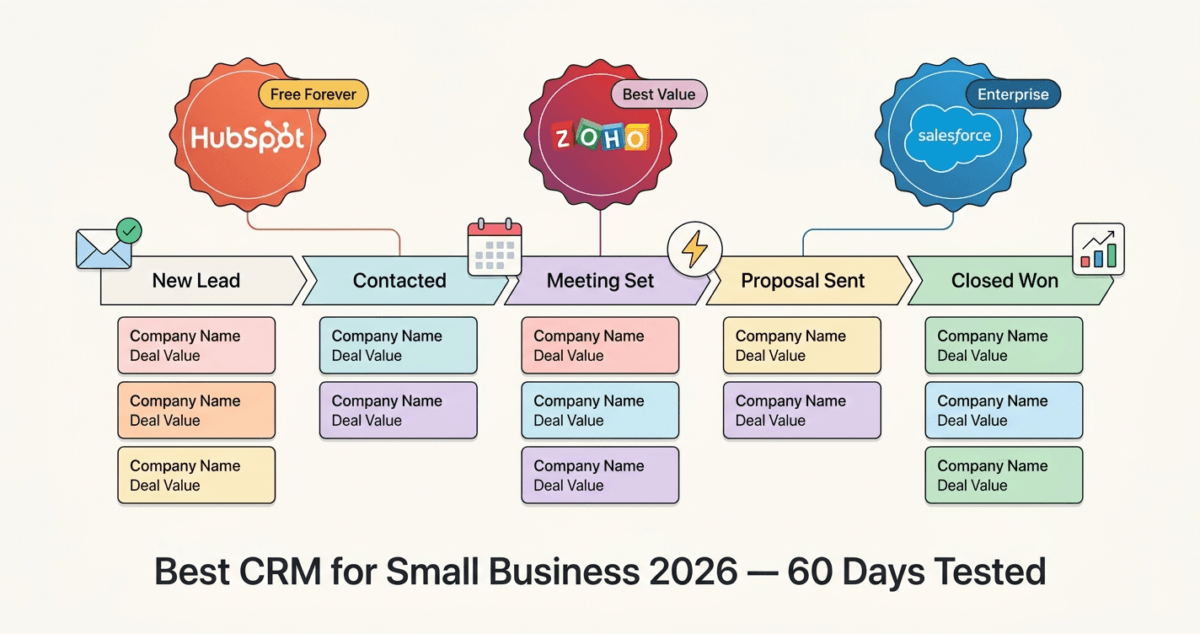
Yes, for any project over $500 or any ongoing client relationship, a contract protects both you and your client by defining scope, deliverables, payment terms, revision limits, and ownership rights. Without a contract, disputes about project scope or payment are difficult to resolve. Bonsai includes 100+ contract templates and e-signature collection. The proposal workflow is equally polished. If you want to track prospects through an elaborate sales pipeline before they reach the contract phase, integrate your workspace with a tool from our best CRM software small business 2026 guide. For FreshBooks and PayPal users, DocuSign or HelloSign provide contract management separately. Never start significant freelance work without a signed agreement.
What is the difference between an invoice and a receipt?
An invoice is a payment request sent before or when payment is due. It states what was delivered, the amount owed, and the payment deadline. A receipt is a confirmation of payment already received; it acknowledges that the client has paid. Invoicing software generates both invoices when billing and receipts automatically when payment is processed. FreshBooks and Bonsai both generate and send payment receipts automatically when clients pay online.