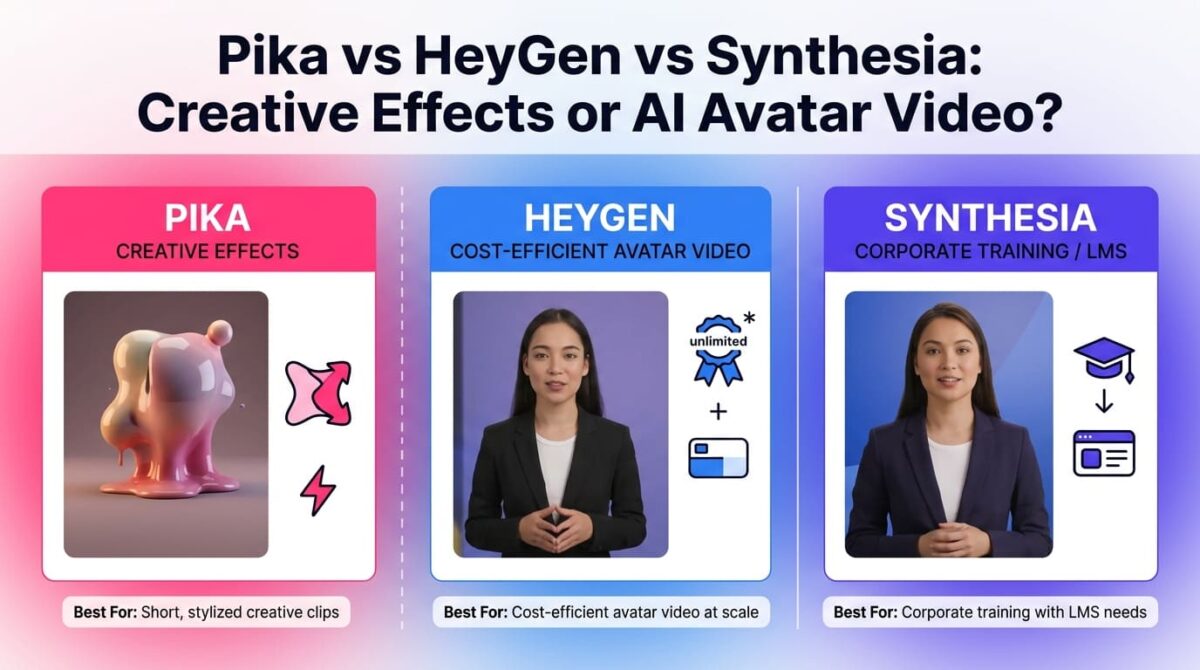
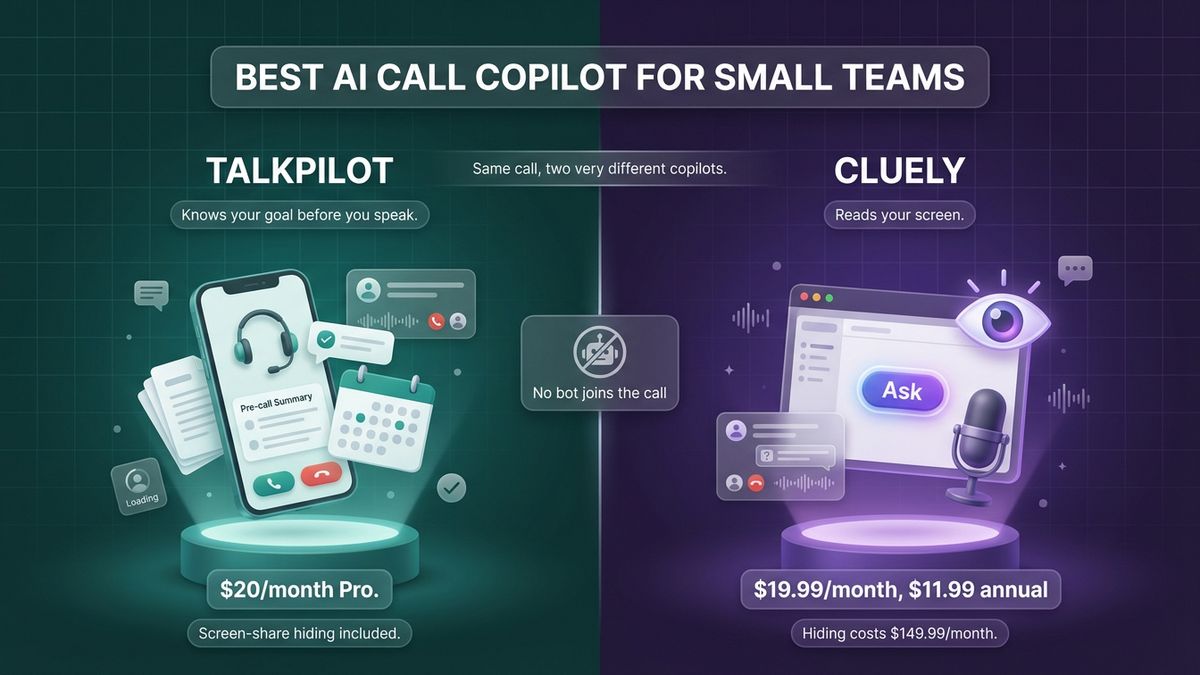
If you are weighing TalkPilot vs Cluely for your team, you probably want better calls without hiring a full-time coach. A prospect pushes back on price, a customer hints at canceling, and your rep needs the next sentence now.
Both tools listen to your calls and put suggestions on your screen, and neither sends a bot into the meeting. They take different routes, though. TalkPilot works as a copilot that knows your goal, your documents, and your deal before the call starts, and it offers help on its own as the conversation moves. Cluely works as a desktop assistant that answers when you ask, reading your screen and your mic.
I tested TalkPilot vs Cluely, using both with a small team on sales discovery calls, customer check-ins, and renewal negotiations. Here is the honest comparison. The biggest difference is how much each tool knows about you and your call before you say a word. There is also a pricing catch: Cluely charges \$149.99 a month per person to hide its window during screen shares, more than seven times the price of its Pro plan.
Table of Contents
How We Tested
I scored both tools on five criteria that matter to small teams that sell and support over calls. Larger teams needing deep pipeline analytics should also review sales call intelligence software options available.
- Context and integrations: whether the tool knows your goal, your documents, and your contacts before the call, connects to the tools you already use, supports a shared team playbook, and what it produces after the call.
- Live help quality: how relevant and timely the prompts are, whether help comes in on its own or only when you ask, and how much control you have over when it appears.
- Privacy and data handling: what each tool stores, whether it shows up on a screen share, and whether anything joins the call.
- Total cost: monthly and annual prices per seat, the plan that unlocks each feature, and the multi-year bill for a five-person team.
Platform and reliability: supported operating systems, setup friction, and the company’s track record.
Both vendors publish their own claims, and I label vendor figures as such. TalkPilot also hosts its own TalkPilot vs Cluely page, so I treated it as a vendor claim and cross-checked Cluely’s pricing and limits against independent reviews and Cluely’s help-center details. Teams streamlining communication beyond phone calls often combine live copilots with the best AI email writing assistants.
TalkPilot Review: A Live Call Copilot That Knows Your Context
- Free plan: Yes, 5 conversations a month, up to 30 minutes each
- Starting price: \$20/month (Pro); Teams \$32/user/month billed annually
- Best plan for most users: Teams for three or more people, Pro for a solo owner
- Platforms: Mac, Windows, iPhone, Android (plus an Apple Watch companion)
- Affiliate program: Unconfirmed
TalkPilot (talkpilot.co) is a live conversation coach from Allign Inc. It listens to both sides of a call on your device and shows what to say or ask next. Search results also surface unrelated products with the same name, such as a Wix voice shopping app, so install the one from talkpilot.co. Businesses expanding into text automation might consider evaluating top AI chatbot builders alongside voice support.
What TalkPilot does best
TalkPilot knows your context before the call starts. You write a short brief, such as ‘pricing call, I want a yes on the annual plan.’ It reads your documents, knows who you are, uses your calendar, and pulls the contact from HubSpot or Salesforce when connected. It also connects to Slack, Gmail, Outlook, Asana, Jira, and Monday, and has a connector for Claude and ChatGPT. So the help you get is about your call, not a generic script.
Help also comes in by itself, so you don’t have to stop and ask. Nudges adds a short direction after each turn, and Teleprompter shows the full sentence to say. If you’d rather keep it quiet, Standby waits until you ask. Help appears when the other person stops talking, never while you speak. Short cues, such as ‘Slow down,’ appear on screen too.
Before a big call, you can rehearse by voice with an AI that plays the buyer, then get a score out of 100. After the call you get a takeaway, action items you approve, a follow-up draft, and a Deep Dive. Pro also adds earbud coaching on iPhone and Android, and an opt-in Undetectable mode that hides the app on screen shares on Mac and Windows. TalkPilot follows English and Spanish, even in the same call. Audio streams out for live transcription and is never saved: TalkPilot keeps the transcript and your recap, not the recording.
For teams, TalkPilot describes a Teams plan with a shared playbook, approved answers for known objections, and a Command Center that scores every call against the playbook. Managers leave coaching notes and assign practice, and Team DNA studies your best people’s calls so their phrasing can join the playbook.
Where TalkPilot falls short
TalkPilot covers only English and Spanish. It does not read your screen, so it cannot help with code, a contract, or a spreadsheet you are looking at. It works from the conversation and the context you give it. Teams starts at three seats and is labeled New on its pricing page, so a two-person business gets Pro seats without the shared playbook. The Mac and Windows installers also come from GitHub release links on its homepage rather than an app store. That is fine for developers but may feel unfamiliar to everyone else. TalkPilot is young. Its App Store version history starts in May and the listing shows two ratings, so independent reviews are thin.
Document reading works on every plan, but Free reads your documents with limits, and Pro reads more of them, and bigger ones. The App Store privacy label lists audio under app functionality because audio streams out for live transcription; TalkPilot says it is never saved. As with any call tool, read the privacy policy before using it on confidential calls.

TalkPilot pricing
| Plan | Price | What you get |
|---|---|---|
| Free | \$0 | 5 conversations a month, up to 30 minutes each; live suggestions when you ask or after each turn; reads your documents, with limits; 5 practice runs and 3 scenarios |
| Pro | \$20/month (App Store tier \$19) | Unlimited conversations up to 2 hours each; earbud coaching on iPhone and Android; Teleprompter; every mode; reads more documents, and bigger ones; hidden on screen shares on Mac and Windows; full Deep Dive; full practice |
| Teams | \$32/user/month billed annually, or \$40 billed monthly | From 3 users; everything in Pro; shared playbook, approved answers, Command Center call scoring, Team DNA, roles |
| Student | 50% off Pro | Proof of student status reviewed by hand |
| Add-on | \$3 | Extra 60 minutes (App Store listing) |
TalkPilot: Pros and Cons
Pros:
- Knows your context before the call: a pre-call brief, your documents, who you are, and your calendar
- Connects to HubSpot, Salesforce, Slack, Gmail, Outlook, Asana, Jira, and Monday, plus a Claude and ChatGPT connector
- Help comes in by itself with Nudges and Teleprompter, or waits in Standby until you ask
- Voice practice calls scored out of 100, plus a Deep Dive and Memory after real calls
- Pro at \$20 a month includes screen-share hiding on Mac and Windows
- Free plan with 5 conversations a month and no card
- Teams plan adds shared playbooks, approved answers, and call scoring
Cons:
- English and Spanish only
- Does not read your screen
- Young product with few public reviews, and a Teams plan labeled New
- Mac and Windows installers are hosted on GitHub releases, not app stores
Rating: 4.2 / 5, strong context and coaching design at a low price, held back by language limits and a short track record.
Cluely Review: A Screen-Reading Assistant With an Expensive Stealth Tier
- Free plan: Yes, Starter with limited AI responses and meeting notes
- Starting price: $19.99/month($11.99/month billed annually)
- Best plan for most users: Pro, bought per person (no team plan listed)
- Platforms: Mac, Windows 11, iPhone
- Affiliate program: Unconfirmed
Cluely (cluely.com) began as Interview Coder, a tool its founders Roy Lee and Neel Shanmugam built at Columbia University to help candidates cheat on coding interviews. Both faced disciplinary action and left school (NBC News). They rebranded it Cluely in April 2025, raised a $15 million Series A from Andreessen Horowitz in June 2025, and later repositioned it as an AI meeting assistant and notetaker.
What Cluely does best
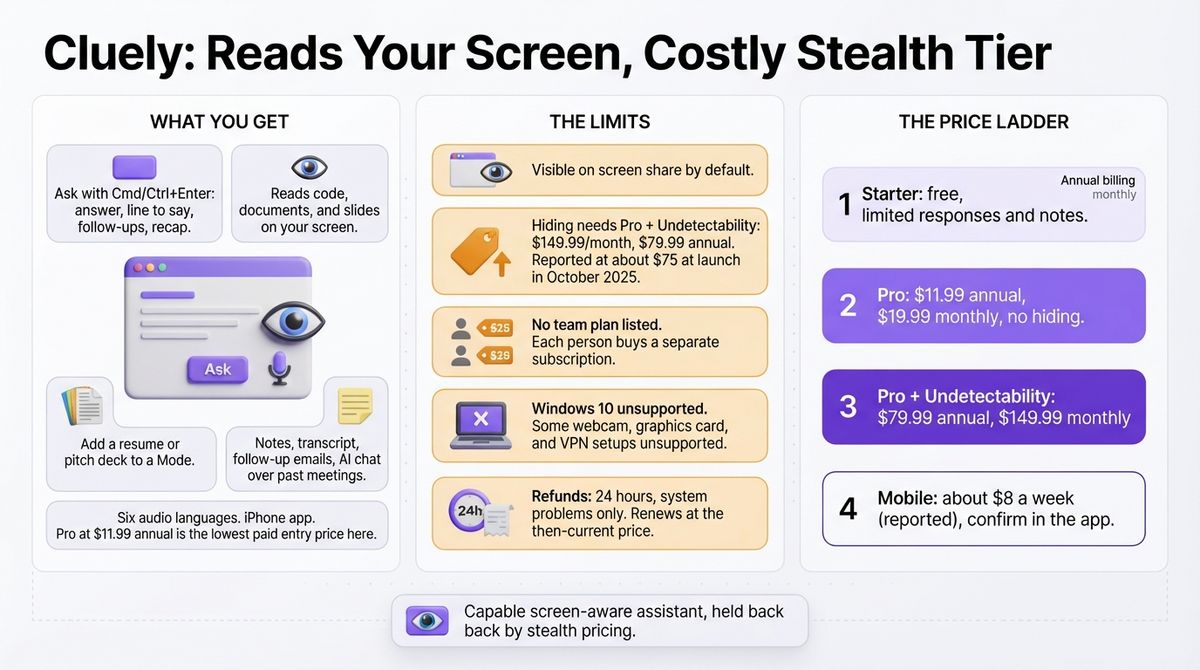
Cluely gives answers on demand. You click Ask or press Cmd/Ctrl+Enter, and it reads the conversation and your screen. It returns an answer, a line to say, follow-up questions, or a recap. Screen reading is its clearest advantage, because it can respond to code, a document, or a slide you have open. You can add a resume or pitch deck to a Mode so answers use your own material.
After the call, Cluely gives notes, a transcript, drafted follow-up emails, and an AI chat over past meetings. An iPhone app covers in-person conversations. Its help center lists six audio languages, including French, German, Italian, and Portuguese. Pro at \$11.99 a month billed annually is the lowest paid entry price in this comparison, and the free Starter plan lets you test it first.
Where Cluely falls short
Cluely’s help center says the app is visible to screen share by default. Hiding it requires the Pro + Undetectability plan at \$149.99 a month, or \$79.99 a month billed annually, based on pricing snapshots from November 2026. According to one pricing review, that plan launched on October 22, 2025 at about \$75 a month, so the monthly price has doubled. A year of hiding costs \$959.88 on annual billing, or \$1,799.88 month to month. Pro without hiding costs \$143.88 a year.
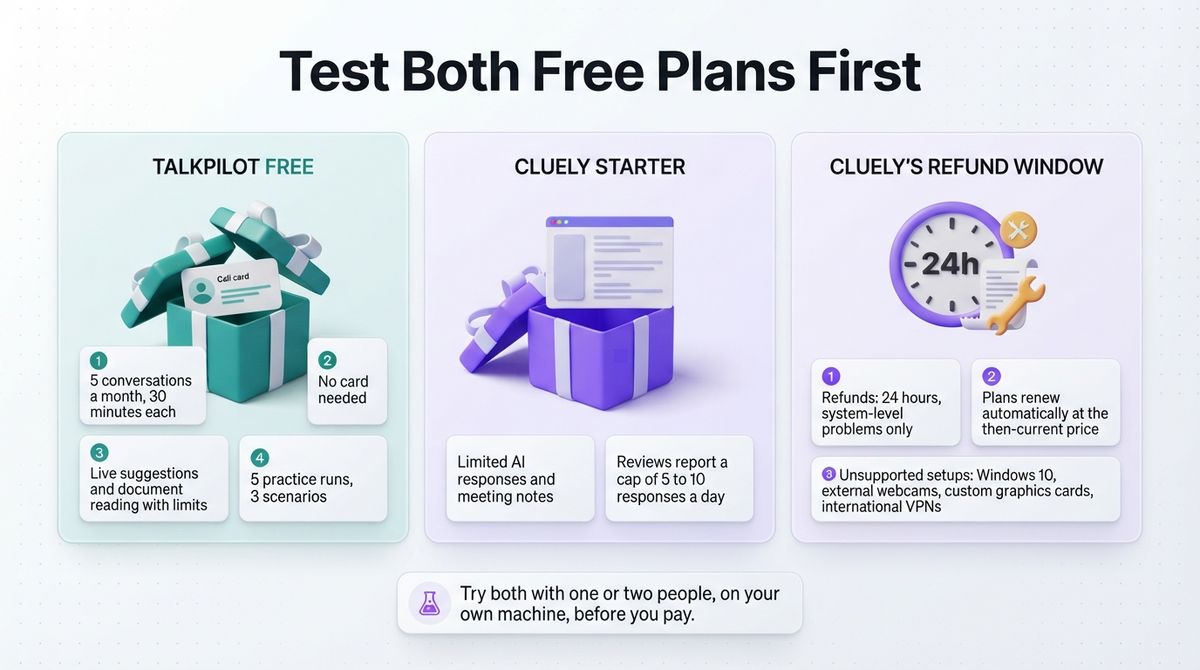
For a team, Cluely has no team plan on the pricing pages I reviewed, so each person buys a separate subscription with no shared playbook, manager view, or call scoring. Setup limits add friction. The help center says Windows 10 is unsupported, which matters if your office still runs older PCs, and it lists laptops with external webcams, custom gaming graphics cards, and international VPNs as unsupported setups.
Refunds are limited to 24 hours for system-level problems, and plans renew automatically at the then-current price. The company’s record also calls for caution. In March 2026, Roy Lee admitted that a \$7 million revenue figure he gave TechCrunch in 2025 was false, and one report puts the true figure near \$5.2 million. Social posts in early November 2026 suggest Cluely is promoting unrelated consumer apps, which I could not confirm, so check its roadmap before prepaying for a year.
Cluely pricing
| Plan | Price | What you get |
|---|---|---|
| Starter | Free | Limited AI responses and meeting notes (reviews report a cap of 5 to 10 responses a day) |
| Pro | \$19.99/month, or \$11.99/month billed annually | Unlimited notes and in-meeting AI help; no screen-share hiding |
| Pro + Undetectability | \$149.99/month, or \$79.99/month billed annually | Everything in Pro, plus hidden from meeting screen-sharing software |
| Mobile | About \$8/week (reported; confirm in the app) | iPhone app for in-person conversations |
Cluely: Pros and Cons
Pros:
- Reads your screen, so it can help with code, documents, and slides
- Pro at \$11.99 a month billed annually is the lowest paid entry price here
- Six audio languages, including French, German, Italian, and Portuguese
- Notes, transcript, drafted follow-up emails, and AI chat over past meetings
- iPhone app for in-person meetings

Cons:
- Screen-share hiding costs $149.99amonth($79.99 billed annually)
- Windows 11 only, with several unsupported setups
- Refunds limited to a 24-hour window for system problems
- Founder admitted an inflated revenue claim in March 2026
- No practice mode, CRM integration, or team plan on the pricing pages I reviewed
Rating: 3.5 / 5, a capable screen-aware assistant, held back by stealth pricing and a shaky company record.
Head-to-Head Comparison Table
| Feature | TalkPilot | Cluely |
|---|---|---|
| Built around | Coaching toward your goal, with your context loaded before the call | Answers on demand |
| Before the call | Pre-call brief, your documents, who you are, calendar, and CRM contact | Add a resume or pitch deck to a Mode |
| Live help | Comes in by itself after each turn (Nudges, Teleprompter), or when you ask (Standby) | Ask button or Cmd/Ctrl+Enter |
| Integrations | HubSpot, Salesforce, Slack, Gmail, Outlook, Asana, Jira, Monday; Claude and ChatGPT connector | No CRM integration listed |
| Free plan | 5 conversations a month, 30 minutes each | Starter, limited responses |
| Entry paid price | \$20/month | $19.99/month($11.99 billed annually) |
| Screen-share hiding | Included in Pro (Mac, Windows), opt-in | Pro + Undetectability only, \$149.99/month |
| 12-month cost per seat with hiding | \$240 | \$959.88 annual billing, \$1,799.88 monthly |
| 3-year cost per seat with hiding | \$720 | \$2,879.64 annual billing, \$5,399.64 monthly |
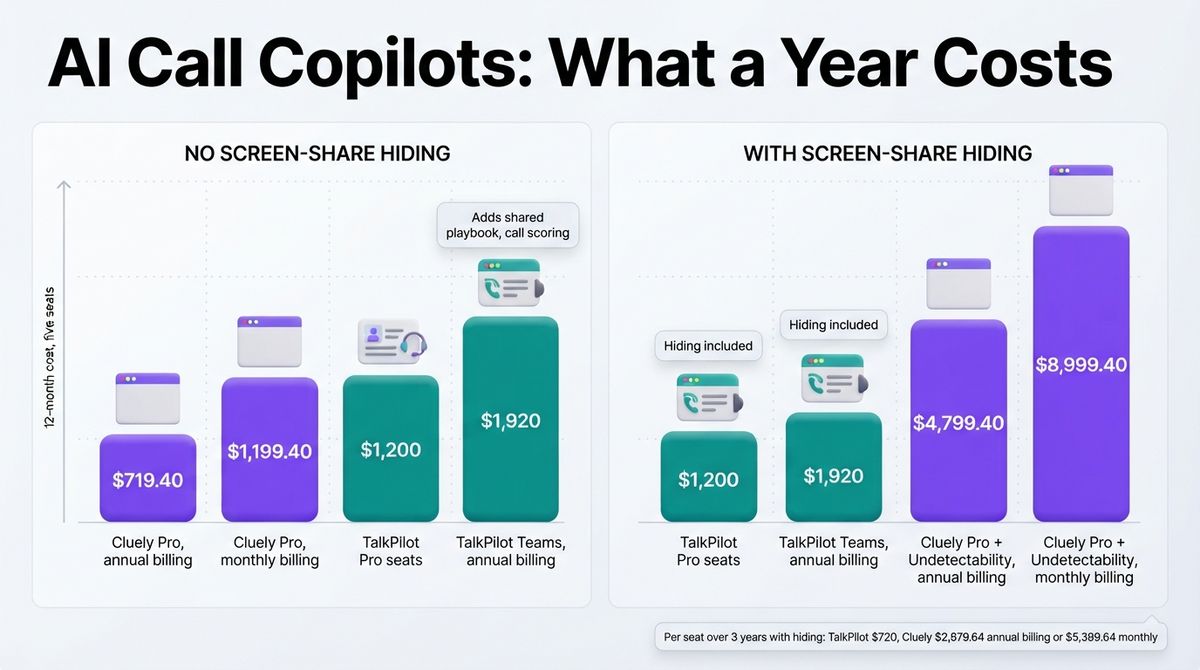
| 5-seat team, 12 months, no hiding | \$1,200 on Pro seats, \$1,920 on Teams billed annually | \$719.40 annual billing, \$1,199.40 monthly |
| 5-seat team, 12 months, with hiding | \$1,200 on Pro seats, \$1,920 on Teams billed annually | \$4,799.40 annual billing, \$8,999.40 monthly |
| Reads your screen | No | Yes |
| Languages | English and Spanish, follows the call | 6 audio languages |
| Platforms | Mac, Windows, iPhone, Android | Mac, Windows 11, iPhone |
| Practice mode | Yes, voice roleplay scored out of 100 | None listed |
| After the call | Takeaway, action items, follow-up draft, Deep Dive | Notes, transcript, follow-up drafts, AI chat |
| Team features | Teams from \$32/seat for 3+ users, with shared playbook and call scoring | None listed |
| Audio storage | Audio streams for live transcription and is never saved; transcript only | Retention terms not confirmed; read its privacy policy |
| Track record | Young, few reviews | Larger audience, founder revenue retraction in March 2026 |
| My rating | 4.2 / 5 | 3.5 / 5 |
Which Should You Choose?
- Choose TalkPilot if you want help that already knows your goal, your documents, and your deal, comes in on its own during sales discovery, support, or renewal calls, and connects to your CRM and team tools, with practice before and a recap after.
- Choose TalkPilot if you have three or more people and want a shared playbook, approved answers, and call scoring in a Teams plan.
- Choose TalkPilot if you want screen-share hiding without a premium plan, since it is included in every Pro and Teams seat on Mac and Windows.
- Choose Cluely if your people work from what is on their screen, such as code, spreadsheets, or contracts, and each person can hold a separate subscription.
- Choose Cluely if your calls are in French, German, Italian, or Portuguese.
- Choose neither if you only need notes. A free notetaker or your video app’s built-in transcript costs nothing, and our AI meeting assistants comparison covers that route.

Whichever you choose, set a written team policy before rollout. Many regions require consent before you record or transcribe a call, hidden AI help may break meeting, exam, or employer rules, and customer conversations pass through a third-party tool. Disclose it to customers up front. Clear compliance policies are equally vital when deploying reliable team chat software for small teams.
Our Recommendations
- Solo owner or two-person business: TalkPilot Pro at \$20 a month per person, since Teams starts at three seats. You still get your brief and documents loaded before every call, live prompts, practice, and screen-share hiding.
- Sales or support team of three to ten: TalkPilot Teams at \$32 per user per month billed annually. Shared playbooks, approved answers, and call scoring give the owner a view of every call.
- Team that onboards new hires often: TalkPilot Teams, because new people can rehearse by voice and see approved answers during live calls.
- Technical team, such as developers or support engineers: Cluely Pro billed annually at \$11.99 per person per month, because it reads code and documents on screen.
- Business selling in French, German, Italian, or Portuguese: Cluely Pro, since TalkPilot covers only English and Spanish.
- Team that needs screen-share hiding: TalkPilot Pro or Teams. Five seats cost \$1,920 a year on Teams against \$4,799.40 on Cluely’s annual Undetectability plan.
Final Verdict
- TalkPilot: 4.2 / 5
- Cluely: 3.5 / 5
TalkPilot is the better choice for most small teams. It knows each call before it starts, offers help without being asked, connects to the tools your team already uses, and adds team features, all at a lower price, with screen-share hiding included in every Pro and Teams seat. Its weak points are the English and Spanish limit, the three-seat minimum on Teams, and a short track record.
Cluely wins if your people need screen reading or French, German, Italian, or Portuguese support. Its hiding tier costs four to seven times more per seat than TalkPilot Pro, and the company’s history of inflated revenue claims and shifting focus calls for caution. Test both free plans with one or two people before paying, because Cluely’s refund window is 24 hours and covers only system problems.
Frequently Asked Questions
What is the main difference between TalkPilot and Cluely?
TalkPilot is a call copilot that knows your goal, documents, and deal before the call, offers help on its own as the conversation moves, scores practice sessions, and writes a recap, with screen-share hiding included in Pro. Cluely is a desktop assistant that reads your screen and mic when you ask, and sells screen-share hiding as a separate \$149.99 monthly plan.
Which is cheaper, TalkPilot or Cluely?
For five people billed annually, TalkPilot Teams costs \$1,920 a year with screen-share hiding included. Cluely Pro costs \$719.40 a year, but hiding requires Pro + Undetectability at \$4,799.40 for five seats. Without hiding, Cluely is cheaper. With hiding, TalkPilot costs less than half as much.
Can the other person see TalkPilot or Cluely on a screen share?
Both tools are visible on screen shares by default. TalkPilot offers an opt-in Undetectable mode in Pro on Mac and Windows. Cluely hides its window only on the Pro + Undetectability plan. Neither hides from a camera pointed at your screen or a person in the room, so check meeting, exam, and employer rules first.
Does TalkPilot or Cluely join the call as a bot?
No. Both run on your own device and capture audio from your computer or phone, so no notetaker bot appears in the participant list. That also means clients get no visible signal that an AI is listening, so tell them when recording or transcription consent laws in your region require it.
Does TalkPilot connect to my CRM and other tools?
Yes. TalkPilot pulls the contact from HubSpot or Salesforce, connects to Slack, Gmail, Outlook, Asana, Jira, and Monday, and has a connector for Claude and ChatGPT. Cluely’s pricing pages list no CRM integration.
Which operating systems do TalkPilot and Cluely support?
TalkPilot runs on Mac, Windows, iPhone, and Android. Cluely runs on Mac, Windows 11, and iPhone; its help center says Windows 10 is unsupported. It also lists laptops with external webcams, custom gaming graphics cards, and international VPNs as unsupported setups, so test the free plan on your machine before paying.
Do TalkPilot and Cluely have a team plan?
TalkPilot has Teams at \$32 per user per month billed annually, or \$40 monthly, from 3 users. It adds a shared playbook, approved answers, and a Command Center that scores every call. Cluely’s pricing pages list Starter, Pro, and Pro + Undetectability, with no team plan, so each person buys a separate subscription.
Do TalkPilot and Cluely have free plans?
TalkPilot’s free plan includes 5 conversations a month, up to 30 minutes each, with live suggestions, document reading with limits, and 5 practice runs, and needs no card. Cluely’s free Starter plan limits AI responses and meeting notes; reviews report a cap of 5 to 10 responses a day. Both are enough to test fit before paying.
Is it legal to use TalkPilot or Cluely on client calls?
Rules vary. Many regions require consent from every participant before you record or transcribe a call, and a no-bot tool gives clients no visible notice. Tell customers you use an AI assistant, and set a team policy. Using hidden AI in interviews, exams, or under employer policies can also break rules. This is general information, not legal advice.