Time is the one resource freelancers and small business owners can never get back, and most of them have no idea where it actually goes.
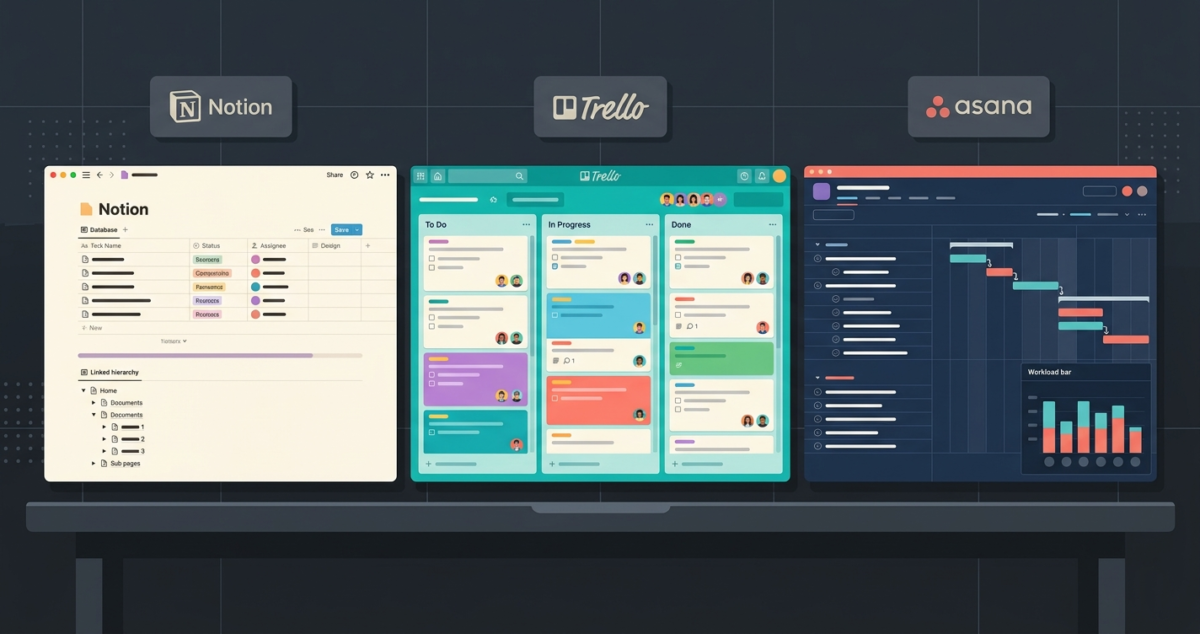
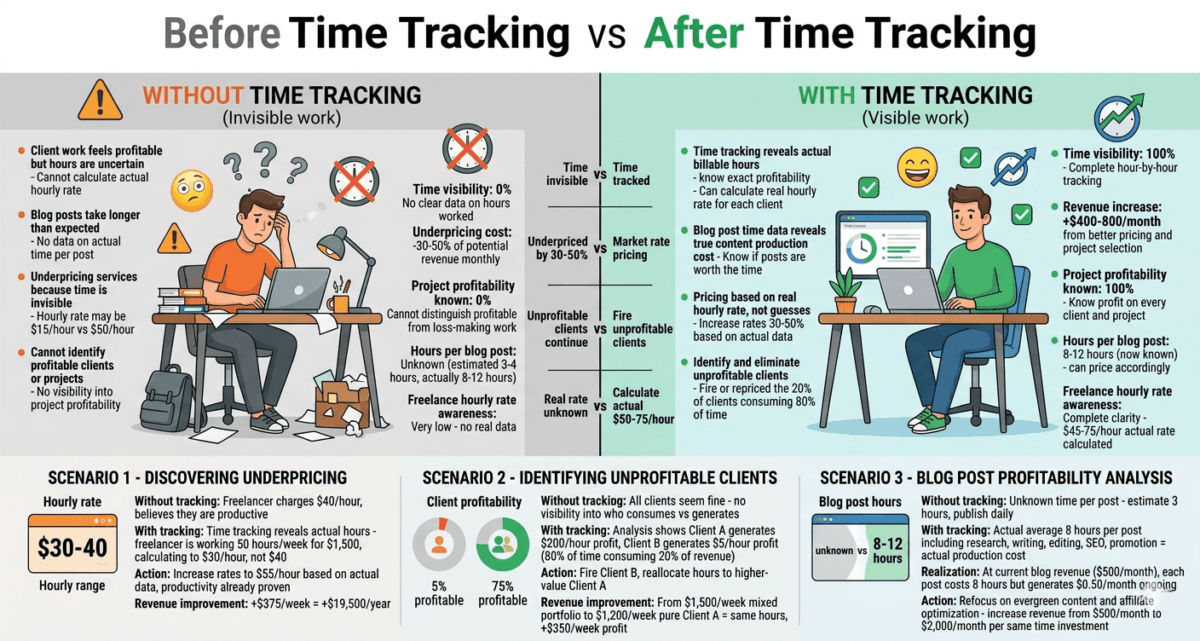
Studies consistently show that knowledge workers underestimate how long tasks take by 30–40%. Without accurate time tracking, freelancers underprice their services, agencies lose money on fixed-price projects, and business owners cannot identify which activities generate the most value per hour. For distributed workforces, tracking hours is less about micromanagement and more about resource allocation. To see how these numbers align with larger team frameworks, read about the best project management tools remote teams 2026.
Time tracking software fixes this. It records exactly how long you spend on every task and client, generates reports that reveal where your time actually goes, and, for freelancers who bill by the hour, automatically calculates what clients owe you.
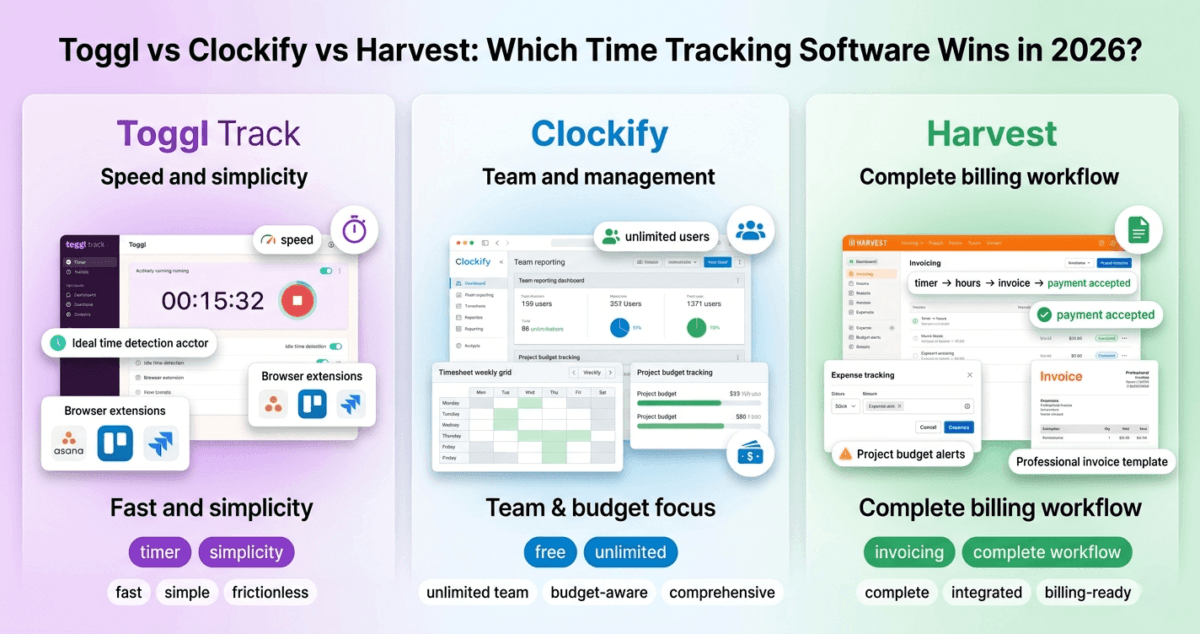
I tested Toggl Track, Clockify, and Harvest for 30 days across real freelance projects, client billing, and team workflows. Here is the honest comparison of Toggl vs Clockify vs Harvest.
Table of Contents
How We Evaluated These Tools
Every platform was tested across five criteria:
– Ease of use: How quickly can you start and stop a timer and log time accurately?
– Reporting: How clear and useful are the time reports for billing and analysis?
– Integrations: Does it connect with your project management and invoicing tools? Most professional time trackers feature native browser extensions that embed a start button directly into popular team apps, learn more in our review of the best project management software 2026.
– Team features: Can you track time across multiple team members?
– Value: Free plan quality and paid plan pricing versus features
Why Time Tracking Matters for Bloggers and Freelancers
A quick note on relevance before the comparison.
If you are building a blog while freelancing on the side, writing articles, doing SEO consulting, creating content for clients, time tracking has immediate practical value. It tells you which clients are profitable (paying well for the hours they consume) and which are consuming more time than they are worth.
It also reveals how much time your blog actually takes. Most bloggers dramatically underestimate the hours per post when they include research, writing, editing, image sourcing, formatting, and promotion. Knowing your real hourly rate, total blog income divided by total hours, is the most clarifying number you can calculate as a content creator.
Toggl Track Review: Best Time Tracking Tool for Freelancers
Free plan: Yes, unlimited time tracking, unlimited projects, up to 5 users
Starting paid price: $9/user/month (Starter, billed annually)
Best plan for most users: Free plan or Starter $9/user/month
Platforms: Web, Windows, Mac, Linux, iOS, Android, Chrome extension, Firefox extension
Affiliate program: Yes, Toggl affiliate program
Toggl Track is the most popular dedicated time tracking tool in the world, and its free plan is one of the most genuinely useful free tiers of any software tool in this comparison series. For freelancers and solo creators, Toggl free covers everything you need without spending a dollar.
What Toggl does best
Toggl’s one-click timer is the fastest and most frictionless of the three tools. Click the play button, type what you are working on, and time tracking begins immediately. No project selection required upfront, you can add project and client information after the fact. This frictionless start means you actually start the timer when you begin working, rather than postponing it until later (and then forgetting).
The idle detection feature is one of Toggl’s most practically useful capabilities. If your computer is idle for a defined period, you stepped away from your desk, got on a phone call, made coffee, Toggl detects the inactivity and asks whether to include or discard the idle time when you return. This keeps your records accurate without requiring constant manual attention.
Toggl’s browser extensions for Chrome and Firefox integrate with over 100 web tools, Asana, Trello, Notion, GitHub, Jira, Gmail, and more, adding a start timer button directly inside those interfaces. Tracking time against a specific Asana task or Trello card without switching apps is a significant workflow improvement for freelancers who work across multiple tools.
The reporting dashboard shows time breakdowns by project, client, team member, and tag. The Summary report gives you a clear picture of where time went over any period, day, week, month, or custom range. The Detailed report shows every individual time entry. Both are exportable as CSV or PDF for client invoicing or internal analysis.
Toggl’s Calendar view, introduced in recent updates, shows your tracked time as blocks on a calendar, making it easy to identify gaps (time you forgot to track) and overlaps (accidentally overlapping timers).
Where Toggl falls short
Toggl Track does not include invoicing. You can see exactly how many hours you worked for each client, but generating an invoice requires exporting the data and creating it in a separate tool, FreshBooks, Wave, or another invoicing platform. For freelancers who want time tracking and invoicing in one tool, Harvest is a better fit.
The free plan’s reporting is somewhat limited, the most advanced filtering and report customisation require the Starter plan at $9/user/month. For solo freelancers, the free plan’s reports are sufficient. For agencies tracking multiple team members and projects simultaneously, the paid plan becomes necessary.
Toggl pricing
Plan | Price/user/month | Users | Key features |
Free | $0 | Up to 5 | Unlimited tracking, projects, basic reports |
Starter | $9 | Unlimited | Billable rates, rounding, timeline, saved reports |
Premium | $18 | Unlimited | Fixed fee projects, forecasting, priority support |
Enterprise | Custom | Unlimited | Custom features, dedicated support |
Toggl: Pros and Cons
Pros:
– Best free plan, unlimited tracking and projects for up to 5 users
– Fastest, most frictionless timer, one click to start
– Idle detection keeps records accurate automatically
– Browser extensions integrate with 100+ web tools
– Calendar view identifies tracking gaps visually
– Available on every platform including Linux
– Excellent mobile apps for iOS and Android
Cons:
– No built-in invoicing, requires separate tool for billing clients
– Advanced reporting requires paid plan
– Free plan limited to 5 users, teams larger than 5 need paid plan
– Less invoice-focused than Harvest for billing workflows
– Billable rates require Starter plan
Rating: 4.7 / 5 Best free time tracking tool. Perfect for freelancers and small teams who bill via a separate invoicing tool.
Clockify Review: Best Completely Free Time Tracker for Teams
Free plan: Yes, unlimited users, unlimited projects, unlimited time tracking
Starting paid price: $3.99/user/month (Basic, billed annually)
Best plan for most users: Free plan, genuinely sufficient for most teams
Platforms: Web, Windows, Mac, Linux, iOS, Android, Chrome extension, Firefox extension
Affiliate program: Yes, Clockify affiliate program
Clockify is the most generous free time tracking tool available in 2026. Where Toggl’s free plan limits you to 5 users, Clockify’s free plan supports unlimited users with unlimited projects and unlimited time tracking, making it the most practical free solution for growing teams that need everyone tracking time without a per-seat subscription cost.
What Clockify does best
Clockify’s unlimited free plan is its defining feature. An agency with 20 employees, a startup with 50 contractors, or a non-profit with a large volunteer base can all use Clockify completely free, with no per-user cost and no artificial limits on projects or time entries. This is genuinely remarkable and rare in the software industry.
The time tracking interface covers all the formats most users need. The timer mode works like Toggl, one click to start, click to stop. The manual entry mode lets you type in start and end times for time already worked. The timesheet mode presents a weekly grid where you fill in hours spent on each project per day, a format familiar to anyone who has worked in a consulting or law firm.
Clockify’s reporting on the free plan is more comprehensive than Toggl’s free tier. Summary, detailed, and weekly reports are all available without a paid subscription. Reports can be filtered by user, project, client, task, and tag, and exported as PDF, CSV, or Excel. For team managers who need to see where everyone’s time is going, Clockify free provides enough reporting depth to make meaningful decisions.
The project dashboard shows real-time progress against estimated hours, you can set a time budget for each project and Clockify alerts you when you are approaching or exceeding it. This budget tracking feature prevents the scope creep that kills freelance project profitability.
Clockify integrates with over 80 tools via its browser extension and native integrations, Asana, Trello, Jira, GitHub, Notion, and others. The browser extension adds a timer button directly inside these tools, similar to Toggl’s integration approach.
Where Clockify falls short
Clockify’s interface, while functional, is less polished than Toggl’s. The design feels utilitarian, it prioritises functionality over aesthetic refinement. For users who spend significant time in the tool, this matters less than for those evaluating it in a brief demo.
Like Toggl, Clockify does not include invoicing on the free plan, invoicing requires the Pro plan at $7.99/user/month. The free plan also lacks idle detection, a feature Toggl includes that meaningfully improves tracking accuracy.
Clockify’s mobile app is functional but less refined than Toggl’s, occasional sync delays and a slightly cluttered interface make it less pleasant for mobile-first time tracking.
Advanced features like GPS tracking, screenshots, kiosk mode (for tracking time at physical locations), and approval workflows require paid plans and are primarily aimed at businesses managing field workers or remote teams requiring accountability monitoring.
Clockify pricing
Plan | Price/user/month | Key features |
Free | $0 | Unlimited users, unlimited tracking, basic reporting |
Basic | $3.99 | Time off, invoicing, custom fields |
Standard | $5.49 | Targets, bulk edit, scheduled reports |
Pro | $7.99 | GPS, screenshots, forecasting, approval |
Enterprise | $11.99 | Custom subdomain, SSO, priority support |
Clockify: Pros and Cons
Pros:
– Most generous free plan, unlimited users, projects, and time tracking
– Comprehensive free reporting, summary, detailed, and weekly reports
– Project budget tracking with alerts on free plan
– Timesheet mode for weekly time entry, familiar format for many users
– Integrates with 80+ tools via browser extension
– Available on all platforms including Linux
– Most affordable paid plans, Basic at $3.99/user/month
Cons:
– Less polished interface than Toggl
– No idle detection on free plan
– Invoicing requires paid plan
– Mobile app less refined than Toggl
– GPS and screenshot monitoring features raise privacy concerns for some users
– Less smooth timer experience than Toggl
Rating: 4.5 / 5 Best completely free time tracker for teams of any size. The unlimited free plan is unmatched in the industry.
Harvest Review: Best Time Tracking Tool With Built-In Invoicing
Free plan: Yes, 1 user, 2 projects (very limited)
Starting paid price: $11/user/month (Pro, billed annually)
Best plan for most users: Pro $11/user/month
Platforms: Web, Mac, Windows, iOS, Android, Chrome extension
Affiliate program: Yes, Harvest affiliate program, up to $50 per referral
Harvest takes a different approach from Toggl and Clockify. Rather than focusing purely on time tracking, Harvest combines time tracking with invoicing, expense tracking, and project budgeting in a single integrated tool. For freelancers and agencies that bill clients by the hour, this integration eliminates the friction of exporting time data and manually creating invoices.
What Harvest does best
Harvest’s time-to-invoice workflow is the most seamless of any tool tested. You track time against projects and clients throughout the week. At billing time, select the tracked hours you want to invoice, click “Create Invoice,” and Harvest generates a professional invoice populated with the exact hours and rates, no data entry, no spreadsheet exports, no manual calculations. Send the invoice directly from Harvest and accept payment via Stripe or PayPal.
This end-to-end workflow, from timer to paid invoice, in a single tool saves meaningful time for freelancers who manage billing alongside their work. The alternative (Toggl or Clockify for tracking, FreshBooks or Wave for invoicing) requires data export, import, and manual reconciliation that Harvest eliminates entirely.
Project budgeting is Harvest’s strongest feature after invoicing. Every project can have a time budget (e.g. 40 hours) or a fee budget (e.g. $5,000). Harvest tracks actual hours against the budget in real time and sends email alerts when you reach 80% and 100% of the budget. For agencies running fixed-price projects, this budget monitoring prevents the scope creep that erodes project profitability.
The reporting in Harvest is the most visually clear of the three tools. The client report shows exactly how many hours you have worked for each client this month, this quarter, and this year, with uninvoiced hours clearly flagged. The team report shows each team member’s tracked hours and capacity utilisation. Both are immediately actionable.
Harvest integrates directly with popular project management tools, Asana, Basecamp, Trello, and others, and with accounting software including QuickBooks and Xero, automatically pushing invoice data to your accounting system without manual entry.
Where Harvest falls short
Harvest’s free plan is nearly unusable, 1 user and 2 projects is insufficient for any real business. Virtually every Harvest user needs the Pro plan at $11/user/month, making it the most expensive option on this list.
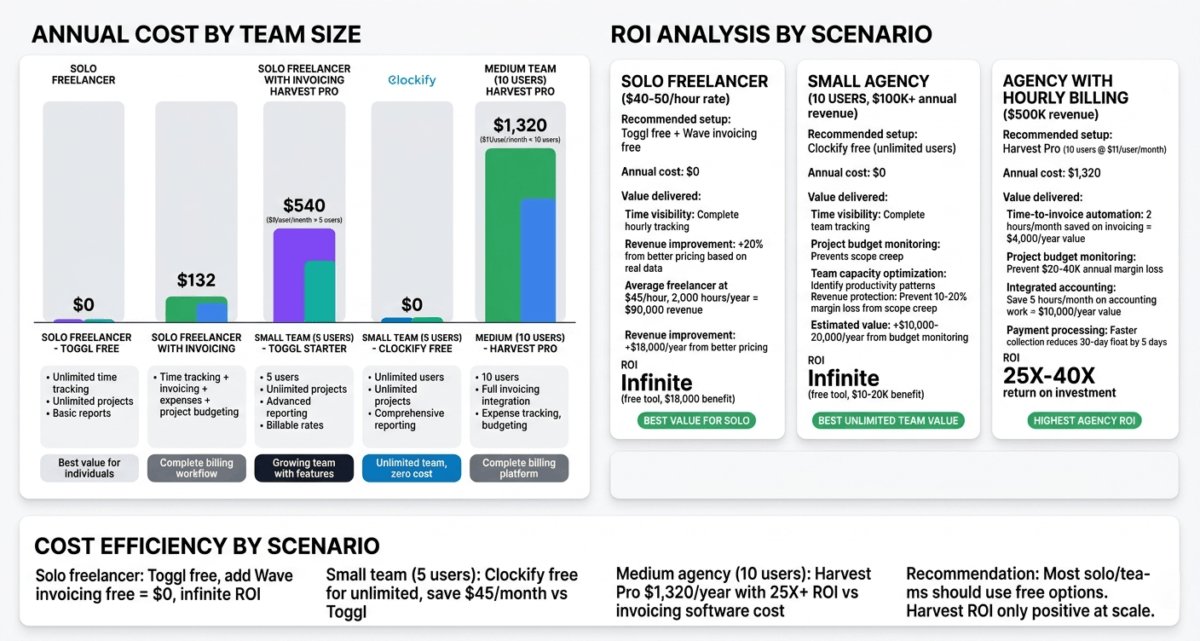
For teams on tight budgets, paying $11/user/month for time tracking, when Clockify provides tracking free and Toggl provides it for $9/user/month with more features, is difficult to justify unless Harvest’s invoicing integration is specifically valuable to your workflow.
The timer interface, while functional, feels slightly less polished than Toggl’s. The one-click timer works, but the overall experience is more form-focused than Toggl’s streamlined simplicity.
Harvest also lacks a Linux desktop app, available on Mac and Windows only, with browser access for Linux users.
Harvest pricing
Plan | Price/user/month | Users | Key features |
Free | $0 | 1 | 2 projects only, very limited |
Pro | $11 | Unlimited | Unlimited projects, invoicing, expense tracking, integrations |
Harvest has a simple pricing structure, free (barely usable) or Pro ($11/user/month for everything). There is no middle tier.
For a solo freelancer: $11/month for unlimited projects, time tracking, invoicing, and expense tracking, good value when it replaces a separate invoicing tool.
For a team of five: $55/month, more expensive than Toggl Starter ($45) or Clockify Standard ($27.45) for equivalent users, but includes invoicing that those tools require additional subscriptions to provide.
Harvest: Pros and Cons
Pros:
– Best time-to-invoice workflow, track time, generate invoice, accept payment in one tool
– Built-in expense tracking alongside time tracking
– Project budget monitoring with automatic email alerts
– Most visually clear reporting, uninvoiced hours immediately visible
– Direct integration with QuickBooks and Xero for accounting sync
– Stripe and PayPal payment acceptance built in
– Excellent for agencies and freelancers who bill hourly
Cons:
– Most expensive, $11/user/month with no useful free plan
– Free plan limited to 1 user and 2 projects, practically unusable
– More expensive than Toggl + Wave combined for equivalent functionality
– No Linux desktop app
– Timer interface less polished than Toggl
– Overkill for users who do not need integrated invoicing
Rating: 4.4 / 5 Best time tracking tool for freelancers and agencies who bill hourly and want time tracking and invoicing in one place.
Head-to-Head Comparison
Toggl Free | Toggl Starter | Clockify Free | Harvest Pro | |
Price | $0 | $9/user/mo | $0 | $11/user/mo |
Free users | Up to 5 | Unlimited | Unlimited | 1 only |
Unlimited projects | Yes | Yes | Yes | No (free) / Yes (paid) |
Idle detection | Yes | Yes | No | No |
Browser extension | Yes (100+ tools) | Yes | Yes (80+ tools) | Yes |
Invoicing | No | No | Paid plan | Yes (Pro) |
Expense tracking | No | No | No | Yes |
Project budgeting | No | Yes | Yes (free) | Yes |
Timesheet entry mode | No | No | Yes | Yes |
Reporting (free) | Basic | Advanced | Comprehensive | N/A |
Mobile apps | Excellent | Excellent | Good | Good |
Linux support | Yes | Yes | Yes | No desktop app |
Best for | Freelancers/solo | Small teams | Larger free teams | Hourly billing |
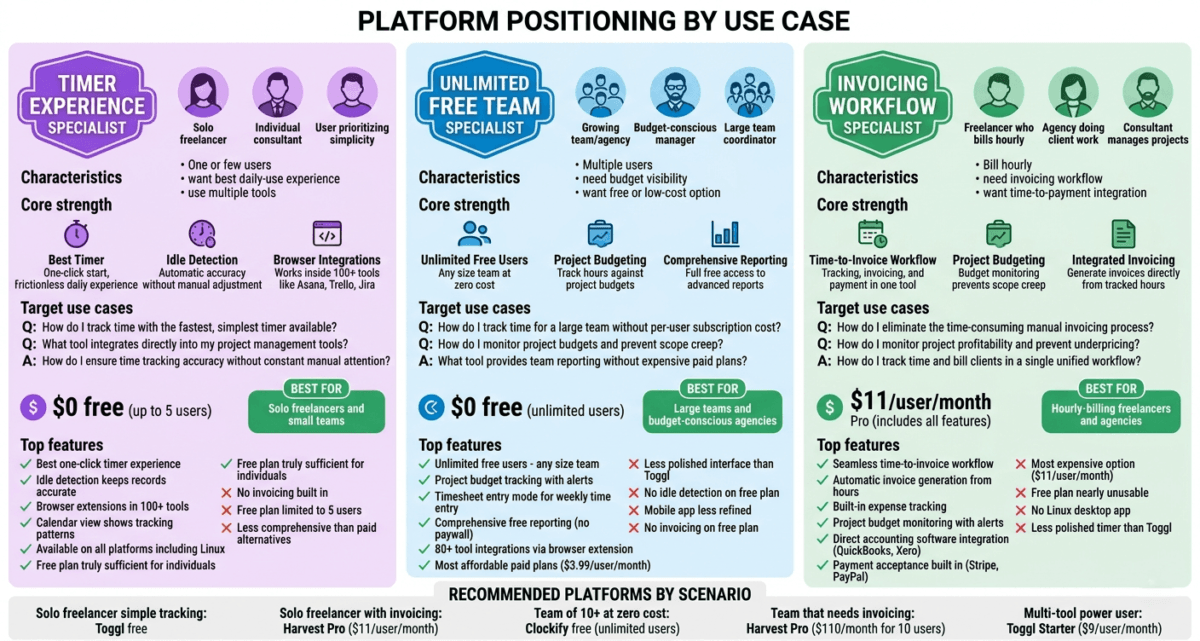
Which Time Tracking Tool Should You Choose?
Choose Toggl Track Free if:
You are a solo freelancer or in a team of up to 5 people and want the best time tracking experience at zero cost. Toggl’s one-click timer, idle detection, and browser integrations make it the most pleasant daily-use time tracker available. Use it alongside Wave or FreshBooks for invoicing.
Choose Clockify Free if:
You have a team larger than 5 people and need everyone tracking time without a per-seat subscription cost. Clockify’s unlimited free plan is unmatched for team time tracking, a 20-person agency can track time across all client projects for free. The comprehensive free reporting makes it practical for team management without paying anything.
Choose Harvest Pro if:
You bill clients by the hour and want the most seamless time-to-invoice workflow available. If you currently track time in one tool and manually create invoices in another, Harvest’s integration of both functions in a single tool will save you meaningful time each billing cycle. Particularly valuable for freelancers and agencies with 3–20 billable team members.
The Blogger Time Tracking Setup
For bloggers specifically, here is the recommended time tracking approach:
Track these activities separately:
– Writing (per post, track each post individually to know your real time per post)
– Research (often underestimated and unpaid in freelance content rates)
– SEO and keyword research
– Social media promotion
– Email newsletter creation
– Site maintenance and technical work
– Client communication (if freelancing alongside blogging)
Use Toggl free with a project for each blog post and client. After one month you will know exactly how long each post takes, which clients consume disproportionate time, and your real hourly rate from blogging income.
This data is transformative for pricing freelance work, deciding which affiliate niches to pursue, and understanding which blog activities deserve more or less of your time.
Final Verdict
Toggl Track is the best time tracking tool for most freelancers and small teams, the free plan is genuinely excellent, the timer experience is the most frictionless available, and idle detection keeps records accurate without constant manual attention.
Clockify is the best free option for larger teams, the unlimited free plan supports teams of any size, making it the most practical solution for agencies and businesses that need everyone tracking time without a per-seat subscription.
Harvest is the best choice for freelancers and agencies who bill hourly and want time tracking and invoicing unified in a single tool. The $11/month cost is justified when it replaces a separate invoicing subscription.
Ratings:
– Toggl Track: 4.7 / 5
– Clockify: 4.5 / 5
– Harvest: 4.4 / 5
Frequently Asked Questions
What is the best free time tracking software in 2026?
Clockify offers the most generous free time tracking plan, unlimited users, unlimited projects, and unlimited time tracking at zero cost, including comprehensive reporting. Toggl Track’s free plan is excellent for individuals and teams of up to 5 users with a more polished timer experience. Both are genuinely usable free tools rather than crippled trials.
Is Toggl really free?
Yes. Toggl Track’s free plan supports up to 5 users with unlimited time tracking, unlimited projects, and basic reporting, with no time limit and no credit card required. The paid Starter plan at $9/user/month adds billable rates, advanced reporting, and timeline features. For solo freelancers and small teams, the free plan is sufficient for most needs.
What is the best time tracking app for freelancers?
Toggl Track is the best time tracking app for freelancers, its one-click timer, idle detection, and browser extensions make daily time tracking frictionless, and the free plan covers everything solo freelancers need. Harvest is the better choice for freelancers who want invoicing built in alongside time tracking, avoiding the need for a separate billing tool.
Does Harvest include invoicing?
Yes. Harvest Pro includes built-in invoicing that populates automatically from tracked hours, select the billable hours you want to invoice, click create, and Harvest generates a professional invoice with the exact time entries and rates. You can send invoices directly from Harvest and accept payment via Stripe or PayPal. This end-to-end workflow from timer to paid invoice is Harvest’s primary advantage over Toggl and Clockify.
Can I use time tracking software for a remote team?
Yes. All three tools support remote team time tracking. Clockify’s unlimited free plan makes it the most cost-effective for larger remote teams. Toggl Starter at $9/user/month adds billable rates and team reporting. Harvest Pro at $11/user/month includes team capacity reporting and project budget monitoring alongside time tracking. All three are accessible from any device and location via web or mobile apps.
What is the difference between Toggl and Clockify?
Toggl Track offers a more polished timer experience with idle detection and better mobile apps, but limits the free plan to 5 users. Clockify offers a less polished but functional experience with unlimited free users, any size team can use it for free. Toggl is better for solo freelancers and small teams who prioritise experience quality. Clockify is better for larger teams that need everyone tracking time at zero cost.
How do freelancers use time tracking for billing?
The typical workflow: start a timer when beginning work on a client project, stop it when done, and repeat throughout the day. At billing time, run a report filtered by client for the billing period, which shows total hours worked. For hourly billing, multiply hours by rate to calculate the invoice amount. Harvest automates this final step by generating the invoice directly from tracked hours. Toggl and Clockify require exporting this data to a separate invoicing tool. To select the perfect standalone companion app for this billing workflow, see our deep-dive into the best invoicing software freelancers 2026.
Is time tracking worth it for bloggers?
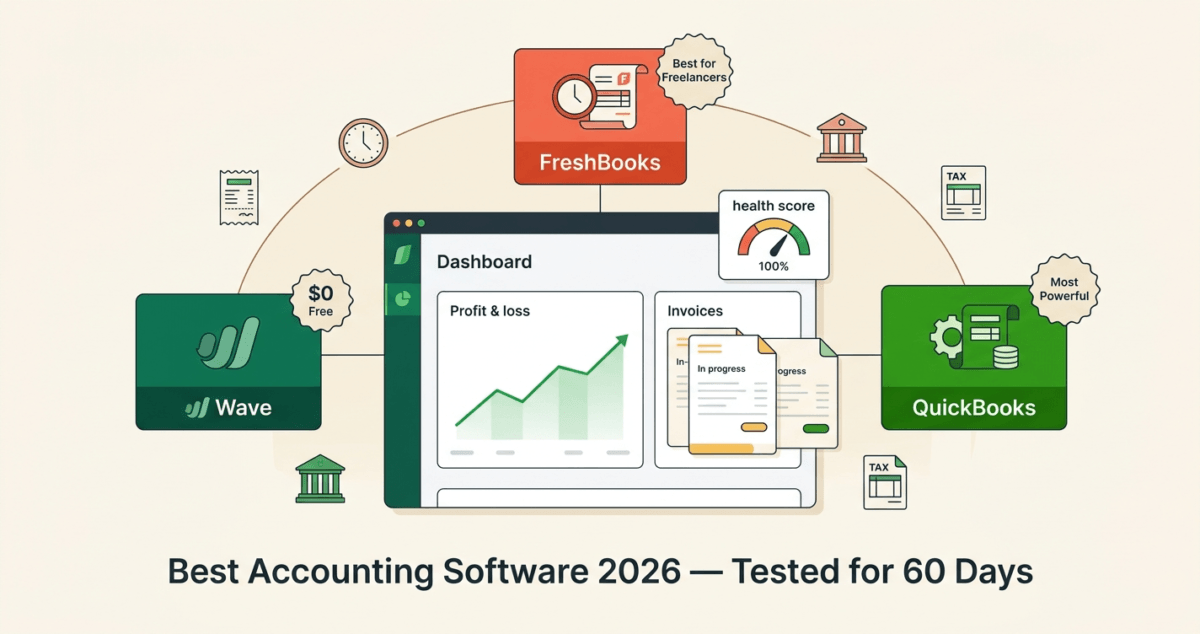
Yes, for two reasons. First, it reveals your real hourly rate from blogging income (total income divided by total hours), which is often lower than bloggers expect and motivates more efficient content production. Once you establish your profitability numbers, ensure they are filed correctly for tax season using the best accounting software small business 2026. Second, if you do any freelance writing or consulting alongside your blog, accurate time tracking ensures you bill correctly and identify which clients are most profitable per hour of your time.