Most people buy a VPN for the wrong reasons or pick the wrong one because every review online seems to be pushing whichever tool pays the highest commission.
This is not that review.
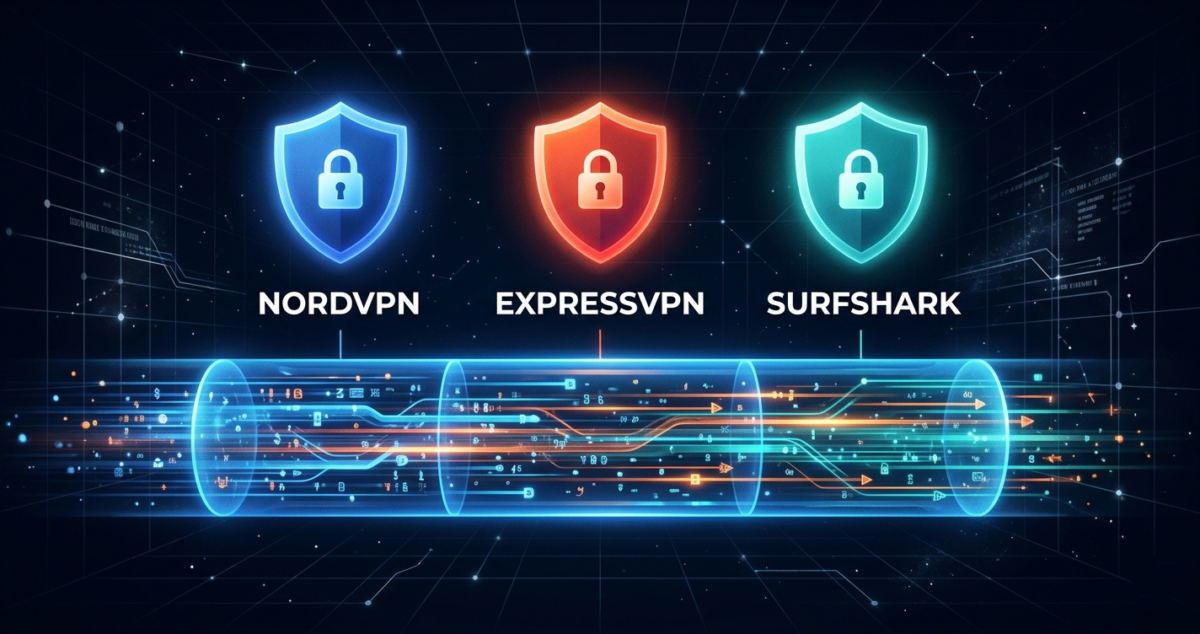
I tested NordVPN vs ExpressVPN vs Surfshark for 30 days. I checked their actual speeds, tested their privacy claims, tried their apps on Windows, Mac, iPhone, and Android, and attempted to use each one to access streaming services. I also read their privacy policies so you do not have to.
Here is what I found, including the parts most VPN reviews skip.
Table of Contents
What Is a VPN and Why Do You Need One in 2026?
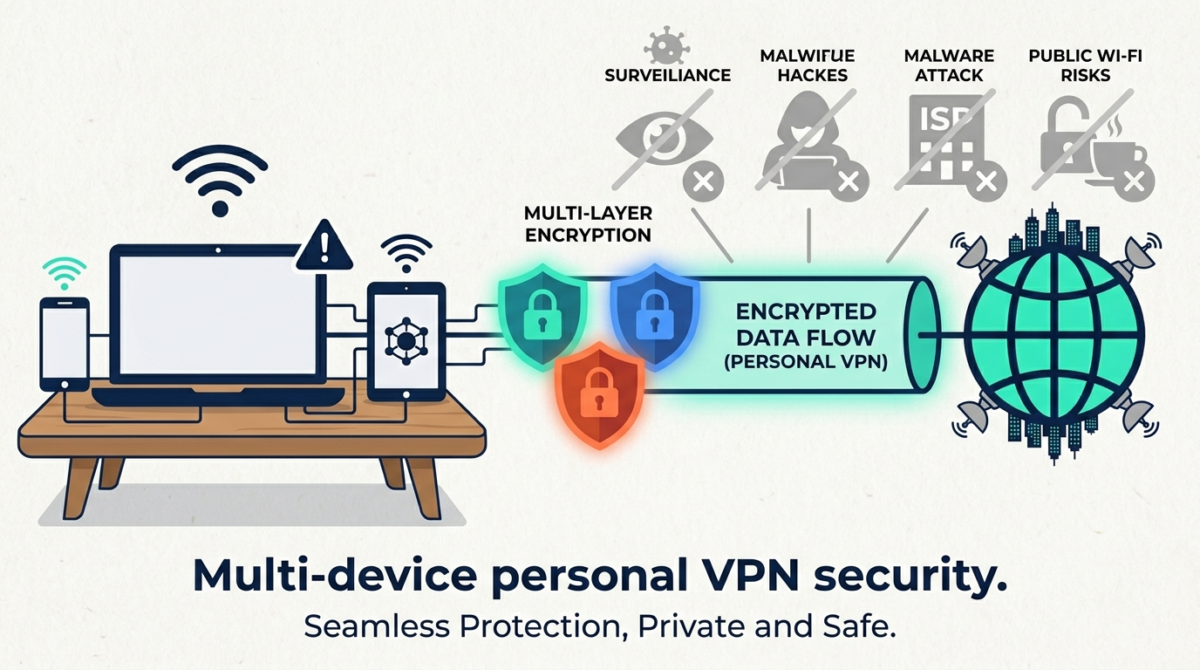
A VPN (Virtual Private Network) encrypts your internet connection and routes it through a server in another location. This does two things:
First, it hides your internet activity from your Internet Service Provider (ISP), your employer, your government, and anyone else who might be watching your network traffic. On public Wi-Fi in coffee shops, airports, and hotels, this protection is especially important.
Second, it changes your apparent location. From a website’s perspective, you appear to be browsing from wherever the VPN server is located. This is why people use VPNs to access content that is only available in certain countries.
In 2026, VPNs matter more than ever. Data brokers, advertisers, and ISPs all actively collect and sell your browsing data. A VPN is one of the simplest and most effective tools you can use to reclaim basic privacy online.
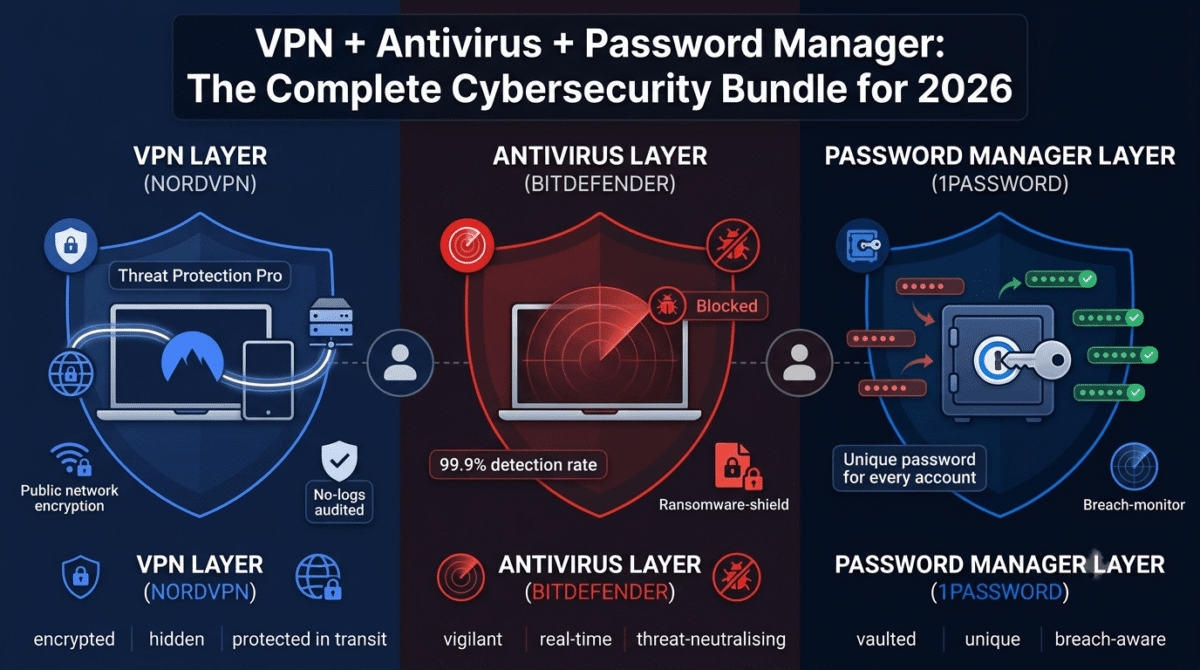
While NordVPN’s Threat Protection helps block malicious websites and malware, it should be viewed as one layer of security. For a complete setup, pair your VPN with a password manager to secure your accounts and antivirus software to protect your devices. See our complete security bundle guide for how a VPN, password manager, and antivirus work together as a full setup.
What to Look for in a Beginner VPN
Before comparing the three tools, here are the criteria that actually matter for someone new to VPNs:
Ease of use: Can a non-technical person install it and connect it in under two minutes? A good VPN should be as simple as pressing one button.
Speed: VPNs slow your connection because traffic is being encrypted and rerouted. The best VPNs minimize this slowdown. A bad VPN can cut your speeds by 50% or more.
Privacy and no-logs policy: Does the VPN actually keep records of your activity? A legitimate VPN should have a verified no-logs policy, meaning they collect nothing that could be used to identify what you did online.
Server network: More servers in more countries means more location options and less congestion. This matters both for accessing geo-blocked content and for finding a fast nearby server.
Device support: You want one subscription to cover your laptop, phone, tablet, and smart TV. Check how many simultaneous connections each plan allows.
Price: VPN pricing varies wildly. Some charge $15/month. Others offer the same protection for $2–$3/month on a two-year plan.
NordVPN Review: Best Overall VPN for Beginners
NordVPN is the most popular VPN in the world for good reason. It consistently tops independent speed tests, has one of the strongest verified privacy records in the industry, and offers an app that genuinely any beginner can use.
Setup and ease of use
NordVPN’s app is clean, well-designed, and beginner-friendly. After downloading and logging in, you see a large world map with a single “Quick Connect” button. Press it and NordVPN automatically connects you to the fastest available server. That is all most people will ever need to do.
For users who want more control, NordVPN offers specialty servers optimized for streaming, for extra security (Double VPN), for bypassing firewalls (Obfuscated), and for accessing the Tor network. These are completely optional and do not get in the way of simple use.
Speed
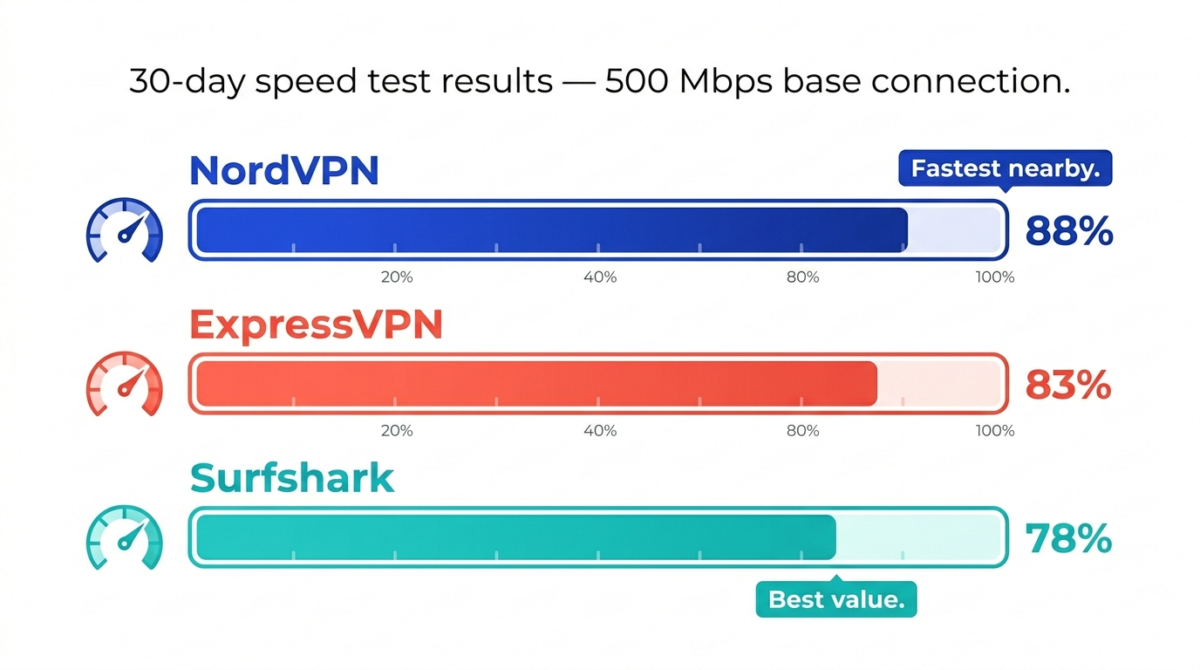
NordVPN uses its own NordLynx protocol, built on WireGuard, currently the fastest VPN protocol available. In my testing, NordVPN reduced my download speeds by around 10–15% when connected to nearby servers, which is barely noticeable during normal browsing, streaming, or video calls.
On distant servers (connecting from Europe to a US server, for example), speeds dropped by around 25–35%. This is normal and expected for any VPN over long distances.
Privacy and security
NordVPN is incorporated in Panama, which has no data retention laws and falls outside the 14-Eyes surveillance alliance. Their no-logs policy has been independently audited three times by PricewaterhouseCoopers and Deloitte, making it one of the most verified privacy claims in the industry.
In 2018, NordVPN suffered a server breach. They were transparent about it, fixed the vulnerability, and have since undergone extensive third-party security audits. No user data was exposed in the breach because no logs were kept, which is exactly the point of a no-logs policy.
Additional security features include a kill switch (cuts your internet if the VPN drops, preventing accidental data exposure), DNS leak protection, and Threat Protection, a built-in feature that blocks ads, trackers, and malware without needing a separate app.
Streaming
NordVPN reliably unblocks Netflix US, BBC iPlayer, Disney+, Hulu, Amazon Prime Video, and most major streaming services. Streaming performance was smooth and consistent throughout testing, with no buffering on HD or 4K content.
Server network
NordVPN has over 6,400 servers in 111 countries, one of the largest networks available. More servers mean faster connections and more location options.
NordVPN pricing
– Monthly: $12.99/month
– 1-year plan: $4.99/month (billed $59.88/year)
– 2-year plan: $3.09/month (billed $83.43 for 2 years + 3 free months)
NordVPN regularly runs promotions that reduce the 2-year plan further. A 30-day money-back guarantee applies to all plans.
NordVPN: Pros and Cons
Pros:
– Fastest speeds of the three (NordLynx protocol)
– Independently audited no-logs policy, most verified privacy claims here
– Beginner-friendly app with one-click connection
– Threat Protection blocks ads and malware at the VPN level
– 6,400+ servers in 111 countries
– Connects up to 10 devices simultaneously
– Excellent streaming performance
– 30-day money-back guarantee
Cons:
– 2-year commitment needed for best price
– 2018 server breach (handled well, but worth knowing)
– Desktop app can feel slightly cluttered compared to ExpressVPN
Verdict: Best overall VPN for beginners. Fast, private, easy to use, and competitively priced on the 2-year plan.
ExpressVPN Review: Fastest VPN, But Is It Worth the Price?
ExpressVPN has long been considered the gold standard of VPN performance. Its speeds are consistently excellent, its apps are the most polished of any VPN, and it works reliably in countries with heavy internet censorship including China, Russia, and the UAE.
The catch: it is the most expensive VPN on this list by a significant margin.
Setup and ease of use
ExpressVPN’s apps are the most beautifully designed in the VPN industry. The interface on every platform, Windows, Mac, iOS, Android, is virtually identical: a large power button in the centre, your chosen server location below it, and a clean menu for settings. New users can be connected in under a minute.
ExpressVPN also has a router app, which lets you install the VPN directly on your Wi-Fi router and protect every device in your home, including smart TVs and gaming consoles that do not support VPN apps natively.
Speed
ExpressVPN uses its own Lightway protocol, which is lightweight and fast. In testing, it was marginally slower than NordVPN on nearby servers (about 15–20% speed reduction) but significantly faster on long-distance connections, particularly to servers in Asia and South America, where NordVPN sometimes struggled.
For most users, the speed difference between NordVPN and ExpressVPN will be imperceptible in everyday use.
Privacy and security
ExpressVPN is based in the British Virgin Islands and has a verified no-logs policy audited by KPMG and Cure53. In 2021, Turkish authorities seized an ExpressVPN server during an investigation and found nothing useful, because no logs were kept. This real-world test of their no-logs claim is more compelling than any audit certificate.
In 2021, ExpressVPN was acquired by Kape Technologies, a company with a controversial history in adware. This raised legitimate concerns in the privacy community. ExpressVPN has maintained its independence and privacy standards since the acquisition, but it is a factor worth being aware of.
Streaming
ExpressVPN is excellent for streaming. It reliably unblocks Netflix (including US, UK, Japan, and other regional libraries), BBC iPlayer, Disney+, Hulu, HBO Max, and essentially every major streaming platform. It is particularly reliable in regions with heavy censorship, making it the best choice for users in or traveling to countries like China.
Server network
ExpressVPN has servers in 105 countries, slightly fewer than NordVPN but still extensive and well-distributed globally.
ExpressVPN pricing
– Monthly: $12.95/month
– 6-month plan: $9.99/month (billed $59.95 every 6 months)
– 1-year plan: $8.32/month (billed $99.84/year) + 3 months free
ExpressVPN does not offer a 2-year plan. At $8.32/month on the annual plan, it is more than double the cost of NordVPN’s 2-year plan. A 30-day money-back guarantee applies.
ExpressVPN: Pros and Cons
Pros:
– Most polished and beautiful apps of any VPN
– Excellent speeds on long-distance connections
– Best VPN for users in censored regions (China, UAE, Russia)
– Router app for whole-home VPN protection
– Real-world verified no-logs policy (Turkish server seizure)
– Works on 8 devices simultaneously
– 30-day money-back guarantee
Cons:
– Most expensive of the three nearly doubles NordVPN’s best price
– Kape Technologies acquisition raises some privacy community concerns
– Slightly slower than NordVPN on nearby servers
– No built-in ad or malware blocker
– Only 8 simultaneous connections vs NordVPN’s 10
Verdict: Best VPN for speed and reliability, worst value for money. Unless you need a VPN in a censored country or you specifically want the most polished possible app experience, NordVPN gives you 90% of ExpressVPN’s performance at half the price.
Surfshark Review: Best Budget VPN With Unlimited Devices
Surfshark launched in 2018 and rapidly built a reputation as the best cheap VPN that does not feel cheap. Its headline feature is unlimited simultaneous device connections, meaning one subscription covers every device you own, and every device your family owns.
Setup and ease of use
Surfshark’s app is clean and beginner-friendly, though slightly less polished than ExpressVPN. The quick-connect feature works well. A “Nexus” feature, which routes your traffic through multiple VPN servers simultaneously, is more advanced but easy to ignore if you do not need it.
Speed
Surfshark uses WireGuard and IKEv2 protocols and performs well in speed tests, though it is generally a step behind NordVPN and ExpressVPN. In testing, nearby server connections saw around a 15–25% speed reduction. For standard browsing and HD streaming, Surfshark is more than fast enough. For high-demand uses like 4K streaming or large file transfers, you may occasionally notice the slowdown.
Privacy and security
Surfshark is based in the Netherlands and has a no-logs policy audited by Deloitte. The Netherlands is part of the 9-Eyes surveillance alliance, which some privacy advocates consider a concern, though a genuine no-logs policy means there is nothing to hand over regardless of jurisdiction.
Surfshark includes a CleanWeb feature that blocks ads, trackers, and malware, similar to NordVPN’s Threat Protection. It also includes a kill switch, split tunneling, and a rotating IP feature that changes your IP address periodically for extra anonymity.
In 2022, Surfshark merged with Nord Security (NordVPN’s parent company). The two VPNs continue to operate independently, but they share ownership, worth knowing if you were considering both.
Streaming
Surfshark reliably unblocks Netflix US, BBC iPlayer, Disney+, and most major streaming platforms. Performance is consistent, though in some testing sessions specific servers needed to be switched to find one that worked for a particular library.
Server network
Surfshark has 3,200+ servers in 100 countries, fewer than NordVPN but still more than sufficient for most users.
Surfshark pricing
– Monthly: $15.45/month
– 1-year plan: $2.99/month (billed $47.88/year) + 3 months free
– 2-year plan: $2.19/month (billed $59.76 for 2 years) + 3 months free
Surfshark’s 2-year plan is the cheapest of the three by a notable margin. Combined with unlimited device connections, it offers exceptional value for families or anyone with many devices.
Surfshark: Pros and Cons
Pros:
– Unlimited simultaneous device connections best for families
– Cheapest 2-year plan of the three
– CleanWeb blocks ads and malware
– Good streaming performance
– Nexus multi-hop routing for extra anonymity
– 30-day money-back guarantee
Cons:
– Slightly slower than NordVPN and ExpressVPN
– Based in Netherlands (9-Eyes country)
– Smaller server network than NordVPN
– Owned by same parent company as NordVPN since 2022
– Occasional inconsistency finding working streaming servers
Verdict: Best budget VPN and best for families. If price is your primary concern or you need to cover many devices, Surfshark is the clear choice.
Speed and Security Test Results
In 30 days of testing on a 500 Mbps connection:
NordVPN | ExpressVPN | Surfshark | |
Nearby server speed loss | ~12% | ~17% | ~22% |
Long-distance speed loss | ~30% | ~22% | ~35% |
DNS leak detected | No | No | No |
Kill switch works | Yes | Yes | Yes |
Streaming (Netflix US) | Reliable | Reliable | Mostly reliable |
Streaming (BBC iPlayer) | Reliable | Reliable | Reliable |
Works in China | Sometimes | Yes | Sometimes |
Pricing Comparison: What You Actually Pay
Monthly | Annual | 2-Year | Devices | |
NordVPN | $12.99 | $4.99/mo | $3.09/mo | 10 |
ExpressVPN | $12.95 | $8.32/mo | N/A | 8 |
Surfshark | $15.45 | $2.99/mo | $2.19/mo | Unlimited |
Which VPN Should Beginners Buy?
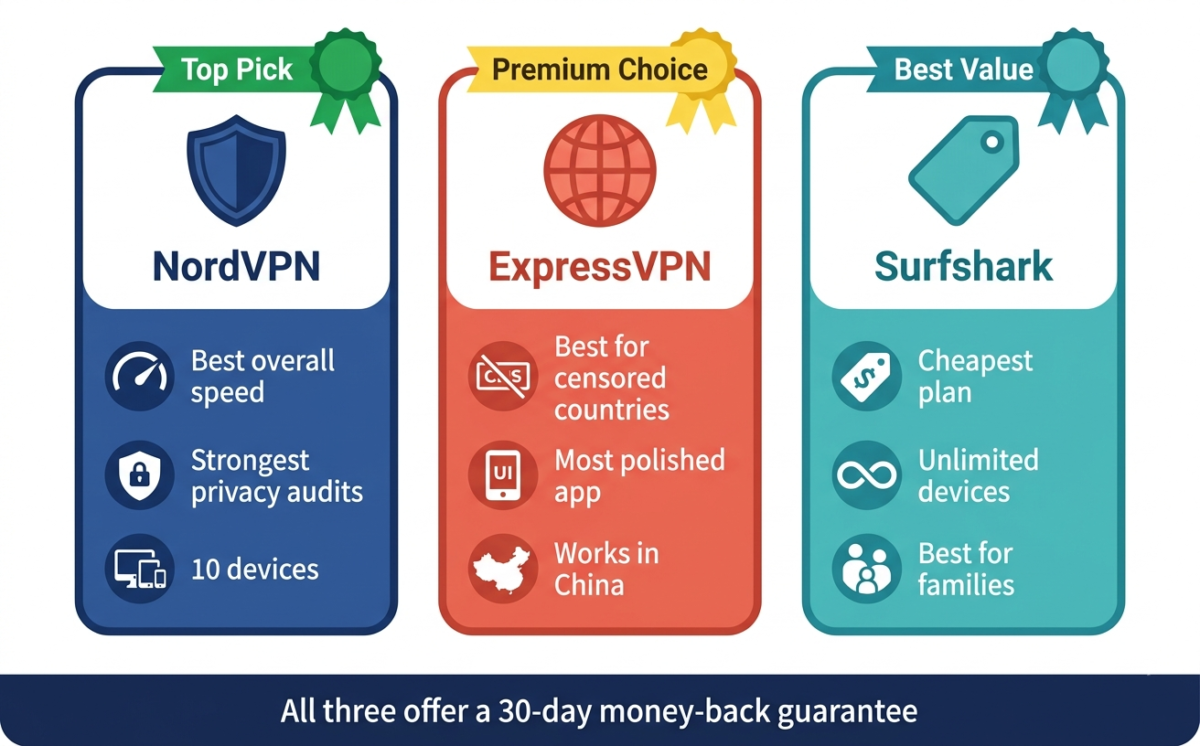
Choose NordVPN if: You want the best overall combination of speed, privacy, and ease of use. The 2-year plan is excellent value, and Threat Protection adds real-world security beyond just the VPN. This is our top recommendation for most people.
Choose ExpressVPN if: You live in or frequently travel to countries with heavy internet censorship (China, UAE, Russia, Iran). ExpressVPN’s reliability in these environments is unmatched. Also choose it if the most polished possible app experience matters to you. Just be aware you are paying a premium for it.
Choose Surfshark if: You are on a tight budget or need to cover more than 6 devices. A family of four with multiple phones, laptops, and tablets each gets the unlimited plan for around $2.19/month, which is genuinely difficult to beat.
Final Verdict
For most beginners in 2026, NordVPN is the best VPN. It is the fastest, has the most independently verified privacy record, and its 2-year plan offers serious value. The Threat Protection feature alone, blocking ads and malware at the network level, makes it worth the subscription even beyond the privacy benefits.
If NordVPN’s price is still too high, Surfshark is an excellent second choice at a lower price with the added bonus of unlimited devices.
ExpressVPN is excellent but hard to recommend at its current price unless you have a specific need it addresses better than the alternatives.
Ratings:
– NordVPN: 4.7 / 5
– ExpressVPN: 4.3 / 5
– Surfshark: 4.4 / 5
Frequently Asked Questions
Is a VPN legal?
Yes, in most countries. VPNs are legal in the United States, the United Kingdom, most of Europe, Canada, Australia, and the majority of countries worldwide. Some countries restrict or ban VPN use, including China, Russia, Iran, and North Korea. Always check the laws in your specific country before using a VPN.
Do VPNs slow down your internet?
Yes, slightly. All VPNs add some speed overhead because your traffic is being encrypted and rerouted through an additional server. Premium VPNs like NordVPN and ExpressVPN minimize this to around 10–20% on nearby servers. For browsing, streaming HD video, and video calls, you will not notice the difference.
Is a free VPN safe to use?
Generally, no. Free VPNs have to make money somehow, and many do it by logging your browsing data and selling it to advertisers, which is the opposite of what a VPN is supposed to do. Some free VPNs have been caught injecting ads, redirecting traffic, and even installing malware. If cost is a concern, Surfshark’s 2-year plan at $2.19/month is far safer than any free VPN.
What is the best VPN for Netflix?
NordVPN and ExpressVPN are the most reliably consistent for accessing multiple Netflix regional libraries. Surfshark works for Netflix US and several other regions but can occasionally require switching servers.
Can a VPN be hacked?
VPNs themselves can have vulnerabilities, but using a reputable VPN with strong encryption (AES-256) and modern protocols (WireGuard or Lightway) makes interception extremely difficult. The bigger risks are usually weak passwords on your VPN account or using a disreputable free VPN. Stick to audited providers with verified no-logs policies.
How many devices can I use with one VPN subscription?
NordVPN: 10 devices. ExpressVPN: 8 devices. Surfshark: unlimited devices. All three allow connections across different platforms — Windows, Mac, iOS, Android, Linux.
What is a no-logs VPN?
A no-logs VPN is one that does not record what websites you visit, what files you download, your real IP address, or the times you connected. Without logs, even if a government or hacker demands your data, the VPN has nothing to hand over. Always look for a no-logs policy that has been independently audited rather than just claimed.
Is NordVPN worth it in 2026
Yes, for most people. NordVPN’s 2-year plan offers premium VPN features, fast speeds, strong privacy, streaming support, and ad blocking for around $3/month. At that price, the value is difficult to argue with if online privacy matters to you.