Cybercrime costs the global economy over $8 trillion annually in 2026. Small businesses and individual bloggers are disproportionately targeted, not because they are high-value targets, but because they are low-resistance ones. Automated attacks scan millions of websites and email addresses daily, looking for the path of least resistance: weak passwords, unpatched software, unencrypted connections, and misconfigured servers.
The good news is that comprehensive cybersecurity protection does not require enterprise budgets or IT departments. A well-chosen stack of three to five tools, a VPN, an antivirus, a password manager, and a few free utilities, closes the vast majority of vulnerabilities that affect individual bloggers, freelancers, and small businesses.
This guide covers the complete Best Cybersecurity Tools in 2026, every category of protection you need, the best tool in each category, and the specific threats each tool prevents. Every recommendation has been tested on real systems across real threat scenarios.
Table of Contents
The Cybersecurity Threat Landscape in 2026
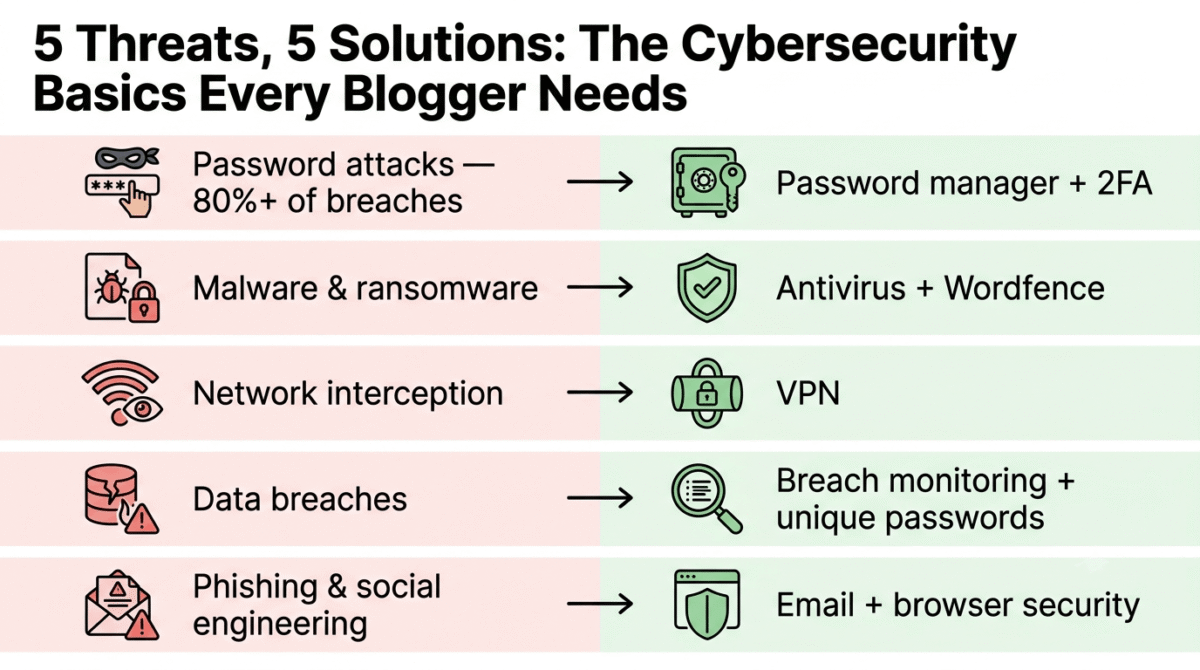
Understanding what you are protecting against makes tool selection purposeful rather than anxiety-driven:
Password attacks, the most common entry point. Credential stuffing (using leaked username/password combinations from data breaches to access other accounts), brute force attacks (systematically trying password combinations), and phishing (tricking users into entering credentials on fake login pages) account for over 80% of successful account compromises. Solution: password manager + two-factor authentication.
Malware and ransomware, malicious software that encrypts your files and demands payment, steals sensitive data, or hijacks your device for cryptocurrency mining. WordPress sites are frequently targeted with malware injections through vulnerable plugins. Solution: antivirus + Wordfence for WordPress.
Network interception, intercepting data transmitted over unencrypted connections, particularly on public Wi-Fi networks in coffee shops, airports, and co-working spaces. Any unencrypted data (login credentials, session cookies, business communications) is readable to anyone on the same network with basic tools. Solution: VPN.
Data breaches, third-party services you use getting hacked, exposing your username and password combinations. If you reuse passwords across services, one breach compromises every account using that password. Solution: unique passwords via password manager + breach monitoring.
Phishing and social engineering, deceptive emails, websites, and messages designed to trick you into revealing credentials, clicking malware links, or transferring money. Solution: email security + browser security tools + awareness.
Category 1: VPN, Encrypt Your Internet Connection
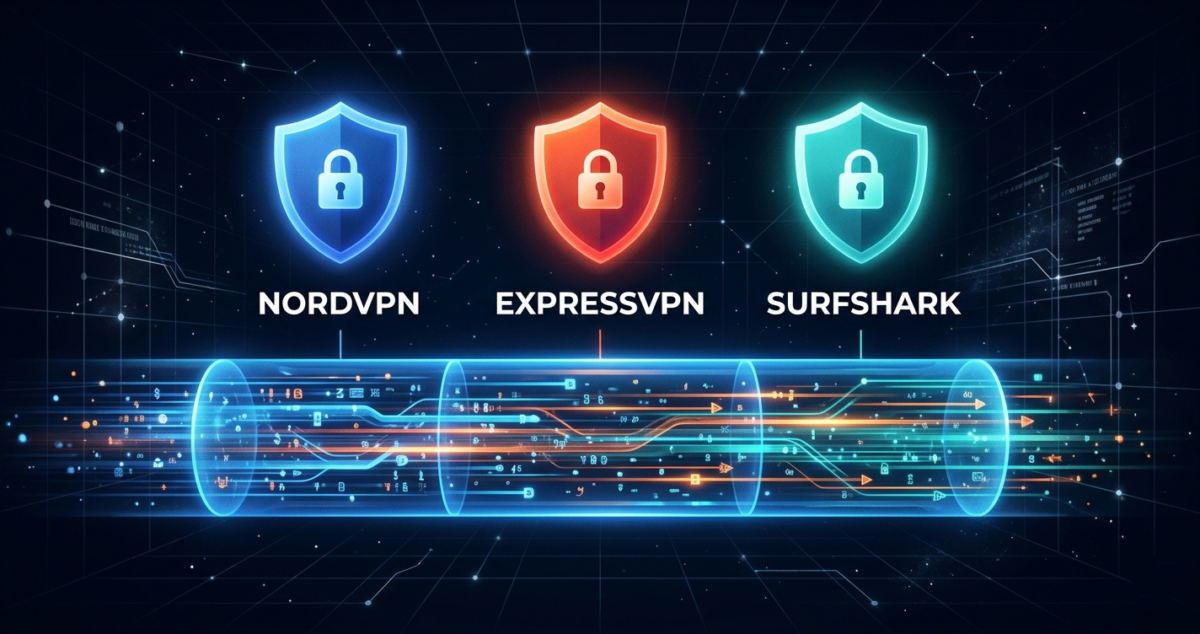
1. NordVPN, Best Overall VPN for Bloggers and Small Businesses
Price: $3.99/month (2-year plan) | $11.99/month (monthly)
Affiliate: 40% commission + 30% recurring on renewals
Full review: Best VPN for Beginners →
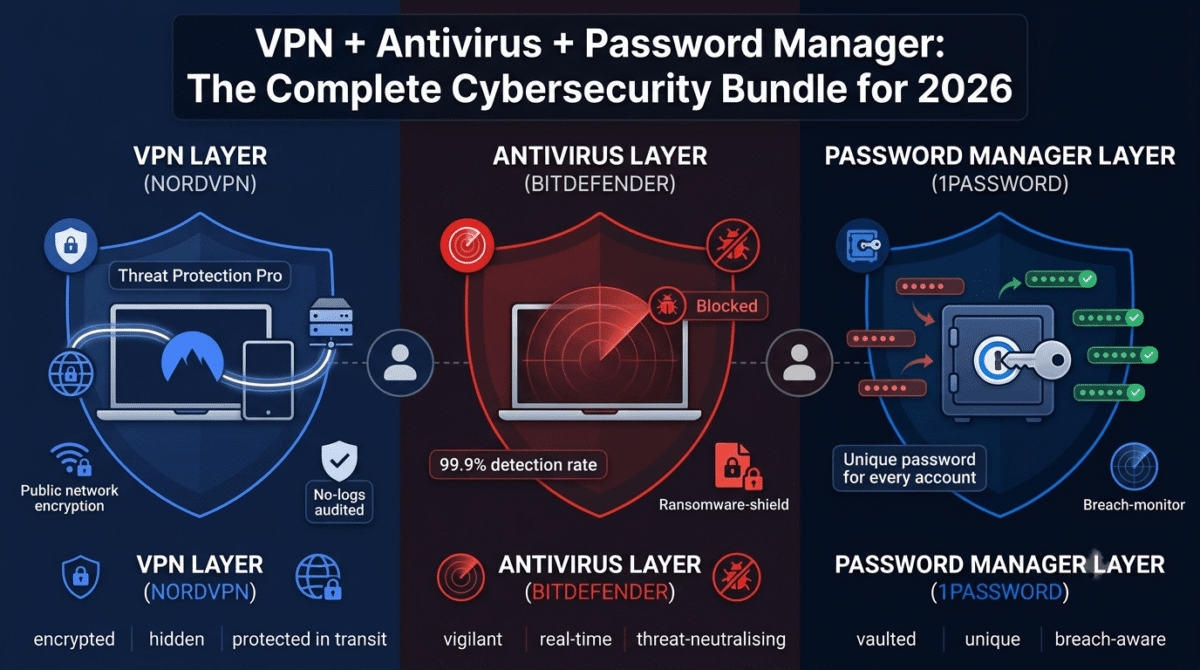
NordVPN is the most trusted consumer VPN in 2026, independently audited, no-logs verified, and consistently fast enough for video conferencing, large file transfers, and 4K streaming without noticeable slowdown. The combination of security, performance, and breadth of features makes it the recommended VPN for bloggers, freelancers, and small businesses.
What NordVPN protects against:
- Public Wi-Fi interception, encrypts all traffic on coffee shop, hotel, and airport networks
- ISP tracking, prevents your internet service provider from seeing your browsing activity
- Geographic surveillance, masks your IP address and location from websites and trackers
- Man-in-the-middle attacks, encrypted tunnel prevents traffic interception between your device and destination
Key NordVPN features for cybersecurity:
Threat Protection Pro, NordVPN’s built-in security layer that blocks malicious websites before you visit them, removes trackers from web pages, and scans downloaded files for malware. Threat Protection works even when the VPN is not active, functioning as a lightweight antivirus and ad blocker running continuously in the background.
Dark Web Monitor, scans dark web databases for your email address and alerts you when your credentials appear in breach data, enabling immediate password rotation before compromised credentials are exploited.
Meshnet, creates a private encrypted network between your own devices and trusted team members’ devices, enabling secure remote access to your home computer and encrypted peer-to-peer file sharing without routing through VPN servers.
Kill Switch, automatically blocks all internet traffic if the VPN connection drops unexpectedly, preventing unencrypted data from leaking during connection interruptions.
2. ExpressVPN, Best VPN for Speed and Streaming
Price: $6.67/month (12-month plan)
Affiliate: ExpressVPN affiliate program
Full review: Best VPN for Streaming →
ExpressVPN consistently ranks first or second in independent speed tests, the Lightway protocol delivers the lowest latency and highest throughput of any VPN protocol currently available. For bloggers who stream international content for research, remote workers on video calls, and users where VPN speed is the primary concern, ExpressVPN is the fastest option.
3. ProtonVPN, Best Free VPN for Privacy-Conscious Users
Price: Free (unlimited data, 3 countries) | $4.99/month (Plus)
No affiliate, recommended on merit
ProtonVPN is the only reputable VPN with a genuinely unlimited free plan, no data caps, no speed throttling, and a verified no-logs policy from the Swiss privacy-law-protected Proton organisation. For users who want VPN protection without a subscription commitment, ProtonVPN free is the only genuinely trustworthy free VPN option.
Warning about free VPNs: Most free VPNs monetize by selling user data, the precise opposite of what a VPN is meant to provide. ProtonVPN is the exception, its business model is subscription revenue from paid users, not data monetization from free users.
Category 2: Antivirus, Protect Against Malware and Threats
4. Bitdefender Total Security, Best Antivirus for Complete Protection
Price: $39.99/year (5 devices, first year) | $89.99/year (renewal)
Affiliate: Up to $70 per referral
Full review: Best Antivirus Software →
Bitdefender Total Security consistently scores 99.9%+ in independent malware detection tests (AV-Test, AV-Comparatives), the highest detection rate of any consumer antivirus with the lowest false positive rate. The combination of real-time protection, ransomware remediation, network threat prevention, and VPN (200MB/day included) makes it the most comprehensive single-subscription security package available.
What Bitdefender protects against:
- Viruses, trojans, worms, and traditional malware
- Ransomware, blocks encryption attempts and restores encrypted files from protected backups
- Spyware and keyloggers, detects software that captures passwords and screenshots
- Rootkits, detects deep-system compromises that evade standard detection
- Zero-day threats, behavioural AI detection catches new malware without signature updates
Key features for bloggers and small businesses:
Ransomware Remediation, monitors protected folders and automatically restores files from secure backups if ransomware begins encrypting them. The most practically important ransomware protection feature, not just detection but recovery.
Network Threat Prevention, scans network traffic for malicious patterns, blocking exploitation attempts targeting vulnerabilities in browsers, plugins, and operating systems before they execute.
Webcam and Microphone Protection, alerts you when any application attempts to access your webcam or microphone, preventing covert surveillance by malicious software.
Anti-Tracker, blocks advertising trackers and fingerprinting scripts across all browsers, reducing the data footprint visible to advertisers and data brokers.
VPN included, 200MB/day of Bitdefender VPN (sufficient for light secure browsing) is included in the Total Security package, eliminating the need for a separate VPN subscription for users whose VPN needs are modest.
5. Malwarebytes Premium, Best Malware Removal and Ransomware Protection
Price: $44.99/year (1 device) | $79.99/year (5 devices)
Affiliate: Malwarebytes affiliate program
Full review: Best Antivirus Software →
Malwarebytes is the most trusted malware removal tool, the application IT professionals use to clean infected systems because its detection engine catches threats that traditional antivirus sometimes misses. In 2026, Malwarebytes Premium combines real-time protection with its industry-leading malware removal capability, making it an excellent standalone antivirus or a complementary second-layer scanner alongside Bitdefender.
The free version, on-demand scanning with no real-time protection, is the best free malware scanner available. Running a free Malwarebytes scan monthly catches threats that may have slipped past your primary antivirus.
6. Wordfence Security, Best Antivirus for WordPress Websites
Price: Free | $119/year (Premium)
No affiliate, essential free tool
Full review: Best WordPress Plugins →
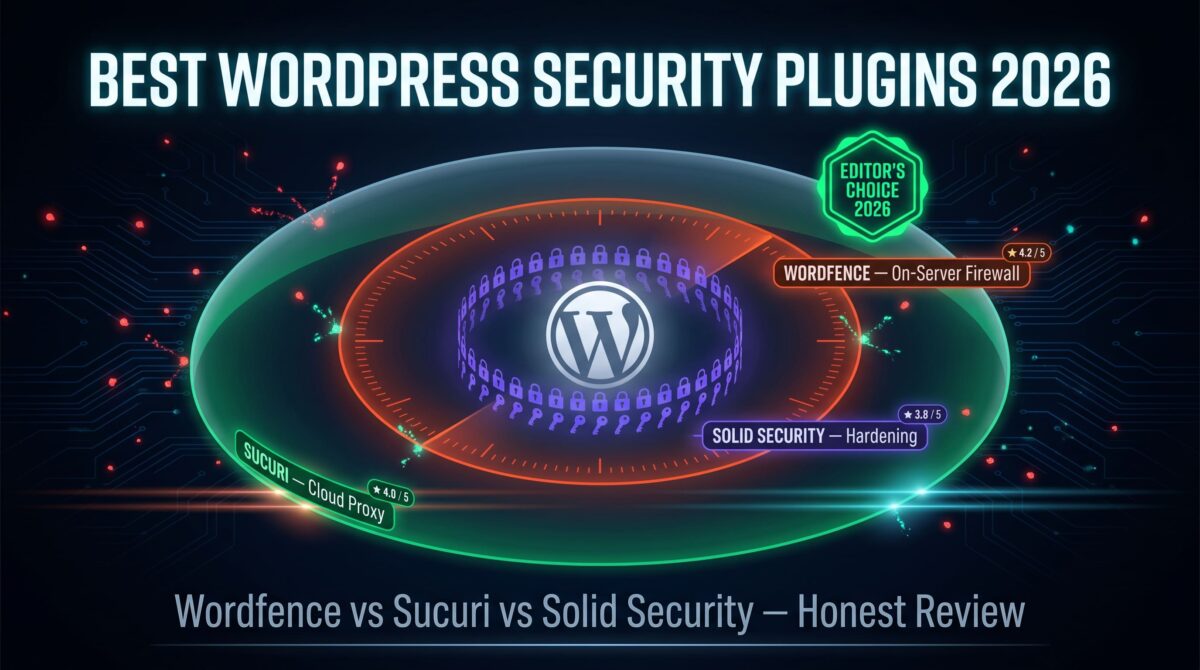
Traditional antivirus software protects your local device, it does not protect your WordPress website on a remote server. Wordfence fills this gap, a WordPress plugin that provides a web application firewall, malware scanner for WordPress files, and brute force login protection directly on your hosting server.
For bloggers running WordPress, Wordfence is as essential as device-level antivirus. WordPress sites are the most targeted websites on the internet, automated bots continuously probe for vulnerable plugins, weak admin passwords, and known security holes. Wordfence blocks these attacks before they reach your WordPress installation.
Essential Wordfence configuration:
- Enable firewall in Extended Protection mode (requires adding a line to .htaccess)
- Run a full malware scan immediately after installation
- Enable login security: 2FA for admin accounts, CAPTCHA on login page
- Set up email alerts for blocked attacks and scan results
- Schedule weekly automatic malware scans
Category 3: Password Management, Your Most Important Security Tool
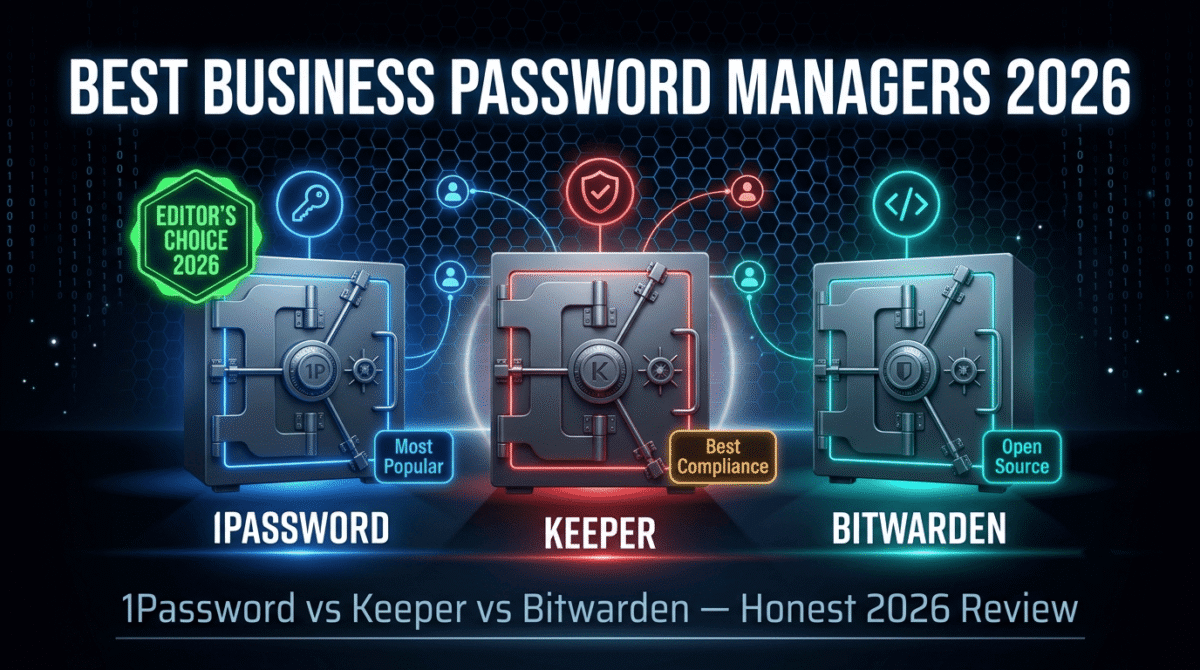
7. 1Password, Best Password Manager for Individuals and Teams
Price: $2.99/month (Individual) | $4.99/month (Families) | $19.95/month (Teams up to 10)
Affiliate: Up to $60 per referral
Full review: Best Password Managers →
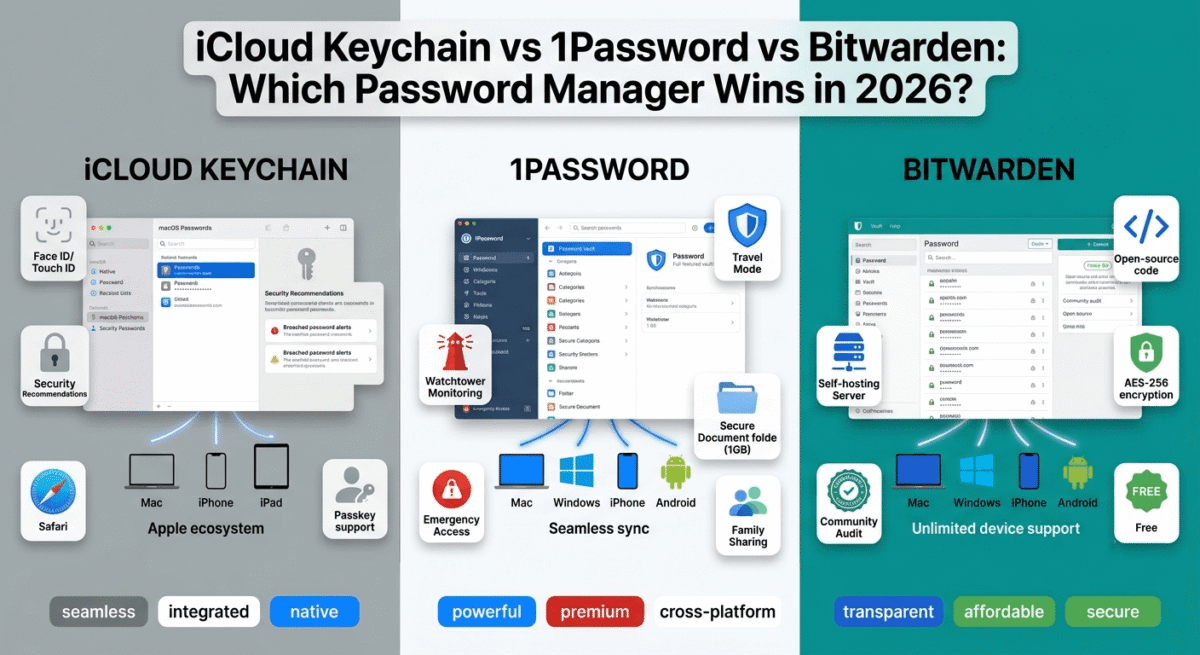
Password reuse is the single most exploited vulnerability in consumer cybersecurity, one leaked password from a data breach at any service becomes the key to every account using that password. 1Password eliminates this vulnerability by generating a unique, cryptographically strong password for every account and storing all passwords in an encrypted vault that autofills across all your devices.
The security mathematics: A 20-character random password (generated by 1Password) has 95^20 possible combinations, more than the number of atoms in the observable universe. A human-chosen password following common patterns (“Password123!”, “Summer2024!”) has far fewer effective possibilities and appears in leaked password databases that attackers use for credential stuffing.
Key 1Password security features:
Secret Key, in addition to your master password, 1Password requires a device-specific Secret Key for authentication. Stolen master passwords alone cannot access your vault, the attacker needs both your master password AND a previously authenticated device. This dual-factor vault protection has no equivalent in most competing password managers.
Watchtower, continuously monitors your saved passwords against the Have I Been Pwned breach database, flags weak and reused passwords, identifies accounts without two-factor authentication, and alerts you to websites with known security vulnerabilities. Watchtower turns reactive security (discovering you were breached) into proactive security (fixing vulnerabilities before exploitation).
Travel Mode, temporarily removes sensitive vaults from all devices when crossing international borders, preventing forced disclosure to customs officials or device theft during travel. Unique to 1Password among mainstream password managers.
Two-factor authentication management, stores TOTP (Time-based One-Time Password) codes for accounts with 2FA enabled, autofilling both password and 2FA code in a single interaction. Eliminates the friction that causes users to disable 2FA on important accounts.
8. Bitwarden, Best Free Password Manager
Price: Free (unlimited, all devices) | $10/year (Premium)
No affiliate, recommended because it is genuinely the best free option
Full review: Best Password Managers →
Bitwarden’s free plan provides unlimited password storage, cross-device sync, and browser autofill, all core password management functionality, at zero cost. The open-source codebase has been independently security-audited and is publicly inspectable, providing security transparency that proprietary tools cannot match.
For bloggers and freelancers who want password management without a subscription, Bitwarden free eliminates the primary cybersecurity vulnerability (password reuse) at zero cost. The Premium plan at $10/year adds TOTP 2FA storage, emergency access, and encrypted file storage, worth upgrading for the 2FA integration alone.
Category 4: Two-Factor Authentication, Your Second Line of Defence
9. Authy, Best 2FA App for Multi-Device Sync
Price: Free
No affiliate, essential free tool
Two-factor authentication (2FA) adds a second verification step to account logins, even if an attacker has your correct password, they cannot access your account without also having access to your 2FA device. Enabling 2FA on every important account (email, hosting, banking, AdSense, affiliate dashboards) is the single most impactful security improvement most users can make.
Authy is the best 2FA app because it syncs your 2FA codes across multiple devices, unlike Google Authenticator, which stores codes only on one device and cannot be recovered if that device is lost. Authy’s encrypted cloud backup means a lost phone does not mean lost 2FA access to all your accounts.
Accounts that must have 2FA enabled:
- Google account (Gmail, AdSense, Search Console, Analytics)
- Your hosting control panel (Hostinger hPanel)
- Your domain registrar (Namecheap, GoDaddy)
- All affiliate program accounts
- Your banking and payment accounts (PayPal, Payoneer)
- Social media accounts connected to your blog
10. Google Authenticator, Best Simple 2FA App
Price: Free
No affiliate, Google tool
Google Authenticator is the most widely compatible 2FA app, virtually every service that supports TOTP 2FA lists Google Authenticator as the primary option. Recent updates added encrypted backup and account transfer features, addressing its historical single-device limitation.
Authy vs Google Authenticator: Use Authy if you use multiple devices or want automatic cloud backup. Use Google Authenticator if you prefer to keep 2FA codes entirely local without cloud backup.
Category 5: Email Security
11. ProtonMail, Best Secure Email for Privacy-Sensitive Communications
Price: Free (1GB storage) | $3.99/month (Plus)
No affiliate, recommended on merit
ProtonMail provides end-to-end encrypted email, messages are encrypted before leaving your device, and only the intended recipient can decrypt them. ProtonMail cannot read your emails even if compelled by a court order, the encryption keys exist only on your devices, not on ProtonMail’s servers.
For bloggers handling sensitive communications, partnership negotiations, financial discussions, legal matters, or correspondence with confidential sources, ProtonMail provides email privacy that Gmail, Outlook, and standard email providers cannot offer regardless of their HTTPS implementation.
12. Have I Been Pwned, Best Free Breach Monitoring
Price: Free
No affiliate, essential free tool
Access: haveibeenpwned.com
Have I Been Pwned checks whether your email addresses have appeared in known data breaches, aggregating breach data from thousands of incidents into one searchable database. Enter your email address and discover immediately whether your credentials have been exposed.
The domain search feature, checking all email addresses at your domain against breach databases, is particularly valuable for businesses and bloggers using custom domain email. The free notification system alerts you by email when your address appears in future breaches.
Immediate action when your email appears in a breach:
- Change the password for the breached service immediately
- Change the same password on any other service where you used it (or use 1Password to identify where it was reused)
- Enable 2FA on the breached account if not already enabled
- Monitor your other accounts for suspicious activity
Category 6: Browser Security
13. uBlock Origin, Best Free Ad and Tracker Blocker
Price: Free and open source
No affiliate, essential free tool
uBlock Origin is the most effective and most efficient browser extension for blocking advertisements, tracking scripts, malware domains, and cryptomining scripts, using less memory and CPU than any competing blocker while providing the most comprehensive protection.
What uBlock Origin blocks:
- Advertising networks (including malvertising, malware delivered through ad networks)
- Tracking scripts from Google, Facebook, and hundreds of data brokers
- Known malware and phishing domains
- Cryptocurrency mining scripts that use your browser’s CPU
- Fingerprinting scripts that track you across sites without cookies
For bloggers who use AdSense: uBlock Origin does not affect AdSense on your own site, you see your own ads because your domain is not on block lists. It blocks ads on other people’s sites, which has no effect on your own AdSense revenue.
14. Privacy Badger, Best Automatic Tracker Learning Tool
Price: Free (EFF, Electronic Frontier Foundation)
No affiliate, privacy advocacy tool
Privacy Badger learns which trackers follow you across websites and automatically blocks them, without relying on a pre-made blocklist. The learning approach catches new trackers that have not yet been added to standard block lists. Run alongside uBlock Origin for complementary protection.
Category 7: Device and Data Security
15. VeraCrypt, Best Free Disk Encryption Tool
Price: Free and open source
No affiliate
VeraCrypt creates encrypted containers, password-protected volumes that appear as regular folders on your device but are completely inaccessible without the correct password. For bloggers storing sensitive business documents (contracts, financial records, client data), VeraCrypt provides military-grade encryption at zero cost.
Use VeraCrypt to encrypt: client contract files, financial records, affiliate program credentials backup, tax documents, and any sensitive business data that would cause harm if your device was lost or stolen.
16. Backblaze, Best Cloud Backup for Ransomware Protection
Price: $99/year (unlimited computer backup)
Affiliate: Up to $25 per referral
Full review: Best Cloud Backup Software →
Ransomware encrypts your files and demands payment for the decryption key. The most effective ransomware response is not paying the ransom, it is restoring from a backup made before the attack. Backblaze’s continuous backup retains version history (previous file versions before encryption), enabling complete restoration from pre-attack file states without paying any ransom.
Backblaze’s version history (30 days on standard plan, 1 year with the Extended History add-on) ensures that even if ransomware is not discovered immediately, clean versions of files are available for restoration from before the attack occurred.
The Complete Cybersecurity Bundle by Budget
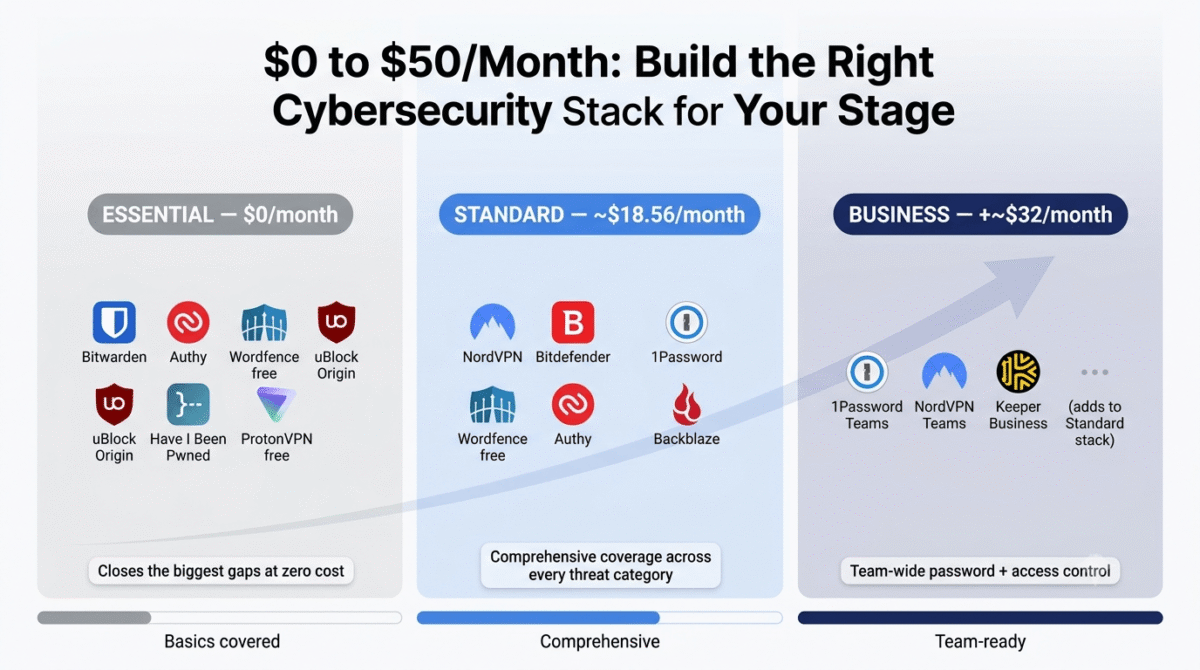
Essential Protection, $0/month (Free Tools Only)
Tool | Protection | Cost |
Bitwarden | Password management | Free |
Authy | Two-factor authentication | Free |
Wordfence free | WordPress security | Free |
uBlock Origin | Browser security | Free |
Privacy Badger | Tracker blocking | Free |
Have I Been Pwned | Breach monitoring | Free |
ProtonVPN free | VPN (basic) | Free |
Windows Defender | Antivirus (Windows built-in) | Free |
Total | $0/month |
This free stack closes the most critical vulnerabilities, password reuse, unprotected browsing, WordPress attacks, and breach awareness, at zero cost. Sufficient for bloggers in the early stages who cannot yet justify paid security subscriptions.
Standard Protection, ~$20/month
Tool | Protection | Cost |
NordVPN | VPN + threat protection | $3.99 |
Bitdefender Total Security | Antivirus + ransomware | $3.33 ($39.99/year) |
1Password | Password manager | $2.99 |
Wordfence free | WordPress security | Free |
Authy | 2FA | Free |
Backblaze | Ransomware-proof backup | $8.25 |
Total | ~$18.56/month |
This stack provides comprehensive protection across every major threat category, VPN encryption, malware detection, password security, WordPress protection, and ransomware-proof backup, for under $20/month.
Business Protection, ~$45/month (for teams)
Add to Standard stack:
| Tool | Protection | Cost |
|---|---|---|
| 1Password Teams | Team password management | $19.95/10 users |
| NordVPN Teams | Business VPN | $7/user |
| Keeper Business | Advanced access control + audit | $4.92/user |
| Additional monthly | ~$32/month |
Cybersecurity Checklist for Bloggers
Run through this checklist to assess your current security posture:
Passwords:
[✔ ] Using a password manager (1Password or Bitwarden) for all accounts
[✔ ] Every account has a unique password, no reuse
[✔ ] Master password is 20+ characters and memorable but not guessable
[✔ ] Emergency access or recovery plan in place for your password manager
Two-Factor Authentication:
[✔ ] 2FA enabled on Google account (Gmail, AdSense, Search Console)
[✔ ] 2FA enabled on hosting control panel
[✔ ] 2FA enabled on domain registrar
[✔ ] 2FA enabled on all affiliate program accounts
[✔ ] 2FA enabled on banking and payment accounts (Payoneer, PayPal)
[✔ ] Using an authenticator app (Authy) rather than SMS 2FA where possible
Device Security:
[✔ ] Antivirus active and updated (Bitdefender, Windows Defender, or equivalent)
[✔ ] Operating system and all software updated to latest versions
[✔ ] Screen lock enabled on all devices (phone, laptop, desktop)
[✔ ] Full disk encryption enabled (BitLocker on Windows, FileVault on Mac)
Network Security:
[✔ ] VPN active when using public Wi-Fi (NordVPN or ProtonVPN)
[✔ ] Home router firmware updated to latest version
[✔ ] Home Wi-Fi using WPA3 encryption (or WPA2 if WPA3 unavailable)
WordPress Security:
[✔ ] Wordfence or equivalent security plugin activ
[✔ ] WordPress core, all plugins, and theme updated to latest versions
[✔ ] Admin username is not “admin”
[✔ ] Strong admin password managed in 1Password
[✔ ] Login URL changed from default /wp-admin/ (WP Hide Login)
[✔ ] XML-RPC disabled
[✔ ] File editing disabled in wp-config.php (DISALLOW_FILE_EDIT)
[✔ ] Daily database backups and weekly full backups via UpdraftPlus to Google Drive
Monitoring:
[✔ ] Email address checked at haveibeenpwned.com
[✔ ] Google account breach monitoring enabled (in Google account security settings)
[✔ ] NordVPN Dark Web Monitor or Watchtower (1Password) active
[✔ ] Uptime monitoring active for website (UptimeRobot free)
Frequently Asked Questions
What are the most important cybersecurity tools for bloggers?
The three most important cybersecurity tools for bloggers are: a password manager (1Password or Bitwarden free), two-factor authentication (Authy) on all important accounts, and Wordfence on your WordPress site. These three tools together close the vulnerabilities responsible for the majority of account compromises and website hacks, the most impactful security improvements available at the lowest cost.
Do I need both a VPN and an antivirus?
Yes, they protect against different threats. A VPN encrypts your internet connection, protecting data in transit from network interception. An antivirus detects and removes malware on your device, protecting against malicious software that has already reached your system. NordVPN’s Threat Protection feature adds some malware and phishing protection, but it does not replace a dedicated antivirus for comprehensive device-level protection.
Is free antivirus good enough?
Windows Defender (built into Windows 10 and 11) has improved significantly and now scores comparably to many paid antivirus products in independent tests, sufficient basic protection for users who practice good security hygiene (updated software, password manager, 2FA). Paid antivirus like Bitdefender adds ransomware remediation, network threat prevention, and more sophisticated behavioural detection that Windows Defender lacks. For bloggers handling business data and income, the additional protection of a paid antivirus is worth the $40/year investment.
What is the most common way bloggers get hacked?
The three most common WordPress blog compromises are: (1) vulnerable plugins with known security holes that have not been updated, update all plugins immediately when updates are available; (2) weak or reused passwords, use 1Password to generate unique strong passwords for every account; (3) brute force login attacks on the default /wp-admin/ URL, Wordfence blocks these automatically and WP Hide Login changes the URL.
Is NordVPN safe?
Yes, NordVPN has been independently audited by PricewaterhouseCoopers (PwC) and Deloitte, verifying their no-logs policy. The audits confirm that NordVPN’s servers do not store user activity data. NordVPN is incorporated in Panama, which has no data retention laws requiring VPN providers to collect or retain user activity logs. Independent audits, not marketing claims, are the appropriate standard for evaluating VPN trustworthiness, NordVPN meets this standard.
How do I protect my WordPress site from hackers?
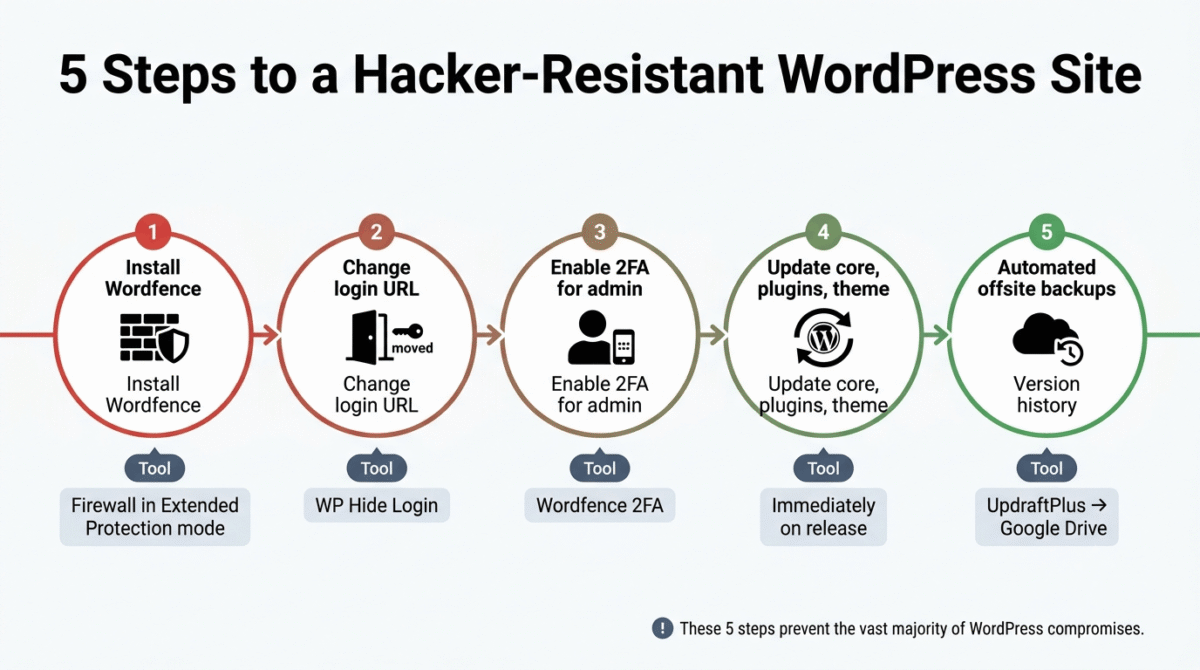
The five most impactful WordPress security measures are: (1) install Wordfence Security (free) and enable the firewall in Extended Protection mode; (2) change the admin login URL from /wp-admin/ to a custom path using WP Hide Login; (3) enable two-factor authentication for admin accounts via Wordfence; (4) keep WordPress core, all plugins, and your theme updated immediately when updates are released; (5) use UpdraftPlus to maintain automated daily backups stored offsite in Google Drive. These five steps prevent the vast majority of successful WordPress compromises.