I spent 30 days writing real blog posts, emails, and reports using both Grammarly and Hemingway Editor. Not a quick five-minute demo, actual daily use on actual work.
The result? They are completely different tools solving completely different problems. Most comparison articles miss this entirely. Both are just one piece of a broader content creator toolkit, see our full roundup if you’re building out the rest of your stack.
By the end of this post (Grammarly vs Hemingway Editor), you will know exactly which one to buy, which one to skip, and whether it is worth paying for the premium version of either.
Table of Contents
What Is Grammarly?
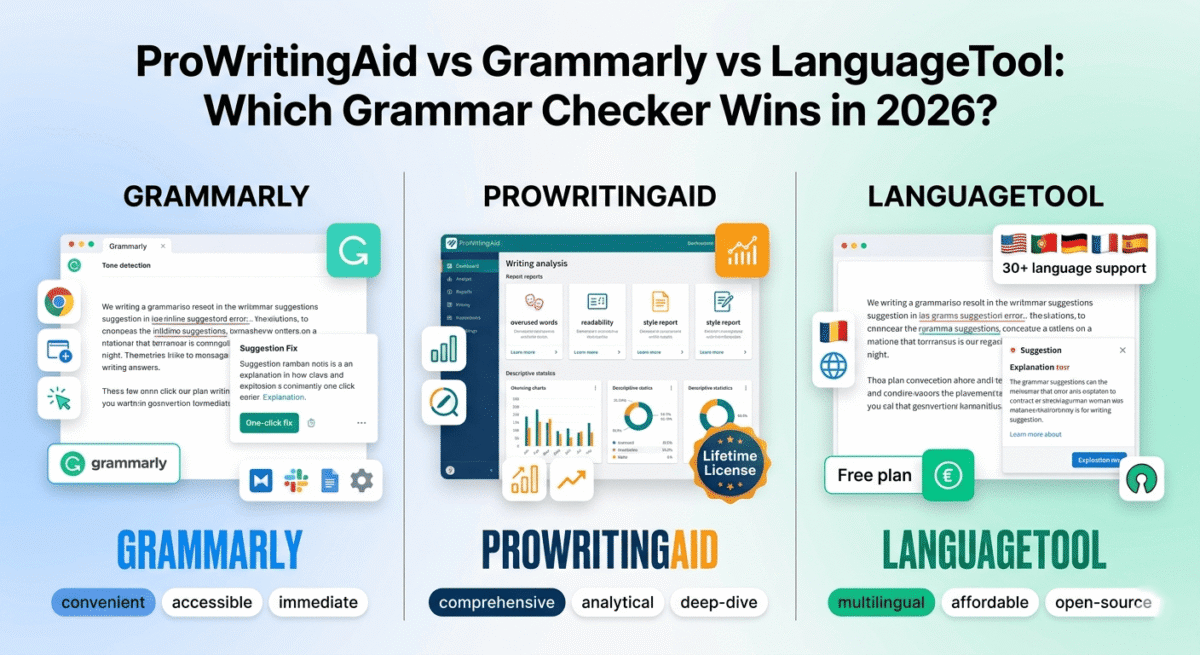
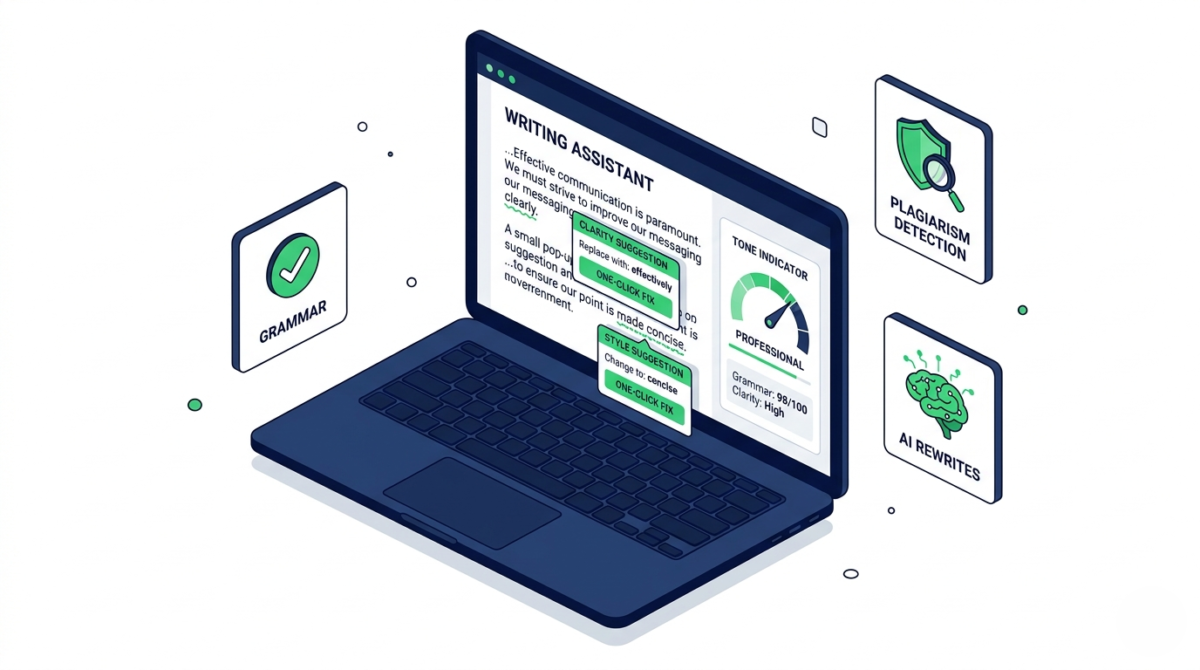
Grammarly is an AI-powered writing assistant that checks grammar, spelling, punctuation, tone, clarity, and plagiarism across virtually everywhere you write browsers, Microsoft Word, Google Docs, and desktop apps.
It was founded in 2009 and today has over 30 million daily active users. It works as a browser extension, a desktop app, and integrates directly into most writing environments.
Grammarly pricing:
– Free plan: basic grammar and spelling checks
– Premium: $12/month (billed annually): advanced suggestions, tone detection, clarity rewrites
– Business: $15/user/month: team features, style guides, analytics. While Grammarly remains an industry standard, checking its features against the most affordable premium grammar checker available can highlight alternative ways to audit spelling and style constraints on a tighter budget.
Who is Grammarly best for: Anyone who writes professionally bloggers, students, marketers, freelancers, non-native English speakers, and business teams.
What Is Hemingway Editor?
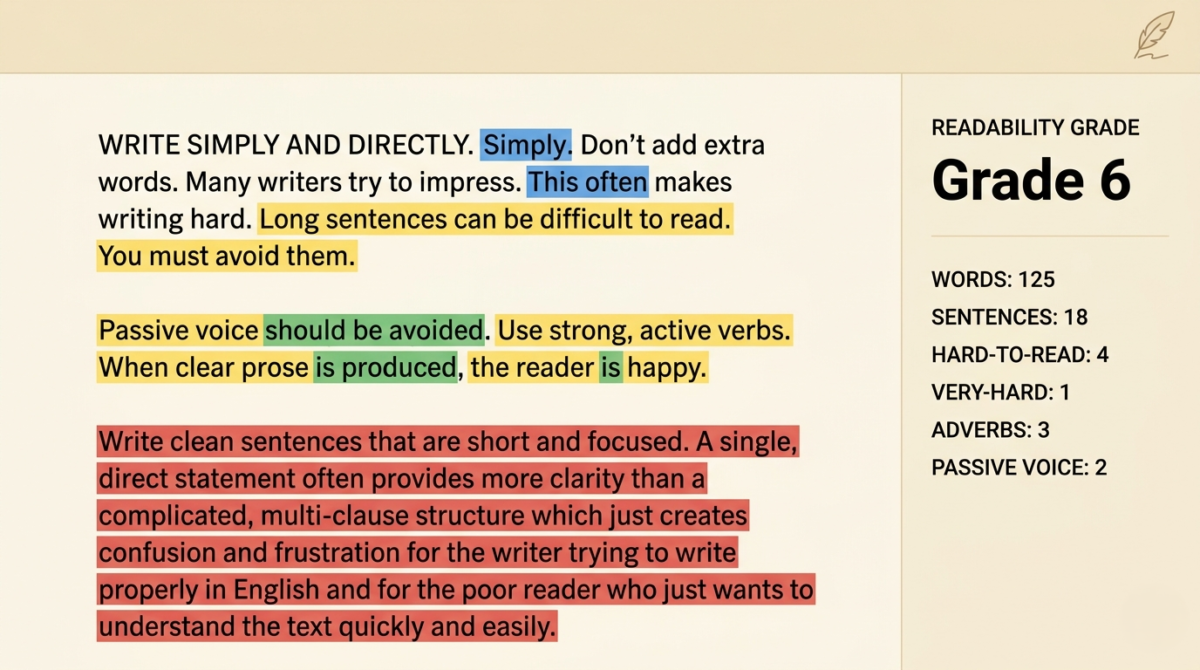
Hemingway Editor is a minimalist writing tool that focuses entirely on one thing: making your writing clearer and bolder. It does not check grammar in the traditional sense. Instead, it highlights sentences that are too long, adverbs that weaken your prose, passive voice, and readability issues.
It is named after Ernest Hemingway, whose writing style was famous for being short, direct, and powerful.
Hemingway Editor pricing:
– Web version: free (browser-based, no account needed)
– Desktop app: $19.99 one-time payment (Mac and Windows)
Who is Hemingway best for: Writers, bloggers, and content creators who want to write cleaner, more readable prose. Especially useful for people who tend to write long, complex sentences.
Head-to-Head Comparison
Grammar and spelling
Grammarly wins here, by a lot.
Grammarly catches grammar errors, misspellings, missing commas, incorrect apostrophes, subject-verb disagreements, and hundreds of other technical writing errors. It explains why something is wrong and offers a one-click fix.
Hemingway Editor does almost nothing in this category. It does not fix spelling errors. It does not flag incorrect grammar. It is not built for this purpose at all.
If you need a grammar checker, Hemingway is simply not the right tool.
Readability and style
Hemingway wins here and it is not close.
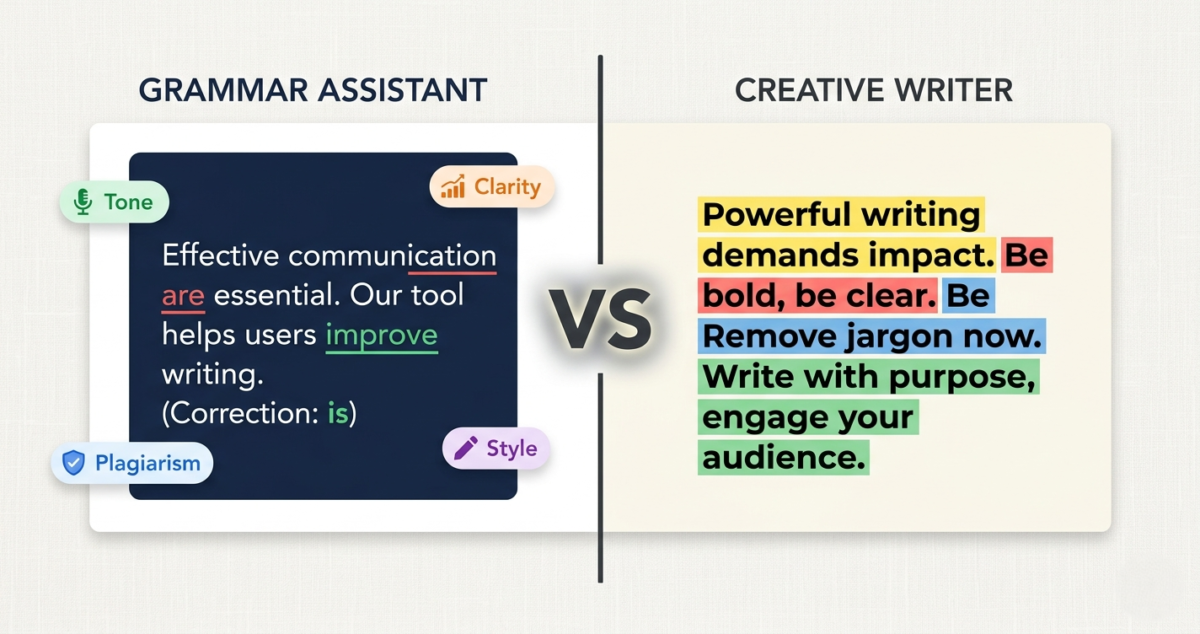
Hemingway color-codes your text as you write:
– Yellow highlight = sentence is hard to read
– Red highlight = sentence is very hard to read (simplify it)
– Blue highlight = adverb (consider cutting it)
– Green highlight = passive voice (consider making it active)
– Purple highlight = simpler word exists
This real-time visual feedback forces you to write shorter, punchier sentences. After using it for even one week, you will notice yourself writing differently, more directly, with less fluff.
Grammarly does offer clarity and conciseness suggestions in its Premium plan, but they feel more like gentle nudges than the blunt, unavoidable feedback of Hemingway’s color system.
AI writing assistance
Grammarly wins here.
Grammarly Premium includes an AI assistant that can rewrite entire sentences, adjust your tone (make it more formal, more confident, more friendly), and even generate short text on demand. If you need to generate full drafts rather than just polish existing text, see our comparison of dedicated AI writing alternatives like Jasper, Copy.ai, and Writesonic. In 2025, Grammarly significantly upgraded its AI capabilities, and the rewrites are genuinely good.
Hemingway Editor has no AI features. It does not rewrite, suggest alternatives, or generate text. It is a static analysis tool, not an AI assistant.
Plagiarism checking
Grammarly wins, Hemingway does not offer this.
Grammarly Premium includes a plagiarism checker that scans your text against billions of web pages. This is valuable for bloggers, students, and journalists who need to ensure originality.
Hemingway has no plagiarism detection at all.
Integrations and where you can use it
Grammarly wins significantly.
Grammarly works:
– As a Chrome, Firefox, Safari, and Edge browser extension
– Inside Google Docs (native integration)
– Inside Microsoft Word and Outlook
– As a standalone desktop app
– On iOS and Android keyboards
– Inside Slack, LinkedIn, Gmail, and most web text boxes
Hemingway Editor works:
– In its own web editor at hemingwayapp.com
– As a standalone desktop app ($19.99 one-time)
Hemingway does not integrate with Google Docs, Word, or your browser. You have to paste your text into its editor, review it, then paste it back. This friction is a real limitation for daily use.
Ease of use
Both are easy, but in different ways.
Grammarly is largely invisible. Install the extension, and it works quietly in the background on every site you visit. Suggestions appear as underlines, and you accept or dismiss them with a click.
Hemingway requires you to actively work inside its editor. But once you are there, the interface is beautifully simple, just a blank white page with color-coded highlights. There is nothing to learn, no settings to configure.
Offline access
Hemingway wins.
The Hemingway desktop app ($19.99 one-time) works fully offline. You can write and edit without an internet connection, and your files stay local on your computer.
Grammarly requires an internet connection to function. The desktop app connects to Grammarly’s cloud servers for all its suggestions. Without internet, it does not work.
Grammarly: Pros and Cons
Pros:
– Catches a wide range of grammar, spelling, and punctuation errors
– Works everywhere you write, browsers, Word, Google Docs, Slack
– AI-powered sentence rewrites and tone adjustments (Premium)
– Plagiarism checker included with Premium
– Excellent for non-native English speakers
– Detailed weekly writing reports and insights
– Free plan is genuinely useful
Cons:
– Premium plan is expensive ($12/month billed annually = $144/year)
– Can be overly aggressive, sometimes flags perfectly correct writing
– Focuses more on technical correctness than writing style
– Does not meaningfully help you write more clearly or concisely
– Requires internet connection at all times
– Can be distracting with constant underlines and suggestions
Hemingway Editor: Pros and Cons
Pros:
– Forces you to write cleaner, simpler, more readable prose
– Desktop app is a one-time $19.99 payment, no subscription
– Web version is completely free
– Works offline (desktop app)
– Distraction-free writing environment
– Readability score helps you target the right audience
– Ideal for blog posts, articles, and web content
Cons:
– No grammar or spelling checker
– No browser extension, requires copy-pasting into the editor
– No AI features, rewrites, or suggestions
– No plagiarism detection
– Desktop app has not been updated as frequently as competitors
– Not suitable as your only writing tool
Pricing Comparison
Grammarly Free | Grammarly Premium | Hemingway Web | Hemingway Desktop | |
Price | $0 | $12/month (annual) | $0 | $19.99 one-time |
Grammar check | Basic | Advanced | None | None |
Style suggestions | None | Yes | Yes | Yes |
AI rewrites | None | Yes | None | None |
Plagiarism check | None | Yes | None | None |
Offline use | No | No | No | Yes |
Integrations | Limited | Ful | None | None |
The pricing difference is stark. Grammarly Premium costs $144 per year. Hemingway’s desktop app costs $19.99 once, forever. If budget is a concern, Hemingway’s value is hard to argue with. If you need a full-featured writing assistant, Grammarly Premium is worth the investment.
Which One Should You Choose?
Here is a simple decision guide based on your situation:
Choose Grammarly Free if:
You want basic grammar and spelling correction at no cost, and you write in many different apps and websites.
Choose Grammarly Premium if:
You write professionally, send important emails, or create content where errors would be embarrassing. The AI rewrite features alone save hours per week for active writers. Non-native English speakers in particular get enormous value from Premium.
Choose Hemingway Editor (free web) if:
You want to improve your writing style and readability without spending any money. Paste your draft into hemingwayapp.com and clean it up before publishing.
Choose Hemingway Desktop if:
You write blog posts or long-form content regularly, want an offline distraction-free writing environment, and have already solved your grammar checking needs another way.
Use both if:
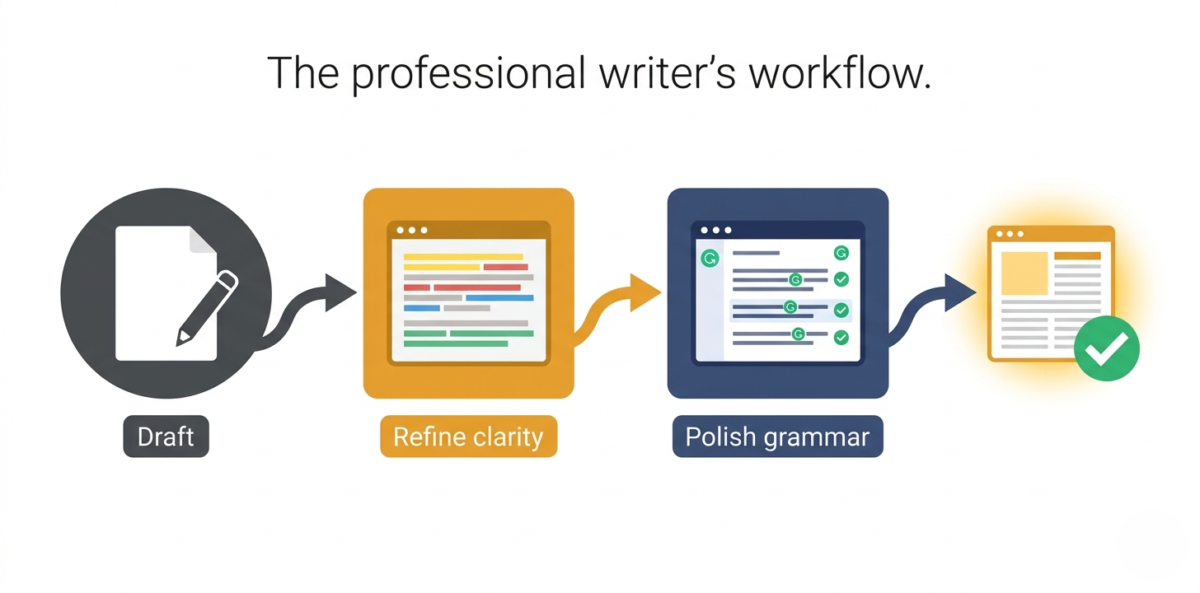
You are serious about your writing. This is actually the most common setup among professional bloggers and content marketers: write and edit in Hemingway to make the prose clean and readable, then run it through Grammarly to catch any technical errors before publishing.
Our Verdict
Grammarly is the better tool for most people. Its free plan alone beats Hemingway on grammar correction, and Premium is a genuine productivity upgrade for anyone who writes more than a few emails per day.
Hemingway is the better tool for your writing style. If you want to become a cleaner, more direct writer, and especially if you write blog content meant to be read quickly on a screen, Hemingway’s feedback will reshape how you write over time.
They are not really competitors. They solve different problems. If you can only choose one, choose Grammarly. If you want to take your writing to the next level, add Hemingway to your workflow alongside it.
Rating:
– Grammarly Free: 4.0 / 5
– Grammarly Premium: 4.5 / 5
– Hemingway Editor (free): 4.2 / 5
– Hemingway Desktop: 4.3 / 5
No matter which editor you pick, pairing your writing toolkit with the best note-taking app for bloggers gives you a dedicated database to archive your polished articles and content ideas safely. For the wider AI landscape beyond writing assistants specifically, our roundup of the best AI tools for bloggers covers research, image generation, and SEO tools worth pairing with Grammarly or Hemingway.
Frequently Asked Questions
Is Grammarly worth paying for?
Yes, for most professional writers. The Premium plan at $12/month adds AI-powered rewrites, advanced tone and clarity suggestions, and a plagiarism checker. If you write daily for work, blogging, or freelancing, it pays for itself quickly in time saved and errors avoided.
Is Hemingway Editor actually free?
The web version at hemingwayapp.com is completely free with no account required. The desktop app (Mac and Windows) costs a one-time fee of $19.99 and works offline.
Can you use Grammarly and Hemingway together?
Yes, and this is actually the recommended workflow for serious writers. Draft and refine your writing in Hemingway to improve clarity and sentence structure, then run it through Grammarly to catch grammar and spelling issues before publishing.
Does Hemingway Editor check grammar?
No. Hemingway does not check grammar or spelling. It focuses exclusively on readability, highlighting long sentences, adverbs, passive voice, and complex words. If you need grammar checking, you need Grammarly or a similar tool alongside it.
Which is better for blog writing: Grammarly or Hemingway?
For blog writing specifically, Hemingway is arguably more valuable because it pushes you toward the short, scannable sentences that web readers prefer. That said, Grammarly’s Google Docs integration makes it much more convenient for day-to-day blogging workflows.
Is Grammarly safe to use with confidential documents?
Grammarly stores text on its servers to process suggestions. For highly sensitive or confidential documents, this may be a concern. Hemingway’s desktop app processes text locally, which is safer for private content.
What is the best free writing tool in 2026?
For grammar: Grammarly Free. For style and readability: Hemingway web. Used together, they form a powerful free writing toolkit that rivals many paid alternatives.