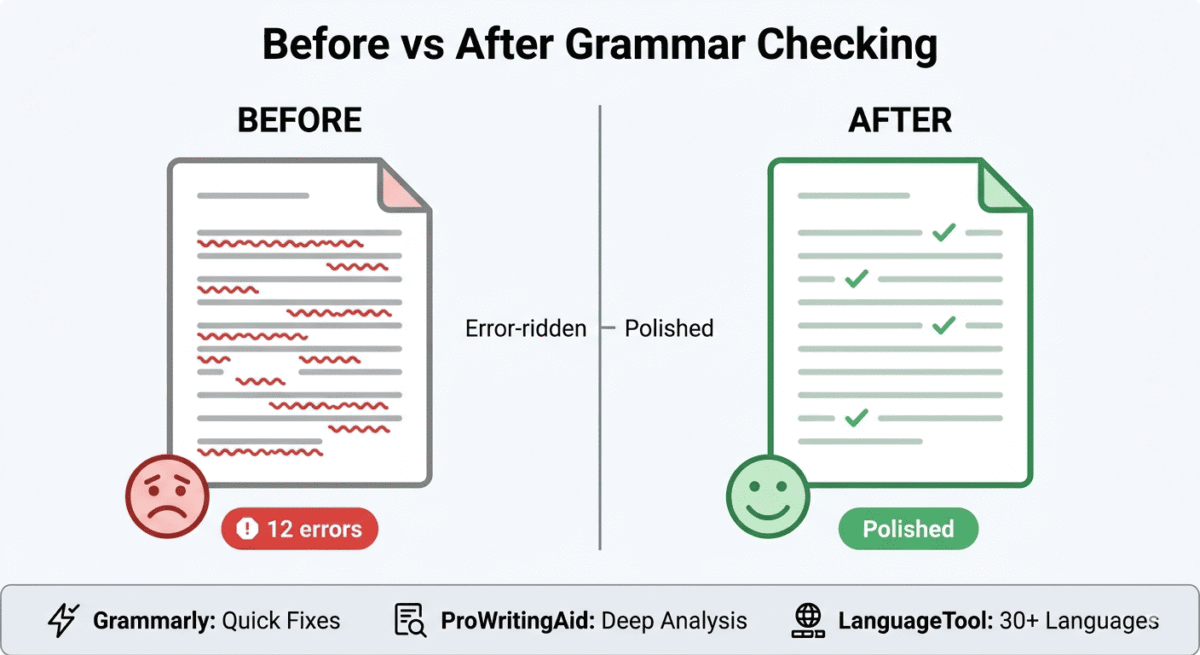
Every piece of content you publish represents your brand. A misplaced comma, a dangling modifier, or a repeated word in a headline tells readers, and Google, something about the care you put into your work.
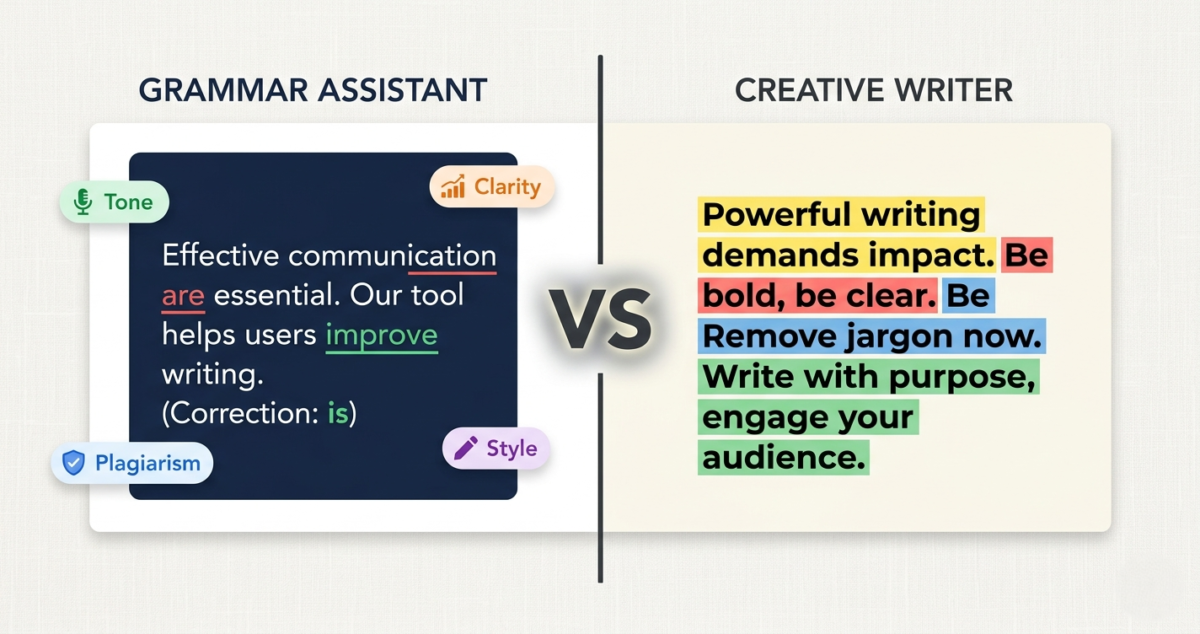
Grammar checkers catch errors that your eyes skip over after reading the same draft five times. They flag passive voice, overly complex sentences, weak word choices, and structural issues that erode the readability of otherwise strong writing. And in 2026, the best grammar checkers do all of this while suggesting improvements that make your writing genuinely better, not just technically correct.
But Grammarly is not the only option, and depending on how you write, it may not even be the best one. I tested ProWritingAid vs Grammarly vs LanguageTool for 30 days across blog posts, email campaigns, social media content, and long-form articles. Here is the honest comparison.
Table of Contents
How We Evaluated These Tools
Every tool was tested across five criteria:
– Error detection: accuracy and breadth of grammar, spelling, and punctuation checking
– Style suggestions: quality of feedback on readability, word choice, and sentence structure
– Writing reports: depth of analysis beyond basic error checking
– Integrations: where and how the tool works within your existing writing environment
– Value: free plan quality and paid plan pricing versus features offered
Why Grammar Checkers Matter More Than Ever for Bloggers in 2026
Google’s helpful content system evaluates content quality as a ranking signal, and while Google does not penalise grammar errors directly, poorly written content correlates with high bounce rates, low time-on-page, and low return visits, all signals that negatively affect rankings indirectly.
More practically, for bloggers running a software review site with the goal of AdSense and affiliate income, every blog post is a business document. A post riddled with errors undermines the authority signals that make readers trust your recommendations and click your affiliate links. A polished, well-written post builds the credibility that converts readers into affiliate commissions. Grammar checking is one piece of that credibility-building process, see our full content creator toolkit roundup for the rest of what goes into a polished, trustworthy post. Storing these high-converting drafts inside a robust note-taking system ensures your research remains organized from ideation to final edit.
Grammar checkers also matter for non-native English speakers, a significant portion of the blogging community, including many readers of this blog based in India or other non-English-first markets. Tools that catch subtle ESL errors (incorrect article usage, preposition confusion, subject-verb agreement) are particularly valuable for writers working in their second language.
Grammarly Review: Best Grammar Checker for Most Writers
Free plan: Yes, basic grammar and spelling checks
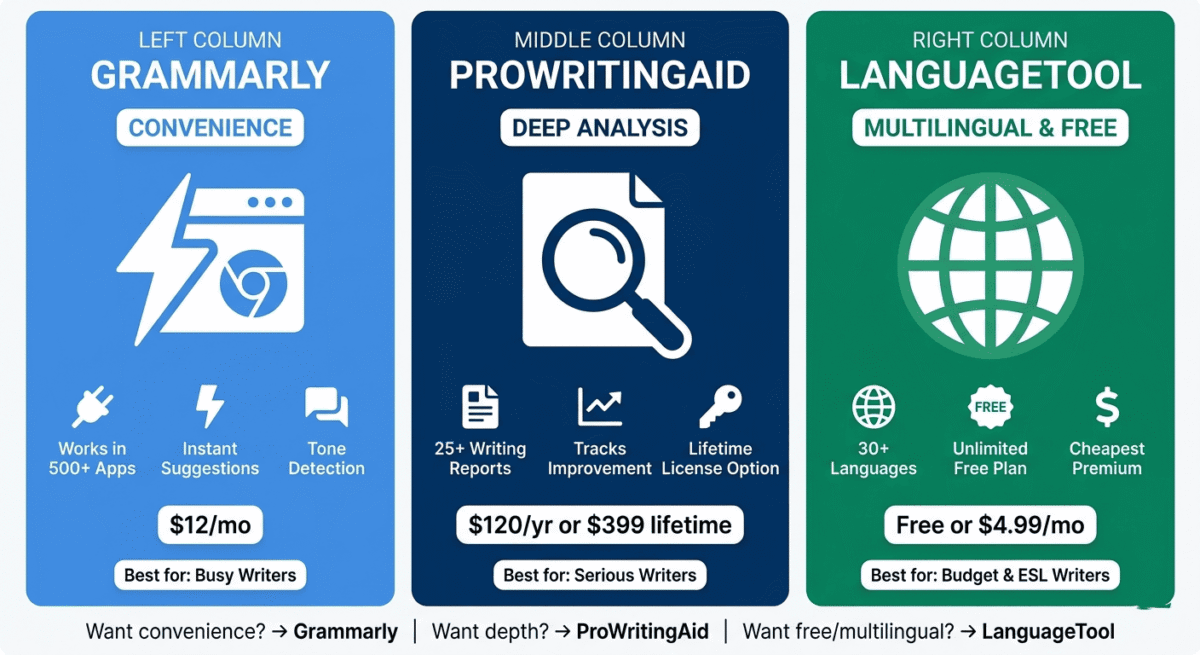
Starting paid price: $12/month (Premium, billed annually)
Best plan for most users: Premium, $12/month (billed annually)
Platforms: Web editor, Windows, Mac, iOS, Android, Chrome/Firefox/Safari/Edge extension, Microsoft Word, Google Docs
Affiliate program: Yes, Grammarly affiliate program, up to $20 per Premium signup
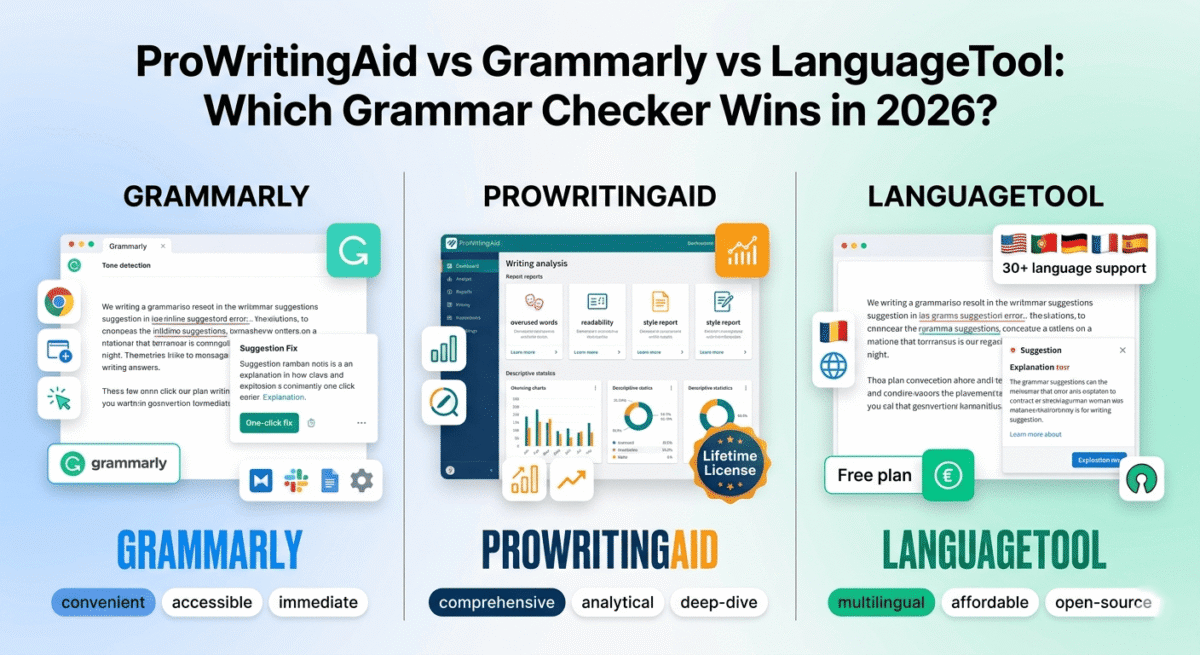
Grammarly is the most widely used grammar checker in the world, with over 30 million daily active users, and for good reason. Its combination of accurate error detection, clear explanations, one-click fixes, and integration with virtually every writing environment makes it the most convenient grammar tool available. It works where you work, catches what matters, and explains why, without interrupting your writing flow.
What Grammarly does best
Grammarly’s browser extension is its most powerful feature for bloggers. Install it once in Chrome, Firefox, Safari, or Edge, and Grammarly works automatically inside Gmail, Google Docs, WordPress, LinkedIn, Twitter/X, Facebook, Notion, Slack, and virtually every other web-based text editor. You never have to paste your writing into a separate tool; Grammarly comes to where your writing happens.
The error detection is the most comprehensive of the three tools tested. Grammarly catches grammar errors, spelling mistakes, punctuation issues, incorrect homophones (their/there/they’re, your/you’re), subject-verb agreement problems, comma splices, dangling modifiers, and dozens of other error types. The free plan catches basic errors; Premium adds advanced suggestions for clarity, conciseness, vocabulary, and tone.
Grammarly’s explanations are the clearest of the three tools. Every suggestion includes a plain-English explanation of why the change improves the writing, not just what to change but why it matters. For writers who want to improve their skills rather than fix errors, these explanations are genuinely educational.
The tone detector, available on Premium, analyses your writing’s emotional tone (formal, friendly, confident, apologetic) and flags inconsistencies. For bloggers who want to maintain a consistent voice across posts, the tone analysis provides useful feedback that goes beyond grammar.
Grammarly’s AI rewriting feature, available on Premium, suggests alternative phrasings for entire sentences, not just individual word substitutions. Select a sentence that feels clunky, and Grammarly offers three to five alternative formulations. In testing, these suggestions were the most natural-sounding rewrites of the three tools, genuinely useful rather than mechanically generated.
The Grammarly keyboard for iOS and Android brings grammar checking to mobile writing, so emails, social posts, and messages written on your phone are checked in real time. For bloggers who draft on mobile, this mobile coverage is unique among the three tools.
The weekly writing insights report shows your word count, most common errors, vocabulary variety, and writing tone distribution over the past week, a lightweight but motivating feedback loop for writers trying to improve consistency.
Where Grammarly falls short
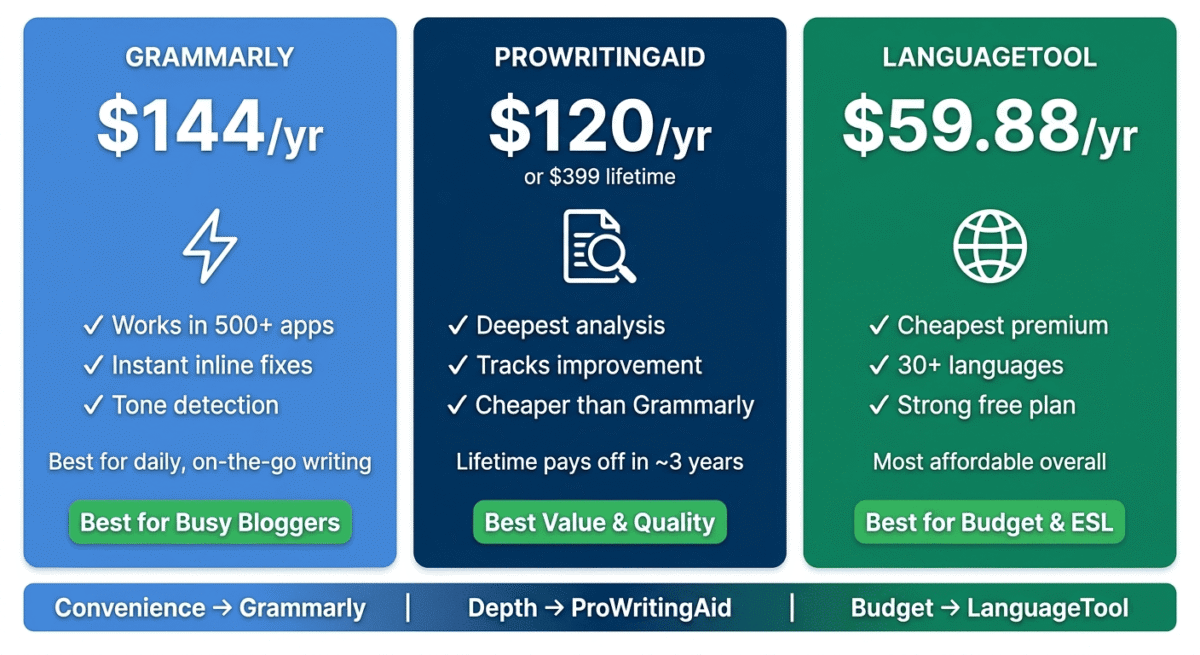
Grammarly Premium at $12/month ($144/year) is the most expensive option among the three tools. For writers who primarily need error correction rather than style improvement, LanguageTool’s free plan or ProWritingAid’s one-time lifetime purchase may offer better value.
Grammarly can be overly aggressive, flagging stylistic choices as errors, insisting on passive voice changes where active voice would read awkwardly, and occasionally suggesting changes that make writing more generic rather than more polished. Experienced writers frequently dismiss 30–40% of Grammarly’s suggestions because they conflict with intentional stylistic decisions.
The plagiarism checker, included in Grammarly Premium, is useful but not as comprehensive as dedicated plagiarism tools like Copyscape. For bloggers who want serious plagiarism protection, a dedicated tool remains necessary.
Grammarly’s writing reports are less detailed than ProWritingAid’s; the analysis covers tone and clarity but does not match ProWritingAid’s 25+ report types covering sentence structure variety, dialogue tags, clichés, sticky sentences, and more.
Grammarly pricing
Plan | Price/month (annual) | Key features |
Free | $0 | Basic grammar, spelling, punctuation |
Premium | $12 | + Clarity, conciseness, tone, vocabulary, rewrites |
Business | $15/member | + Style guides, brand consistency, team analytics |
Grammarly: Pros and Cons
Pros:
– Most convenient, browser extension works in every web app automatically
– Most comprehensive error detection, catches the widest range of issues
– Clearest explanations, educational as well as corrective
– Tone detector for consistent voice across posts
– AI sentence rewrites suggest natural-sounding alternatives
– Mobile keyboard for iOS and Android
– Free plan genuinely useful for basic error checking
-Works inside Google Docs, WordPress, Gmail, Slack, and 500+ apps
Cons:
– Most expensive, $144/year for Premium. Overly aggressive, flags intentional stylistic choices as errors
– Writing reports less detailed than ProWritingAid
– Plagiarism checker less comprehensive than dedicated tools
– Free plan catches only basic errors, many useful features paywalled
Rating: 4.6 / 5 Best grammar checker for convenience and error detection. The browser extension that works everywhere makes it the most practical daily-use tool.
ProWritingAid Review: Best Grammar Checker for Serious Writers and Bloggers
Free plan: Yes, 500 words per check, limited reports
Starting paid price: $30/month (Premium, billed monthly) | $10/month (billed annually) | $399 lifetime
Best plan for most users: Premium Annual, $10/month ($120/year) or Lifetime, $399 one-time
Platforms: Web editor, Windows, Mac, Chrome extension, Microsoft Word, Google Docs, Scrivener
Affiliate program: Yes, ProWritingAid affiliate program, 40% recurring commission
ProWritingAid is the most comprehensive writing analysis tool available, built specifically for writers who want to understand their writing patterns, eliminate bad habits, and produce consistently better work over time. Where Grammarly focuses on catching errors in the moment, ProWritingAid provides a deep diagnostic of your writing that helps you improve as a writer, not just clean up individual documents.
What ProWritingAid does best
ProWritingAid’s report system is its defining feature: 25+ different writing analysis reports that examine every dimension of your writing quality. The most valuable for bloggers:
Grammar and spelling report: standard error checking comparable to Grammarly, catching grammar, spelling, and punctuation issues throughout your document.
Readability report: analyses sentence length variety, paragraph length, reading grade level, and overall readability score. Flags documents where sentences are too similar in length (monotonous) or consistently too long (difficult to scan).
Style report: identifies passive voice, hidden verbs (using “make a decision” instead of “decide”), vague and abstract language, and corporate jargon that weakens professional writing.
Overused words report: shows which words and phrases you use too frequently throughout a document. Bloggers who overuse “very,” “really,” “actually,” or “basically” see exactly how often these fillers appear and where to cut them.
Clichés and redundancies report: flags overused phrases (“at the end of the day,” “think outside the box,” “in today’s fast-paced world”) that undermine writing originality.
Sentence structure report: analyses whether your sentence structures vary sufficiently. A document that uses the same sentence pattern repeatedly feels monotonous regardless of the content’s quality.
Consistency report: checks for inconsistent hyphenation, capitalisation, spelling (British vs American English), and number formatting throughout a document. Critically useful for long-form blog posts where consistency errors accumulate.
The depth of this analysis has no equivalent in Grammarly or LanguageTool. After running ProWritingAid on a 2,000-word blog post, you receive a complete diagnostic of every stylistic weakness, not just the grammar errors, but the patterns of mediocre writing that most writers never notice about themselves.
ProWritingAid’s lifetime licence at $399 is its most distinctive pricing option. For bloggers who write regularly and expect to use a grammar tool for years, paying $399 once versus $144/year for Grammarly means ProWritingAid pays for itself within three years, with zero ongoing cost thereafter. The lifetime licence is the best long-term value in grammar checking software.
The Microsoft Word integration is the most seamless of the three tools. ProWritingAid runs as a native Word add-in, analysing your document in real-time within the Word interface without switching to a separate application. For bloggers who draft in Word before publishing to WordPress, this integration is significantly more convenient than Grammarly’s Word implementation.
ProWritingAid’s Scrivener integration is unique; it is the only tool on this list that works inside Scrivener, the preferred writing software of long-form writers and novelists. For bloggers who use Scrivener for content planning and drafting, ProWritingAid is the only grammar checker that meets them in that environment.
Where ProWritingAid falls short
ProWritingAid’s browser extension is less seamless than Grammarly’s. The extension works in web-based text editors, but the experience is less polished; running a full report requires loading a separate analysis panel rather than inline suggestions appearing automatically. For writers who work primarily in browser-based tools like Google Docs or WordPress’s block editor, the workflow requires more deliberate effort than Grammarly’s automatic inline checking.
The free plan’s 500-word limit per check is impractical for most blog posts; a 1,500-word post requires three separate checks. The free plan is better understood as a demo than a functional free tier.
ProWritingAid’s interface is denser than Grammarly’s; the volume of report options and analysis data can overwhelm new users who want simple error correction rather than comprehensive writing analysis.
ProWritingAid pricing
Plan | Price | Key features |
Free | $0 | 500 words/check, limited reports |
Premium Monthly | $30/month | Unlimited words, all reports |
Premium Annual | $120/year ($10/month) | Same as monthly, better value |
Premium Lifetime | $399 one-time | All features, forever, no subscription |
Premium + Plagiarism | $140/year | + 50 plagiarism checks/year |
ProWritingAid: Pros and Cons
Pros:
Most comprehensive writing analysis, 25+ reports covering every writing dimension
– Lifetime licence at $399, best long-term value in grammar checking
– Best for improving writing skills, reports identify patterns, not just individual errors
– Overused words, clichés, and consistency reports unique to ProWritingAid
– Best Microsoft Word integration of the three tools
– Scrivener integration, only grammar checker supporting Scrivener
– 40% recurring affiliate commission, highest of the three tools
– Annual plan at $10/month competitive with Grammarly Premium
Cons:
– Free plan limited to 500 words per check, impractical for full blog posts
– Browser extension less seamless than Grammarly
– Dense interface, overwhelming for writers wanting simple error correction
– Requires intentional report-running rather than automatic inline checking
– Less convenient for casual, quick editing than Grammarly
– Slower to get started, higher learning curve than Grammarly
Rating: 4.7 / 5 Best grammar checker for serious bloggers and writers who want to improve their writing quality, not just fix individual errors. The lifetime licence is exceptional value.
LanguageTool Review: Best Free Grammar Checker and Best for Non-Native English Writers
Free plan: Yes, unlimited basic checking, 20 languages supported
Starting paid price: $4.99/month (Premium, billed annually)
Best plan for most users: Premium, $4.99/month (billed annually)
Platforms: Web editor, Chrome/Firefox/Edge extension, Microsoft Word, Google Docs, LibreOffice, macOS
Affiliate program: Yes, LanguageTool affiliate program
LanguageTool is the most affordable premium grammar checker available and the only open-source option on this list. Its combination of a genuinely unlimited free plan, support for 30+ languages, and the most affordable premium upgrade makes it the best option for budget-conscious writers and non-native English speakers who write in multiple languages.
What LanguageTool does best
LanguageTool’s free plan is the most genuinely unlimited of the three tools; there are no word count limits, no document restrictions, and no time limits. Basic grammar and spelling checking in any of 30+ supported languages is completely free, with no credit card required and no artificial restrictions designed to push you toward a paid plan.
For bloggers writing in English as a second language, or writing for multilingual audiences, LanguageTool’s multi-language support is a capability that neither Grammarly nor ProWritingAid can match. Writing in Urdu-influenced English, switching between formal and informal registers, or catching errors specific to ESL writers (article misuse, preposition errors, subject-verb agreement) is where LanguageTool’s language model strengths show.
The Premium plan at $4.99/month (billed annually) is the most affordable paid grammar checker by a significant margin, less than half the cost of Grammarly Premium ($12/month) and comparable to ProWritingAid Annual ($10/month) for a more limited but highly polished feature set.
LanguageTool’s browser extension works seamlessly inside Gmail, Google Docs, WordPress, and most web-based text editors, comparable to Grammarly’s integration breadth but with a lighter, less intrusive interface. Suggestions appear as underlines that expand into correction panels on click, with clear explanations for each suggestion.
The phrasing suggestions in LanguageTool Premium are particularly strong for non-native English speakers. Rather than flagging an error without context, LanguageTool explains idiom usage, provides natural alternative phrasings, and notes register differences (formal vs casual), educational feedback that helps non-native writers understand English conventions rather than just following correction instructions.
LanguageTool’s privacy approach is notable; a self-hosted version is available for users who do not want their text sent to external servers. For writers working with confidential content, this privacy option has no equivalent in Grammarly or ProWritingAid.
Where LanguageTool falls short
LanguageTool’s error detection is less comprehensive than Grammarly’s for advanced English grammar issues. In testing, Grammarly caught approximately 15–20% more complex grammar errors than LanguageTool on the same documents. For writers working in sophisticated English prose, this gap in detection accuracy is meaningful.
LanguageTool has no writing style reports comparable to ProWritingAid’s 25+ report system. The analysis is limited to grammar, spelling, punctuation, and phrasing suggestions; there is no overused words report, sentence structure analysis, or consistency checking.
The AI rewriting features are less developed than Grammarly’s. LanguageTool Premium offers some rephrasing suggestions but with less variety and naturalness than Grammarly’s AI rewrites.
LanguageTool does not have a mobile keyboard app; mobile writing on iOS and Android is not covered, unlike Grammarly’s dedicated mobile keyboard.
LanguageTool pricing
Plan | Price/month (annual) | Key features |
Free | $0 | Unlimited basic checking, 30+ languages |
Premium | $4.99 | + Advanced grammar, phrasing suggestions, style checks |
Premium for Teams | $6.99/user | + Team management, priority support |
LanguageTool: Pros and Cons
Pros:
– Most generous free plan, unlimited checking with no word count restrictions
– Most affordable premium, $4.99/month vs $12/month for Grammarly
– 30+ language support, best for multilingual and ESL writers
– Open source with self-hosted option for maximum privacy
– Strong phrasing suggestions for non-native English speakers
– LibreOffice integration, unique among the three tools
– Works well inside Google Docs and WordPress editor
Cons:
– Less comprehensive error detection than Grammarly for advanced grammar
– No writing style reports like ProWritingAid
– AI rewrites less natural than Grammarly
– No mobile keyboard app
– Smaller community and fewer third-party tutorials
– Brand recognition is lower, with fewer integrations than Grammarly
Rating: 4.4 / 5 Best free grammar checker and best for non-native English speakers. Most affordable premium upgrade in the category.
Head-to-Head Comparison
Grammarly Free | Grammarly Premium | ProWritingAid Annual | LanguageTool Free | LanguageTool Premium | |
Price | $0 | $12/mo | $10/mo ($120/yr) | $0 | $4.99/mo |
Word limit | Unlimited | Unlimited | Unlimited | Unlimited | Unlimited |
Grammar checking | Basic | Advanced | Advanced | Basic | Advanced |
Style reports | No | Basic | 25+ reports | No | Basic |
AI rewrites | No | Yes | Limited | No | Limited |
Tone detection | No | Yes | No | No | No |
Overused words | No | Limited | Yes | No | No |
Clichés detection | No | Limited | Yes | No | No |
Plagiarism check | No | Yes | Add-on | No | No |
Browser extension | Yes | Yes | Yes | Yes | Yes |
Google Docs | Yes | Yes | Yes | Yes | Yes |
Microsoft Word | Yes | Yes | Yes | Yes | Yes |
Mobile keyboard | Yes | Yes | No | No | No |
Scrivener | No | No | Yes | No | No |
Languages supported | English | English | English | 30+ | 30+ |
Lifetime option | No | No | Yes ($399) | No | No |
Affiliate commission | Up to $20/signup | Up to $20/signup | 40% recurring | Standard | Standard |
Which Grammar Checker Should You Choose?
Choose Grammarly if:
You want the most convenient, most integrated grammar checker that works automatically everywhere you write. The browser extension that functions inside Gmail, Google Docs, WordPress, Slack, and 500+ other apps makes Grammarly the lowest-friction daily-use tool. Also the best choice for writers who want AI-powered sentence rewrites and tone analysis alongside error correction.
Choose ProWritingAid if:
You are a serious blogger or writer who wants to improve your writing quality over time, not just fix individual errors. ProWritingAid’s 25+ report system identifies writing patterns and habits that hold your prose back, making it the most educational grammar tool available. The lifetime licence at $399 is also the best long-term value for writers who will use a grammar tool for three or more years. ProWritingAid’s 40% recurring affiliate commission makes it the most valuable to recommend to your readers.
Choose LanguageTool if:
You are a non-native English speaker who writes in multiple languages, or you want unlimited free grammar checking without the word count restrictions that limit ProWritingAid’s free plan. LanguageTool’s $4.99/month Premium plan is the most affordable premium grammar checker available — significantly cheaper than Grammarly for writers who primarily need error correction rather than advanced style analysis.
The Blogger Grammar Workflow
For bloggers publishing regular content, here is the most effective grammar checking workflow:
Step 1: Write first, check later. Do not run grammar checking while drafting. The interruption of real-time suggestions breaks writing flow and leads to over-editing mid-draft. Write your complete first draft, then run the grammar checker. If you’re drafting with AI assistance rather than writing from scratch, pair with an AI writer like Jasper, Copy.ai, or Writesonic for the first draft, then run that draft through the grammar workflow below.
Step 2: Run ProWritingAid reports on important posts. For high-stakes posts, your best affiliate opportunities, cornerstone content, and posts you will promote heavily, run ProWritingAid’s full report suite. The overused words, clichés, and readability reports catch issues that Grammarly misses.
Step 3: Use Grammarly for quick daily writing. For emails, social posts, short updates, and low-stakes content, Grammarly’s browser extension catches errors inline without requiring a separate workflow step. If you are torn between prioritizing strict error detection or visual readability markers, reading our exhaustive breakdown of Grammarly vs Hemingway Editor will clarify which workspace philosophy aligns with your immediate goals.
Step 4: Final read-aloud check. After grammar checking, read your post aloud. Grammar checkers do not catch everything: awkward phrasing, rhythm issues, and unclear sentences that technically parse correctly are caught by your ear when reading aloud in a way no software replicates.
The recommended dual-tool setup for bloggers:
– LanguageTool free for daily lightweight checking (zero cost)
– ProWritingAid annual ($120/year) for deep analysis of important posts
– Total cost: $120/year versus $144/year for Grammarly Premium alone, with significantly more analytical depth
Final Verdict
ProWritingAid is the best grammar checker for serious bloggers. The depth of its writing analysis, the lifetime licence value, and the 40% affiliate commission make it the strongest all-around recommendation for content creators who publish regularly.
Grammarly is the best grammar checker for convenience. The browser extension that works automatically in every web app makes it the most practical daily-use tool for writers who want error correction without workflow disruption.
LanguageTool is the best free grammar checker and the best option for non-native English speakers, with unlimited free checking with no word count restrictions, 30+ language support, and a $4.99/month Premium plan that costs less than half of Grammarly.
Ratings:
– ProWritingAid: 4.7 / 5
– Grammarly: 4.6 / 5
– LanguageTool: 4.4 / 5
Frequently Asked Questions
What is the best free grammar checker in 2026?
LanguageTool offers the most genuinely unlimited free grammar checking, no word count limits, no document restrictions, and support for 30+ languages at zero cost. Grammarly’s free plan is also useful for basic error detection but catches only a subset of what Grammarly Premium identifies. For bloggers who want comprehensive free checking, LanguageTool free is the recommended starting point.
Is ProWritingAid better than Grammarly?
For serious writers who want to improve their writing quality over time, yes. ProWritingAid’s 25+ writing reports identify patterns and habits, overused words, clichés, passive voice frequency, and sentence structure monotony that Grammarly does not analyse. For writers who primarily want convenient inline error correction across all their writing environments, Grammarly’s browser extension makes it more practical for daily use. The right tool depends on whether you prioritise depth of analysis or convenience of integration.
Is Grammarly worth the $12/month?
Yes, for writers who publish regularly and work across multiple writing environments. Grammarly Premium’s advanced grammar detection, AI rewrites, tone analysis, and plagiarism checker represent a meaningful upgrade over the free plan, and the browser extension’s integration across 500+ apps saves significant time compared to manually checking writing in a separate tool. For writers who primarily work in Microsoft Word or Google Docs, ProWritingAid Annual at $10/month provides comparable or superior analysis at lower cost.
What grammar checker is best for non-native English speakers?
LanguageTool is the best grammar checker for non-native English speakers. Its 30+ language support, strong phrasing suggestions that explain English idiom usage, and unlimited free plan make it the most accessible tool for ESL writers. Grammarly Premium also provides strong support for non-native speakers through its advanced grammar detection and sentence rewriting features, though at a higher cost.
Is there a one-time payment grammar checker?
Yes, ProWritingAid offers a lifetime licence at $399. This one-time payment provides permanent access to all ProWritingAid Premium features with no ongoing subscription cost. For writers who expect to use a grammar checker for three or more years, the lifetime licence costs less than three years of Grammarly Premium ($432) or two and a half years of LanguageTool Premium ($150) and provides the most comprehensive writing analysis available.
Can grammar checkers replace a human editor?
No, grammar checkers catch technical errors and flag common stylistic issues, but they cannot evaluate argument structure, logical flow, factual accuracy, audience appropriateness, or the subtle nuances of persuasive writing that a skilled human editor identifies. Grammar checkers are best understood as a first-pass tool that catches the errors a human editor should not need to spend time on, freeing the editor to focus on higher-level feedback. For bloggers without access to a human editor, grammar checkers significantly improve published content quality, but they are not a complete substitute.
Does Grammarly work in Google Docs?
Yes. Grammarly has a native Google Docs integration, available by enabling it in your Grammarly account settings, that provides inline suggestions directly within the Google Docs editor without requiring copy-paste into a separate tool. ProWritingAid and LanguageTool also integrate with Google Docs. All three tools work within the Google Docs writing environment, though the depth and style of integration vary slightly between them.
What is the difference between a grammar checker and a spell checker?
A spell checker identifies words that do not exist in a dictionary, typos, and misspellings. A grammar checker does this and also analyses the relationships between words, subject-verb agreement, tense consistency, modifier placement, sentence structure, catching errors that are spelled correctly but grammatically wrong (“their going to the store” passes a spell check but fails a grammar check). Modern grammar checkers also extend into style analysis, readability, word choice, tone, and clarity, going well beyond what traditional spell checking covers.