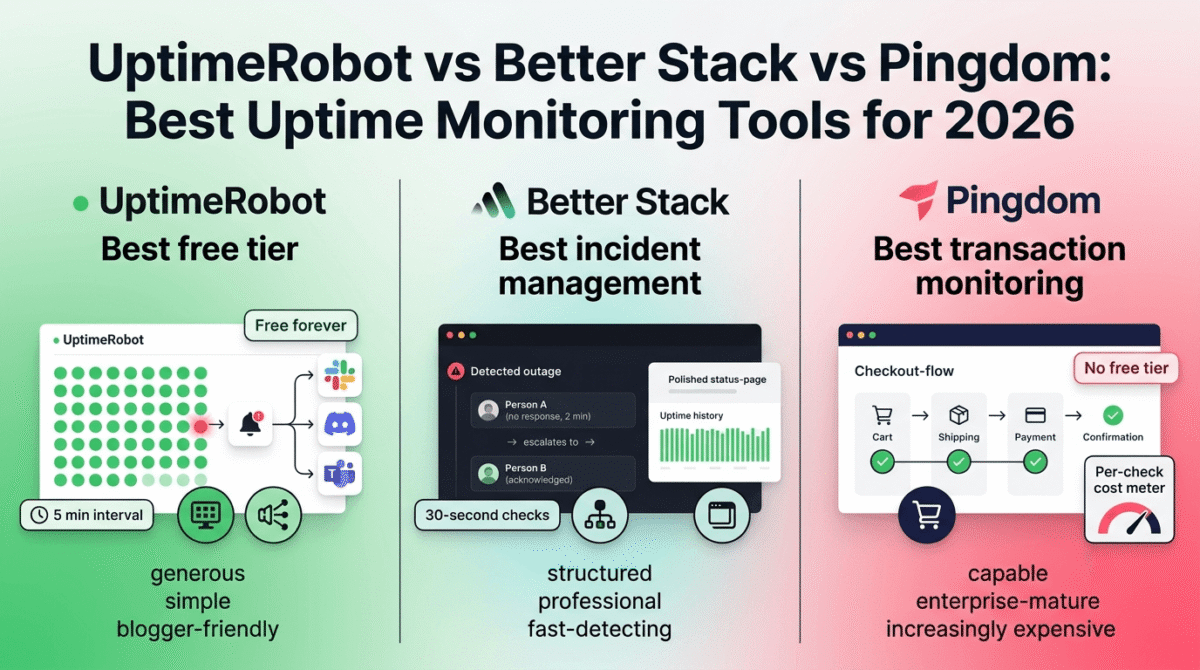
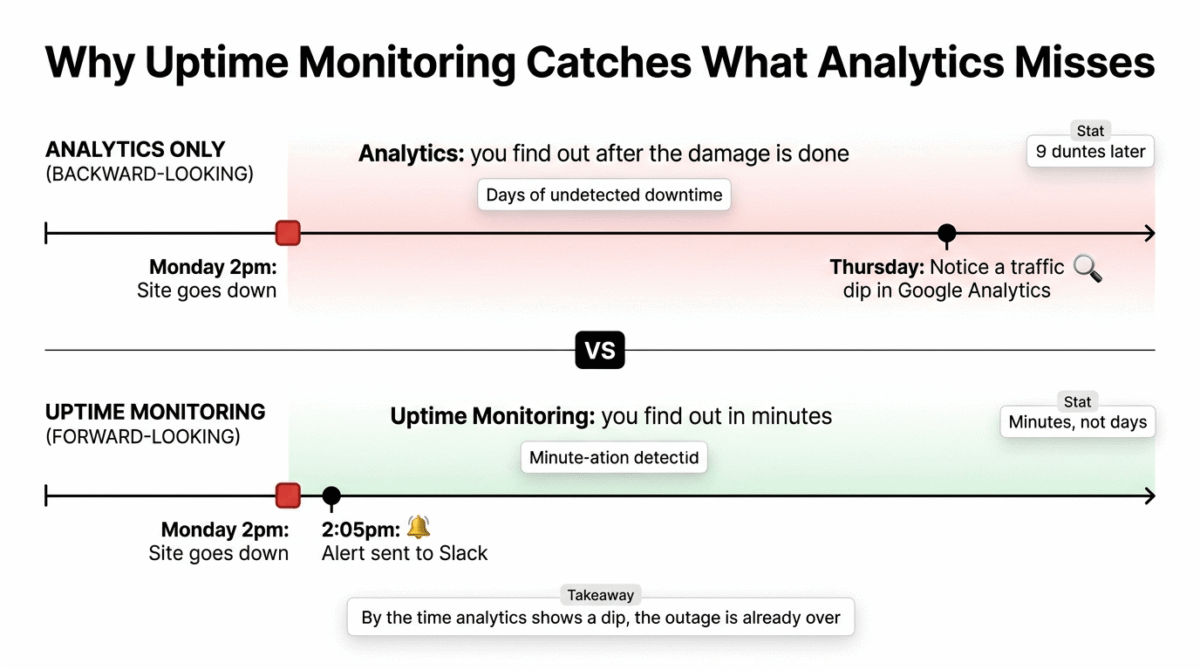
Every blogger eventually learns the same lesson the hard way: a site can be down for hours before anyone notices, because the only people who would notice are readers who simply leave and never come back. There is no error message in your inbox, no obvious sign in your own browsing, your site looks fine to you because your browser cached an old version, or you simply have not checked it. The first real signal is often a sudden drop in traffic three days later, by which point the actual outage is long over and the damage to search rankings, AdSense revenue, and reader trust is already done.
Uptime monitoring exists to close that exact gap, a small, continuously running check that pings your site every few minutes and alerts you the moment it stops responding, often before a single human reader notices. In 2026, this category includes everything from generous free consumer tools to full incident-management platforms built for engineering teams. I tested UptimeRobot vs Better Stack vs Pingdom for 30 days monitoring real WordPress sites, including deliberately triggered downtime, to see how quickly and reliably each tool actually caught it. Here is the honest comparison.
Table of Contents
How We Tested These Tools
Every platform was evaluated against five criteria:
- Free tier usability, how many monitors, and how frequently do they check, before you have to pay?
- Alert speed and reliability, how quickly does a real outage trigger a notification, and through which channels?
- Status page quality, can you create a public status page worth putting in front of clients or readers?
- Setup simplicity, how long does it take a non-technical blogger to get a working monitor configured?
- Value as monitoring needs grow, what happens to cost and capability as you add monitors or need faster check intervals?
Why Bloggers and Freelance Developers Need Uptime Monitoring, Not Just Analytics
It is worth being clear about what this category solves that your existing analytics setup does not. Google Analytics and MonsterInsights tell you what happened to your traffic after the fact, they are backward-looking tools that show a dip in visitors hours or days after an outage already occurred. See our Google Analytics vs Hotjar vs Matomo comparison for the analytics side of that picture, useful for confirming the traffic damage after the fact, even though it can’t replace real-time monitoring. Uptime monitoring is forward-looking and active: it does not wait for a human to notice anything, because it is the thing doing the noticing.
For a WordPress site specifically, this matters more than it might for a simpler static site. A plugin conflict, a server resource spike, a botched update, or a hosting provider’s brief outage can all take a site offline in ways that are invisible until someone checks, and “someone checks” should be a monitoring tool running every few minutes, not you remembering to load your own homepage periodically throughout the day. If outages keep tracing back to your hosting provider rather than your own site, see our Hostinger vs Bluehost vs SiteGround comparison, some hosts have meaningfully better uptime track records than others.
UptimeRobot Review: Best Free Tier and Best Value for Bloggers and Small Sites
Free plan: Yes, 50 monitors with 5-minute check intervals, free forever
Starting paid price: Paid plans add faster check intervals and additional alert contacts, priced affordably relative to competitors
Best plan for most bloggers: The free plan covers most single-site and small-portfolio needs completely
Platforms: Web, iOS, Android
Affiliate program: Yes, UptimeRobot affiliate program
UptimeRobot has built its entire reputation around a single, simple promise: a genuinely generous free tier that does not feel like a stripped-down trial. For bloggers and small WordPress developers managing a handful of sites, it remains the most economically obvious starting point in this entire category.
What UptimeRobot does best
Fifty free monitors with 5-minute check intervals, free forever, is the most generous free tier of any tool in this comparison by a wide margin. For a WordPress developer managing their own blog plus a handful of client sites, this single free plan can realistically cover an entire small monitoring operation without ever requiring a credit card.
Setup is genuinely fast, adding a new monitor takes under a minute, and the interface, while not the most visually polished in the category, is immediately understandable to a non-technical user. This matters specifically for the blogger and small-business audience this category most directly serves, who need monitoring working today, not after a half-day of configuration.
UptimeRobot’s alerting integrates cleanly with the tools a small operation already uses, Slack, Discord, and Microsoft Teams notifications work out of the box, alongside standard email and SMS alerts, covering the realistic alert preferences of a solo operator or small team without requiring an enterprise integration budget.
Public status pages are included even on the free plan, letting a freelancer or small agency give clients a simple, branded page showing current and historical uptime, a small touch that, similar to a polished client portal in other categories we have reviewed, makes a one-person operation look more established than its size would suggest.
Where UptimeRobot falls short
The 5-minute check interval on the free plan is the slowest of the three tools tested. A site that goes down and recovers within that 5-minute window may not trigger an alert at all, and even a real, sustained outage could run for several minutes before UptimeRobot’s next scheduled check catches it, for a high-traffic site where every minute of downtime has measurable cost, this delay is a real limitation.
Status page customization, while included, is reported as more generic and less polished than the dedicated, more expensive alternatives in this category, fine for an internal or client-facing status check, but not as visually impressive as Better Stack’s equivalent feature.
UptimeRobot’s monitoring is fundamentally simpler than Better Stack’s, there is no built-in incident management, on-call scheduling, or deep integration with broader infrastructure observability. For a solo blogger this simplicity is a feature, not a limitation, but it means UptimeRobot does not scale gracefully into a tool for a growing technical team.
UptimeRobot pricing
| Plan | Price | Monitors | Check interval | Key features |
|---|---|---|---|---|
| Free | $0 forever | 50 | 5 minutes | Status pages, Slack/Discord/Teams alerts |
| Paid Tiers | Affordable (scales with needs) | More monitors | Faster intervals (down to ~1 min or less) | SMS credits, more alert contacts |
UptimeRobot: Pros and Cons
Pros:
- Most generous free tier in the category, 50 monitors, free forever
- Fast, simple setup with no technical learning curve
- Public status pages included even on the free plan
- Clean integration with Slack, Discord, and Microsoft Teams
- Best value for bloggers and small WordPress operations specifically
Cons:
- 5-minute check interval on the free plan is the slowest of the three tools
- Status pages are functional but visually generic compared to premium alternatives
- No built-in incident management or on-call scheduling
- Less suited to growing technical teams that need deeper infrastructure visibility
- Faster check intervals require a paid upgrade
Rating: 4.6 / 5, Best free uptime monitoring tool available, and the clear default choice for bloggers, freelancers, and small WordPress operations.
Better Stack Review: Best for Teams That Need Incident Management, Not Just Alerts
Free plan: Limited, a basic free tier exists, but the platform’s value is concentrated in paid plans
Starting paid price: Around $24–29/month, with pricing recently shifted to a per-license model
Best plan for most small teams: The entry paid team plan, for the combination of monitoring, status pages, and incident workflows
Platforms: Web, iOS, Android
Affiliate program: Check current availability directly
Better Stack represents the opposite end of this category’s philosophy from UptimeRobot, instead of being a simple, generous monitoring tool, it is a fuller incident management platform that happens to include uptime checks as one part of a broader on-call and response workflow.
What Better Stack does best
Better Stack’s incident management goes meaningfully beyond a simple alert, when a monitor detects downtime, Better Stack can trigger an on-call rotation, escalate to a backup responder if the first person does not acknowledge the alert, and track the entire incident timeline from detection to resolution. For a small agency or growing technical team responsible for multiple client sites, this structured response process is genuinely more useful than a notification that lands in everyone’s inbox simultaneously with no clear owner.
Check intervals as fast as 30 seconds on Better Stack’s paid plans catch outages significantly faster than UptimeRobot’s 5-minute free-tier interval, a meaningful difference for any site where minutes of downtime translate directly into lost revenue or a damaged client relationship.
Status pages are the most visually polished of the three tools tested, genuinely professional enough to put in front of clients or the public without feeling like an afterthought bolted onto a monitoring dashboard. For an agency managing client sites, this is a real differentiator worth the added cost.
Better Stack’s integration with logging and broader observability tools makes it the strongest choice in this comparison for anyone whose monitoring needs extend beyond “is the site up” into deeper diagnostic territory, understanding not just that something broke, but why.
Where Better Stack falls short
The pricing model has shifted to per-license billing, and the cost scales meaningfully faster than UptimeRobot’s as you add team members who need on-call access, a real consideration for a small agency weighing whether the incident-management features justify the additional cost over a simpler tool.
Better Stack’s free tier is much less generous than UptimeRobot’s, which means most of the platform’s actual value sits behind a paid plan from the start, there is no equivalent to UptimeRobot’s “50 monitors, free forever” promise here.
For a solo blogger or single-site operator, Better Stack’s incident management, on-call scheduling, and broader observability features are substantial overkill, you are paying for, and navigating around, capability built for a team-based response process you do not have.
Better Stack pricing
| Plan | Price | Key features |
|---|---|---|
| Free | Limited | Basic monitoring, restricted features |
| Team (per license) | ~$24–29/month | Incident management, on-call scheduling, 30-second checks, polished status pages |
Pricing has recently shifted to a per-license model, confirm current structure directly on Better Stack’s pricing page before committing.
Better Stack: Pros and Cons
Pros:
- Genuine incident management, on-call rotation, escalation, and incident timelines
- Fastest check intervals of the three tools (down to 30 seconds on paid plans)
- Most polished, client-ready status pages in the comparison
- Strong integration with logging and broader observability tooling
- Best fit for small agencies and growing technical teams
Cons:
- Free tier far less generous than UptimeRobot’s
- Per-license pricing scales up quickly for teams needing on-call access
- Substantial overkill for a solo blogger or single-site operator
- Recently changed pricing model adds some uncertainty, confirm current terms
- Steeper learning curve than UptimeRobot’s straightforward interface
Rating: 4.5 / 5, Best for small agencies and technical teams that need real incident management and on-call workflows, not just a downtime alert.
Pingdom Review: The Legacy Standard, Now Harder to Recommend on Price
Free plan: No, Pingdom dropped its free tier following the SolarWinds acquisition
Starting paid price: Around $15/month for the entry tier, with per-check pricing that adds up quickly at higher monitor counts
Best plan for most users: Difficult to recommend a clear “best plan” given the pricing concerns covered below
Platforms: Web, iOS, Android
Affiliate program: Check current availability directly
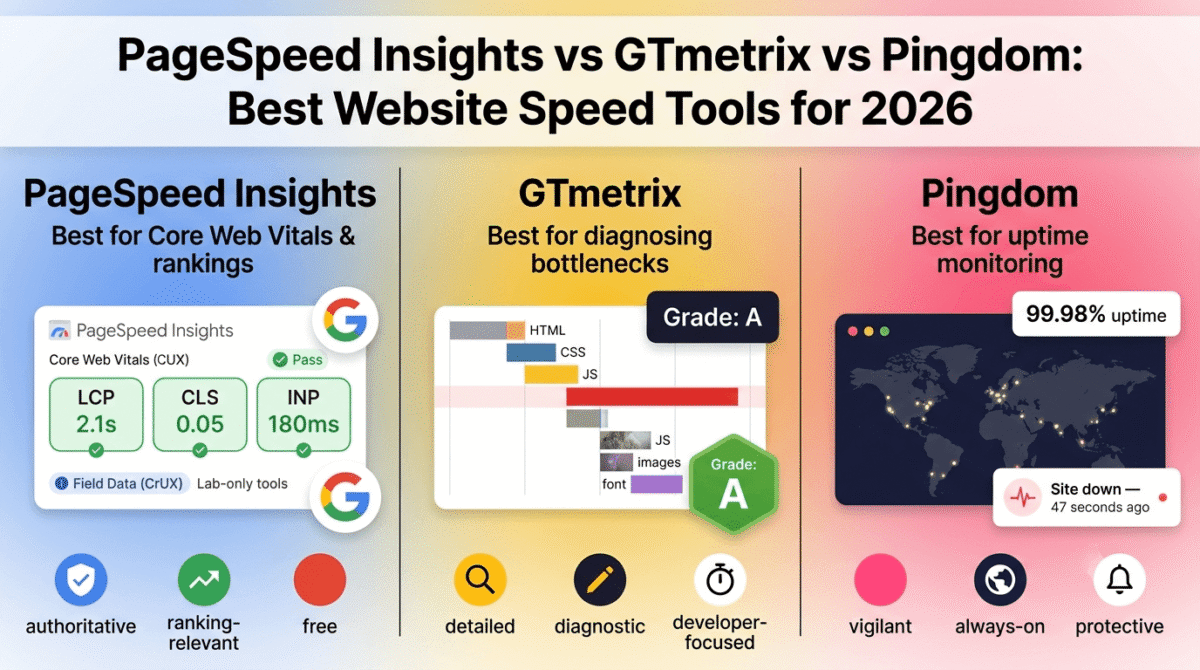
Pingdom has been a recognizable name in uptime monitoring since 2007, and it remains a capable, reliable platform. Pingdom also has a separate, well-known speed-testing product, see our GTmetrix vs PageSpeed Insights vs Pingdom comparison if you’re looking at Pingdom’s speed testing tools rather than uptime monitoring specifically. The honest verdict in 2026, however, is that its value proposition has weakened relative to both UptimeRobot and Better Stack since SolarWinds acquired the company, development has slowed, and pricing has become a genuine drawback rather than a neutral factor.
What Pingdom does best
Pingdom’s synthetic monitoring and real user monitoring (RUM) capabilities go beyond simple uptime pings, tracking actual page performance and user experience metrics alongside basic availability, useful for teams that want performance insight bundled with their uptime checks rather than maintained as entirely separate tools.
Brand maturity and reliability carry real weight for larger, more risk-averse organizations, Pingdom’s long track record and SolarWinds backing make it a safe, well-understood choice for enterprise environments where vendor stability is itself a selection criterion, independent of whether a cheaper tool offers comparable features.
Transaction monitoring, the ability to simulate a multi-step user flow like a checkout process and verify each step completes successfully, is a capability not matched by UptimeRobot and only partially addressed by some Better Stack alternatives, making Pingdom relevant specifically for e-commerce sites that need this depth.
Where Pingdom falls short
Pingdom no longer offers a free tier at all, a significant disadvantage compared to UptimeRobot’s permanently free 50-monitor plan, and a real reason many former Pingdom users have migrated to alternatives in recent years.
Per-check pricing adds up quickly at scale. Monitoring a meaningful number of URLs at fast check intervals can run into a substantial monthly cost, considerably more than equivalent coverage through UptimeRobot or even Better Stack’s per-license model in many configurations.
Multiple independent reviews note that development and feature velocity have slowed since the SolarWinds acquisition, with Pingdom increasingly described as “the legacy standard” rather than the innovation leader it once was, a pattern worth taking seriously if you are choosing a tool you expect to rely on for years.
Pingdom pricing
| Plan | Price | Key features |
|---|---|---|
| Starter | ~$15/month | Basic uptime checks, limited monitors |
| Higher Tiers | Scales up (per-check costs) | Synthetic monitoring, RUM, transaction monitoring |
No free tier is currently available, confirm current pricing directly, as per-check costs can escalate significantly at higher monitor counts.
Pingdom: Pros and Cons
Pros:
- Long track record and strong brand recognition, especially in enterprise contexts
- Synthetic and real user monitoring bundled with basic uptime checks
- Transaction monitoring for multi-step flows like checkout processes
- Backed by SolarWinds’ broader infrastructure and support resources
Cons:
- No free tier, unlike both competitors in this comparison
- Per-check pricing scales expensively at higher monitor counts
- Slower feature development since the SolarWinds acquisition
- Increasingly positioned as the more expensive legacy option rather than the best value
- Best alternatives in this exact comparison generally outperform it on price-to-value
Rating: 3.9 / 5, A reliable, mature platform, but the pricing trap of no free tier combined with escalating per-check costs makes it the hardest of the three to recommend for most RateTheTool readers in 2026.
Head-to-Head Comparison
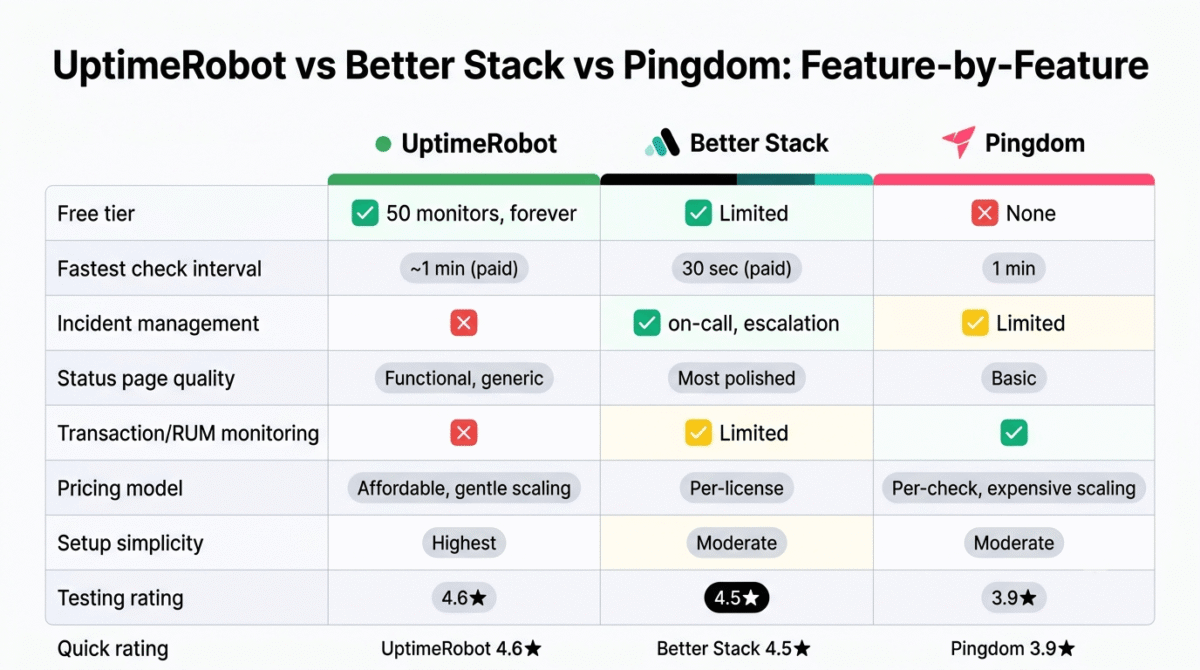
| Feature / Category | UptimeRobot | Better Stack | Pingdom |
|---|---|---|---|
| Free tier | 50 monitors, forever | Limited (10 monitors) | None (14-day trial) |
| Fastest check interval | ~1 minute (paid) | 30 seconds (paid) | 1 minute |
| Incident management | No | Yes (on-call, escalation) | Limited |
| Status page quality | Functional, generic | Most polished | Basic |
| Transaction/RUM monitoring | No | Limited | Yes |
| Pricing model | Affordable, scales gently | Per-license, scales with team | Per-check, scales expensively |
| Best for | Bloggers, small sites | Small agencies, technical teams | Enterprise, e-commerce transaction checks |
| Setup simplicity | Highest | Moderate | Moderate |
Which Tool Should You Choose?
Choose UptimeRobot if:
You are a blogger, freelancer, or small WordPress developer managing your own sites or a handful of client sites, and you want reliable downtime alerts without paying anything. For the overwhelming majority of RateTheTool’s audience, UptimeRobot’s free tier is not a compromise, it is genuinely the right tool, not just the cheapest one.
Choose Better Stack if:
You run a small agency or technical team responsible for multiple client sites where a coordinated incident response, on-call rotation, escalation, and a clear resolution timeline, matters more than a basic alert. The cost is justified once downtime response needs a real process, not just a notification.
Choose Pingdom if:
You specifically need transaction monitoring for a multi-step e-commerce flow, or your organization already has a SolarWinds relationship and values vendor maturity over price. For most other use cases in 2026, the lack of a free tier and escalating per-check pricing make it harder to justify over the alternatives.
The Blogger and Freelancer Setup Recommendation
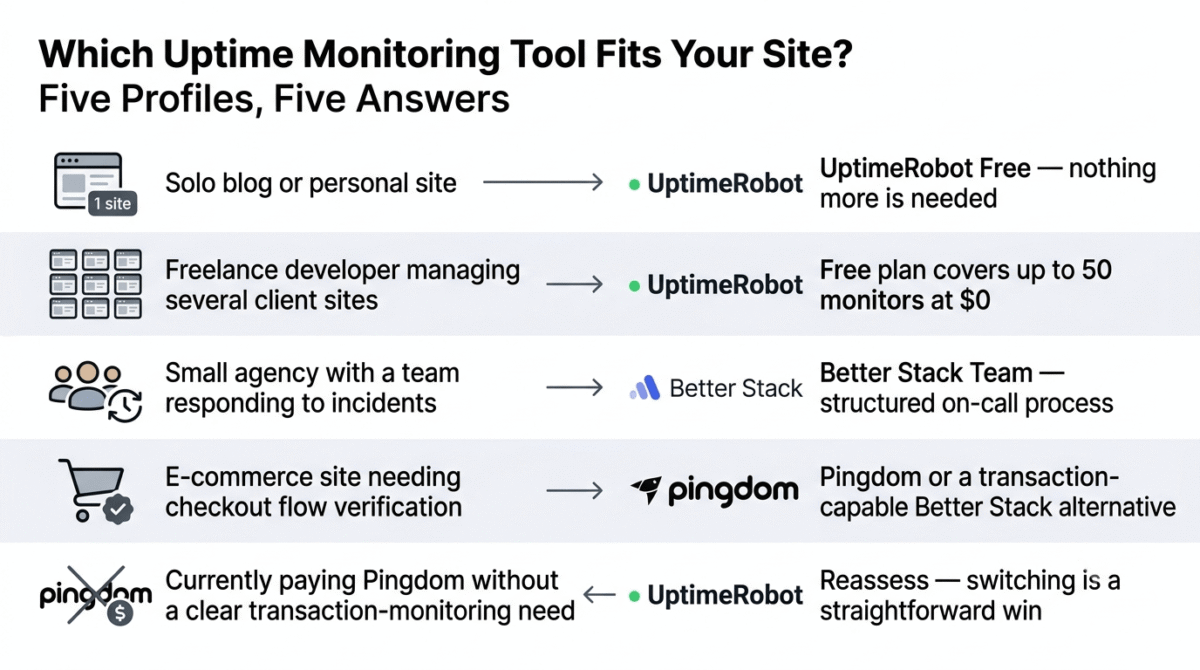
Based on 30 days of testing including deliberately triggered downtime, here is the recommended setup by site type:
Solo blog or personal site: UptimeRobot’s free plan. There is no realistic scenario where a single-site blogger needs anything more than this.
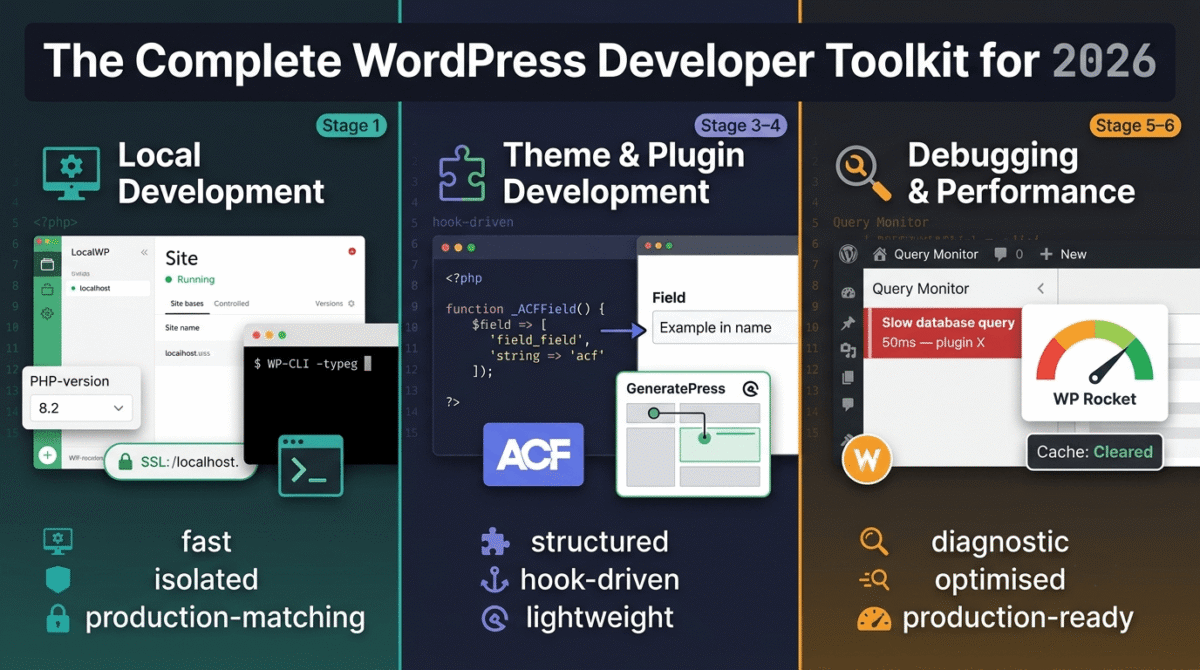
Freelance WordPress developer managing several client sites: UptimeRobot’s free plan, covering up to 50 monitors across all client sites at zero cost, likely sufficient unless you are managing an unusually large client roster. See our full WordPress developer toolkit guide for the rest of the stack a freelance WordPress developer typically runs alongside uptime monitoring.
Small agency with a team responding to incidents: Better Stack’s entry team plan, once downtime response involves more than one person and benefits from a structured on-call process.
E-commerce site needing checkout flow verification: Pingdom or a Better Stack alternative with transaction monitoring support, since this is the one capability neither UptimeRobot nor most budget alternatives fully replicate.
Anyone currently paying for Pingdom without a clear need for transaction monitoring: Reassess. The pricing trap here is real, if you are paying Pingdom’s per-check costs for monitoring that UptimeRobot’s free tier or Better Stack’s team plan would cover at lower cost, switching is a straightforward win.
Final Verdict
UptimeRobot is the best uptime monitoring tool for the overwhelming majority of RateTheTool’s readers in 2026, its free tier is not a limited trial but a genuinely complete solution for bloggers, freelancers, and small WordPress operations, and there is no good reason to pay for monitoring until your needs clearly exceed what it offers.
Better Stack is the best choice once monitoring needs to become incident response, for small agencies and technical teams, the on-call workflows and polished status pages justify the cost in a way that goes meaningfully beyond what a simple alert provides.
Pingdom remains capable but is the hardest of the three to recommend on value, the loss of its free tier and the escalating per-check pricing model since the SolarWinds acquisition mean most readers will get better value from either of the other two tools, unless transaction monitoring specifically is a hard requirement.
Ratings:
- UptimeRobot: 4.6 / 5
- Better Stack: 4.5 / 5
- Pingdom: 3.9 / 5
Frequently Asked Questions
What is the best uptime monitoring tool in 2026?
UptimeRobot is the best choice for most bloggers, freelancers, and small WordPress operations due to its genuinely generous free tier of 50 monitors. Better Stack is the better choice for small agencies and technical teams that need structured incident management and on-call workflows. Pingdom remains capable but has become harder to recommend on price since losing its free tier.
Is UptimeRobot’s free plan actually free, or are there hidden limits?
UptimeRobot’s free plan genuinely supports 50 monitors with 5-minute check intervals at no cost, indefinitely. The main limitation is check speed, faster intervals down to roughly one minute require a paid upgrade, but the core monitoring functionality, status pages, and common alert integrations are all included on the free tier.
Why did Pingdom stop offering a free plan?
Pingdom dropped its free tier following its acquisition by SolarWinds, alongside broader reports of slower feature development and pricing increases. This shift is part of why many former Pingdom users have migrated to alternatives like UptimeRobot or Better Stack in recent years.
How fast does an uptime monitoring tool need to check my site?
It depends on how much downtime costs you. A 5-minute check interval, like UptimeRobot’s free tier, is sufficient for most blogs and small business sites, where a few minutes of undetected downtime has limited financial impact. For e-commerce sites or any business where each minute of downtime has a measurable cost, a faster interval of 30–60 seconds, available on paid tiers of Better Stack or Pingdom, is worth the additional cost.
Do I need incident management, or is a simple alert enough?
A simple alert is sufficient if you are the only person responsible for responding to downtime, you get notified, you investigate, you fix it. Incident management becomes valuable once more than one person could respond, since on-call rotation and escalation ensure an alert does not go unacknowledged simply because the wrong person saw it first.
Can uptime monitoring tools check things other than whether my site loads?
Yes. Most tools in this category, including all three compared here, can also monitor SSL certificate expiration, domain expiration, server resource usage, and specific API endpoints, not just whether your homepage returns a successful response. This is useful for catching problems, like an expiring SSL certificate, before they cause an actual outage.
Is a public status page necessary for a small blog or freelance business?
Not strictly necessary, but genuinely useful if you manage sites for clients. A public status page gives clients visibility into your site’s reliability without needing to ask you directly, and it signals a level of professionalism and transparency that builds trust, particularly valuable for freelance WordPress developers managing multiple client relationships.