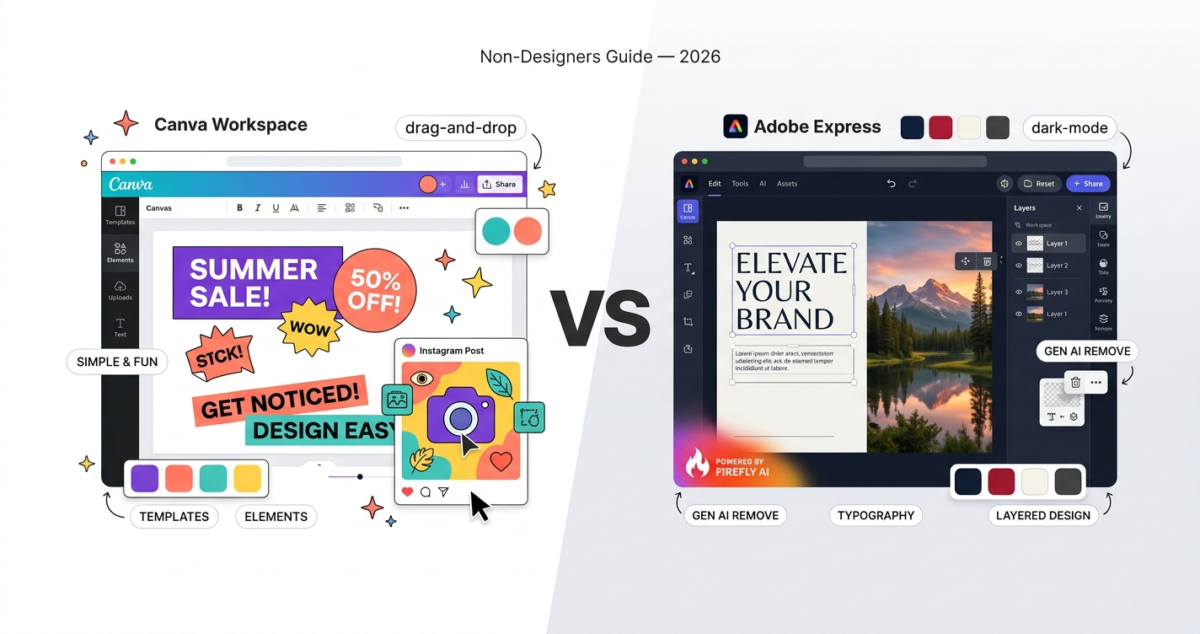
You do not need to be a designer to create professional-looking graphics in 2026. Canva and Adobe Express have both made graphic design accessible to anyone, bloggers, small business owners, social media managers, teachers, and entrepreneurs who have never opened Photoshop in their lives.
But Canva Pro vs Adobe Express are not the same tool. One is better for beginners who want results fast. The other is better for users already inside the Adobe ecosystem. And their AI features, both launched major upgrades in 2024 and 2025, are genuinely different in what they can do.
I used both tools for 30 days creating social media graphics, blog featured images, presentations, and marketing materials. Here is what I found.
Table of Contents
What Is Canva Pro?
Canva launched in 2013 with a single mission: make design accessible to everyone. Today it has over 170 million monthly active users and is the most widely used design tool in the world outside of Adobe’s professional suite.
Canva’s free plan is genuinely useful. Canva Pro, its paid tier, unlocks a significantly larger template library, a background remover, brand kits, Magic Studio AI tools, and unlimited cloud storage.
Canva pricing:
– Free: 1 million+ templates, 5GB storage, basic tools
– Pro: $14.99/month or $119.99/year (approximately $10/month), 610,000+ premium templates, Brand Kit, background remover, Magic Studio AI, 1TB storage
– Teams: $29.99/month for the first 5 people, collaborative features, team brand controls
What Is Adobe Express?
Adobe Express (formerly Adobe Spark) is Adobe’s answer to Canva, a simplified, browser-based design tool built for non-designers. It sits between Adobe’s professional tools (Photoshop, Illustrator) and the consumer market, giving users access to Adobe’s premium assets, fonts, and most importantly, Adobe Firefly AI.
Adobe Express has a meaningful free plan and a Premium tier that integrates with Creative Cloud.
Adobe Express pricing:
– Free: Thousands of templates, basic Adobe Stock photos, Adobe Firefly AI (limited)
– Premium: $9.99/month or $99.99/year, full Adobe Stock library, all templates, unlimited Firefly AI generative credits, remove background, brand kits
– Creative Cloud All Apps: $59.99/month, includes Adobe Express Premium plus Photoshop, Illustrator, Premiere Pro, and all other Adobe apps
Templates and Design Quality
Canva wins, by a significant margin.
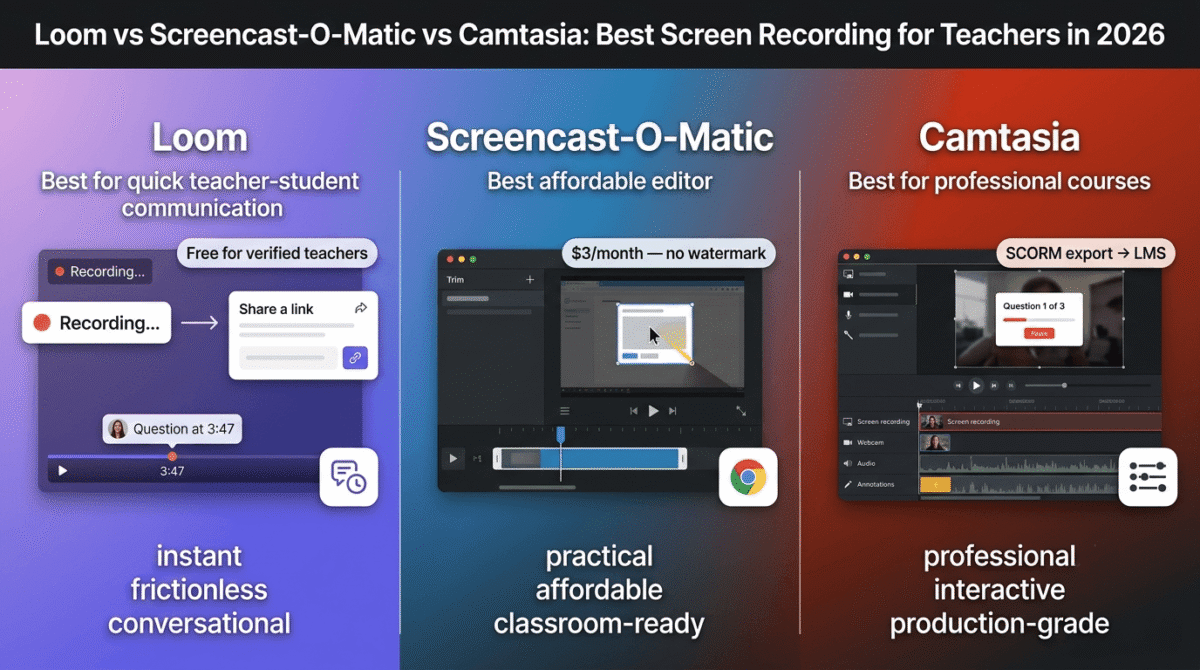
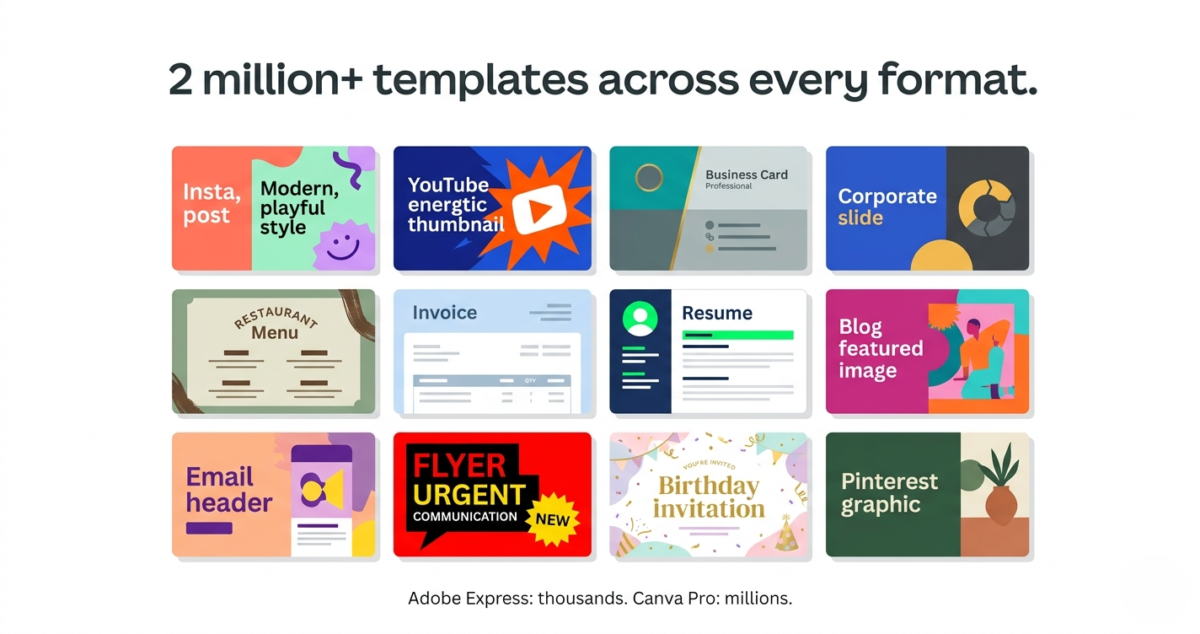
Canva has over 2 million templates across every format imaginable, Instagram posts, YouTube thumbnails, blog headers, presentations, resumes, invoices, flyers, menus, business cards, and hundreds more. If you are creating graphics for video-heavy projects like YouTube thumbnails or course slides, you can pair them seamlessly with the best screen recording software in 2026 to capture your content. The quality ranges from basic to genuinely impressive, and new templates are added constantly.
More importantly, Canva’s templates are easy to customize. Fonts, colors, images, and layouts snap into place intuitively. The drag-and-drop editor feels natural within minutes.
Adobe Express has a respectable template library, thousands of options across common formats, but it is noticeably smaller than Canva’s. The templates are high quality and carry Adobe’s design sensibility, but the selection for less common formats (infographics, custom dimensions, print materials) is thinner.
For sheer variety and quantity, Canva is the clear winner.
Ease of Use for Beginners
Canva wins again.
Canva was built from day one for people who have never designed anything. The interface is forgiving, the learning curve is almost flat, and every feature is discoverable without reading a manual. You can open Canva, pick a template, swap in your text and photos, and have a finished graphic in under five minutes on your first attempt.
Adobe Express is also beginner-friendly, significantly more so than Photoshop or Illustrator, but it carries a slightly more complex interface that reflects its Adobe lineage. New users occasionally find themselves hunting for features that Canva surfaces more intuitively.
For a complete design beginner, Canva is the easier starting point. For someone already familiar with any Adobe product, Express will feel more natural. If you also work extensively with documents, you might want to pair it with the best PDF editors to manage your exports.
AI Features: Canva Magic Studio vs Adobe Firefly
This is the most interesting comparison in 2026, because both tools made major AI investments in 2024 and 2025, and they took meaningfully different approaches.
Canva Magic Studio
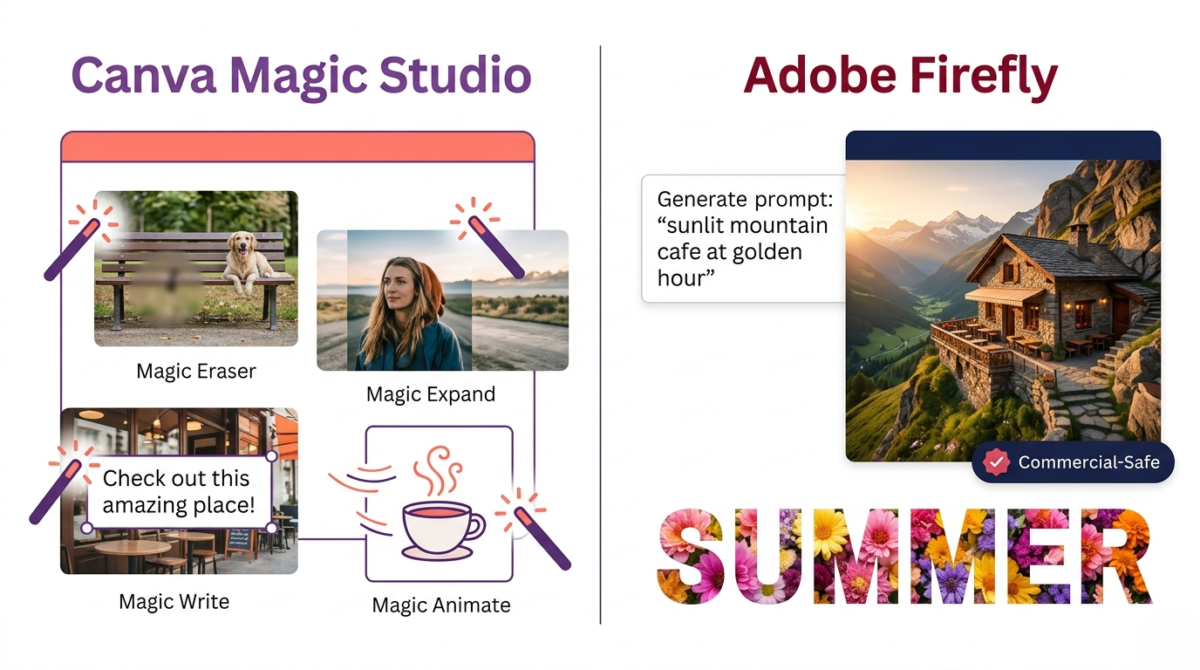
Canva Pro’s Magic Studio is a suite of AI tools built directly into the design workflow:
Magic Write generates text inside your designs captions, headlines, product descriptions, without leaving Canva.
Magic Design takes a photo or text prompt and generates a complete, ready-to-use design template around it. You describe what you need and Canva builds a starting point.
Magic Eraser removes unwanted objects from photos with a single brush stroke, no manual selection required.
Magic Expand extends the edges of an image beyond its original borders, filling in the background intelligently. This is particularly useful for fitting photos into formats with different aspect ratios.
Magic Animate adds motion to static designs for Reels, TikToks, and animated presentations with one click.
Background Remover is instant, accurate, and requires no manual masking.
Canva’s AI tools are tightly integrated into the design process. You rarely feel like you are switching between a design tool and an AI tool, it all flows together.
Adobe Firefly
Adobe Firefly is Adobe’s AI image generation engine, and it is available inside Adobe Express. Its key advantage over Canva’s AI is image generation quality and commercial safety.
Text to Image generates photorealistic or illustrated images from text prompts. The image quality from Firefly is noticeably higher than Canva’s equivalent, Adobe has invested heavily in training Firefly on licensed content, meaning images generated by Firefly are safe to use commercially without copyright concerns.
Generative Fill lets you expand, replace, or add elements to existing photos using text prompts. Select a part of an image, describe what you want in its place, and Firefly generates it.
Text Effects applies stunning typographic treatments, fire, water, flowers, textures, directly onto text, with results that look like they required hours in Photoshop.
Remove Background works as well as Canva’s equivalent.
The tradeoff: Firefly’s most powerful features (unlimited generative credits, full image generation) require the Premium plan or Creative Cloud subscription. The free plan gives limited credits that run out faster than you expect for heavy users.
AI verdict
For everyday design tasks, removing backgrounds, generating copy, animating graphics, Canva Magic Studio is more integrated and easier to use.
For high-quality image generation and photorealistic AI content, Adobe Firefly produces better images and is safer for commercial use.
If you primarily need AI to assist your design workflow, Canva. If you need AI to generate images or photorealistic content, Adobe Express.
Brand Kit: Keeping Your Designs Consistent
Both tools offer Brand Kit features that let you save your brand colors, fonts, and logos for consistent use across all designs.
Canva’s Brand Kit (Pro plan) is more fully featured. You can save multiple brand palettes, multiple font combinations, upload your logo in multiple formats, and apply your brand to any template with one click. Teams plans allow multiple brand kits for agencies managing several clients.
Adobe Express Brand Kit (Premium plan) covers the essentials, colors, fonts, logos, but is slightly less flexible than Canva’s for multi-brand management.
For agencies or businesses managing multiple brand identities, Canva’s Brand Kit is the stronger tool. If you need automated brand kits specifically for logo generation, you can also check out this Looka vs Tailor Brands vs Brandmark breakdown.
Collaboration Features
Canva wins for teams.
Canva’s real-time collaboration is excellent. Multiple team members can work on the same design simultaneously, leave comments, suggest edits, and share design systems, similar to how Google Docs handles document collaboration.
Adobe Express has sharing and collaboration features, but real-time simultaneous editing is not as smooth or feature-rich as Canva’s implementation.
For solo creators, this distinction does not matter. For teams, Canva is the significantly better choice.
Asset Libraries: Photos, Icons, and Fonts
Adobe Express has the edge on photo quality.
Adobe Express connects to Adobe Stock, one of the largest and highest-quality stock photo libraries in the world. Premium subscribers get access to millions of professional stock photos that are genuinely beautiful and commercially licensed.
Canva’s free and Pro plans include access to a large photo library (sourced from Getty Images, Pexels, and Pixabay), and the quality is good. But Adobe Stock’s professional-grade imagery is a step above in terms of production quality.
For icons and illustrations, Canva has a larger and more varied built-in library. Adobe Express connects to the broader Adobe ecosystem for icons, but the in-tool selection is smaller.
For fonts, Adobe Express connects to Adobe Fonts, thousands of high-quality typefaces curated by Adobe’s type team. Canva has a large font selection but it varies in quality.
Pricing: Is Canva Pro Worth $14.99/Month?
Let us be direct about the pricing:
Canva Free | Canva Pro | Adobe Express Free | Adobe Express Premium | |
Price | $0 | $14.99/mo ($10/mo annual) | $0 | $9.99/mo ($8.33/mo annual) |
Templates | 1M+ (basic) | 2M+ (all) | Thousands | All templates |
AI tools | Limited | Full Magic Studio | Limited Firefly | Full Firefly |
Background remover | No | Yes | Yes | Yes |
Brand Kit | No | Yes | Limited | Yes |
Storage | 5GB | 1TB | 2GB | 100GB |
Adobe Stock | No | No | Basic | Full library |
Adobe Express Premium at $9.99/month is cheaper than Canva Pro at $14.99/month. However, Canva Pro on the annual plan comes down to approximately $10/month, making them nearly identical in price.
Is Canva Pro worth it? Yes, for regular users. The jump from Canva Free to Canva Pro is significant, premium templates, Magic Studio AI, background remover, and Brand Kit together represent a meaningful upgrade. If you use Canva more than a few times per month for professional purposes, Pro pays for itself in time saved.
Is Adobe Express Premium worth it? Yes, if you are already an Adobe Creative Cloud subscriber, Express is included in many CC plans at no extra cost. As a standalone subscription, it is good value primarily if you need Adobe Stock imagery or Firefly’s image generation capabilities.
Which Tool Should Non-Designers Choose?
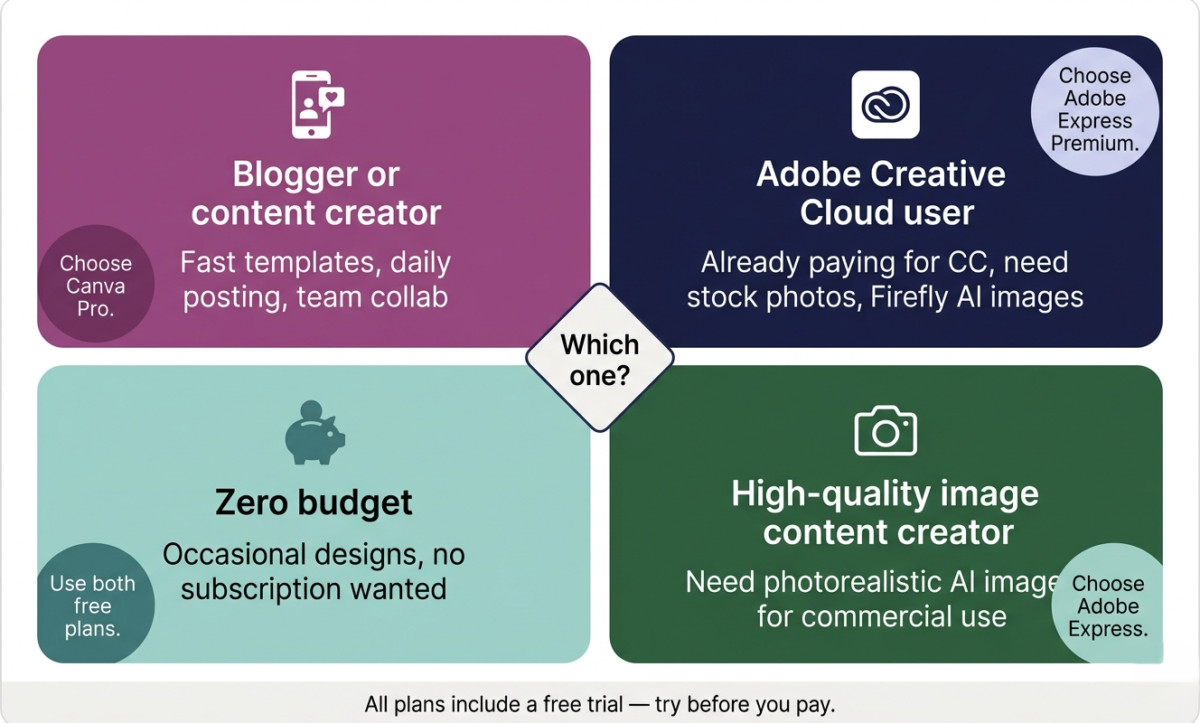
Choose Canva Pro if:
You are a blogger, content creator, small business owner, or social media manager who wants the fastest path from idea to finished design. Canva’s template library, intuitive editor, and integrated AI tools make it the most complete design tool for non-designers. The collaboration features make it the clear choice for any team environment.
Choose Adobe Express Free if:
You occasionally need to create graphics and do not want to pay for a subscription. Adobe Express’s free plan is genuinely capable for basic design needs, and the limited Firefly AI credits give you a taste of Adobe’s image generation without any cost.
Choose Adobe Express Premium if:
You are already in the Adobe Creative Cloud ecosystem, you need access to Adobe Stock’s premium photo library, or Firefly’s photorealistic image generation is specifically important to your work. Also consider it if you need high-quality AI-generated images for commercial use.
Use both free plans if:
You want zero cost and maximum flexibility. Canva Free and Adobe Express Free together cover most basic design needs without spending a dollar.
Final Verdict
For non-designers in 2026, Canva Pro is the better all-around tool. Its template library is larger, its interface is more intuitive, its AI tools are better integrated into the design workflow, and its collaboration features are more fully developed. It is the tool you will reach for every day.
Adobe Express is the better tool for image quality. Adobe Firefly generates more photorealistic images than Canva’s AI, and Adobe Stock’s photo library is top-tier. If your primary need is high-quality visual content rather than quick social graphics, Adobe Express Premium deserves serious consideration.
The short answer: Start with Canva. It will handle 90% of what most non-designers need. If you find yourself regularly needing professional stock photography or AI image generation at a high quality level, add Adobe Express to your toolkit.
Ratings:
– Canva Free: 4.3 / 5
– Canva Pro: 4.6 / 5
– Adobe Express Free: 4.1 / 5
– Adobe Express Premium: 4.2 / 5
If you need advanced UI/UX design capabilities, you should compare Figma vs Adobe XD vs Sketch instead.
Both platforms are essential additions to the best tools for content creators looking to streamline their visual production.
Frequently Asked Questions
Is Canva Pro worth it in 2026?
Yes, for regular users. Canva Pro’s main advantages over the free plan are access to all premium templates, the full Magic Studio AI suite (including background remover, Magic Expand, and Magic Eraser), Brand Kit for consistent branding, and 1TB of cloud storage. If you create graphics more than a few times per week, Pro saves significant time and pays for itself.
Is Adobe Express completely free?
dobe Express has a genuine free plan that includes thousands of templates, basic Adobe Stock photos, and limited Adobe Firefly AI credits. The free plan is usable for occasional design needs. Heavy users will find the limited Firefly credits and smaller template access frustrating and will want the Premium plan.
Can Canva be used for commercial purposes?
Yes. Designs created with Canva can be used for commercial purposes, including selling products, marketing materials, and client work. However, Canva’s stock photos and elements each have their own license terms. Canva Pro’s Content License covers most commercial uses. Always check the license on specific elements if you plan to use them in products for resale.
Which is better for social media: Canva or Adobe Express?
Canva is better for social media content creation. It has more social media templates, better animation tools for Reels and Stories, a larger selection of social-specific elements, and a content scheduler (Canva Pro) that lets you publish directly to social platforms.
Does Adobe Express work without a Creative Cloud subscription?
Yes. Adobe Express has its own standalone free and Premium plans that do not require a Creative Cloud subscription. However, existing Creative Cloud subscribers often get Adobe Express Premium included in their plan at no extra cost, check your subscription before purchasing separately.
What is the easiest design tool for complete beginners?
Canva is the easiest design tool for complete beginners. Its drag-and-drop interface, guided template system, and flat learning curve mean most new users can create a professional-looking graphic within their first ten minutes on the platform.
Can I use Adobe Express offline?
Adobe Express is primarily a web-based tool and requires an internet connection. There is a mobile app for iOS and Android that supports some offline functionality, but the full feature set requires being online. Canva has the same limitation, both are cloud-based tools designed for online use.