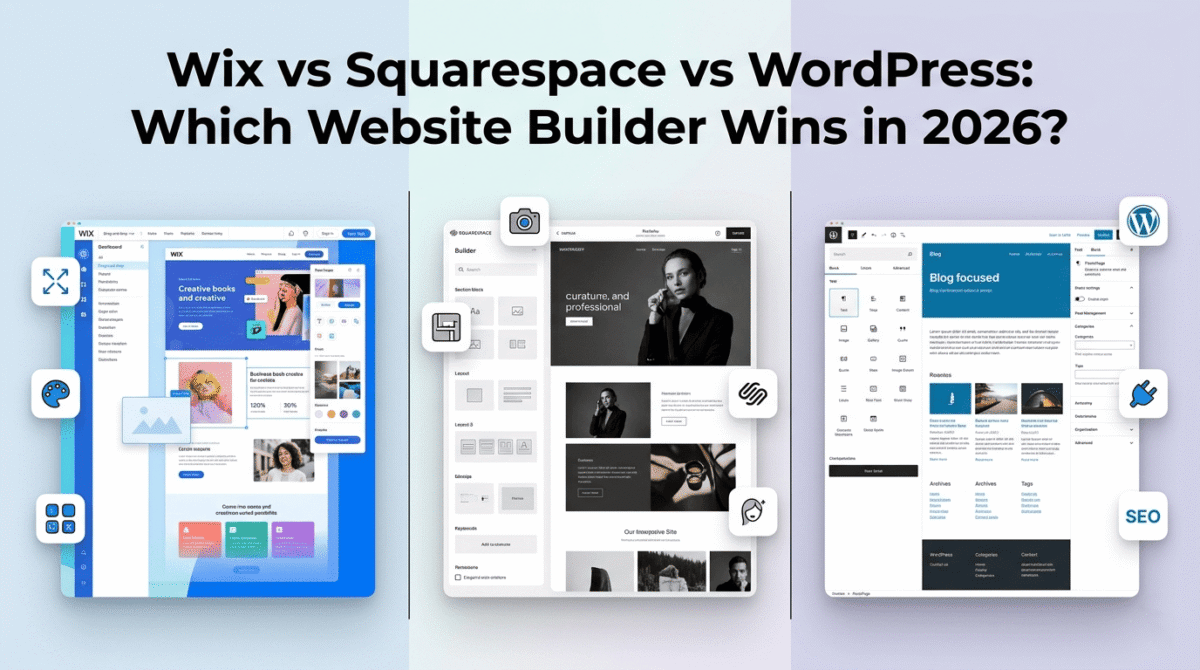
Building a website in 2026 does not require a developer, a designer, or a large budget. The three most popular website builders, Wix vs Squarespace vs WordPress, between them, power hundreds of millions of websites worldwide, and all three enable complete beginners to launch professional sites without writing a single line of code.
But they are built on fundamentally different philosophies, and choosing the wrong one can mean rebuilding your entire website from scratch a year later when you outgrow its limitations.
I tested all three for 60 days across real website projects, a portfolio site, a business site, a blog, and an online store. Here is the honest comparison of which builder is actually right for your specific situation in 2026.
Table of Contents
How We Evaluated These Website Builders
Every platform was tested across five criteria:
– Ease of use: how quickly can a complete beginner build and launch a professional website?
– Design quality: how good do the templates look and how flexibly can they be customised?
– Features: blogging, e-commerce, SEO, forms, analytics, and third-party integrations
– Scalability: how well does the platform handle growth from a simple site to a complex one?
– Total cost: monthly fees, transaction fees, and hidden expenses at different usage levels
The Fundamental Question: Hosted Builder or Self-Hosted CMS?
Before comparing the three tools, understanding the fundamental distinction between them clarifies why the choice matters so much.
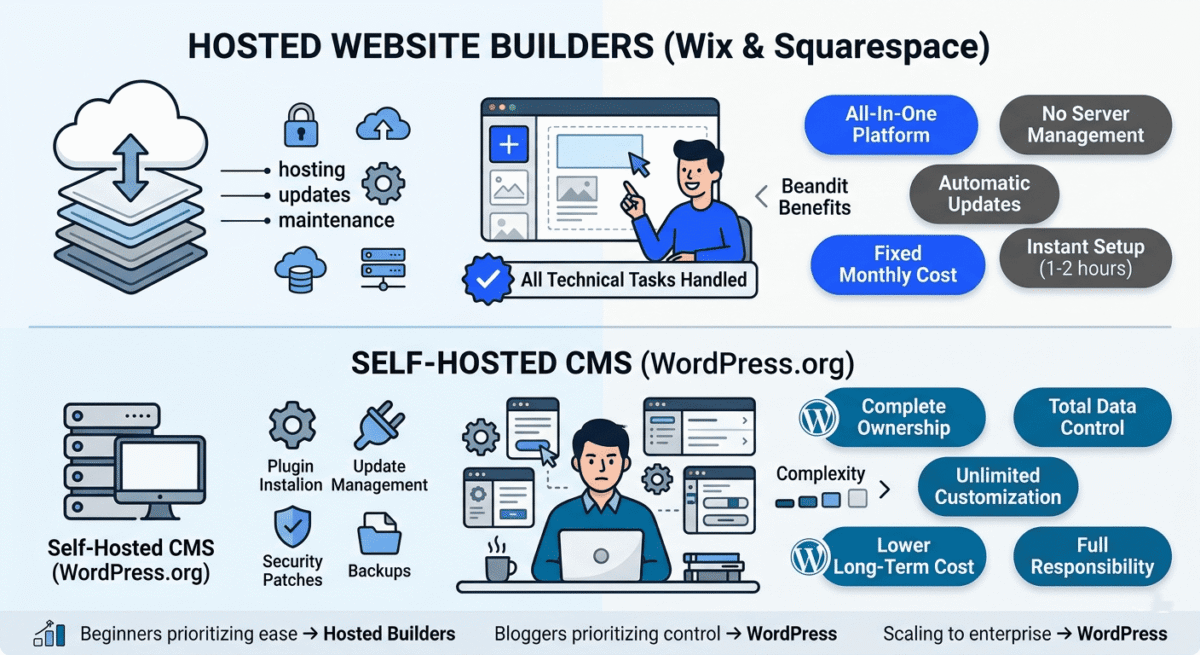
Wix and Squarespace are hosted website builders: all-in-one platforms where hosting, software, security, and updates are managed for you. You pay a monthly subscription, build your site in their visual editor, and the platform handles everything technical. No server management, no software updates, no security patches.
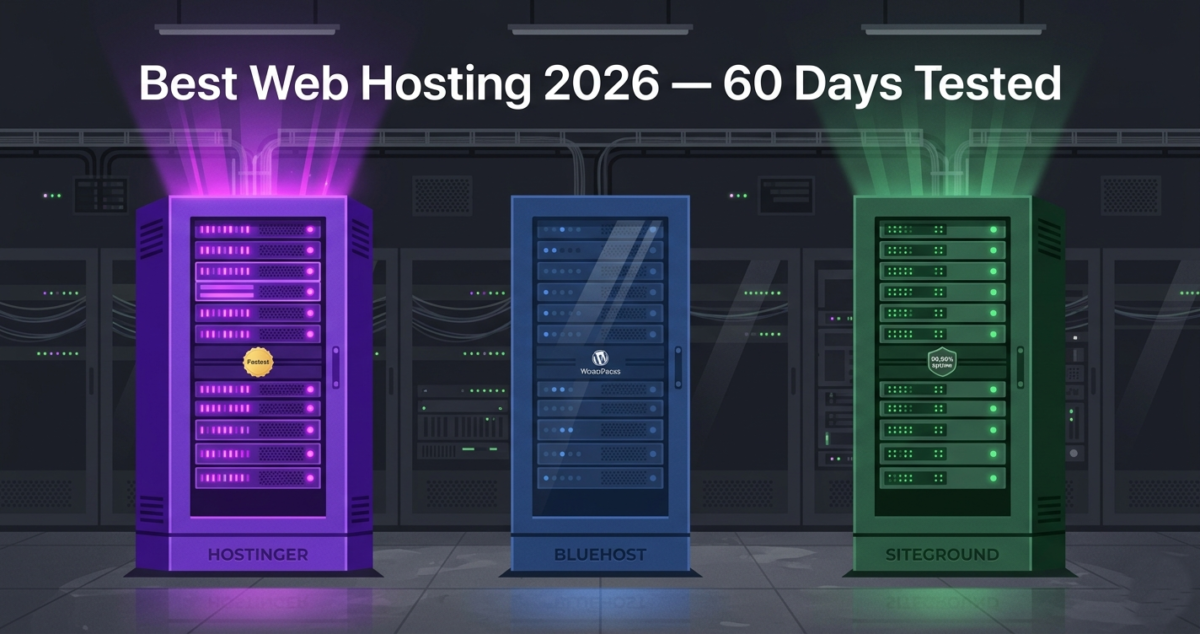
WordPress.org is a self-hosted content management system: free, open-source software that you install on your own hosting (from a provider like Hostinger or SiteGround). You can review how these top providers match up in speed and uptime in our review of the best web hosting 2026. You own the software and your data completely, but you are responsible for hosting, security, updates, and maintenance.
Note: WordPress.com (a hosted version of WordPress) is a separate product from WordPress.org. This comparison covers WordPress.org, the self-hosted version used by 43% of all websites on the internet. Unless otherwise specified, “WordPress” in this post refers to WordPress.org.
This distinction drives every meaningful difference between the platforms: cost, flexibility, control, complexity, and ownership.
Wix Review: Best Website Builder for Beginners and Small Businesses
Free plan: Yes, Wix-branded subdomain, Wix ads displayed
Starting paid price: $17/month (Light, billed annually)
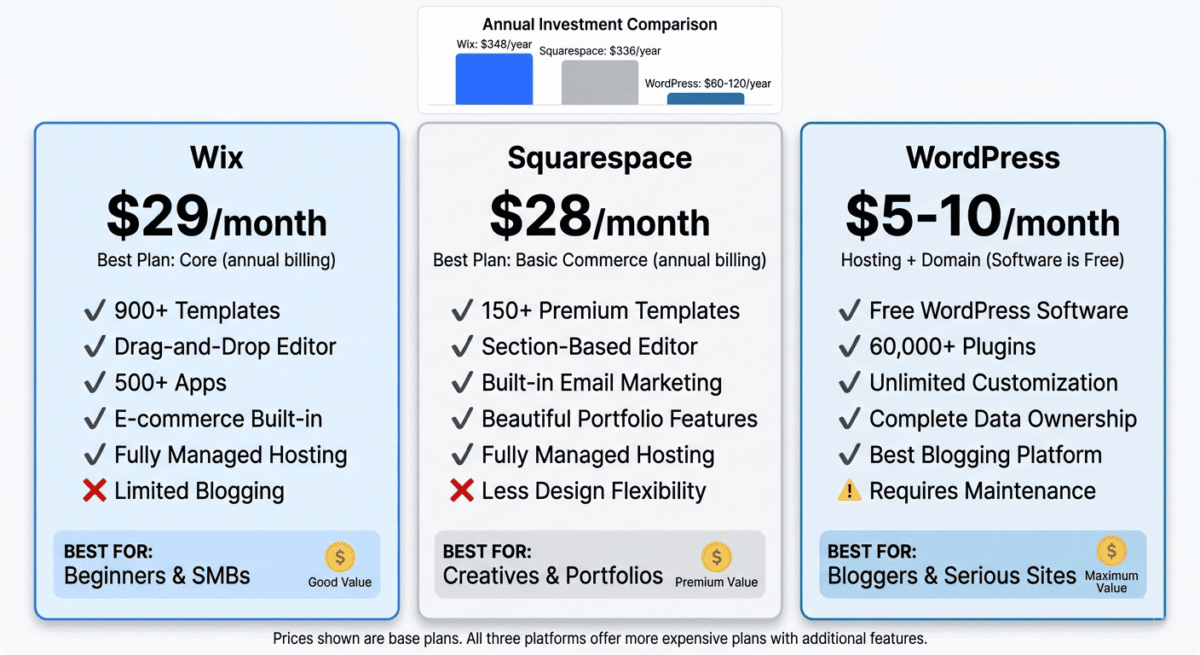
Best plan for most users: Core, $29/month (billed annually)
Platforms: Web, iOS, Android
Affiliate program: Yes, Wix affiliate program, up to $100 per referral
Wix is the most popular hosted website builder in the world, and for beginners who want maximum design freedom with minimum technical complexity, it is the easiest way to build a genuinely impressive website in 2026.
What Wix does best
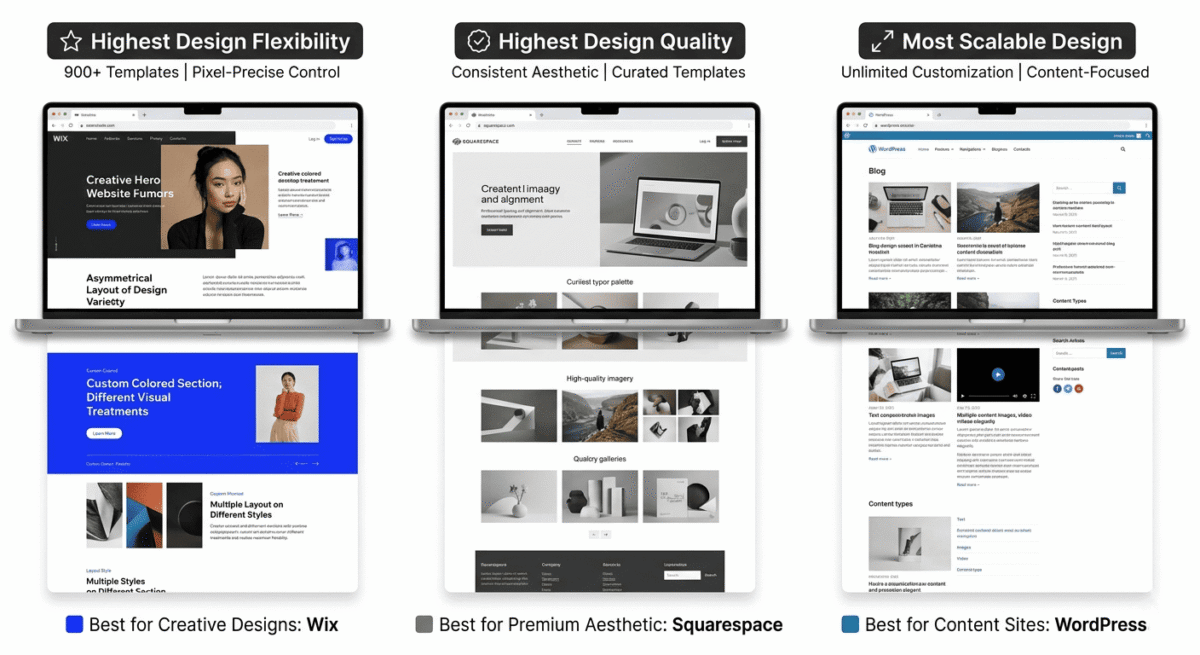
Wix’s drag-and-drop editor is the most flexible visual editor of the three tools tested. Unlike Squarespace’s structured grid-based editor, Wix allows you to place any element, text, image, button, video, or map anywhere on the page with pixel-level precision. This freedom enables creative layouts that would be impossible to achieve in Squarespace without custom code.
Wix ADI (Artificial Design Intelligence) is the fastest path to a complete website for true beginners. Answer a few questions about your business, industry, and preferences, and Wix ADI generates a complete personalised website, with relevant sections, placeholder content, and a coherent design, in under five minutes. You then edit and customise the generated site rather than building from scratch.
The template library contains over 900 professionally designed templates across every industry and website type, far more than Squarespace’s 150+ and certainly more than WordPress’s free theme library. Every template is mobile-optimised and customisable without touching code.
Wix’s App Market offers over 500 apps covering booking systems, membership areas, event management, live chat, marketing tools, and hundreds of other extensions. For small businesses that need specific functionality, a restaurant booking system, a fitness class scheduler, or a members-only content area, Wix’s app ecosystem covers most use cases without custom development.
The Wix Editor X (now called Wix Studio) provides more sophisticated design capabilities for advanced users, CSS-like layout controls, responsive breakpoints, and component-based design that approaches the flexibility of professional web design tools. Regular users never need to touch Editor X, but its existence means Wix scales from beginner to advanced without requiring a platform switch.
Wix’s built-in SEO tools have improved significantly. The Wix SEO Wiz provides step-by-step SEO setup guidance; the platform generates clean URLs, and structured data is applied automatically for blog posts, products, and events. Wix has addressed most of the technical SEO concerns that affected it in earlier years; modern Wix sites rank in Google as effectively as comparable Squarespace sites.
Where Wix falls short
Wix’s greatest weakness is also its greatest strength: total layout freedom means total layout responsibility. Without the structural constraints that Squarespace imposes, beginners can inadvertently create inconsistent, cluttered designs that look unprofessional. The guardrails that make Squarespace’s results predictably attractive do not exist in Wix.
Once you choose a Wix template and build your site, switching to a different template requires rebuilding your content from scratch. Templates are not interchangeable in Wix, a significant limitation compared to WordPress, where you can switch themes without losing content.
The free plan, while available, displays Wix branding and a Wix subdomain (yourbusiness.wixsite.com), not suitable for any professional use. A paid plan is effectively required from day one.
Wix’s blogging capabilities, while functional, are less powerful than WordPress for content-heavy sites. There is no equivalent to WordPress’s Gutenberg block editor, and the blog management interface is simpler than what serious bloggers need for high-volume content production.
Wix pricing
Plan | Price/month (annual) | Storage | Key features |
Free | $0 | 500MB | Wix ads, Wix subdomain, not for professional use |
Light | $17 | 2GB | Custom domain, no Wix ads, basic features |
Core | $29 | 50GB | + E-commerce, analytics, video hours |
Business | $36 | 100GB | + Subscriptions, multiple currencies |
Business Elite | $159 | Unlimited | + Priority support, advanced analytics |
Wix: Pros and Cons
Pros:
– Most design freedom, pixel-precise drag-and-drop editor
– Wix ADI generates complete websites in minutes for beginners
– 900+ templates across every industry
– 500+ apps in the Wix App Market
– Wix Studio for advanced responsive design
– Improved SEO tools, modern Wix sites rank effectively
– Free plan available for experimentation
– Up to $100 per referral on affiliate program
Cons:
– Cannot switch templates without rebuilding content
– Total design freedom can produce cluttered results without design skills
– Blogging less powerful than WordPress for high-volume content
– Free plan displays Wix branding, not professional
– E-commerce transaction fees on lower plans
– Performance can be slower than WordPress on optimised hosting
Rating: 4.5 / 5 Best website builder for beginners who want maximum design flexibility and a visual editor that requires no technical knowledge.
Squarespace Review: Best Website Builder for Design-Conscious Creators
Free plan: No (14-day free trial)
Starting paid price: $16/month (Personal, billed annually)
Best plan for most users: Basic Commerce, $28/month (billed annually)
Platforms: Web, iOS, Android
Affiliate program: Yes, Squarespace affiliate program, up to $200 per referral
Squarespace is the most design-forward website builder available, the platform most likely to produce a beautiful, professionally polished website regardless of the user’s design skills. It achieves this through a more constrained editor that enforces visual consistency, a curated template library where every option is genuinely attractive, and typography and colour systems that prevent the accidental design mistakes that beginner Wix users sometimes make.
What Squarespace does best
Squarespace’s templates are the most consistently beautiful of the three tools tested. Every template in the library, currently over 150 professionally designed options, is a high-quality design that looks credible in 2026. Where Wix’s 900+ templates vary significantly in quality, Squarespace’s smaller library maintains a consistently high design standard across every option.
The design system ensures visual consistency throughout your site. Font pairings, colour palettes, spacing, and button styles are applied site-wide from a global settings panel. Change your primary colour once, and every element that uses it updates automatically. This coherence is what makes Squarespace sites look professionally designed even when built by complete beginners.
Squarespace’s section-based editor, while less flexible than Wix’s pixel-precise drag-and-drop, produces more consistently professional results. Sections have predefined layouts that ensure elements are properly aligned, spaced, and proportioned. Beginners who lack design intuition produce better results in Squarespace’s constrained editor than in Wix’s open canvas.
Squarespace’s blogging platform is the most capable of the three hosted builders and meaningfully better than Wix for content-focused sites. Multiple authors, categories, tags, post scheduling, subscriber email notifications, and a clean writing interface make it the right choice for bloggers who want a hosted platform rather than WordPress.
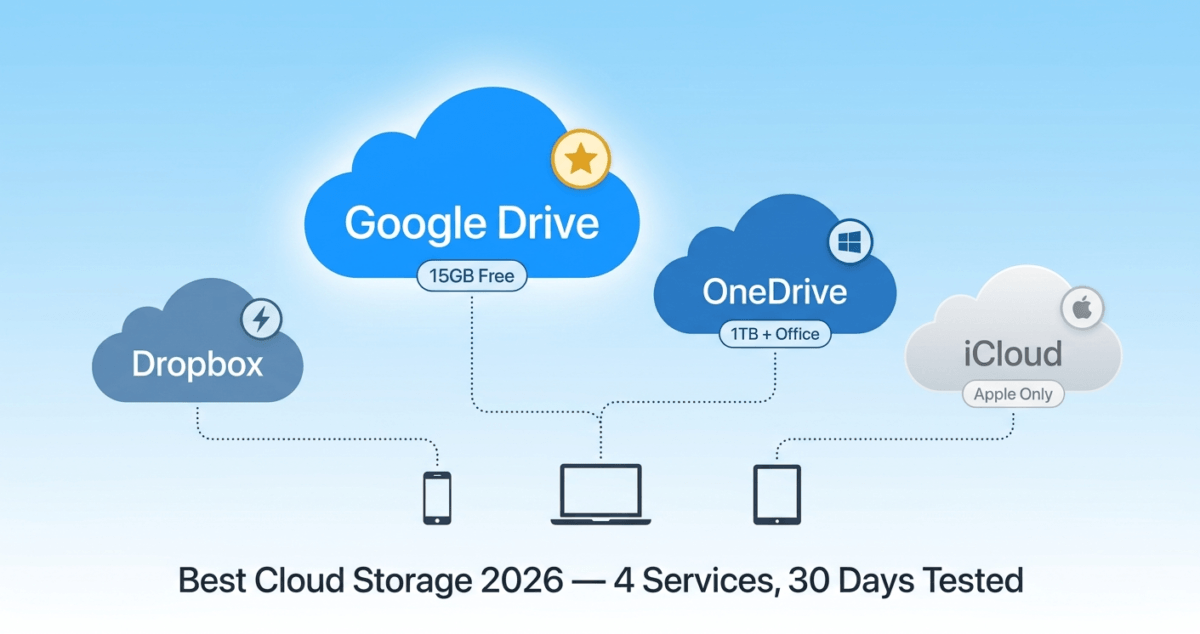
The portfolio functionality is the strongest of the three tools, Squarespace was built with photographers, designers, and creative professionals in mind. Image-heavy galleries, case study layouts, and client-facing portfolio pages are handled more elegantly in Squarespace than in any other tool tested. Because uploading massive uncompressed source files directly to your web server can tank page load speeds, it is wise to pair your site workflow with the best cloud storage 2026 to share raw deliverables with clients smoothly behind the scenes.
Squarespace’s e-commerce features are solid and improving. No transaction fees on Business plans and above, multiple payment methods (Stripe, PayPal, Apple Pay, Afterpay), abandoned cart recovery, and flexible product management handle most small store needs. For product-based businesses with simple inventory, Squarespace Commerce is a practical solution that avoids the complexity of Shopify.
Squarespace Email Campaigns, an email marketing tool built directly into the platform, lets you send newsletters designed to match your website aesthetic without connecting a separate email marketing service. For a simple broadcast email to your subscriber list, Squarespace Email Campaigns is convenient and well-designed.
Where Squarespace falls short
Squarespace’s editor, while producing beautiful results, is less flexible than Wix. You cannot place elements with pixel precision; everything conforms to the section grid. Advanced layout customisation requires CSS knowledge, which removes the no-code advantage.
The app/integration ecosystem is significantly smaller than Wix’s. Squarespace has fewer native integrations and no dedicated app marketplace comparable to Wix’s 500+ apps. For businesses needing specific functionality not covered by Squarespace’s built-in features, the options are limited.
Squarespace has no free plan; the 14-day trial is the only way to evaluate it without paying. For users who want to experiment before committing, this is a barrier.
Squarespace’s blogging, while better than Wix’s, is still significantly less powerful than WordPress for high-volume, SEO-focused content production. The URL structure, taxonomies, and content management capabilities that serious bloggers need are better served by WordPress.
Squarespace pricing
Plan | Price/month (annual) | Key features |
Personal | $16 | Custom domain, unlimited pages, basic metrics |
Business | $23 | + E-commerce (3% transaction fee), marketing tools |
Basic Commerce | $28 | + No transaction fees, product reviews, basic merchandising |
Advanced Commerce | $52 | + Abandoned cart recovery, subscriptions, advanced shipping |
Squarespace: Pros and Cons
Pros:
– Most consistently beautiful templates, every option is high quality
– Global design system ensures visual consistency throughout
– Best portfolio and image gallery functionality
– Most capable hosted blogging platform of the three
– No transaction fees on Commerce plans
– Squarespace Email Campaigns built in for newsletter marketing
– Best mobile app for managing and editing your site on the go
– Up to $200 per referral, highest hosted builder affiliate payout
Cons:
– Less design flexibility than Wix, constrained section-based editor
– Smaller integration ecosystem, fewer third-party app options
– No free plan, 14-day trial only
– Advanced customisation requires CSS knowledge
– More expensive than Wix for equivalent features
– Not suitable for high-volume content marketing or complex SEO strategies
Rating: 4.5 / 5 Best website builder for design-conscious creators, photographers, and small businesses that prioritise visual quality above all else.
WordPress Review: Best Website Platform for Bloggers and Scalable Websites
Free plan: WordPress.org software is free; hosting is required (~$3–$15/month)
Starting price: ~$3.99/month (Hostinger Premium) + free WordPress software
Best setup for most bloggers: WordPress on Hostinger or SiteGround
Platforms: Web, iOS, Android (self-hosted)
Affiliate program: N/A, WordPress.org is free open-source software
WordPress.org is not a website builder in the same sense as Wix or Squarespace; it is an open-source content management system that powers 43% of all websites on the internet, from personal blogs to BBC America, The New York Times, and the official websites of major governments. Its dominance comes from a combination of total flexibility, an enormous ecosystem of themes and plugins, and the fact that you own your site completely; no platform can change its pricing, discontinue your plan, or limit your functionality.
What WordPress does best
WordPress’s content management capabilities are unmatched. The Gutenberg block editor lets you build complex, multi-column page layouts with text, images, video, embedded content, and custom blocks, without any coding. For bloggers, the post editor is the most powerful available: categories, tags, custom taxonomies, scheduled publishing, revision history, multiple authors, and granular permission controls are all built in.
The plugin ecosystem, over 60,000 free plugins in the WordPress.org directory, plus thousands of premium plugins, extends WordPress to handle virtually any functionality imaginable. Your web hosting reviews blog needs SEO (Rank Math, free), caching (WP Rocket, paid), security (Wordfence, free), backups (UpdraftPlus, free), contact forms (WPForms, free), and an email opt-in tool (ConvertKit integration, free), all available as plugins, most at no cost. See our roundup of essential WordPress plugins for the full list worth installing on a new site beyond these basics.
The theme library covers every design aesthetic, from minimalist blogs to complex magazine layouts to corporate sites to e-commerce stores. Free themes like Astra, Kadence, and GeneratePress are faster and more flexible than many paid alternatives, and they are compatible with page builder plugins like Elementor that enable visual drag-and-drop design comparable to Wix.
WordPress’s SEO capabilities are the strongest of the three platforms, not because WordPress itself does more, but because the Rank Math and Yoast SEO plugins provide complete technical SEO control that hosted builders cannot match. Custom URL structures, XML sitemaps, schema markup, canonical tags, and open graph data are all configurable without touching code.
You own your data completely. Your content, your visitors, your email list, your design, all stored on your own hosting account, exportable at any time, movable to any hosting provider. No platform can lock you out, change your pricing, or discontinue your service and take your content with it.
WordPress scales from a personal blog to an enterprise website without switching platforms. The BBC, Sony Music, and TechCrunch all run on WordPress, the same software you install on $4/month hosting. Adding features, traffic, team members, or functionality never requires migrating to a new platform.
WordPress for bloggers specifically
For bloggers building a content-focused site with the goal of generating AdSense and affiliate income, WordPress is the overwhelmingly recommended platform. Here is why:
SEO control: WordPress with Rank Math gives you complete technical SEO control, the ability to customise every meta tag, schema markup, and URL structure that determines how Google reads and ranks your content.
Content velocity: Managing 20, 50, or 100 blog posts is straightforward in WordPress. Categories, tags, bulk editing, scheduled publishing, and editorial workflows make high-volume content production manageable.
Monetization flexibility: AdSense integration, affiliate link management (ThirstyAffiliates plugin), email list building (ConvertKit plugin), and digital product sales (WooCommerce) are all first-class experiences in WordPress. Wix and Squarespace monetization feels bolted on by comparison.
Cost efficiency: WordPress on Hostinger at $4/month is the most cost-effective option for any blogger, far cheaper than Wix or Squarespace at equivalent functionality levels.
Where WordPress falls short
WordPress has the steepest learning curve of the three options. Setting up WordPress requires choosing hosting, installing the software, choosing and configuring a theme, installing essential plugins, and configuring settings. This process takes 3–6 hours for a first-timer compared to under an hour for Wix or Squarespace.
Ongoing maintenance is the site owner’s responsibility. WordPress core, theme, and plugin updates must be applied regularly. Security requires active management, a security plugin (Wordfence) and strong passwords are essential. Backups must be configured. These are manageable tasks, but they require occasional attention that hosted builders handle automatically.
WordPress is not the right choice for users who want a website with zero ongoing maintenance responsibility. If the idea of managing software updates and security patches is unappealing, Wix or Squarespace’s fully managed hosting is worth the higher monthly cost.
WordPress total cost
Component | Cost |
Hostinger Premium hosting | $3.99–$7.99/month |
Domain name | ~$1/month ($12/year |
WordPress software | Free |
Astra or Kadence theme | Free |
Rank Math SEO plugin | Free |
Wordfence security plugin | Free |
UpdraftPlus backup plugin | Free |
WP Rocket caching plugin | $49/year (optional) |
Total (basic blog) | ~$5–$10/month |
WordPress: Pros and Cons
Pros:
– Powers 43% of all websites, the world’s most used platform
– Complete ownership of your site and data, no platform lock-in
– Most powerful blogging and content management capabilities
– 60,000+ free plugins for any functionality
– Best SEO control, Rank Math provides complete technical SEO
– Most cost-effective, as low as $5/month total
– Scales from personal blog to enterprise without switching platforms
– Best for monetization, AdSense, affiliates, e-commerce all first-class
Cons:
– Steepest learning curve, 3–6 hours setup for beginners
– Site owner responsible for updates, security, and backups
– Requires choosing and configuring hosting separately
– More decisions upfront, theme, plugins, page builder
– No 24/7 platform support, community forums and documentation
– Poor choice for users who want zero maintenance responsibility
Rating: 4.8 / 5 Best platform for bloggers, content creators, and anyone building a serious online presence. Requires more initial effort but provides far more long-term value.
Head-to-Head Comparison
Wix Core | Squarespace Basic Commerce | WordPress (Hostinger) | |
Monthly cost | $29 | $28 | ~$5–$10 |
Free plan | Yes (limited) | No (14-day trial) | Free software |
Setup time | 1–2 hours | 1–2 hours | 3–6 hours |
Design flexibility | High | Medium | Highest (with page builder) |
Template quality | Variable (900+) | Consistently high (150+) | Variable (thousands) |
Blogging capability | Basic | Good | Excellent |
SEO control | Good | Good | Excellent |
E-commerce | Yes | Yes | Yes (WooCommerce) |
Plugin/app ecosystem | 500+ apps | Limited | 60,000+ plugins |
Maintenance responsibility | None | None | Owner’s responsibility |
Data ownership | Platform-owned | Platform-owned | Fully owned |
Scalability | Medium | Medium | Unlimited |
Best for | Beginners/SMBs | Creatives/portfolios | Bloggers/serious sites |
Which Website Builder Should You Choose?
Choose Wix if:
You are a small business owner or beginner who wants maximum design freedom in a hosted, fully managed platform. Wix ADI gets you online fastest; the 900+ template library covers every industry, and the 500+ app marketplace handles most business functionality needs. Also the best choice if you want to experiment with website building before committing is the free plan, which lets you build and test before paying.
Choose Squarespace if:
Visual quality is your top priority and you are building a portfolio, photography site, restaurant website, or creative business presence where design impression is directly tied to client perception. Squarespace consistently produces the most beautiful results for design-conscious users who are willing to work within its more constrained editor. Also the best hosted blogging platform for users who want a managed experience.
Choose WordPress if:
You are building a blog with the goal of generating income through AdSense and affiliate marketing, you want complete ownership and control of your site, or you anticipate growing to a complex website that a hosted builder cannot accommodate. WordPress requires more initial effort but provides far more long-term value, it is the platform this entire blog series recommends for bloggers because no hosted builder matches its SEO control, content management capabilities, and monetization flexibility.
Final Verdict
WordPress is the best platform for bloggers and anyone building a serious long-term online presence. The initial learning curve and ongoing maintenance responsibility are real trade-offs, but the SEO control, content management power, plugin ecosystem, complete data ownership, and cost efficiency make it the right choice for content creators with income goals.
Squarespace is the best hosted website builder for design-conscious users, portfolios, photography sites, creative agencies, and small businesses where visual quality directly impacts client perception.
Wix is the best option for beginners who want maximum design flexibility in a fully managed platform, and for small businesses that need specific functionality from the app marketplace without custom development.
Ratings:
– WordPress: 4.8 / 5
– Wix: 4.5 / 5
– Squarespace: 4.5 / 5
Frequently Asked Questions
What is the best website builder for beginners in 2026?
Wix is the easiest website builder for complete beginners. Wix ADI generates a complete website from a few questions in under five minutes; the drag-and-drop editor requires no technical knowledge, and the free plan allows experimentation before paying. Squarespace is equally beginner-friendly and produces more consistently beautiful results. WordPress has a steeper learning curve but is the best long-term choice for bloggers and content creators.
Is WordPress free?
The WordPress.org software is completely free and open source. However, you need web hosting to run it, typically $3–$15/month depending on the provider. The total cost for a WordPress site on budget hosting is approximately $5–$10/month, making it significantly cheaper than Wix or Squarespace for equivalent functionality.
Is Wix or Squarespace better?
It depends on your priority. Wix is better for design flexibility; you can place any element anywhere on the page. Squarespace is better for design quality; it consistently produces more polished, professional-looking results. Wix has more templates and apps. Squarespace has better blogging and portfolio features. For visual quality above all else, choose Squarespace. For maximum flexibility, choose Wix.
Can I switch from Wix to WordPress later?
Yes, but it requires rebuilding your site. Wix does not export content in a WordPress-compatible format; you would need to manually recreate pages and posts in WordPress. The SEO implications of migrating (URL changes, redirect management) require careful handling to preserve rankings. It is significantly easier to start on WordPress than to migrate to it later, another reason to choose your platform carefully upfront.
Which website builder is best for SEO?
WordPress provides the most complete SEO control. With plugins like Rank Math, you can configure every technical SEO element including URL structure, meta tags, schema markup, canonical tags, and XML sitemaps. Wix and Squarespace have improved their SEO capabilities significantly, but remain behind WordPress for technical SEO control. For bloggers whose primary traffic source is organic search, WordPress is the correct choice.
What is the best website builder for an online store?
Shopify is the best dedicated e-commerce platform (reviewed separately in our e-commerce comparison). For websites that include a store alongside other content, WooCommerce on WordPress offers the most flexibility and zero platform transaction fees. Wix and Squarespace both include e-commerce functionality suitable for small stores. Squarespace Commerce has no transaction fees on paid commerce plans, while Wix charges transaction fees on lower plans.
How much does it cost to build a website in 2026?
On Wix: $17–$29/month (billed annually). On Squarespace: $16–$28/month (billed annually). On WordPress with Hostinger: $5–$10/month total, including hosting and domain. Building a professional website no longer requires paying a developer; all three platforms enable complete beginners to build and launch a professional site for under $30/month.
Is Squarespace good for blogging?
Squarespace is the best hosted blogging platform, better than Wix for content-focused sites. It supports multiple authors, categories, tags, post scheduling, and subscriber notifications. However, it is significantly less powerful than WordPress for high-volume content production, advanced SEO control, and monetization through affiliate marketing and AdSense. For bloggers with income goals, WordPress remains the recommended platform.